Best AR Drawing App in 2026: Prices, Free Plans and 5 Picks
Need the best AR drawing app? We compare 5 tools on cost, free access and who each suits. Each listing flags where it falls short. Refreshed for 2026.
- Editor's choice
 Autodesk Maya
Professional 3D animation and VFX
Starts atSee websiteVisit autodesk.comFull review - Great alternative
 Figma
Designing and prototyping AR interfaces
Starts at$3 a monthVisit figma.comFull review - Also consider
 Unity
Building deployable AR drawing apps
Starts at$210.00 a monthVisit unity.comFull review
Direct answer
Autodesk Maya leads the list, best for professional 3D animation and VFX. Listed starting prices: Figma from $3 a month, Unity from $210.00 a month and Spline from $12 per seat a month. Alternatives: Figma for designing and prototyping AR interfaces, and Unity for building deployable AR drawing apps. The other 2 tools in the list cover narrower or pricier cases.
TL;DR:
- The list opens with Autodesk Maya, aimed at professional 3D animation and VFX.
- Shapr3D suits precise 3D modeling on Apple and desktop.
- Spline, Shapr3D: these are the 2 tools out of 5 that offer a free plan.
- Spline comes with a trade-off: not a dedicated AR drawing tool.
Last checked November 2026. Prices and plan details were read from the vendors' own pages in November 2026; vendors change plans often, so confirm the current price on the vendor site before you buy.
Quick comparison
| Tool | Best for | Starts at | Free plan? | |
|---|---|---|---|---|
| Autodesk Maya | Professional 3D animation and VFX | See website | Not stated | Visit |
| Figma | Designing and prototyping AR interfaces | $3 a month | Not stated | Visit |
| Unity | Building deployable AR drawing apps | $210.00 a month | Free trial | Visit |
 Spline | Browser-based 3D design and animation | $12 per seat a month | Yes | Visit |
 Shapr3D | Precise 3D modeling on Apple and desktop | $299 per editor seat a year | Yes | Visit |
Every option for AR drawing app explained
LinkVetted put together this guide to AR drawing app for readers who want a clear shortlist without reading every vendor page. It compares 5 tools on starting price, free plans, who each one suits and where each one falls short.
Autodesk Maya was built for professional 3D animation and VFX. It suits experienced 3D artists, animators and VFX teams instead of casual sketchers.
Check the vendor site for Autodesk Maya pricing; none is listed in this comparison. Free plan details: Not stated.
Where it is weaker: Overkill for straightforward AR sketching.
- Suited to expansive 3D worlds
- Industry-standard animation and VFX tools
- Complicated and demanding to learn
Figma was built for designing and prototyping AR interfaces. Figma is a collaborative canvas where design, code and AI come together, taking ideas from concept to production with an entire team in one place. Beyond that, Figma does not render 3D scenes or paint in augmented reality.
Points against: Restricted for spatial artwork itself.
So it cannot replace an engine or a spatial drawing tool. Pick it when your AR drawing project needs refined interface design and team feedback instead of 3D authoring. Entry price for Figma: $3 per month. Free options: Not stated.
- Keeps teams working in one place
- Capable for UI and prototyping work
- Not a 3D or AR drawing engine

Unity makes the most sense for building deployable AR drawing apps. For AR drawing, it is the choice that lets you build a complete experience instead of just sketch: you can build spatial drawing interactions and publish them to major products. For everyday use, if you only want to paint in 3D space or draw on a tablet, a dedicated creative app will feel much lighter.
What users get: Widely used for live 3D development.
Also, the trade-off is complexity. Unity asks for scripting and project setup knowledge, so casual artists may find it slow to start. Unity cost at the entry level: $210.00 per month. Free plan details: Free trial.
Trade-offs to know: Steep ramp-up time for beginners.
- Console and XR targets
- Full engine for interactive AR experiences
- Heavier than a straightforward sketching app
Where Spline fits: browser-based 3D design and animation. It fits designers who want fast, shareable 3D without a complicated desktop setup.
Artists looking for brush-based spatial painting or precise engineering models may prefer other tools. Spline cost at the entry level: $12 per seat per month. Free access exists with Spline.
Points against: Web-based workflow may limit heavy scenes.
- Animation
- Runs in the browser with no install
- Not a dedicated AR drawing tool
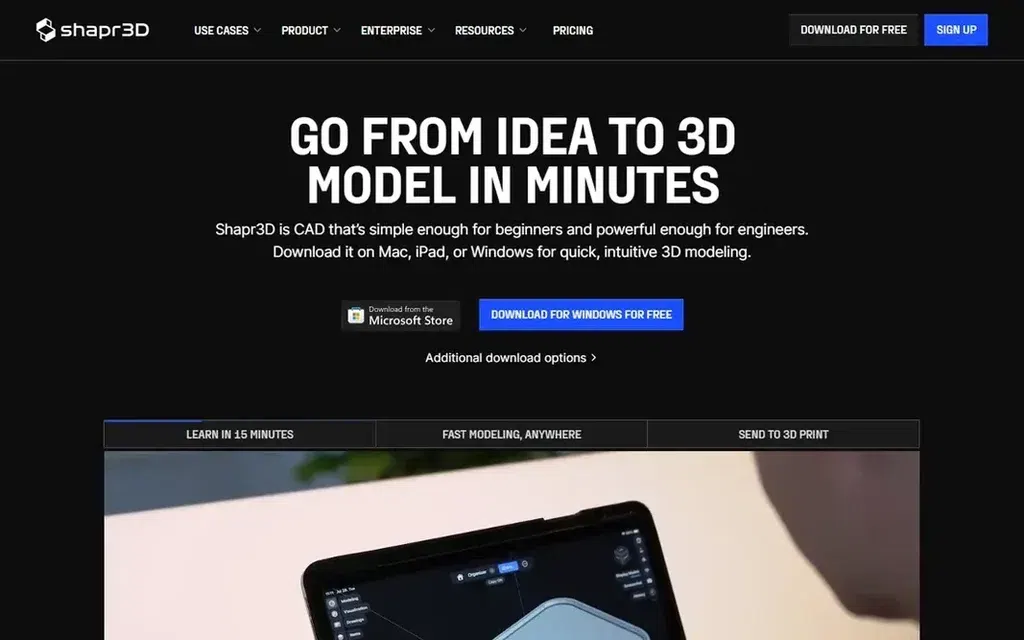
Shapr3D makes the most sense for precise 3D modeling on Apple and desktop. Shapr3D is 3D modeling software for Mac, Windows, iPad and iPhone, described as straightforward enough for beginners and precise enough for engineers. Choose it when your AR work centers on accurate 3D objects instead of painted scenes.
Watch-outs: Not a freehand sketch or paint tool.
In an AR drawing context, it is handy for creating accurate models of objects and products that can then be viewed in augmented reality. In practice, Shapr3D is not a drawing or painting app, so it will not satisfy artists who want expressive brushes. On cost, Shapr3D starts like this: $299 per editor seat per year. Shapr3D includes a free tier.
Reasons to shortlist it: precise for engineers.
- A decent match for modeling objects to view in AR
- IPad and iPhone
- Concentrated on engineering-style modeling
How these tools were picked
We compared the tools on published pricing, free plan or trial availability, feature coverage for AR drawing app, and the limits each vendor documents. Prices and plan limits come from vendor pages and can change, so confirm them on the vendor site before you buy. The order reflects how well each tool fits the most common buying scenario for AR drawing app, then price clarity, then free plan access. It is a starting point, not a verdict.
Pre-purchase checklist
- Confirm the entry price on the vendor page. For Autodesk Maya that means a quote rather than a fixed price.
- Check what the free option really includes: Spline and Shapr3D offer a free plan, and usage caps differ.
- Run a trial of Unity with real work before paying for a year; your own workflow is the best test.
- Before choosing Autodesk Maya, weigh its main limit: complicated and demanding to learn.
- Work out what Autodesk Maya costs with your real seat count, add-ons and usage, not just the entry price.
- Confirm minimum seats and billing terms with Spline before you commit to an annual plan.
FAQ
Is Autodesk Maya the right pick for everyone comparing AR drawing app?
No single tool suits every team. Autodesk Maya comes first because it fits professional 3D animation and VFX, while Figma suits designing and prototyping AR interfaces and Unity suits building deployable AR drawing apps. Match the tool to your own size, budget and workflow before deciding.
What is the cheapest option for AR drawing app in this list?
On published monthly entry prices, Figma is the lowest here at $3 per month. Entry price is only part of the cost, because seats, add-ons and billing terms can change the total. All 5 picks in this AR drawing app comparison list a starting price, free plan details and the main limits on their cards above.
What is the best AR drawing app for beginners?
Start with Autodesk Maya if you need professional 3D animation and VFX. Figma is the better match for designing and prototyping AR interfaces, and Unity for building deployable AR drawing apps. The best choice depends on budget, team size and workflow.
Do these tools publish their prices?
Not all of them. Autodesk Maya publishes no starting price, so expect a quote request for it. The rest, Figma included, show a starting price, though seats and billing terms still change the final cost.
How are the tools for AR drawing app ordered?
Autodesk Maya sits first and Shapr3D last because the order follows typical fit for AR drawing app, then price clarity and free access. It is a judgement call, so read each profile for fit and limits.
Sources
- https://www.autodesk.com/products/maya/overview
- https://www.figma.com
- https://unity.com
- https://spline.design
- https://www.shapr3d.com