Choosing Tip Distribution Software in 2026: 6 Options Compared
6 options for the best tip distribution software, with entry costs, free tiers and the buyer each one serves. Real limits included. Current for November 2026.
- Editor's choice
 When I Work
Shift scheduling and team messaging
Starts at$2.50 per user per monthVisit wheniwork.comFull review - Great alternative
 Homebase
Hourly teams needing scheduling and payroll
Starts at$30 per location a monthVisit joinhomebase.comFull review - Also consider
 Deputy
Scheduling with labor forecasting
Starts at$5 per user a monthVisit deputy.comFull review
Direct answer
This list puts When I Work first for shift scheduling and team messaging. Listed starting prices: When I Work from $2.50 per user per month, Homebase from $30 per location a month and Deputy from $5 per user a month. Alternatives: Homebase for hourly teams needing scheduling and payroll, and Deputy for scheduling with labor forecasting. Details, prices and limits for the rest of the 6 tools are below.
TL;DR:
- Top of the list is When I Work, which targets shift scheduling and team messaging.
- When I Work is the lowest-priced starter here at $2.50 per user per month.
- For Tip-focused evaluation, Tip Jar is worth a look.
- Only Homebase offers a free plan among these 6 tools.
- When I Work comes with a trade-off: Tip handling not emphasized.
Last checked November 2026. Prices and plan details were read from the vendors' own pages in November 2026; vendors change plans often, so confirm the current price on the vendor site before you buy.
Quick comparison
| Tool | Best for | Starts at | Free plan? | |
|---|---|---|---|---|
| When I Work | Shift scheduling and team messaging | $2.50 per user per month | Free trial | Visit |
| Homebase | Hourly teams needing scheduling and payroll | $30 per location a month | Yes | Visit |
| Deputy | Scheduling with labor forecasting | $5 per user a month | Free trial | Visit |
| Gratuity Solutions | Dedicated automatic gratuity pooling | $49 per month | Not stated | Visit |
| Push Operations | Restaurant HR and payroll | $200 a month per location | Not stated | Visit |
| Tip Jar | Tip-focused evaluation | See website | Not stated | Visit |
The best tip distribution software
If you are comparing tip distribution software, this page covers 6 tools in one place: what each is best for, what it costs to start, whether it has a free plan, and the main limit to know about.
For shift scheduling and team messaging, When I Work is a natural candidate. When I Work concentrates on shift scheduling, time tracking and team messaging in a single app for workplaces of numerous kinds. Its homepage emphasizes keeping staff coordinated.
Drawbacks to consider: General instead of hospitality-specific.
Tip pooling is not a highlighted strength, so verify how gratuity data would flow into payroll. In practice, choose it for scheduling simplicity, and look to a dedicated gratuity system if automatic tip distribution is a hard requirement. Entry price for When I Work: $2.50 per user per month. Free plan details: Free trial.
- Wide workplace appeal
- Straightforward team communication
- Tip handling not emphasized
Homebase makes the most sense for hourly teams needing scheduling and payroll. Its homepage stresses simplicity for small companies managing shift-based staff.
Highlights: Scheduling.
Consider it when scheduling and payroll are the larger pain points and tip distribution is relatively straightforward. Homebase starts at: $30 per location per month. You can start on Homebase without paying.
Where it is weaker: Best fit for smaller teams.
- Straightforward all-in-one app
- Time clocks and payroll together
- Tips are a secondary feature
Pick Deputy if this describes you: scheduling with labor forecasting. It fits managers who require capable scheduling and forecasting and want payroll-adjacent functions handled in the same system.
Points against: Feature depth varies by need.
On top of that, Tip distribution is not the headline capability, so teams with intricate pooling arrangements should verify support carefully. Deputy starts at: $5 per user per month. Free options: Free trial.
- Payroll support
- AI labor forecasting
- Tips not the core focus
Gratuity Solutions
Best for: Dedicated automatic gratuity pooling
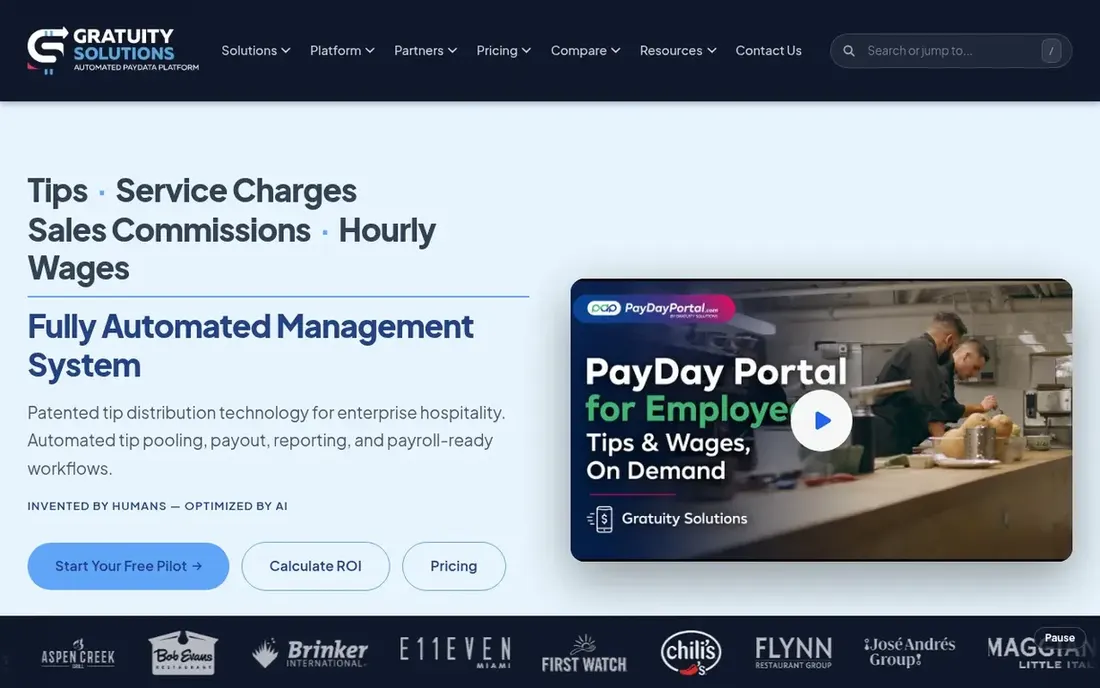
Gratuity Solutions targets dedicated automatic gratuity pooling. Gratuity Solutions is a dedicated system for automatic tip distribution and gratuity pooling in hospitality.
Its homepage describes patented automation that manages pooling rules so managers do not calculate splits by hand. Worth adding: choose it when tip pooling is the priority and you want a specialist instead of a general workforce product. Entry price for Gratuity Solutions: $49 per month. As for free access: Not stated.
The main drawbacks: Hospitality-specific fit.
- Concentrated on hospitality operations
- Purpose-built for tip pooling and distribution
- Narrow scope beyond tips
Push Operations
Best for: Restaurant HR and payroll
For restaurant HR and payroll, Push Operations is a natural candidate. Push Operations describes an all-in-one restaurant management system including HR, payroll, time tracking and scheduling. Its restaurant focus means it understands shift-based service teams.
It is designed around restaurants instead of general retail or service companies, so other sectors may find it less relevant. Worth adding: check the specifics of tip pooling support against your rules, and choose a dedicated gratuity tool if that automation is essential. On cost, Push Operations starts like this: $200 per month per location. Free options: Not stated.
What to check first: Restaurant-focused scope.
- Made for restaurant operations
- Time tracking included
- Tip logic to verify
Tip Jar
Best for: Tip-focused evaluation
For Tip-focused evaluation, Tip Jar is a natural candidate. It is worth including when you want to compare dedicated tip tools against broader products.
Beyond that, confirm its exact pooling and distribution capabilities on the vendor site before committing, since public documentation is limited. Check the vendor site for Tip Jar pricing; none is listed in this comparison. Free plan details: Not stated.
Watch-outs: Verify feature fit straight.
- Straightforward concept to assess
- Tip-oriented positioning
- Restricted public detail
Our selection method
For each of the 6 tools we noted price, free plan or trial, fit for tip distribution software and the main limit, using vendor pages and documentation. Treat prices as a snapshot: vendors change plans often, so check the vendor site for the figure that applies today. We ordered the tools by general fit, then by how clearly pricing is shown, then by free access. A buyer with unusual needs may reorder them.
What to check before you buy
- Get a written quote from Tip Jar; the list shows no starting price for them.
- Look at the free plan from Homebase closely: its caps decide whether it is usable for real work.
- Run a trial of When I Work and Deputy with real work before paying for a year; your own workflow is the best test.
- Before choosing When I Work, weigh its main limit: Tip handling not emphasized.
- Work out what Push Operations costs with your real seat count, add-ons and usage, not just the entry price.
- Make sure Gratuity Solutions lets you export your data in a format another tool can read.
FAQ
Can general scheduling tools handle tip pooling?
If your gratuity rules are straightforward, a broader tool may be enough. If they are intricate, confirm support carefully or pair a scheduling tool with a specialist.
What should tip distribution software actually do?
It should automate pooling and splitting rules, apply them consistently across shifts and roles, and feed accurate figures into payroll. Look for clear reporting so staff can see how gratuities were allocated.
Do these tools publish their prices?
Not all of them. Tip Jar publishes no starting price, so expect a quote request for it. The rest, When I Work included, show a starting price, though seats and billing terms still change the final cost.
How do I evaluate tip distribution software before buying?
Map your current pooling rules, then ask each vendor to present how those rules would be configured and reported. Check payroll integration and staff visibility, and confirm details on the vendor site before committing.
What is the cheapest option for tip distribution software in this list?
On published monthly entry prices, When I Work is the lowest here at $2.50 per user per month. Entry price is only part of the cost, because seats, add-ons and billing terms can change the total. For the full picture, the cards above cover all 6 entries of this tip distribution software list, including price, free plan and limits.
Which options for tip distribution software have a free plan?
Homebase is the only tool in this list with a free plan. Free plans usually cap users, projects or features, so check the limits on the vendor page. Several others offer a trial instead. Prices, free plan details and limits for all 6 tools in this tip distribution software roundup sit on the individual cards above.
Sources
- https://wheniwork.com
- https://joinhomebase.com
- https://www.deputy.com
- https://gratuitysolutions.com
- https://www.pushoperations.com
- https://tipjar.com