Best ERP for Distribution Companies in 2026: 8 Systems Compared
Compare the best ERP for distribution companies, with warehouse, inventory, order, and multi-site tools for wholesalers and distributors in 2026 today.
- Editor's choice
 Oracle NetSuite
Growing multi-site distributors
Starts atSee websiteVisit netsuite.comFull review - Great alternative
 Microsoft Dynamics 365 Business Central
Microsoft-based distributors
Starts at$80 per user per monthVisit microsoft.comFull review - Also consider
 Acumatica
Many-user distribution teams
Starts atSee websiteVisit acumatica.comFull review
TL;DR:
- NetSuite and Microsoft Dynamics 365 suit growing distributors that need finance, inventory, and multi-site control in one system.
- Acumatica suits companies with many occasional users, since it prices by resources rather than seats.
- Infor CloudSuite and Epicor Kinetic suit larger distributors with complex warehouse and manufacturing needs.
- Get a demo on your own products, orders, and warehouse steps before you sign, since ERP fit depends on daily workflows.
Quick comparison
| Tool | Best for | Starts at | Free plan? | |
|---|---|---|---|---|
| Oracle NetSuite | Growing multi-site distributors | See website | No | Visit |
| Microsoft Dynamics 365 Business Central | Microsoft-based distributors | $80 per user per month | Free trial | Visit |
| Acumatica | Many-user distribution teams | See website | No | Visit |
 SAP Business One | Smaller distributors on SAP | See website | No | Visit |
 Infor CloudSuite Distribution | Large complex distributors | See website | No | Visit |
 Epicor Kinetic | Distributors with manufacturing | See website | No | Visit |
 Sage X3 | Multi-site inventory control | See website | No | Visit |
 Odoo | Smaller distributors starting lean | See website | Free trial | Visit |
The best ERP for distribution companies
We compared inventory, warehouse, order, purchasing, and finance features for distributors, not just general accounting. All eight are live in October 2026 and serve US distribution businesses.
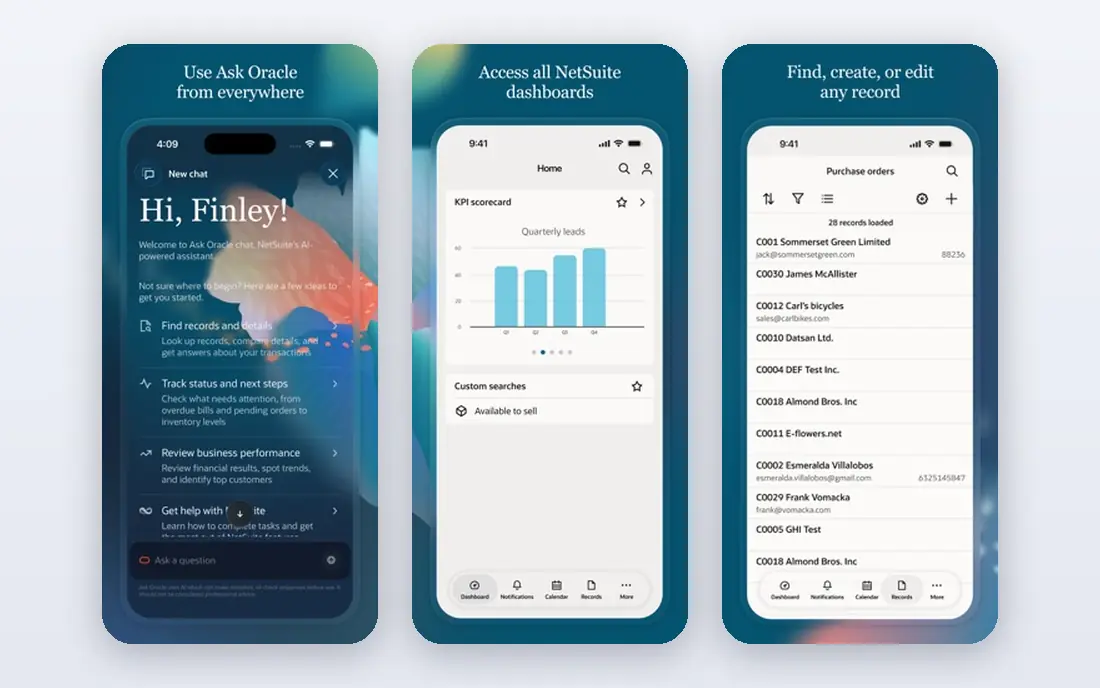
NetSuite is the most common pick for distributors that have outgrown basic accounting and need one system for orders, stock, purchasing, and finance. It handles multiple warehouses and subsidiaries, tracks inventory in real time, and gives managers a single view of sales, margins, and fulfillment. That breadth matters when a company adds sites, channels, or product lines.
The trade-off is cost and setup time. NetSuite does not publish a standard price, and implementation often needs a partner, training, and data cleanup. Smaller distributors may find it heavy, but growing mid-market distributors often find it the safest long-term choice.
- Finance, inventory, and CRM in one cloud system
- Multi-subsidiary support
- Strong order and warehouse tools
- Quote-based pricing
- Implementation can be long and costly
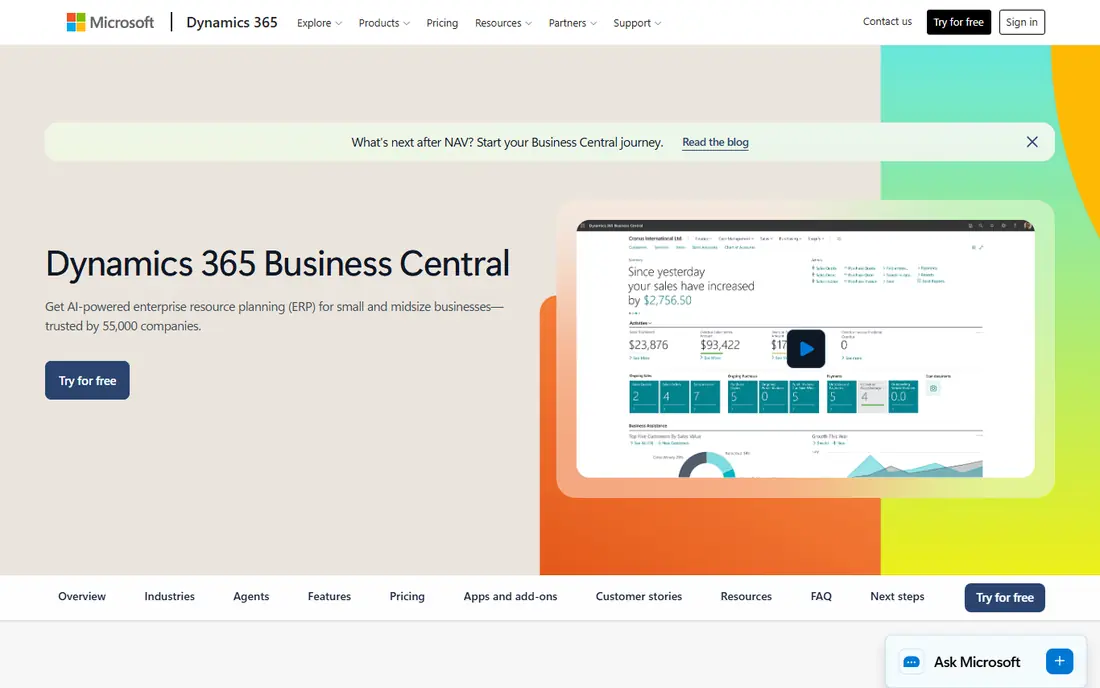
Business Central suits distributors already using Microsoft 365, Outlook, Excel, and Teams. It covers finance, inventory, purchasing, sales orders, and basic warehouse work, and its familiar interface shortens training for office staff. Published pricing also makes budgeting easier than quote-only rivals.
Advanced warehouse automation, lot tracking, and complex picking may need extensions or a partner build. That is normal for ERP, but budget for it in the first year. For small and mid-sized distributors that want a clear price and a Microsoft workflow, Business Central is a strong, practical pick.
- Published per-user pricing
- Strong Microsoft 365 links
- Inventory, purchasing, and sales in one app
- Advanced warehouse features may need add-ons
- Partner help often needed for setup
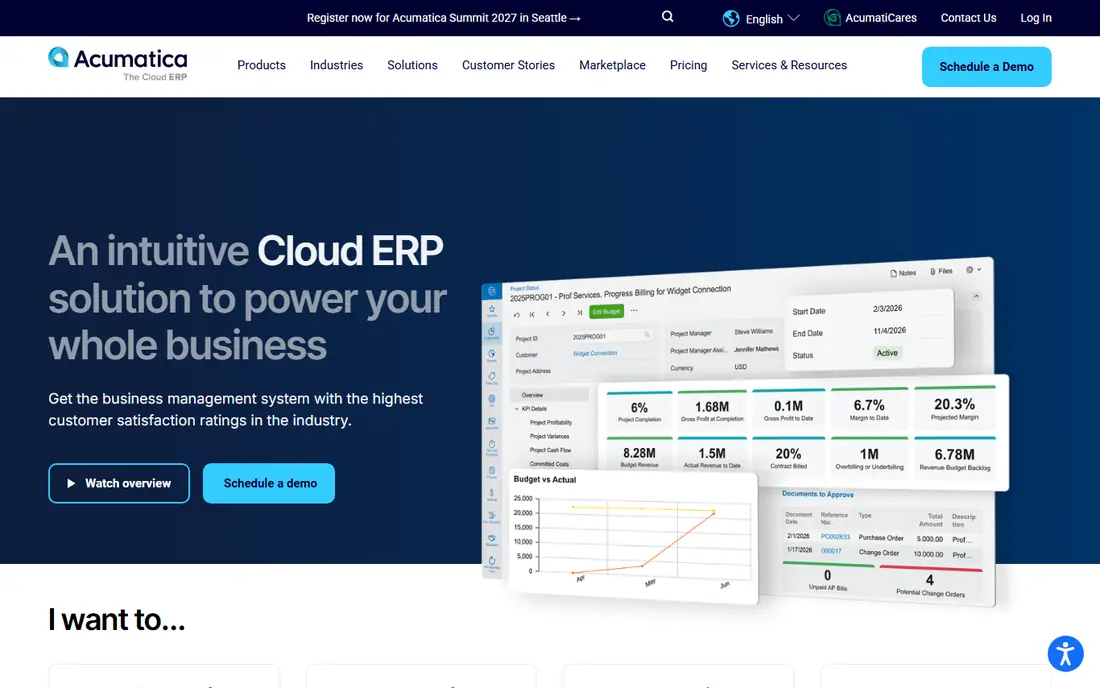
Acumatica stands out for teams with many occasional users, such as warehouse staff, sales reps, and branch managers who log in briefly. Because pricing is based on transaction volume and resources rather than per seat, adding users does not raise the bill in the same way as seat-based ERP. Its distribution edition covers inventory, order management, purchasing, and warehouse work.
Pricing is quoted, so you will need a sales conversation to get a firm number. Complex warehouse automation and integrations also need partner help. For distributors with wide, part-time user bases, Acumatica often delivers the best value over time.
- Pricing by resources, not seats
- Strong distribution and warehouse tools
- Flexible workflows
- Quote-based pricing
- Partner implementation needed for complex setups
SAP Business One gives smaller distributors an SAP path without the cost and complexity of SAP S/4HANA. It covers accounting, inventory, purchasing, sales, and basic warehouse work, with reporting that managers can use for margins, stock turns, and supplier performance. Its partner network also means local help is available in most US regions.
The interface feels less modern than cloud-first systems, and pricing comes through partners, so quotes vary. Companies already in an SAP supply chain, or planning to grow into larger SAP systems, will value the continuity. Others may prefer a simpler cloud ERP.
- Finance, inventory, and CRM in one system
- Strong reporting
- Large partner network
- Quote-based via partners
- Older interface feel than cloud-first rivals
Infor CloudSuite Distribution is built for larger distributors with complex pricing, rebates, warehouse automation, and multi-branch operations. Its distribution features go deeper than general ERP, covering contract pricing, landed costs, and warehouse tasks that high-volume distributors run daily. Cloud delivery also reduces the need to manage servers in house.
This is an enterprise system, with enterprise pricing and a longer implementation. Smaller distributors will find it more than they need. For large distributors with complex product and pricing rules, Infor's depth can justify the investment.
- Distribution-specific workflows
- Strong warehouse and pricing tools
- Cloud delivery
- Enterprise pricing
- Implementation needs experienced partners
Epicor Kinetic suits distributors that also make, assemble, or kit products. It combines inventory, order management, purchasing, and production planning in one system, so a company that both stocks and builds goods does not need separate tools. Its warehouse and fulfillment features support distributors that ship from multiple sites.
Epicor is a mid-market system with partner-led implementation, so budget for setup, training, and data migration. Pure distributors with no production may find a simpler distribution ERP enough. For mixed make-and-distribute businesses, Epicor is a strong fit.
- Strong inventory and production tools
- Good for make-to-stock and distribution mix
- Cloud or on-premise
- Quote-based pricing
- Setup needs careful planning
Sage X3 serves mid-sized distributors that run several warehouses or sites and need tight inventory and finance control. It handles purchasing, sales, stock, and production planning, with tools for lot and serial tracking that matter for regulated or high-value goods. Deployment can be cloud or hosted, which suits companies with specific IT rules.
Pricing comes through partners and implementation takes planning, so smaller distributors may prefer Business Central or Odoo. For multi-site distributors that need strong inventory accuracy and finance depth, Sage X3 is a proven, if less flashy, choice.
- Multi-site and multi-warehouse support
- Strong finance and inventory
- Flexible deployment
- Quote-based via partners
- Learning curve for new users
Odoo lets a smaller distributor start with inventory, sales, and purchasing, then add warehouse, accounting, and e-commerce apps as the business grows. That modular path keeps entry cost low and avoids paying for enterprise features before you need them. Its open-source roots also mean a large community and many add-ons.
The trade-off is configuration. Odoo's distribution depth depends on how well it is set up, and partner quality matters. Companies with complex warehouse automation should test Odoo on their real workflows before committing. For lean distributors that want to start small and grow, it is a flexible, low-cost entry.
Distributors should also check how each system handles returns, damaged goods, and customer-specific pricing, since those daily tasks often reveal fit faster than a demo of standard orders. A system that handles your hardest orders well will usually handle routine orders without trouble.
- Modular apps you add as you grow
- Inventory, sales, and purchasing included
- Lower entry cost
- Distribution depth needs configuration
- Support quality varies by partner
How we picked these
We compared official product pages, pricing models, and distribution features in October 2026, and kept systems with real inventory, order, purchasing, and warehouse tools for distributors. We favored systems with US partner support and clear deployment options, and we left out accounting-only tools and systems with no distribution focus.
How to choose an ERP for distribution
Start with your daily workflows, not a feature list. Map how an order moves from quote to pick, pack, ship, and invoice, and note where stock counts, pricing, and returns cause trouble. Use that map in every demo, and ask vendors to show your products and steps, not a generic sample.
Inventory, warehouse, and pricing questions
Ask how the system handles lot and serial tracking, multi-warehouse stock, backorders, and landed costs. Check pricing rules for contracts, rebates, and customer tiers, since distributors live or die on margin accuracy. Test barcode scanning, picking, and cycle counting if your warehouse uses them daily.
Implementation, cost, and timeline
ERP cost is more than licenses. Budget for implementation, data cleanup, training, and integrations with e-commerce, shipping, and accounting tools. Ask for a written timeline, a named project lead, and references from distributors of similar size. A phased rollout, starting with finance and inventory, often beats a big-bang launch.
FAQ
What is the best ERP for distribution companies?
NetSuite is the safest pick for growing multi-site distributors, while Business Central suits Microsoft-based teams and Acumatica suits teams with many occasional users. The right choice depends on size, warehouse complexity, and budget.
How much does distribution ERP cost?
Costs vary widely, from low monthly fees for Odoo to large annual contracts for NetSuite, Infor, and Epicor. Most mid-market systems are quote-based, so get written quotes that include licenses, implementation, training, and support.
Can a small distributor use ERP, or is QuickBooks enough?
QuickBooks suits very small distributors with simple stock, but it strains when you add warehouses, lot tracking, or high order volume. Odoo and Business Central are good first ERP steps before moving to NetSuite or Infor.
How long does ERP implementation take?
Small setups can take weeks, while mid-market distribution ERP often takes three to nine months. Timeline depends on data quality, warehouse complexity, and integrations. Clean product and customer data before you start to avoid delays.
Does ERP help with food service distribution?
Yes, if it supports lot tracking, expiry dates, temperature-sensitive handling, and customer pricing. Ask vendors to demo food-specific workflows, since general inventory tools may miss expiry and recall needs.