Best Time Tracking Software for Smart Work in 2026: 5 Tools Compared
Best time tracking software for smart work: 5 contenders ranked by fit, with entry costs and free tiers. With pricing notes and limits. Quick comparison inside.
- Editor's choice
 RescueTime
Automatic time tracking for individuals
Starts at$7 a monthVisit rescuetime.comFull review - Great alternative
 Hubstaff
Productivity insights and payments
Starts at$10 per seat a monthVisit hubstaff.comFull review - Also consider
 Clockify
Straightforward time tracking across projects
Starts atSee websiteVisit clockify.meFull review
Direct answer
This list puts RescueTime first for automatic time tracking for individuals. Listed starting prices: RescueTime from $7 a month, Hubstaff from $10 per seat a month and Harvest from $9 per seat per month. Hubstaff is better for productivity insights and payments, and Clockify is better for straightforward time tracking across projects. The remaining 2 options are covered below with prices and limits.
TL;DR:
- RescueTime takes the first slot, best suited to automatic time tracking for individuals.
- The lowest published monthly entry price here is $6.67 per user per month, from Time Doctor.
- Time Doctor is the one to check for workforce visibility for distributed teams.
- A free plan is available from 2 of the 5 tools: Clockify, Harvest.
- Hubstaff comes with a trade-off: productivity monitoring may feel intrusive.
Last checked November 2026. Prices and plan details were read from the vendors' own pages in November 2026; vendors change plans often, so confirm the current price on the vendor site before you buy.
Quick comparison
| Tool | Best for | Starts at | Free plan? | |
|---|---|---|---|---|
| RescueTime | Automatic time tracking for individuals | $7 a month | Free trial | Visit |
| Hubstaff | Productivity insights and payments | $10 per seat a month | Free trial | Visit |
| Clockify | Straightforward time tracking across projects | See website | Yes | Visit |
 Harvest | Time tracking with invoicing | $9 per seat per month | Yes | Visit |
 Time Doctor | Workforce visibility for distributed teams | $6.67 per user a month | Free trial | Visit |
Our 5 picks for time tracking software for smart work
Choosing time tracking software for smart work usually comes down to price, fit and limits. This LinkVetted guide sets 5 tools side by side on those three points, with the facts kept short and checkable.
RescueTime targets automatic time tracking for individuals. RescueTime is automatic time tracking software and a timesheet app for freelancers, small firms, project management, and employees. It helps users boost productivity by creating goals, tracking projects, and managing time.
Downsides: May lack team management features.
On top of that, choose RescueTime when you want automatic, low-effort time tracking for personal productivity improvement. RescueTime is centred on individual productivity and may not offer the team management or invoicing features that some companies need. The tool is especially suited for individuals who want to understand how they spend time on their computer and boost focus. On cost, RescueTime starts like this: $7 per month. On free options: Free trial.
- Bundles timesheet app
- Helps produce goals and handle time
- Primarily for individual productivity
Where Hubstaff fits: productivity insights and payments. It helps teams handle work, costs, and performance. On top of that, if you only have to log hours without tracking activity, a more straightforward tool might be preferable.
Also, choose Hubstaff when you have to combine time tracking with productivity metrics and payment processing for a managed workforce. Since Hubstaff bundles productivity monitoring, some teams may find it more invasive than necessary. The starting price for Hubstaff: $10 per seat per month. Free access: Free trial.
Drawbacks to consider: Could be overkill for straightforward time tracking.
- Turns approved hours into payments
- Offers insights on work and costs
- Productivity monitoring may feel intrusive
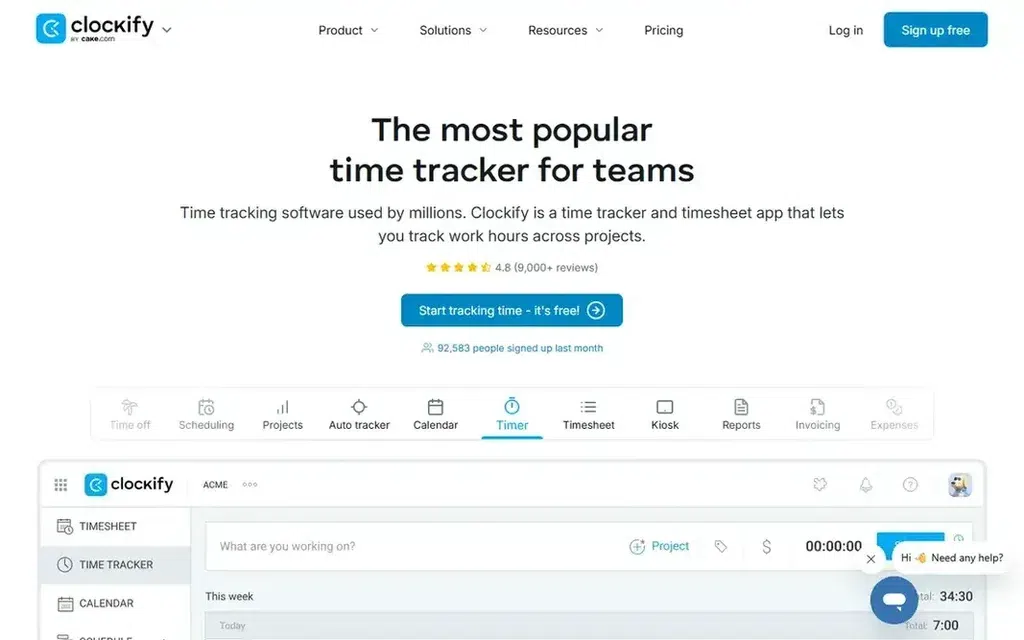
Clockify is aimed squarely at simple time tracking across projects. If you need in-depth reporting on team workload or integrated invoicing, you might consider other choices.
In practice, the tool is built to be accessible, making it a solid fit for those new to time tracking or who require a light option for smart work. No starting price is listed for Clockify here; confirm pricing on the vendor site. A free plan is available with Clockify.
Points against: Restricted advanced productivity monitoring.
- Tracks work hours across several projects
- A good match for teams and individuals
- May lack deep invoicing features
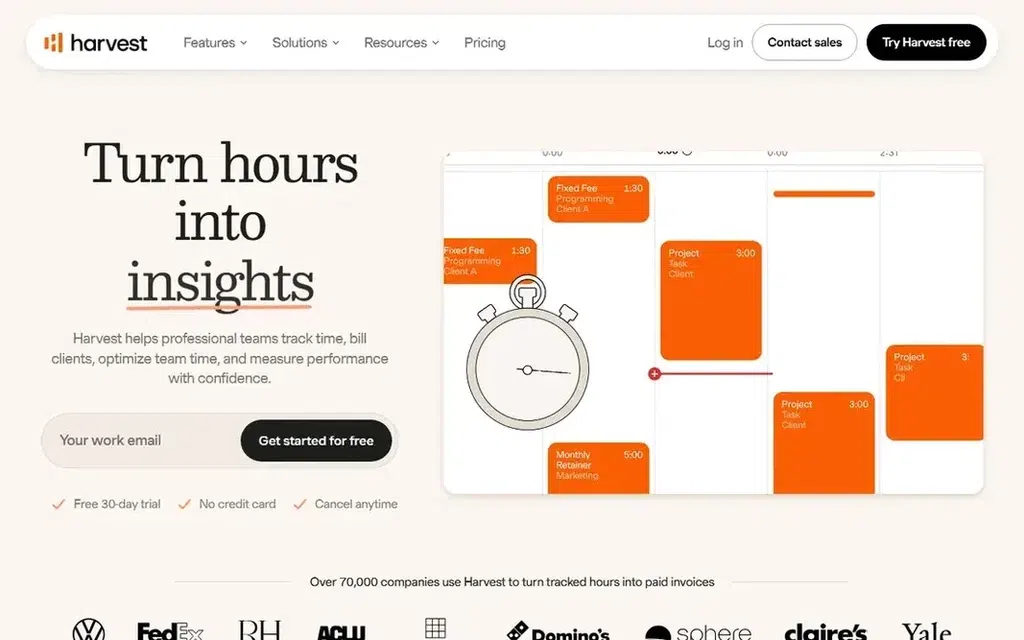
Choose Harvest for Time tracking with invoicing. It is made for firms that require to track time and turn it into client invoices efficiently.
Harvest's strength in invoicing means it may not provide the deep productivity insights or employee monitoring that some teams need. Worth adding: Harvest supports smart work by simplifying the path from time logged to invoice sent. Price to start with Harvest: $9 per seat per month. A free plan is available with Harvest.
Where it is weaker: Restricted productivity monitoring features.
- Simplified online invoicing
- Capable and simple reporting
- Invoicing focus may not suit all teams
Time Doctor was built for workforce visibility for distributed teams. The software supports smart work by providing data-driven insights that can inform decisions about productivity and workflow.
Pick Time Doctor when you need deep visibility and process validation for a distributed workforce. What you pay to start with Time Doctor: $6.67 per user per month. As for free access: Free trial.
Honest limits: May need employee buy-in for monitoring.
- Supplies AI answers grounded in data
- Offers visibility into distributed team work
- AI features might be more than needed
What went into this list
Pre-purchase checklist
- Confirm the entry price on the vendor page. For Clockify that means a quote rather than a fixed price.
- Look at free plan limits closely: Clockify and Harvest have one, and the caps decide whether it is usable for real work.
- Run a trial of RescueTime, Hubstaff and Time Doctor with real work before paying for a year; your own workflow is the best test.
- Before choosing RescueTime, weigh its main limit: primarily for individual productivity.
- Involve the people who will use Hubstaff daily; a short pilot beats a long feature checklist.
- Find out what support Time Doctor includes on your plan, and whether onboarding help costs extra.
FAQ
How do I choose between automatic and manual time tracking?
Automatic tracking, like RescueTime, runs in the background and needs little effort, making it well suited to individual productivity insights. From a buyer's view, consider your need for accuracy compared with convenience.
How are the tools for time tracking software for smart work ordered?
RescueTime sits first and Time Doctor last because the order follows typical fit for time tracking software for smart work, then price clarity and free access. It is a judgement call, so read each profile for fit and limits.
Can I try these tools before paying?
Often, yes. Clockify and Harvest have a free plan and RescueTime, Hubstaff and Time Doctor offer a free trial. Use your own data and a real task during the test, and check what the free tier or trial limits before you rely on it.
Which options for time tracking software for smart work have a free plan?
On this list, Clockify and Harvest include a free plan. Caps on seats, usage or features are common, so test the free plan against your real workload. Several others offer a trial instead.
Is RescueTime the right pick for everyone comparing time tracking software for smart work?
No single tool suits every team. RescueTime comes first because it fits automatic time tracking for individuals, while Hubstaff suits productivity insights and payments and Clockify suits simple time tracking across projects. Match the tool to your own size, budget and workflow before deciding.
Sources
- https://www.rescuetime.com
- https://hubstaff.com
- https://clockify.me
- https://www.getharvest.com
- https://www.timedoctor.com