Top 5 Realistic Java Development Tools for 2026 (Prices and Free Plans)
Shortlisting the best realistic Java development tools? 5 products compared on cost, free access and ideal buyer. Honest caveats for every entry. Details below.
- Editor's choiceApache NetBeans
Open source IDE for standard Java projects
Starts atPricing on requestVisit netbeans.apache.orgFull review - Great alternativeJProfiler
Diagnosing JVM performance and memory issues
Starts atPricing on requestVisit ej-technologies.comFull review - Also considerJUnit
Unit testing Java code
Starts atPricing on requestVisit junit.orgFull review
Direct answer
If you need open source IDE for standard Java projects, Apache NetBeans is the first tool to look at here. If your case is different, JProfiler suits Diagnosing JVM performance and memory issues and JUnit suits unit testing Java code. The full list of 5 tools follows, with free plan facts. None of these vendors publish plan prices, so pricing is on request for every option.
TL;DR:
- Apache NetBeans sits first on this list: open source IDE for standard Java projects.
- Every tool from Apache NetBeans to IntelliJ IDEA works by quote, with no list price shown.
- IntelliJ IDEA is the one to check for deep Java and Kotlin code intelligence.
- Apache NetBeans comes with a trade-off: less refined than some commercial IDEs.
- Apache NetBeans, IntelliJ IDEA and the 3 others all need a premium plan or a trial, since no free plan is listed.
Last checked November 2026. Pricing on request: vendors did not publish plan prices when this guide was last checked (November 2026), so ask each vendor for a written quote.
Quick comparison
| Tool | Best for | Starts at | Free plan? | |
|---|---|---|---|---|
| Apache NetBeans | Open source IDE for standard Java projects | Pricing on request | Not stated | Visit |
| JProfiler | Diagnosing JVM performance and memory issues | Pricing on request | Not stated | Visit |
| JUnit | Unit testing Java code | Pricing on request | Not stated | Visit |
| YourKit Java Profiler | Completely featured JVM profiling and analysis | Pricing on request | Not stated | Visit |
 IntelliJ IDEA | Deep Java and Kotlin code intelligence | Pricing on request | Not stated | Visit |
Our 5 realistic Java development tools
LinkVetted put together this guide to realistic Java development tools for readers who want a clear shortlist without reading every vendor page. It compares 5 tools on starting price, free plans, who each one suits and where each one falls short.
Apache NetBeans
Best for: Open source IDE for standard Java projects
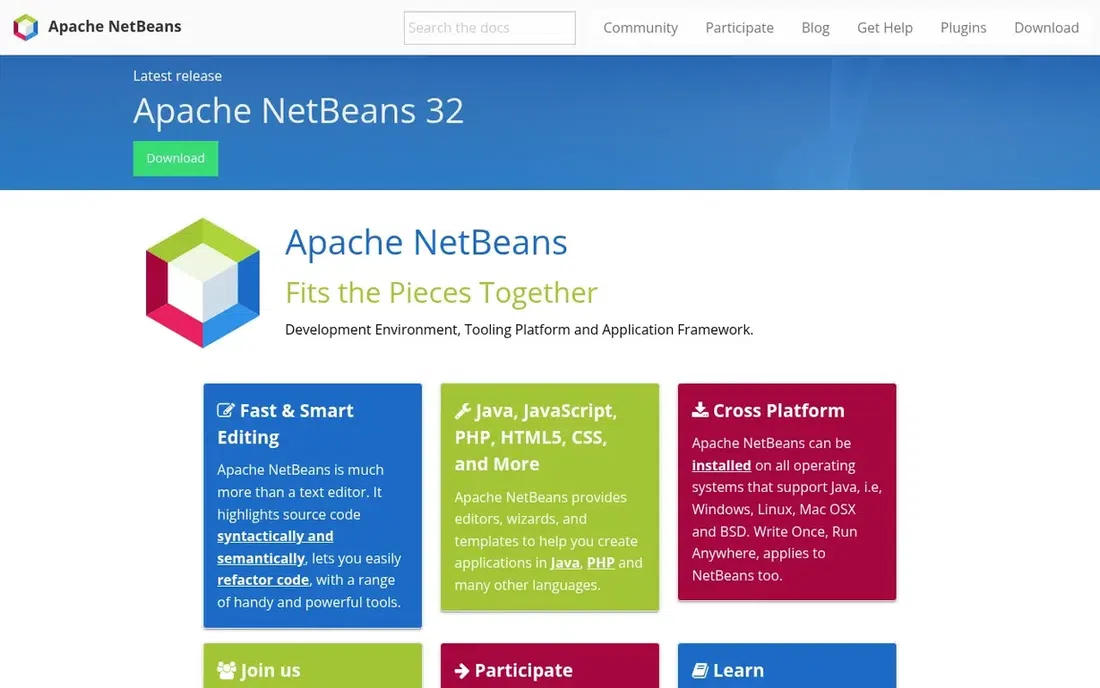
Apache NetBeans is designed for open source IDE for standard Java projects. Apache NetBeans is an open source IDE under the Apache Software Foundation, targeted at Java development and related languages.
It gives you the usual editing, project management and debugging features expected of a desktop IDE. Compared to heavily commercialized IDEs, some refactoring and framework tooling may feel less refined, and the plugin catalog is smaller. Pricing for Apache NetBeans is not stated here, so ask the vendor for current figures. Free plan details: Not stated.
What to check first: Less refined than some commercial IDEs.
- Familiar IDE project structure
- Includes typical Java development needs
- Plugin ecosystem is smaller
JProfiler
Best for: Diagnosing JVM performance and memory issues
JProfiler makes the most sense for Diagnosing JVM performance and memory issues. If you only need occasional sanity checks, a more straightforward approach may be enough.
Pick JProfiler when performance investigation is a recurring part of your work. It is a profiling tool, so it does not replace your IDE or build tools, and reading JVM-level data takes practice. No starting price is listed for JProfiler here; confirm pricing on the vendor site. Free access: Not stated.
Points against: Needs learning to interpret JVM data.
- Merges high-level analytics with low-level JVM data
- Targets memory leaks and slow queries
- Concentrated on profiling, not editing
JUnit
Best for: Unit testing Java code
JUnit serves unit testing Java code. JUnit is a testing framework for Java, used to write and run automatic unit tests.
The main drawbacks: Only manages testing concerns.
Pair it with a build tool and an IDE instead of expecting it to handle the entire workflow. No starting price is listed for JUnit here; confirm pricing on the vendor site. Free access: Not stated.
- Encourages repeatable automatic tests
- Widely supported by IDEs and build tools
- Needs discipline to maintain suites
YourKit Java Profiler
Best for: Completely featured JVM profiling and analysis
YourKit Java Profiler is built with completely featured JVM profiling and analysis in mind. If you seldom investigate performance, start with more straightforward diagnostics; reach for a profiler when you need in-depth JVM insight.
The main drawbacks: Profiling sessions add overhead.
From a buyer's view, YourKit Java Profiler is a completely featured profiler for Java applications, including the CPU and memory analysis developers usually need when tracking down hot spots and leaks. Check the vendor site for YourKit Java Profiler pricing; none is listed in this comparison. As for free access: Not stated.
- Established Java profiling tool
- Fully featured profiler
- Not a general IDE

IntelliJ IDEA serves deep Java and Kotlin code intelligence. IntelliJ IDEA is a JetBrains IDE built around Java and Kotlin, with deep code intelligence and built-in tools for everyday development.
Limits to weigh: Full feature set can feel heavy.
Its pages also describe running AI agents and verifying their work inside the IDE. The trade-off is weight: a full IDE asks more of your machine and can feel slower to start than a light editor. Check the vendor site for IntelliJ IDEA pricing; none is listed in this comparison. Free options: Not stated.
- Built-in developer tools in one IDE
- Support for AI agent workflows
- Resource use is higher than a light editor
How the list was put together
Things to verify first
- Ask each vendor, from Apache NetBeans to IntelliJ IDEA, for a written quote; none of them publishes a starting price.
- Read the limits listed for Apache NetBeans first: less refined than some commercial IDEs.
- Look at the renewal terms for Apache NetBeans: auto-renewal, notice periods and price changes can matter more than the first-year price.
- A short pilot of JProfiler with your real workflow tells you more than a feature table.
- Map your must-have features to a specific YourKit Java Profiler plan before you compare prices.
FAQ
Can I try these options before paying?
Not by default. None of the tools, from Apache NetBeans to IntelliJ IDEA, lists a free plan or a free trial here, so ask each vendor for a demo before committing.
Does any tool for realistic Java development tools here have a free plan?
No tool in this list, Apache NetBeans and IntelliJ IDEA included, has a permanent free plan. Trials and quotes are the usual route, so plan a short evaluation period.
Is Apache NetBeans the right pick for everyone comparing realistic Java development tools?
No single tool suits every team. Apache NetBeans comes first because it fits open source IDE for standard Java projects, while JProfiler suits Diagnosing JVM performance and memory issues and JUnit suits unit testing Java code. Match the tool to your own size, budget and workflow before deciding.
Do these tools publish their prices?
No. None of the tools, from Apache NetBeans to IntelliJ IDEA, shows a fixed starting price here, so budget time for quotes.
How should I choose between JProfiler and YourKit Java Profiler?
Both are dedicated JVM profilers with overlapping goals. JProfiler emphasizes combining high-level analytics with low-level JVM data for bottlenecks, leaks and slow queries, whereas YourKit presents itself as a completely featured profiler. Evaluate each against the specific performance questions your team asks most frequently.
Sources
- https://netbeans.apache.org
- https://www.ej-technologies.com/products/jprofiler/overview.html
- https://junit.org
- https://www.yourkit.com/java/profiler
- https://www.jetbrains.com/idea