Best Real Estate Development Software in 2026: 8 Tools Compared
Compare the best real estate development software in 2026, with project management, budgeting, deal tracking, and construction tools for developers today.

- Editor's choice
 Procore
Construction project delivery
Starts atSee websiteVisit procore.comFull review - Great alternative
 Autodesk Construction Cloud
Design and construction teams
Starts atSee websiteVisit autodesk.comFull review - Also consider
 Northspyre
Development project management
Starts atSee websiteVisit northspyre.comFull review
TL;DR:
- Procore and Autodesk Construction Cloud suit construction delivery, while Northspyre and Dealpath suit deal and project finance work earlier in the lifecycle.
- Development software must connect budgeting, schedule, and documents, because cost overruns usually show up first as disconnected spreadsheets.
- Check accounting integration early, since a project tool that does not sync with your finance system creates double entry.
- Pilot with one live project, not a demo project, because real budgets, change orders, and approvals reveal workflow gaps fast.
Quick comparison
| Tool | Best for | Starts at | Free plan? | |
|---|---|---|---|---|
| Procore | Construction project delivery | See website | No | Visit |
| Autodesk Construction Cloud | Design and construction teams | See website | Free trial | Visit |
| Northspyre | Development project management | See website | No | Visit |
 Dealpath | Deal and pipeline tracking | See website | No | Visit |
 Buildertrend | Home builders and remodelers | See website | Free trial | Visit |
 Sage 300 Construction and Real Estate | Job costing and accounting | See website | No | Visit |
 Yardi Voyager | Property and asset management | See website | No | Visit |
 MRI Software | Real estate finance and operations | See website | No | Visit |
The best real estate development software
Real estate development software covers a long lifecycle, from site selection and deal underwriting through design, construction, leasing, and asset management. No single tool does all of it equally well, so developers usually combine a deal tool, a construction tool, and a finance system. The eight tools below cover those stages for different team sizes and project types.

Procore is the most widely used construction management platform for development projects that reach the build phase. It manages drawings, specifications, RFIs, submittals, change orders, punch lists, and daily logs in one system, with a mobile app that field teams use for inspections and progress photos. Budget and cost tools track commitments, change orders, and forecast costs, which helps developers see overruns before they become surprises at project close.
Pricing is quote-based and depends on project volume and modules, so smaller developers should get a clear annual quote before assuming Procore fits a single-project budget. Implementation also takes effort, because drawing sets, permission roles, and cost codes need setup. For developers with multiple active construction projects, Procore offers a consistent system that owners, architects, and contractors can all use, which reduces email-based document chaos.
- Broad construction management
- Drawings and RFIs
- Strong mobile field tools
- Quote-based pricing
- Setup and training take time

Autodesk Construction Cloud combines document management, design coordination, field management, and cost tools in a platform built around building information modeling. Design teams can coordinate models, track clashes, and manage drawing revisions, while field teams use the same documents for inspections and issues. That single source of truth reduces rework from outdated drawings, a common and costly problem on larger projects.
Pricing varies by product bundle and seat type, and teams that only need basic project tracking may find the platform larger than necessary. Non-design staff also need training to use model and document tools well. For developers working with architects and engineers on complex projects, Autodesk offers design-to-field continuity that simpler tools cannot match, especially when models drive coordination.
- Strong design coordination
- Document control
- Model-based workflows
- Pricing by product and seats
- Learning curve for non-design teams
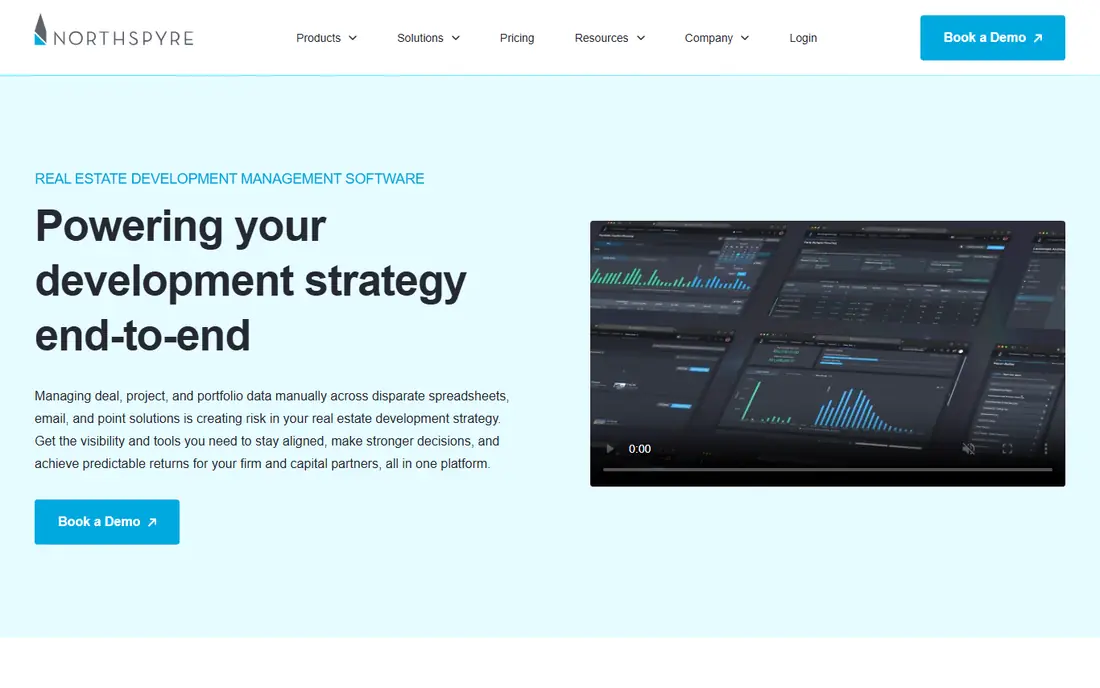
Northspyre is built specifically for real estate developers, rather than adapted from general construction software. It tracks project budgets, contracts, invoices, draws, and lender reporting in one workflow, with automation that routes approvals and flags budget variances. Developers can see committed costs, forecast spend, and cash flow by project, which helps with lender draws and investor reporting without rebuilding spreadsheets each month.
The platform is less focused on field tools such as daily logs and punch lists, so teams may still use Procore or Autodesk for construction delivery. Pricing is quote-based, and it suits developers with a portfolio of projects rather than a single small build. If your pain point is budget control, draw management, and reporting across projects, Northspyre addresses the development phase directly.
- Built for developers
- Budget and draw tracking
- Automation for approvals
- Quote-based pricing
- Less suited to pure construction field work
Dealpath helps development and investment teams manage deals from first contact through closing. It tracks pipeline stages, deal documents, underwriting assumptions, and approvals, with reporting that shows where deals sit and what still needs to happen. Teams can compare deals side by side, manage due diligence checklists, and keep investment committee materials organized, which matters when several sites are under review at once.
Dealpath does not replace construction management software, so developers will still need a build-phase tool after closing. Pricing is quote-based and aimed at investment and development firms rather than solo builders. For teams that lose deals in email threads and scattered spreadsheets, Dealpath brings structure to the earliest and most competitive stage of development.
- Deal pipeline and underwriting workflow
- Document tracking
- Reporting
- Quote-based pricing
- Construction tools are limited
Buildertrend suits home builders, remodelers, and small residential developers who need scheduling, budgeting, client communication, and payments in one system. Homeowners can view progress, approve selections, and sign change orders through a client portal, which reduces phone calls and email back-and-forth. Scheduling, daily logs, and document storage keep subcontractors aligned, while budgeting tools track job costs against estimates.
Pricing is quote-based and varies by project volume, so small builders should confirm the annual total. The platform is less suited to large commercial development with complex lender reporting and multi-entity accounting. For residential builders who want a client-friendly system that covers the build from contract to handover, Buildertrend is a strong, practical choice.
- Scheduling and client communication
- Selections and change orders
- Payments
- Pricing by quote
- Larger commercial projects may outgrow it
Sage 300 Construction and Real Estate, formerly Sage Timberline, remains a workhorse for job costing, accounting, and project management in construction and development. It handles job cost tracking, change orders, billing, payroll, and equipment costing with depth that general accounting tools lack. Many mid-sized contractors and developers keep Sage as their financial system of record, even when they use a separate tool for field management.
The interface feels dated compared with cloud-native platforms, and implementation benefits from a Sage partner, especially for chart of accounts and job cost setup. Pricing is quote-based. For developers whose main need is accurate job costing, lender reporting, and accounting control, Sage offers depth that newer, prettier tools sometimes lack, and it integrates with several project management platforms.
- Deep job costing
- Payroll and billing
- Long industry history
- Dated interface in places
- Implementation needs expertise
Yardi Voyager covers the later stages of development, including property management, leasing, accounting, and asset reporting after a project is built and occupied. It manages leases, tenant billing, maintenance, and portfolio financials in one system, with reporting for owners and investors. Developers who hold properties after construction use Yardi to track occupancy, rent roll, and operating performance across a portfolio.
Implementation is a significant project, and pricing is quote-based, so Yardi suits companies with a portfolio to manage rather than a single development. It is not a construction field tool, so teams will pair it with Procore or a similar platform during the build. For developer-owners who keep assets long term, Yardi provides the operational and financial backbone after handover.
- Property accounting and leasing
- Portfolio reporting
- Scalable platform
- Quote-based pricing
- Implementation is a major project
MRI Software offers a broad suite for real estate owners, developers, and managers, covering accounting, property management, investment management, and facilities. Its modular design lets companies pick the pieces that fit their portfolio, from lease accounting to development budgeting and reporting. That flexibility helps firms that manage mixed portfolios of residential, commercial, and mixed-use assets.
Module choice can be confusing, and pricing is quote-based, so buyers should work through a scoped demo with their actual portfolio structure. Implementation also takes planning, especially for accounting and reporting. For larger developers and owner-operators that need a finance and operations platform across many assets, MRI is a strong contender, provided the module scope is defined clearly before signing.
- Broad real estate modules
- Accounting and investment tools
- Flexible platform
- Quote-based pricing
- Module selection needs care
How we picked these
We compared official product pages, pricing information, and public documentation for established development, construction, and real estate platforms, and we favored tools with current project, budget, or deal management features for developers. We excluded general project tools without real estate or construction workflows and consumer property search sites. Prices shown are quote-based for most enterprise tools, so we used See website where a vendor does not publish a starting price.
How to choose real estate development software
Start by mapping your lifecycle. If most pain sits in deal sourcing and underwriting, a deal tool such as Dealpath matters most. If pain sits in budget control and lender draws, Northspyre or Sage matters more. If pain sits in field coordination and documents, Procore or Autodesk matters more. Many developers need two tools, and the integration between them matters as much as either tool alone.
Next, test accounting and reporting. Ask how budgets, change orders, and invoices flow to your finance system, and whether lender and investor reports can be produced without manual spreadsheet work. Check permission controls, because owners, lenders, architects, and contractors should see different data. Finally, pilot on one live project, track time saved on draws and reporting, and confirm that field teams actually use the mobile app before rolling out across a portfolio.
Budget and schedule controls to require
Require budget versus actual reporting by cost code, change order approval workflows, forecast cost updates, and schedule links to procurement and inspections. Without those controls, a project tool becomes a document store rather than a management system, and overruns will still surprise you at month end.
Integration and data questions
Ask about accounting, document, and scheduling integrations, data export, and what happens to project data if you leave the platform. Confirm support for your project types, including residential, commercial, and mixed-use, and check whether the vendor has customers at your scale, not just at enterprise scale.
FAQ
What is the best real estate development software for a small developer?
Buildertrend suits small residential developers, while Northspyre suits developers focused on budget and draw control across a few projects. Small teams should pilot one live project and confirm accounting integration before committing to an annual contract.
What is the top real estate development software for construction projects?
Procore and Autodesk Construction Cloud lead for construction delivery, with Procore stronger on broad project management and field tools, and Autodesk stronger on design coordination and model-based workflows. Choose based on whether design coordination or field management is your bigger bottleneck.
How much does real estate development software cost?
Most enterprise development tools are quote-based, with pricing driven by project volume, seats, and modules. Buildertrend and similar tools also quote by project count, so get a written annual total for your portfolio size rather than relying on a monthly headline.
Can development software replace spreadsheets?
It can replace many project spreadsheets for budgets, draws, and reporting, but underwriting models and feasibility studies often still live in spreadsheets or dedicated finance tools. Look for a platform that imports and exports cleanly, rather than one that claims to replace every model.
Does development software handle lender reporting?
Northspyre, Sage, and Yardi offer stronger lender and investor reporting than field-only tools, with budget, draw, and cash flow views by project. Confirm that your lender report format can be produced from the platform before you rely on it for draw submissions.
What is the difference between development software and property management software?
Development software manages deals, budgets, and construction through to handover, while property management software manages leasing, tenants, and operations after occupancy. Developer-owners often use both, with a handover process that moves project data into the operational system.