Choosing Presentation Software for Remote Teams in 2026: 5 Options Compared
Best presentation software for remote teams: 5 contenders ranked by fit, with entry costs and free tiers. Short verdicts, no fluff. Narrow your shortlist.
- Editor's choice
 Prezi
Interactive presentations with live audience engagement
Starts atSee websiteVisit prezi.comFull review - Great alternative
 Lucidspark
Virtual whiteboarding and collaborative ideation
Starts atSee websiteVisit lucid.coFull review - Also consider
 Microsoft PowerPoint
Thorough slide creation and Microsoft 365 integration
Starts atSee websiteVisit microsoft.comFull review
Direct answer
Prezi leads the list, best for interactive presentations with live audience engagement. Listed starting prices: Beautiful.ai from $14.50 a month and Pitch from €10 a month. Alternatives: Lucidspark for virtual whiteboarding and collaborative ideation, and Microsoft PowerPoint for thorough slide creation and Microsoft 365 integration. The remaining 2 options are covered below with prices and limits.
TL;DR:
- Number one here is Prezi, a fit for interactive presentations with live audience engagement.
- Pitch fits collaborative presentation workspace with AI.
- Starting prices begin at $14.50 per month with Beautiful.ai.
- One limit worth knowing about Microsoft PowerPoint: can be complicated for straightforward presentations.
Last checked November 2026. Prices and plan details were read from the vendors' own pages in November 2026; vendors change plans often, so confirm the current price on the vendor site before you buy.
Quick comparison
| Tool | Best for | Starts at | Free plan? | |
|---|---|---|---|---|
| Prezi | Interactive presentations with live audience engagement | See website | Not stated | Visit |
| Lucidspark | Virtual whiteboarding and collaborative ideation | See website | Not stated | Visit |
| Microsoft PowerPoint | Thorough slide creation and Microsoft 365 integration | See website | Not stated | Visit |
 Beautiful.ai | AI-driven on-brand presentations for enterprise teams | $14.50 a month | Free trial | Visit |
 Pitch | Collaborative presentation workspace with AI | €10 a month | Yes | Visit |
Presentation Software for Remote Teams, one by one
Short on time? The summary and table above give the quick view of 5 presentation software for remote teams, and the profiles that follow give the detail behind each entry.
Prezi targets interactive presentations with live audience engagement. Prezi is an interactive presentation system designed for what happens after you present. It is aimed at educators, trainers, and teams, allowing users to bring existing slides or describe their content, run live polls and quizzes that everyone joins from their phone, and then share a single link.
This makes it well suited to remote teams that want to engage their audience actively. More specifically, Prezi's non-linear navigation can be confusing for some audiences, and it may not suit teams that prefer traditional slide decks. Check the vendor site for Prezi pricing; none is listed in this comparison. As for free access: Not stated.
Where it falls short: Less conventional slide-based approach.
- Interactive presentation product
- Live polls and quizzes for audience participation
- Unique navigation may need a ramp-up time
Lucidspark works best for virtual whiteboarding and collaborative ideation. Lucidspark is a virtual whiteboard where ideas ignite. It maximizes team connection, collaboration, and creativity, allowing teams to move smoothly from ideation to planning and building.
Limits to weigh: May need integration with other software for final presentations.
Lucidspark is not a dedicated presentation maker, so teams will need extra software to build and deliver refined slides. For remote teams, it serves as a collaborative space to brainstorm and plan presentations before creating final slides. Lucidspark shows no starting price here, so confirm the cost on the vendor site. Free plan details: Not stated.
- Virtual whiteboard for team collaboration
- Enhances team connection and creativity
- Not a traditional presentation tool
Microsoft PowerPoint
Best for: Thorough slide creation and Microsoft 365 integration
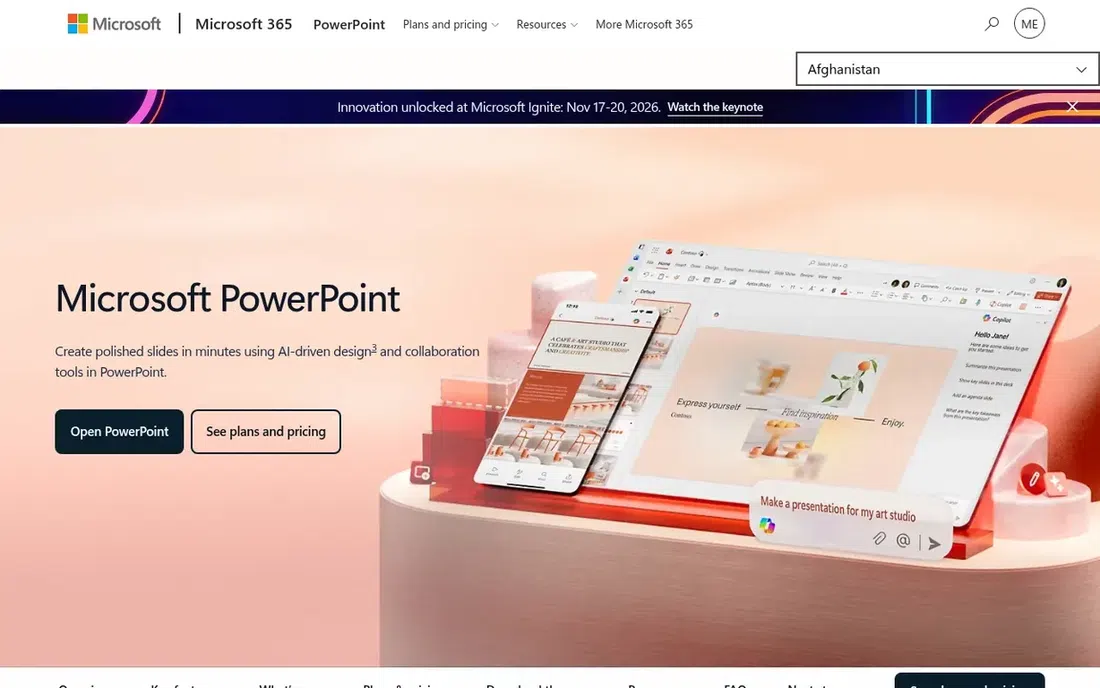
Microsoft PowerPoint works best for thorough slide creation and Microsoft 365 integration. Microsoft PowerPoint is a widely used presentation maker that enables users to produce clean slideshows and intricate pitch decks. It gives you a capable set of tools for telling your story, making it right for teams that require in-depth, professional presentations.
Remote teams already using Microsoft 365 will find it integrates well with other Microsoft services. Beyond that, PowerPoint can be overkill for teams needing only entry-level slides, and live collaboration may need a Microsoft 365 subscription. Microsoft PowerPoint shows no starting price here, so confirm the cost on the vendor site. Free plan details: Not stated.
Honest limits: Live collaboration may need Microsoft 365.
- Rich set of slide creation and design tools
- Supports intricate pitch decks and storytelling
- Can be complicated for straightforward presentations
Beautiful.ai is aimed squarely at AI-driven on-brand presentations for enterprise teams. Beautiful.ai is an AI presentation product made for enterprise teams.
From a buyer's view, the AI deals with layout and design, allowing users to focus on content. Price to start with Beautiful.ai: $14.50 per month. Free access: Free trial.
Drawbacks to consider: Concentrated on enterprise use cases.
- Keeps decks on-brand automatically
- AI presentation system for enterprise teams
- May be less adaptable for custom designs
Pitch works best for collaborative presentation workspace with AI. Pitch is the AI presentation workspace for teams that want to produce, share, and deliver better work. It is a collaborative system that emphasizes teamwork, making it right for remote teams that require to work together on presentations in live.
What to check first: May have a ramp-up time for new users.
The AI features help simplify the creation process. In practice, Pitch may not have as numerous advanced features as some established tools like PowerPoint, and new users might need time to learn the interface. Pitch starts at: €10 per month. Pitch offers a free plan.
Strengths: deliver in one platform; Focus on team collaboration.
- Build, share
- AI-powered presentation workspace
- Feature set may be less broad than some competitors
What went into this list
Selection started from tools commonly considered for presentation software for remote teams, then narrowed to 5 that have clear pricing information or a clear quote process. Treat prices as a snapshot: vendors change plans often, so check the vendor site for the figure that applies today. The order reflects how well each tool fits the most common buying scenario for presentation software for remote teams, then price clarity, then free plan access. It is a starting point, not a verdict.
What to confirm before you sign up
- Confirm the entry price on the vendor page. For Prezi, Lucidspark and Microsoft PowerPoint that means a quote rather than a fixed price.
- Look at the free plan from Pitch closely: its caps decide whether it is usable for real work.
- Take the trial from Beautiful.ai and push a live task through it before you pay.
- Read the limits listed for Prezi first: unique navigation may need a ramp-up time.
- A short pilot of Beautiful.ai with your real workflow tells you more than a feature table.
- Find out whether the entry plan of Lucidspark covers your must-haves or only a trimmed-down version.
FAQ
What is the best presentation software for remote teams?
Start with Prezi if you need interactive presentations with live audience engagement. Lucidspark is the better match for virtual whiteboarding and collaborative ideation, and Microsoft PowerPoint for comprehensive slide creation and Microsoft 365 integration. The best choice depends on budget, team size and workflow.
Which options for presentation software for remote teams have a free plan?
Pitch is the only tool in this list with a free plan. Free plans usually cap users, projects or features, so check the limits on the vendor page. One other tool offers a trial instead. Each of the 5 options in this presentation software for remote teams guide has its own card above with the price, free plan and limits.
Which presentation software is best for engaging remote audiences?
This list starts with Prezi, which fits interactive presentations with live audience engagement. For other needs, Lucidspark is aimed at virtual whiteboarding and collaborative ideation, and Microsoft PowerPoint at thorough slide creation and Microsoft 365 integration. Check each tool's price and main limit first.
Do these tools publish their prices?
Not all of them. Prezi, Lucidspark and Microsoft PowerPoint publish no starting price, so expect a quote request for those. The rest, Beautiful.ai included, show a starting price, though seats and billing terms still change the final cost.
Is Prezi the right pick for everyone comparing presentation software for remote teams?
No single tool suits every team. Prezi comes first because it fits interactive presentations with live audience engagement, while Lucidspark suits virtual whiteboarding and collaborative ideation and Microsoft PowerPoint suits comprehensive slide creation and Microsoft 365 integration. Match the tool to your own size, budget and workflow before deciding.
Can I try these tools before paying?
Often, yes. Pitch has a free plan and Beautiful.ai offers a free trial. Use your own data and a real task during the test, and check what the free tier or trial limits before you rely on it. All 5 picks in this presentation software for remote teams comparison list a starting price, free plan details and the main limits on their cards above.
Sources
- https://prezi.com
- https://lucid.co/lucidspark
- https://www.microsoft.com/microsoft-365/powerpoint
- https://www.beautiful.ai
- https://pitch.com
Related guides
- The 5 Best Church Presentation Software for Remote Teams in 2026, Ranked
- Best 3D Parts Catalog Software for Remote Teams in 2026: Prices, Free Plans and 6 Picks
- 3D Rendering Software for Remote Teams in 2026: The 6 Best Options Side by Side
- Audio Editing Software for Remote Teams in 2026: The 6 Best Options Side by Side