3D Rendering Software for Remote Teams in 2026: The 6 Best Options Side by Side
Best 3D rendering software for remote teams: 6 tools compared on price, free plans and fit. Fit and flaws are laid out for each entry. Skim the table first.
- Editor's choiceOctane Render
GPU-accelerated unbiased rendering
Starts atSee websiteVisit home.otoy.comFull review - Great alternative
 V-Ray
Photoreal rendering across numerous systems
Starts atSee websiteVisit chaos.comFull review - Also consider
 KeyShot
Live product visualization and collaboration
Starts at$7.92 a monthVisit keyshot.comFull review
Direct answer
Our first pick is Octane Render, best for GPU-accelerated unbiased rendering. Listed starting prices: KeyShot from $7.92 a month. V-Ray is better for Photoreal rendering across many products, and KeyShot is better for live product visualization and collaboration. All 6 tools are compared below on price, free plan and limits.
TL;DR:
- This list starts with Octane Render, which is built for GPU-accelerated unbiased rendering.
- One limit worth knowing about Octane Render: demands capable GPU hardware.
- 3ds Max fits modeling, animation and large-scene design.
- Neither Octane Render nor 3ds Max, nor any of the other 4 tools, has a permanent free plan; trials and quotes are the norm.
- Starting prices begin at $7.92 per month with KeyShot.
Last checked November 2026. Prices and plan details were read from the vendors' own pages in November 2026; vendors change plans often, so confirm the current price on the vendor site before you buy.
Quick comparison
| Tool | Best for | Starts at | Free plan? | |
|---|---|---|---|---|
| Octane Render | GPU-accelerated unbiased rendering | See website | Not stated | Visit |
| V-Ray | Photoreal rendering across numerous systems | See website | Not stated | Visit |
| KeyShot | Live product visualization and collaboration | $7.92 a month | Free trial | Visit |
| Redshift | GPU rendering inside Maxon workflows | See website | Not stated | Visit |
 Cinema 4D | All-around modeling and rendering hub | See website | Not stated | Visit |
| 3ds Max | Modeling, animation and large-scene design | See website | Not stated | Visit |
3D Rendering Software for Remote Teams profiles
LinkVetted put together this guide to 3D rendering software for remote teams for readers who want a clear shortlist without reading every vendor page. It compares 6 tools on starting price, free plans, who each one suits and where each one falls short.
Octane Render
Best for: GPU-accelerated unbiased rendering
Octane Render works best for GPU-accelerated unbiased rendering. Octane Render from OTOY is described as a GPU-accelerated, unbiased, physically correct renderer.
Octane Render does not show a starting price in this comparison, so check the vendor site for current pricing. As for free access: Not stated.
Highlights: GPU-accelerated rendering.
The main drawbacks: Demands capable GPU hardware.
- Physically correct approach
- Plugs into multiple host applications
- GPU memory limits large scenes

Choose V-Ray for Photoreal rendering across numerous systems. Chaos V-Ray is a 3D rendering plugin available for widely used design systems for example 3ds Max, SketchUp, Rhino, Maya and Blender.
Downsides: Needs a host application.
Its plenty of settings can overwhelm beginners. Worth adding: teams wanting a self-contained application or a more straightforward live product workflow should look at Cinema 4D or KeyShot. Check the vendor site for V-Ray pricing; none is listed in this comparison. Free options: Not stated.
- Available for plenty of widely used design products
- Lets mixed-software teams share one renderer
- Settings can be complex for newcomers
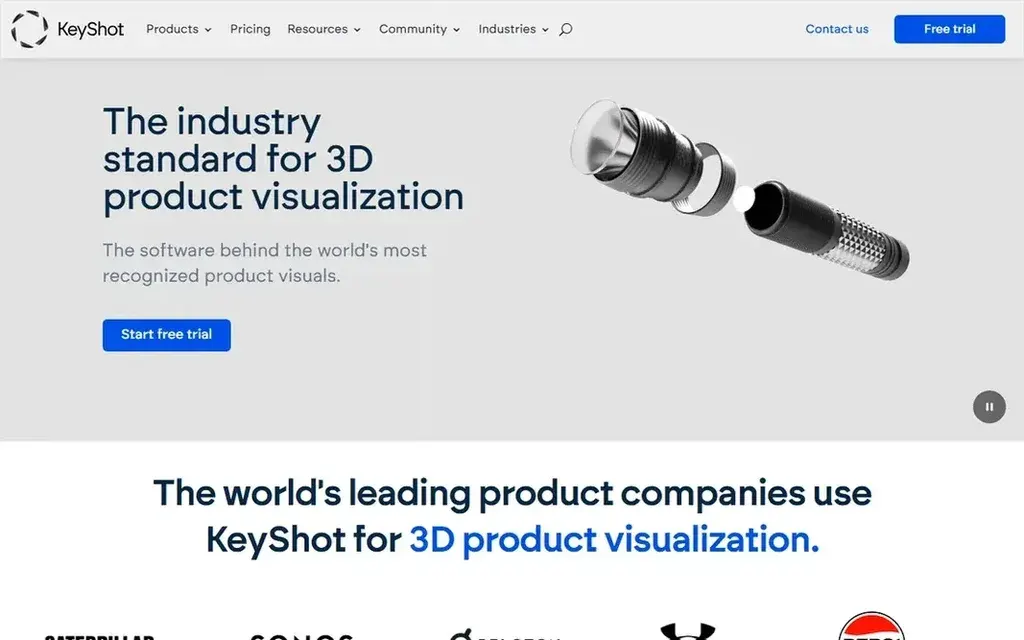
Think of KeyShot for live product visualization and collaboration. KeyShot is 3D rendering and visualization software whose live technology supports collaboration from concept to product launch for product design firms.
Limits to weigh: Product-centric focus may limit some pipelines.
Remote product teams can iterate on materials and lighting rapidly and share visual progress without long render waits. Its product-design orientation means teams doing complicated simulation or film-style effects may find it limiting. What you pay to start with KeyShot: $7.92 per month. As for free access: Free trial.
- Live rendering approach
- Pitched at product design collaboration
- Less suited to heavy film effects work
Redshift
Best for: GPU rendering inside Maxon workflows
Redshift is aimed squarely at GPU rendering inside Maxon workflows. Redshift is Maxon's GPU-accelerated renderer, widely used for production rendering in motion graphics, visualization and film work. Beyond that, teams working chiefly in other host applications, or wanting an unbiased physically correct approach, may compare Octane Render or V-Ray before deciding.
Where it falls short: GPU hardware requirements.
For remote teams already using Cinema 4D, it keeps rendering inside a familiar ecosystem and eases handoffs between artists. Its advantages are most solid within Maxon workflows, and it still relies on capable GPUs across the team. Redshift does not show a starting price in this comparison, so check the vendor site for current pricing. Free plan details: Not stated.
- GPU-accelerated rendering
- Suited to production rendering
- Best value inside Maxon ecosystem

Cinema 4D works best for all-around modeling and rendering hub. Cinema 4D from Maxon is a professional 3D application handling modeling, animation and rendering in one environment.
The main drawbacks: Rendering needs capable hardware.
Also, for remote teams it does well as a central hub where artists of different specialties share scenes and assets, reducing the number of separate tools in the pipeline. Check the vendor site for Cinema 4D pricing; none is listed in this comparison. Free options: Not stated.
- Well suited to shared project workflows
- Wide modeling
- Full feature set takes time to learn
3ds Max
Best for: Modeling, animation and large-scene design
3ds Max works best for modeling, animation and large-scene design. Autodesk 3ds Max supplies professional 3D modeling, animation and rendering tools for creating expansive worlds and high-quality designs.
What users get: Takes care of expansive scene design.
Watch-outs: Deep interface takes time to master. The interface is deep and onboarding takes effort, and the product orientation can matter for mixed-OS teams. Also, remote archviz and game teams commonly use it as a shared modeling environment, pairing it with plugin renderers for final output. Check the vendor site for 3ds Max pricing; none is listed in this comparison. Free options: Not stated.
- Professional modeling and animation tools
- Widely used in archviz and game pipelines
- Windows-focused environment
How these tools were picked
Each tool was reviewed on what its vendor publishes: price, plan limits, core features and stated drawbacks. We did not run hands-on tests. Seat minimums, billing terms and add-ons can move the real cost, so the starting prices here are a guide and not a quote. Tools are placed by general fit for 3D rendering software for remote teams, with price clarity and free access as tie-breakers. A different team can reasonably rank them differently.
A buyer's checklist
- Confirm the entry price on the vendor page. For Octane Render, V-Ray, Redshift and others that means a quote rather than a fixed price.
- Run a trial of KeyShot with real work before paying for a year; your own workflow is the best test.
- Read the limits listed for Octane Render first: demands capable GPU hardware.
- List the apps you already depend on and check that V-Ray supports each one on the plan you would buy.
- Look at the renewal terms for 3ds Max: auto-renewal, notice periods and price changes can matter more than the first-year price.
FAQ
Do remote teams need GPU rendering?
GPU renderers for example Octane Render and Redshift can deliver quick results, but performance relies on each member's hardware and graphics memory. Teams with varied machines should confirm GPU requirements before standardizing.
How are the tools for 3D rendering software for remote teams ordered?
Octane Render sits first and 3ds Max last because the order follows typical fit for 3D rendering software for remote teams, then price clarity and free access. It is a judgement call, so read each profile for fit and limits.
Is Octane Render the right pick for everyone comparing 3D rendering software for remote teams?
No single tool suits every team. Octane Render comes first because it fits GPU-accelerated unbiased rendering, while V-Ray suits Photoreal rendering across many platforms and KeyShot suits real-time product visualization and collaboration. Match the tool to your own size, budget and workflow before deciding.
Do these tools publish their prices?
Not all of them. Octane Render, V-Ray, Redshift and others publish no starting price, so expect a quote request for those. The rest, KeyShot included, show a starting price, though seats and billing terms still change the final cost.
Does any tool for 3D rendering software for remote teams here have a free plan?
No tool in this list, Octane Render and 3ds Max included, has a permanent free plan. KeyShot offer a trial. Trials and quotes are the usual route, so plan a short evaluation period.
Sources
- https://home.otoy.com/render/octane-render
- https://www.chaos.com/vray
- https://www.keyshot.com
- https://www.maxon.net/en/redshift
- https://www.maxon.net/en/cinema-4d
- https://www.autodesk.com/products/3ds-max