5 Best Photo Retouching Software for Ecommerce Sellers for 2026, Vetted and Compared
Best photo retouching software for ecommerce sellers in 2026: 5 contenders with entry costs and free tiers. With pricing notes and limits. Details below.

- Editor's choice
 Affinity Photo
Professional editing without a subscription
Starts atSee websiteVisit affinity.serif.comFull review - Great alternative
 Luminar Neo
AI-assisted edits for more straightforward workflows
Starts atSee websiteVisit skylum.comFull review - Also consider
 Topaz Photo AI
Sharpening, denoising and upscaling images
Starts at$19 a monthVisit topazlabs.comFull review
Direct answer
This list puts Affinity Photo first for professional editing without a subscription. Listed starting prices: Topaz Photo AI from $19 a month and ON1 Photo RAW from $49.99. Alternatives: Luminar Neo for AI-assisted edits for simpler workflows, and Topaz Photo AI for Sharpening, denoising and upscaling images. Details, prices and limits for the rest of the 5 tools are below.
TL;DR:
- This list starts with Affinity Photo, which is built for professional editing without a subscription.
- Affinity Photo, ON1 Photo RAW and the 3 others all need a premium plan or a trial, since no free plan is listed.
- Topaz Photo AI has the lowest monthly starting price in this list: $19 per month.
- Before buying Topaz Photo AI, weigh this: not a full retouching suite.
Last checked November 2026. Prices and plan details were read from the vendors' own pages in November 2026; vendors change plans often, so confirm the current price on the vendor site before you buy.
Quick comparison
| Tool | Best for | Starts at | Free plan? | |
|---|---|---|---|---|
| Affinity Photo | Professional editing without a subscription | See website | Not stated | Visit |
| Luminar Neo | AI-assisted edits for more straightforward workflows | See website | No | Visit |
| Topaz Photo AI | Sharpening, denoising and upscaling images | $19 a month | Not stated | Visit |
 Adobe Photoshop | In-depth product retouching and composites | See website | Not stated | Visit |
 ON1 Photo RAW | All-in-one raw editing and organization | $49.99 | Free trial | Visit |
The best photo retouching software for ecommerce sellers
LinkVetted compared 5 photo retouching software for ecommerce sellers. The goal is a practical shortlist: published prices, free plan facts, best-fit use cases and honest limits for every entry.
Affinity Photo serves professional editing without a subscription. Affinity Photo is a professional photo editor aimed at precision, speed and creative freedom, targeted at users who want power without the price tags associated with some alternatives.
On top of that, advanced masking and compositing take practice. In daily use, ecommerce sellers who retouch product images themselves can use it for cleanup, color work and layered edits whereas keeping a focused photo-editing environment. Check the vendor site for Affinity Photo pricing; none is listed in this comparison. Trial and free access: Not stated.
Where it is weaker: Fewer catalog-organization features.
- Professional photo editor focus
- Quick editing tools
- Ramp-up time for advanced tools
Luminar Neo is a good fit for AI-assisted edits for more straightforward workflows. Luminar Neo is described as a straightforward photo editor with AI that helps users edit photos as they imagine them, available for PC and Mac. Sellers who require precise, repeatable catalog standards may prefer a more manual editor, whereas those prioritizing speed can start here.
For everyday use, sellers with restricted retouching time can use its assisted approach for typical adjustments and enhancements, which can shorten the path from raw product shot to listing-ready image. Worth adding: AI-driven edits can produce results that need manual refinement. The tool supplies less granular control than full professional editors for complicated compositing. Check the vendor site for Luminar Neo pricing; none is listed in this comparison. Luminar Neo does not include a free plan.
Honest limits: Less manual control than full editors.
- Built to accelerate routine edits
- AI tools targeted at straightforward editing
- AI results may need refinement
Pick Topaz Photo AI if this describes you: Sharpening, denoising and upscaling images. Topaz Photo AI focuses on making decent photos excellent by sharpening, denoising and upscaling images, using technology positioned as advanced.
Trade-offs to know: Best paired with another editor.
Starting cost for Topaz Photo AI: $19 per month. On free options: Not stated.
- Focus on sharpen and denoise
- Upscaling for bigger output
- Not a full retouching suite
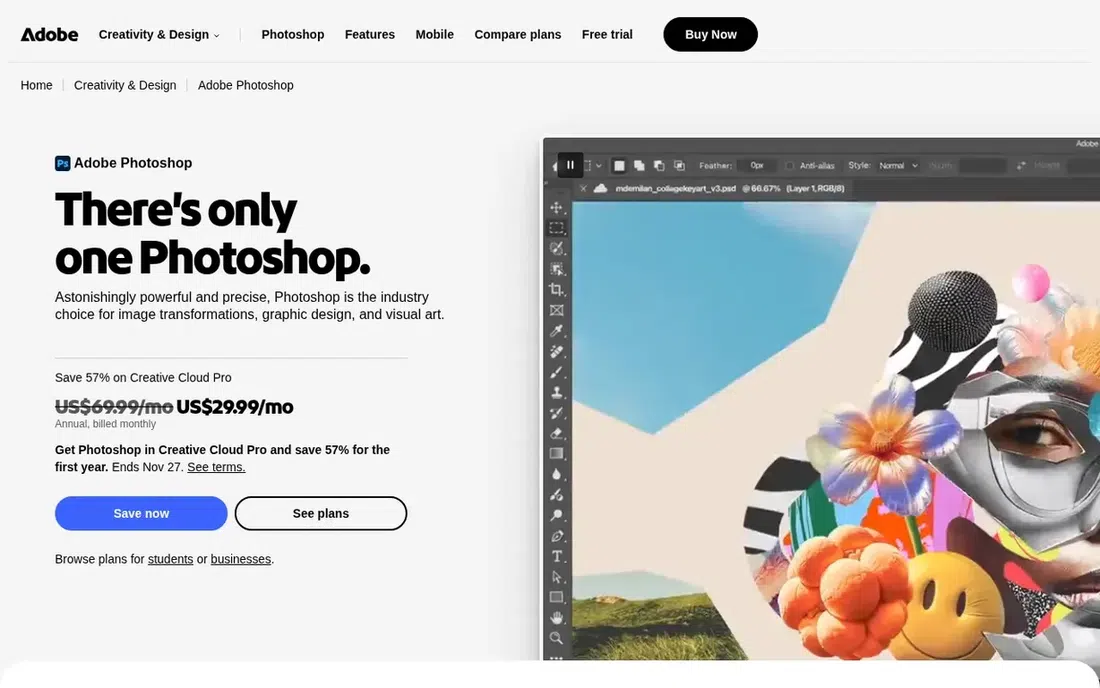
For in-depth product retouching and composites, Adobe Photoshop is a natural candidate. It suits sellers who require precise control over backgrounds, shadows, reflections and cleanup on hero images, and who want one environment for both retouching and layout-ready output.
More specifically, sellers who primarily adjust exposure and color across plenty of shots may prefer a lighter workflow, whereas those needing layered composites will find Photoshop hard to match. Check the vendor site for Adobe Photoshop pricing; none is listed in this comparison. Free plan details: Not stated.
Drawbacks to consider: Needs time to learn the toolset.
- Deals with complicated scene creation
- Works online and through mobile app
- Can feel overwhelming for beginners
For all-in-one raw editing and organization, ON1 Photo RAW is a natural candidate. ON1 Photo RAW is an all-in-one, AI-powered raw photo editor that lets users edit, organize and process photos with pro-level quality, offered as a one-time purchase without a subscription. More specifically, sellers wanting a more straightforward assisted editor may look elsewhere, whereas those managing their own raw files can build a consistent process here.
From a buyer's view, the raw-centric design is more than some sellers need if their images arrive as finished JPEGs from a photographer. Also, ecommerce sellers who shoot raw and want editing plus catalog organization in one application may find this structure appealing. ON1 Photo RAW cost at the entry level: $49.99. Trial and free access: Free trial.
Where it falls short: Raw focus may exceed straightforward needs.
- Single purchase model
- Editing and organizing combined
- Full feature set takes learning
How we compared the tools
Selection started from tools commonly considered for photo retouching software for ecommerce sellers, then narrowed to 5 that have clear pricing information or a clear quote process. Seat minimums, billing terms and add-ons can move the real cost, so the starting prices here are a guide and not a quote. Position on the page reflects fit for a typical buyer first, with price clarity and free access breaking ties. Treat it as a guide, not a ruling.
Questions to settle before buying
- Ask Affinity Photo, Luminar Neo and Adobe Photoshop for a written quote, since no starting price is shown.
- Run a trial of ON1 Photo RAW with real work before paying for a year; your own workflow is the best test.
- Read the limits listed for Affinity Photo first: fewer catalog-organization features.
- Read the plan comparison for Topaz Photo AI carefully; key features often start on a higher tier.
- Compare total cost, not headline price: for Adobe Photoshop, add extra seats, add-ons and any usage-based charges.
FAQ
What is the cheapest option for photo retouching software for ecommerce sellers in this list?
On published monthly entry prices, Topaz Photo AI is the lowest here at $19 per month. Entry price is only part of the cost, because seats, add-ons and billing terms can change the total. All 5 picks in this photo retouching software for ecommerce sellers comparison list a starting price, free plan details and the main limits on their cards above.
Does any tool for photo retouching software for ecommerce sellers here have a free plan?
A permanent free plan is not offered by Affinity Photo, ON1 Photo RAW or the other tools here. ON1 Photo RAW offer a trial. Plan a short evaluation period instead. For the full picture, the cards above cover all 5 entries of this photo retouching software for ecommerce sellers list, including price, free plan and limits.
Can AI editing tools replace manual retouching?
AI-assisted tools for example Luminar Neo and Topaz Photo AI accelerate routine adjustments and quality fixes, but results commonly need refinement. For complicated composites and precise product scenes, a manual editor like Adobe Photoshop or Affinity Photo remains more controllable.
How are the tools for photo retouching software for ecommerce sellers ordered?
Affinity Photo sits first and ON1 Photo RAW last because the order follows typical fit for photo retouching software for ecommerce sellers, then price clarity and free access. It is a judgement call, so read each profile for fit and limits.
Do these tools publish their prices?
Not all of them. Affinity Photo, Luminar Neo and Adobe Photoshop publish no starting price, so expect a quote request for those. The rest, Topaz Photo AI included, show a starting price, though seats and billing terms still change the final cost. Prices, free plan details and limits for all 5 tools in this photo retouching software for ecommerce sellers roundup sit on the individual cards above.
Sources
- https://affinity.serif.com/en-us/photo
- https://skylum.com/luminar
- https://www.topazlabs.com/topaz-photo-ai
- https://www.adobe.com/products/photoshop.html
- https://www.on1.com/products/photo-raw