Best Analytics Tools for Ecommerce in 2026: 8 Tools Compared
We compare the best analytics tools for ecommerce, from free traffic reports to product funnels and retention, so you can track sales without guesswork.
- Editor's choice
 Google Analytics
Free traffic and sales reports
Starts atFreeVisit analytics.google.comFull review - Great alternative
 Shopify Analytics
Shopify stores
Starts atSee websiteVisit shopify.comFull review - Also consider
 Mixpanel
Product funnels and retention
Starts atFreeVisit mixpanel.comFull review
TL;DR:
- Start with Google Analytics for free traffic and sales reporting, then add a product tool only when you need funnels or retention.
- Shopify Analytics is the simplest choice for Shopify stores, since orders, products and discounts are already connected.
- Mixpanel, Amplitude and Heap suit stores that want to follow a shopper from first visit to repeat purchase.
- Privacy-focused tools like Matomo and Plausible suit stores that want data control and simpler reports.
- Check event limits and pricing tiers before you commit, since costs rise with traffic and tracked events.
Quick comparison
| Tool | Best for | Starts at | Free plan? | |
|---|---|---|---|---|
| Google Analytics | Free traffic and sales reports | Free | Yes | Visit |
| Shopify Analytics | Shopify stores | See website | No | Visit |
| Mixpanel | Product funnels and retention | Free | Yes | Visit |
 Amplitude | Product behavior at scale | Free | Yes | Visit |
 Heap | Automatic event capture | Free | Yes | Visit |
 Hotjar | Heatmaps and session replays | Free | Yes | Visit |
 Matomo | Data ownership and privacy | Free | Yes | Visit |
 Adobe Analytics | Large enterprise reporting | See website | No | Visit |
The best analytics tools for ecommerce
Good ecommerce analytics answer three questions: where did buyers come from, what did they do on the site, and what made them leave. These eight tools cover those questions in different ways, from simple traffic counts to detailed product behavior, and they all work for online stores in 2026.
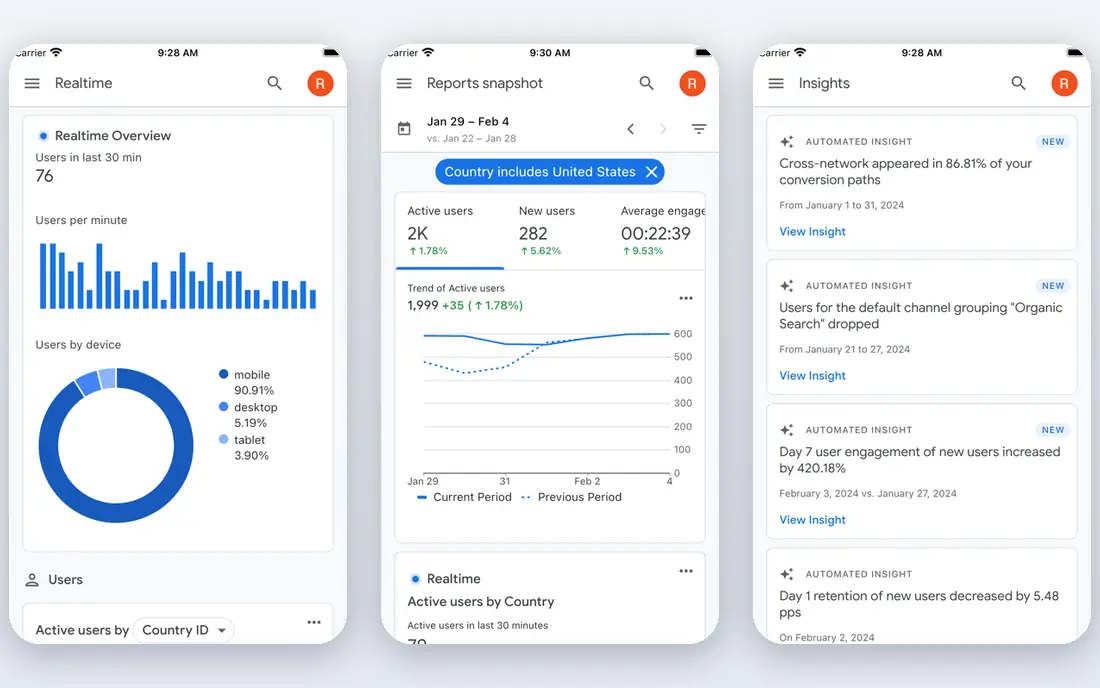
Google Analytics, in its GA4 form, is the default starting point for most stores, and for good reason. It is free at the standard level, it tracks traffic sources, product views, add-to-cart actions and purchases, and it connects directly to Google Ads. For a small store, that covers the main questions without a monthly bill, and the data is easy to share with an agency or a freelancer.
The catch is learning the event-based model. Page views, purchases and custom actions are all events, and you need clean naming and a tested purchase event before the numbers mean much. Consent banners also affect coverage in some regions, since visitors who decline tracking drop out of reports. Still, if you run only one analytics tool, this is the one most stores should run first.
- Free standard version
- Strong Google Ads link
- Ecommerce purchase reporting built in
- Setup and event naming take time
- Privacy consent rules add work
- Reports can feel complex

Shopify Analytics is built into Shopify, so a store owner sees sales, orders, average order value, top products and traffic sources without adding another tool. That simplicity is its strength. You do not need to wire up purchase events or worry about a broken checkout tag, because Shopify already knows what was sold, at what discount, and through which channel.
The limit shows when you want to follow behavior beyond the sale. Funnel steps, cohort retention and detailed product interaction are thinner here than in a dedicated product tool, and you may need an app or a data export for deeper work. For a store that mainly needs clear daily sales answers, though, Shopify Analytics is often enough on its own, and it pairs well with Google Analytics for traffic detail.
- Orders and products connected out of the box
- Simple dashboards
- No extra tracking setup for core sales
- Only for Shopify stores
- Deeper analysis needs apps or exports
- Limited custom funnel work
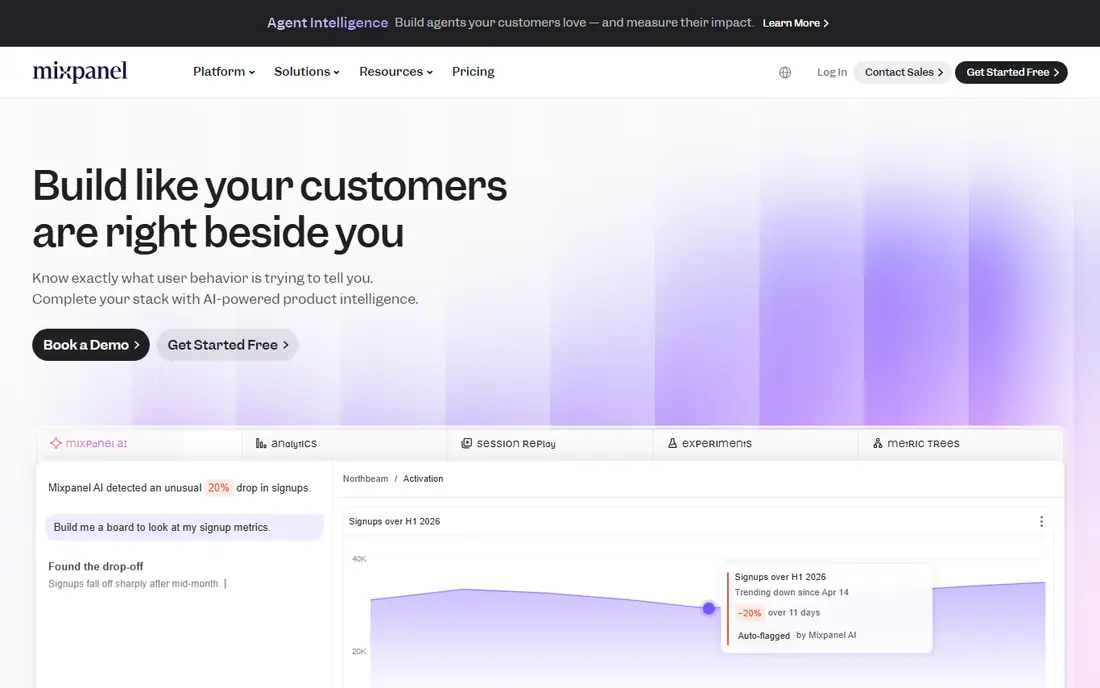
Mixpanel is built around events and people, not just page views. You can follow a path from product view to cart to purchase, see where shoppers drop off, and check whether buyers come back in later weeks. That makes it a strong pick for stores that test new pages, offers or checkout steps and want to know what actually changed behavior.
Good Mixpanel use starts with a short list of events you care about, such as viewed product, added to cart, started checkout and purchased. Without that plan, you can collect a lot of noise. Pricing is tied to event volume, so check your monthly event count against the free tier and paid tiers before you add tracking to every click. Used with care, it turns vague traffic into a readable shopper journey.
- Clear funnels and retention reports
- Free tier for smaller volumes
- Good for testing changes
- Event design takes planning
- Costs rise with event volume
- Less focused on simple traffic counts
Amplitude sits in the same family as Mixpanel, with a focus on understanding how groups of users behave over time. Cohorts let you compare first-time buyers with repeat buyers, or shoppers from one campaign with shoppers from another, and see which group keeps buying. For a store with a large catalog or a subscription offer, that view is more useful than a simple daily traffic chart.
The trade-off is effort. Amplitude rewards careful event naming, user properties and a clear question before you open a report. A very small store may find Google Analytics and Shopify Analytics enough, and may not need this depth. For a growing store that lives on repeat orders, though, Amplitude is one of the best ecommerce analytics platforms to grow into.
- Strong funnel, retention and cohort tools
- Free tier for smaller use
- Useful for larger catalogs
- Setup is more involved
- Paid plans are quote-based at higher tiers
- Overkill for a tiny store
Heap takes a different approach: it captures page views, clicks and form actions automatically, so you can define an event later and look back at past data. That helps when you realize, after a campaign, that you should have tracked a button or a banner. For busy store teams that often forget to add tracking before a launch, this retroactive view is genuinely useful.
Automatic capture does not remove planning. You still need to name events clearly, clean up test traffic, and decide which actions count as a conversion. The free tier covers a limited number of monthly sessions, so check your traffic against that limit. Heap works best as a safety net alongside Google Analytics, catching behavior questions you did not think to ask in advance.
- Captures clicks and page views automatically
- Retroactive analysis
- Reduces missed tracking
- Reports still need clear definitions
- Free tier has session limits
- Pricing at scale is quote-based
Hotjar answers why, not just how many. Heatmaps show which parts of a product page get attention and which parts are ignored, while session replays let you watch anonymized visits to spot a confusing checkout field or a broken mobile layout. Short on-site surveys add customer words to the numbers, which helps when a funnel drop-off has no obvious cause.
Hotjar is not a replacement for purchase reporting, since it does not give you the full sales picture on its own. Replays also need privacy settings handled with care, including masking personal details in forms. Used alongside Google Analytics or Shopify Analytics, it is one of the best ecommerce analytics tools for fixing pages, rather than just counting visits.
- Heatmaps show where shoppers click and scroll
- Session replays reveal checkout friction
- Surveys collect direct feedback
- Not a full sales analytics tool
- Replays need privacy care
- Free plan limits sessions
Matomo is the pick for stores that want to own their analytics data. The open-source version can be self-hosted at no software cost, and it includes ecommerce reports, goals, funnels and visitor profiles. Stores selling in privacy-sensitive markets, or working with clients who ask where data is stored, often prefer this control over a tool that stores data on a vendor's servers.
Self-hosting is the catch. You take on updates, backups and server costs, and you need someone comfortable with that work. The hosted cloud version removes that burden but charges by monthly hits, so check your traffic level first. If data control matters more than the lowest effort setup, Matomo is a strong, honest alternative to Google Analytics.
- Self-hosted version is free
- Full data ownership
- Ecommerce and goal tracking included
- Self-hosting needs maintenance
- Cloud pricing rises with hits
- Setup is heavier than a simple script
Adobe Analytics is built for large companies with complex sites, many channels and dedicated analysts. Its segmentation, calculated metrics and reporting depth go beyond what most small stores need, and it fits well inside the wider Adobe Experience Cloud. If your store is part of a large brand with many teams asking different questions of the same data, that depth can pay off.
For a small or mid-size store, the cost and setup time are hard to justify, and pricing is quote-based rather than published. Adobe Analytics also expects a team that can maintain variables, processing rules and report suites. Pick it when your reporting needs have outgrown simpler tools, not as a first analytics tool for a new store.
- Deep segmentation and reporting
- Strong enterprise integrations
- Handles large, complex data
- Expensive and quote-based
- Needs skilled setup
- Far more than a small store needs
How we picked these
We compared official pricing pages, feature pages and app store listings, and we favored tools with clear ecommerce reporting, not just general website stats. We looked for a mix of free starting points, store-native reporting, product behavior tools, visual feedback tools and privacy-focused options, so different store sizes could find a fit. Tools that only counted visits, or that had no clear ecommerce use, were left out. Where pricing was quote-based or changed with volume, we wrote See website rather than guessing a number.
Choosing the right ecommerce analytics stack
Start with the question you need answered this month, not with the tool that looks most impressive. A new store usually needs traffic sources, top products, conversion rate and average order value, and Google Analytics plus Shopify Analytics cover those well. Add a second tool only when you have a specific gap, such as a checkout step that loses shoppers, a repeat purchase rate you want to raise, or a privacy requirement from a client or market.
Watch three practical limits as you compare. First, event and session caps decide real cost, so count your monthly traffic and tracked actions before you pick a paid tier. Second, check how the tool handles consent and personal data, since a tool that ignores those rules creates risk for the store. Third, test the purchase event end to end after setup, with a real test order, and confirm the sale appears in both your store system and your analytics. A tool that reports sales you cannot reconcile with orders is worse than no tool at all, because it leads to decisions based on wrong numbers.
FAQ
What is the best analytics platform for ecommerce?
Google Analytics is the best starting platform for most stores, because it is free and covers traffic, sources and purchases. Shopify stores should also use Shopify Analytics for simple, reliable sales reports. Larger stores that need funnels and retention should add Mixpanel or Amplitude, and stores that want visual feedback should add Hotjar for heatmaps and replays.
What is the best ecommerce analytics software for a small store?
For a small store, the best ecommerce analytics software is usually the combination of Google Analytics and your store platform's own reports. That pair is free or included, it answers daily sales questions, and it avoids paying for features you will not use yet. Add a product tool later, when you have enough traffic to make funnel and retention reports meaningful.
Do I need more than Google Analytics?
Not always. Many stores run well on Google Analytics alone, plus store reports for orders. You need more when Google Analytics cannot answer a specific question, such as why shoppers leave a checkout step, whether buyers return after 30 days, or how a particular product page performs in detail. In those cases, Hotjar, Mixpanel or Heap can fill the gap without replacing Google Analytics.
How much do ecommerce analytics tools cost?
Costs range from free for Google Analytics, Matomo self-hosted and the free tiers of Mixpanel, Amplitude, Heap and Hotjar, to quote-based enterprise pricing for Adobe Analytics. Paid tiers usually rise with events, sessions or hits, so a store with high traffic can pay far more than a small store on the same tool. Check your monthly volume against each pricing page before you commit.
What is the difference between Shopify Analytics and Google Analytics?
Shopify Analytics reports orders, products and sales directly from your store, so it is simple and tied to real revenue. Google Analytics reports traffic sources, behavior and events across your site, including visitors who never buy, which helps you understand marketing. Most Shopify stores benefit from using both, since one explains sales and the other explains where shoppers came from.
Is Matomo a good Google Analytics alternative?
Yes, Matomo is a good alternative when data ownership and privacy control matter most. Its self-hosted version is free software, and it includes ecommerce tracking, goals and visitor reports. The trade-off is maintenance work for self-hosting, or hit-based pricing for the cloud version, so it suits stores with someone to manage it or a clear privacy reason to switch.