Best Ecommerce Photo Editing Software (2026): 5 Picks Checked on Vendor Pages
Searching for the best ecommerce photo editing software? Here are 5 options with prices and free plans. Caveats come with every verdict. Pick by budget.
- Editor's choice
 Luminar Neo
AI-powered fast edits and enhancements
Starts atPricing on requestVisit skylum.comFull review - Great alternative
 Adobe Lightroom
Efficient color grading and photo organization
Starts atPricing on requestVisit adobe.comFull review - Also consider
 Canva
Fast, template-based graphics for social media
Starts atPricing on requestVisit canva.comFull review
Direct answer
For AI-powered fast edits and enhancements, Luminar Neo is where this list starts. Look at Adobe Lightroom for efficient color grading and photo organization, and at Canva for fast, template-based graphics for social media. All 5 tools are compared below on fit, free plan and limits. None of these vendors publish plan prices, so pricing is on request for every option.
TL;DR:
- This list starts with Luminar Neo, which is built for AI-powered fast edits and enhancements.
- Capture One is the one to check for precise RAW processing and tethered shooting.
- Luminar Neo, Capture One and the 3 others all sell by quote; expect sales conversations before you see a price.
- The main caution on Canva: limited advanced photo editing.
Last checked November 2026. Pricing on request: vendors did not publish plan prices when this guide was last checked (November 2026), so ask each vendor for a written quote.
Quick comparison
| Tool | Best for | Starts at | Free plan? | |
|---|---|---|---|---|
| Luminar Neo | AI-powered fast edits and enhancements | Pricing on request | No | Visit |
| Adobe Lightroom | Efficient color grading and photo organization | Pricing on request | Not stated | Visit |
| Canva | Fast, template-based graphics for social media | Pricing on request | Not stated | Visit |
 Adobe Photoshop | Thorough product retouching and compositing | Pricing on request | Not stated | Visit |
 Capture One | Precise RAW processing and tethered shooting | Pricing on request | Not stated | Visit |
The full ecommerce photo editing software list
If you are comparing ecommerce photo editing software, this page covers 5 tools in one place: what each is best for, what it costs to start, whether it has a free plan, and the main limit to know about.
Luminar Neo targets AI-powered fast edits and enhancements. Luminar Neo is a photo editor that uses AI to ease complicated edits, like sky replacement and portrait enhancement. It is a strong match for ecommerce sellers who want to rapidly boost product photos without deep technical skills.
Beyond that, pick Luminar Neo for speed and simplicity when editing product images for online stores. For precise retouching, a tool like Photoshop is more steady. Luminar Neo supplies less manual control than traditional editors, and AI results may vary. No starting price is listed for Luminar Neo here; confirm pricing on the vendor site. Luminar Neo has no free plan.
Points against: Less manual control.
- Approachable interface
- Creative filters and effects
- Can produce inconsistent results

Adobe Lightroom is aimed squarely at efficient color grading and photo organization. Edits are non-destructive and sync across desktop, web, and mobile. It excels at batch adjustments, color correction, and catalog management, making it a solid choice for ecommerce sellers who require to process plenty of product photos consistently.
In daily use, Lightroom is not aimed at heavy compositing or advanced retouching; for those tasks, Photoshop is more appropriate. Also, it operates on a subscription model. Adobe Lightroom shows no starting price here, so confirm the cost on the vendor site. Trial and free access: Not stated.
What to check first: Restricted compositing tools.
- Non-destructive editing
- Feature-rich batch processing
- Subscription required

Canva targets fast, template-based graphics for social media. It gives you an approachable drag-and-drop editor with a vast template library, well suited to ecommerce marketers who require to produce promotional graphics rapidly without design expertise.
Watch-outs: Design uniqueness can suffer.
Canva lacks the sophisticated photo manipulation capabilities of dedicated editors, so it's not a good match for complicated product retouching. In practice, Canva shines for quick, template-driven design work. Canva shows no starting price here, so confirm the cost on the vendor site. Free access: Not stated.
- Drag-and-drop interface
- Collaboration features
- Restricted advanced photo editing
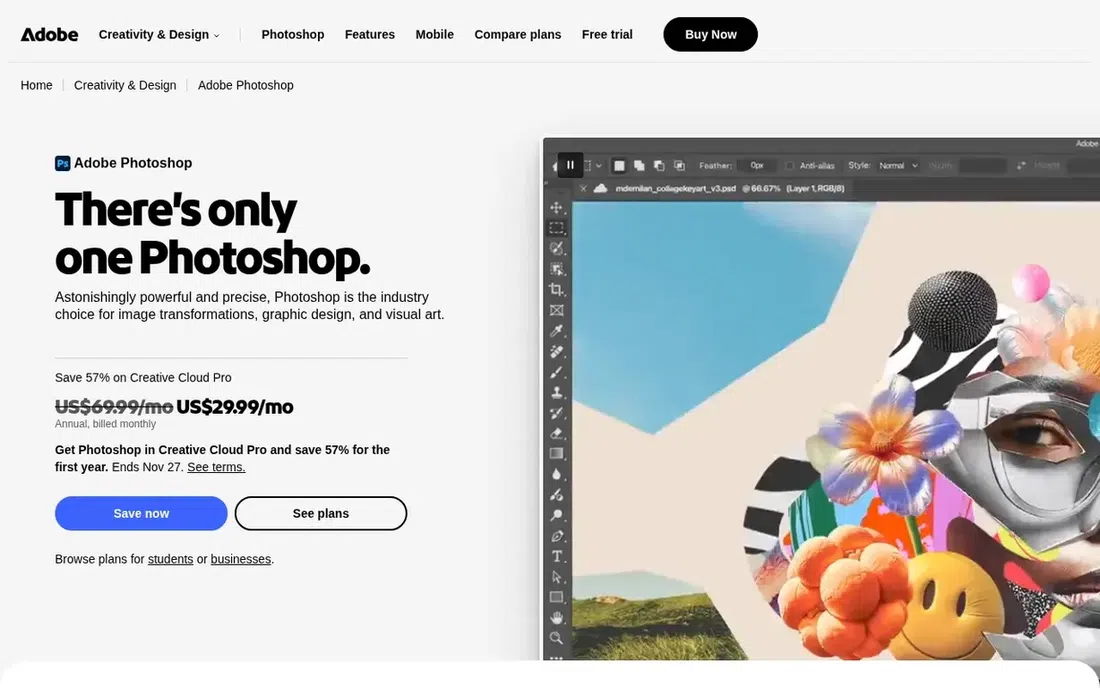
Think of Adobe Photoshop for thorough product retouching and compositing. Adobe Photoshop is a professional-grade image editor used for everything from entry-level retouching to advanced compositing. Photoshop's depth can be overwhelming for beginners, and it needs a subscription.
Downsides: Steep ramp-up time.
More specifically, choose Photoshop when you need pixel-level precision and advanced manipulation. For more straightforward tasks like social media graphics, a template-based tool may be more efficient. Adobe Photoshop does not show a starting price in this comparison, so check the vendor site for current pricing. As for free access: Not stated.
- Supports complicated compositing and masking
- Connects with other Adobe apps
- Needs subscription
For precise RAW processing and tethered shooting, Capture One is a natural candidate. Capture One is professional photo editing software known for its advanced RAW handling and tethering capabilities. It is built for photographers who demand precision, making it suitable for studio ecommerce photography where color accuracy and detail are critical.
Where it is weaker: Steeper ramp-up time.
For entry-level edits or graphic design, more straightforward tools like Canva might suffice. Opt for Capture One when you need the utmost control over image quality and a tethered workflow. Capture One does not show a starting price in this comparison, so check the vendor site for current pricing. Trial and free access: Not stated.
- Very good color control
- Solid tethering
- Pricey for casual users
How we compared the tools
What to check before you buy
- Confirm the entry price with every vendor: no tool from Luminar Neo to Capture One shows a fixed starting price.
- Read the limits listed for Luminar Neo first: less manual control.
- Work out what Adobe Photoshop costs with your real seat count, add-ons and usage, not just the entry price.
- Check the integration list for Luminar Neo against the tools you run today, and note which ones need a higher plan.
- Find out what support Capture One includes on your plan, and whether onboarding help costs extra.
FAQ
Can I try these options before paying?
Not by default. None of the tools, from Luminar Neo to Capture One, lists a free plan or a free trial here, so ask each vendor for a demo before committing.
Does any tool for ecommerce photo editing software here have a free plan?
No tool in this list, Luminar Neo and Capture One included, has a permanent free plan. Trials and quotes are the usual route, so plan a short evaluation period.
What is the best ecommerce photo editing software for beginners?
Luminar Neo is the pick this page puts first, mainly for AI-powered quick edits and enhancements. If your situation differs, Adobe Lightroom suits efficient color grading and photo organization, and Canva suits fast, template-based graphics for social media. Compare price and limits before you decide.
Do these tools publish their prices?
No. None of the tools, from Luminar Neo to Capture One, shows a fixed starting price here, so budget time for quotes. Each of the 5 options in this ecommerce photo editing software guide has its own card above with the price, free plan and limits.
How are the tools for ecommerce photo editing software ordered?
Luminar Neo sits first and Capture One last because the order follows typical fit for ecommerce photo editing software, then price clarity and free access. It is a judgement call, so read each profile for fit and limits.
Which software is a good match for RAW product photography?
This list starts with Luminar Neo, which fits AI-powered fast edits and enhancements. For other needs, Adobe Lightroom is aimed at efficient color grading and photo organization, and Canva at fast, template-based graphics for social media. Check each tool's price and main limit first.
Sources
- https://skylum.com/luminar
- https://www.adobe.com/products/photoshop-lightroom.html
- https://www.canva.com
- https://www.adobe.com/products/photoshop.html
- https://www.captureone.com