Best Photo Editing Software for E-Commerce (2026): 5 Picks Checked on Vendor Pages
Best photo editing software for E-commerce in 2026: 5 tools with starting prices, free plans and limits. Compare costs and catches in one place. Numbers first.
- Editor's choice
 Corel PaintShop Pro
Low-cost full-featured editing on Windows
Starts atSee websiteVisit paintshoppro.comFull review - Great alternative
 Affinity Photo
Precision editing without a subscription
Starts atSee websiteVisit affinity.serif.comFull review - Also consider
 Luminar Neo
Straightforward AI-assisted photo enhancement
Starts atSee websiteVisit skylum.comFull review
Direct answer
For budget-friendly full-featured editing on Windows, Corel PaintShop Pro is where this list starts. Listed starting prices: ON1 Photo RAW from $49.99. Alternatives: Affinity Photo for precision editing without a subscription, and Luminar Neo for straightforward AI-assisted photo enhancement. The other 2 tools in the list cover narrower or pricier cases.
TL;DR:
- Corel PaintShop Pro sits first on this list: low-cost full-featured editing on Windows.
- Pricing for Corel PaintShop Pro, Affinity Photo, Luminar Neo and Adobe Photoshop is quote-based, which adds a sales step before you can compare cost.
- For all-in-one raw editing and organizing, ON1 Photo RAW is worth a look.
- A permanent free plan is missing from all 5 tools, Corel PaintShop Pro and ON1 Photo RAW included; plan for a trial or a premium start.
- One limit worth knowing about Luminar Neo: less control for complex retouching.
Last checked November 2026. Prices and plan details were read from the vendors' own pages in November 2026; vendors change plans often, so confirm the current price on the vendor site before you buy.
Quick comparison
| Tool | Best for | Starts at | Free plan? | |
|---|---|---|---|---|
| Corel PaintShop Pro | Low-cost full-featured editing on Windows | See website | Not stated | Visit |
| Affinity Photo | Precision editing without a subscription | See website | Not stated | Visit |
| Luminar Neo | Straightforward AI-assisted photo enhancement | See website | No | Visit |
 Adobe Photoshop | Complicated product retouching and composites | See website | Not stated | Visit |
 ON1 Photo RAW | All-in-one raw editing and organizing | $49.99 | Free trial | Visit |
Photo Editing Software for E-Commerce, one by one
LinkVetted compared 5 tools for photo editing software for E-commerce. The goal is a practical shortlist: published prices, free plan facts, best-fit use cases and honest limits for every entry.
Corel PaintShop Pro is a good fit for low-cost full-featured editing on Windows. It is most associated with Windows workflows, so Mac-based teams may need alternatives.
Some users find the interface less modern than newer competitors. Corel PaintShop Pro shows no starting price here, so confirm the cost on the vendor site. Trial and free access: Not stated.
What to check first: Interface feels dated to some users.
- Learning resources and tutorials
- Wide editing toolset
- Windows-focused system
Affinity Photo is built with precision editing without a subscription in mind. Affinity Photo is a professional photo editor designed for precision and speed. Pick it when editing power and a one-time purchase matter more than ecosystem breadth.
Drawbacks to consider: No built-in catalog management.
Reasons to shortlist it: focused performance.
Tutorials and external resources are fewer than with the biggest names. For everyday use, sellers who want capable editing without recurring subscription costs commonly shortlist it for product cleanup, cutouts and color adjustments. Affinity Photo shows no starting price here, so confirm the cost on the vendor site. On free options: Not stated.
- One-time purchase model
- Quick
- Smaller ecosystem of tutorials
For simple AI-assisted photo enhancement, Luminar Neo is a natural candidate. The straightforward interface fits small teams and solo sellers who want refined product and lifestyle images without a long learning period.
AI-driven edits offer less manual control than layered editors, which can matter for precise product color matching. Luminar Neo does not show a starting price in this comparison, so check the vendor site for current pricing. Luminar Neo has no free tier.
Honest limits: Less control for complicated retouching.
- Beginner-friendly interface
- Runs on PC and Mac
- Restricted catalog depth
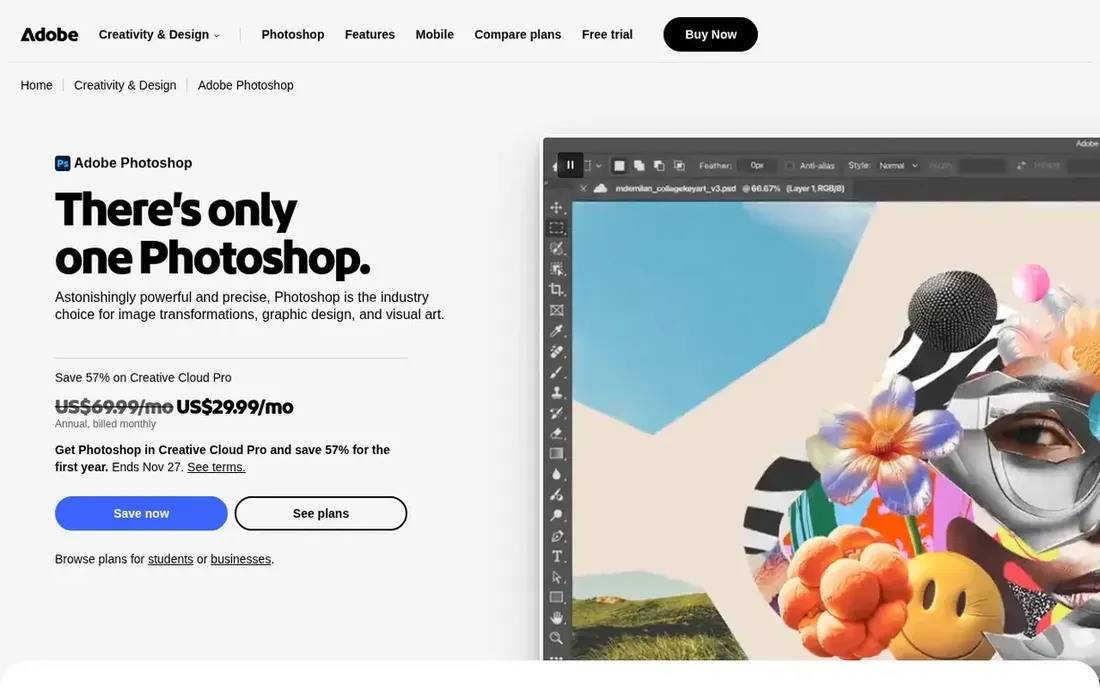
Adobe Photoshop is built with complicated product retouching and composites in mind. The depth includes a ramp-up time, and the interface can overwhelm sellers who only need fast color fixes.
What to check first: Dense interface for beginners.
For everyday use, if your work is largely batch color correction and library organization, a lighter organizer-focused editor may be the better fit. As for the details, the mobile app and online editing choices help teams review and adjust images away from a desk, which suits expanding catalogs and mixed skill levels. No starting price is listed for Adobe Photoshop here; confirm pricing on the vendor site. On free options: Not stated.
- Desktop and mobile workflows
- Solid compositing for custom scenes
- Subscription-based access
For all-in-one raw editing and organizing, ON1 Photo RAW is a natural candidate. ON1 Photo RAW merges raw editing, organizing and processing in a single application.
Also, external plugin support is narrower. What you pay to start with ON1 Photo RAW: $49.99. As for free access: Free trial.
Downsides: Interface takes adjustment.
- No subscription required
- Editing and organizing in one app
- Smaller plugin ecosystem
Our selection method
What to check before you buy
- Confirm the entry price on the vendor page. For Corel PaintShop Pro, Affinity Photo, Luminar Neo and Adobe Photoshop that means a quote rather than a fixed price.
- Run a trial of ON1 Photo RAW with real work before paying for a year; your own workflow is the best test.
- Read the limits listed for Corel PaintShop Pro first: Windows-focused product.
- Confirm minimum seats and billing terms with Corel PaintShop Pro before you commit to an annual plan.
- Before you load data into Luminar Neo, check what an export looks like and who can run it.
FAQ
How are the tools for photo editing software for E-commerce ordered?
Corel PaintShop Pro sits first and ON1 Photo RAW last because the order follows typical fit for photo editing software for E-commerce, then price clarity and free access. It is a judgement call, so read each profile for fit and limits.
Is Corel PaintShop Pro the right pick for everyone comparing photo editing software for E-commerce?
No single tool suits every team. Corel PaintShop Pro comes first because it fits affordable full-featured editing on Windows, while Affinity Photo suits precision editing without a subscription and Luminar Neo suits simple AI-assisted photo enhancement. Match the tool to your own size, budget and workflow before deciding.
Does any tool for photo editing software for E-commerce here have a free plan?
A permanent free plan is not offered by Corel PaintShop Pro, ON1 Photo RAW or the other tools here. ON1 Photo RAW offer a trial. Plan a short evaluation period instead.
Which editor is a good match for removing product backgrounds?
This list starts with Corel PaintShop Pro, which fits budget-friendly full-featured editing on Windows. For other needs, Affinity Photo is aimed at precision editing without a subscription, and Luminar Neo at straightforward AI-assisted photo enhancement. Check each tool's price and main limit first.
Do these tools publish their prices?
Not all of them. Corel PaintShop Pro, Affinity Photo, Luminar Neo and Adobe Photoshop publish no starting price, so expect a quote request for those. The rest, ON1 Photo RAW included, show a starting price, though seats and billing terms still change the final cost.
Sources
- https://www.paintshoppro.com
- https://affinity.serif.com/en-us/photo
- https://skylum.com/luminar
- https://www.adobe.com/products/photoshop.html
- https://www.on1.com/products/photo-raw