Best E-commerce Analytics Tools in 2026: 8 Tools Compared
We compared the best e-commerce analytics tools, covering attribution, profit, lifetime value, and behavior data, to help Shopify brands grow profitably.
- Editor's choice
 Triple Whale
Shopify attribution and dashboards
Starts atFreeVisit triplewhale.comFull review - Great alternative
 Lifetimely
Profit and lifetime value
Starts atFreeVisit lifetimely.ioFull review - Also consider
 Northbeam
Multi-touch attribution
Starts atSee websiteVisit northbeam.ioFull review
TL;DR:
- Triple Whale suits Shopify brands that want attribution, dashboards, and forecasting in one platform.
- Lifetimely suits stores focused on profit, lifetime value, and cohort retention.
- Northbeam suits larger DTC brands that need multi-touch attribution and media mix modeling.
- Google Analytics remains the free baseline for traffic and conversion data, but it does not replace profit analytics.
- Pick the tool that answers your main question, whether that is which ad works, which customers stay, or which products make money.
Quick comparison
| Tool | Best for | Starts at | Free plan? | |
|---|---|---|---|---|
| Triple Whale | Shopify attribution and dashboards | Free | Yes | Visit |
| Lifetimely | Profit and lifetime value | Free | Yes | Visit |
| Northbeam | Multi-touch attribution | See website | No | Visit |
 Google Analytics | Free traffic and conversion data | Free | Yes | Visit |
 Contentsquare | Behavior and journey analytics | See website | No | Visit |
 Polar Analytics | Shopify profit dashboards | See website | Free trial | Visit |
 ThoughtMetric | Attribution by customer type | $99 per month | No | Visit |
 Hotjar | Heatmaps and session insight | Free | Yes | Visit |
The best e-commerce analytics tools
We covered attribution, profit, and behavior tools, since no single dashboard answers every ecommerce question. Shopify stores dominate this list, but several tools also support other platforms.
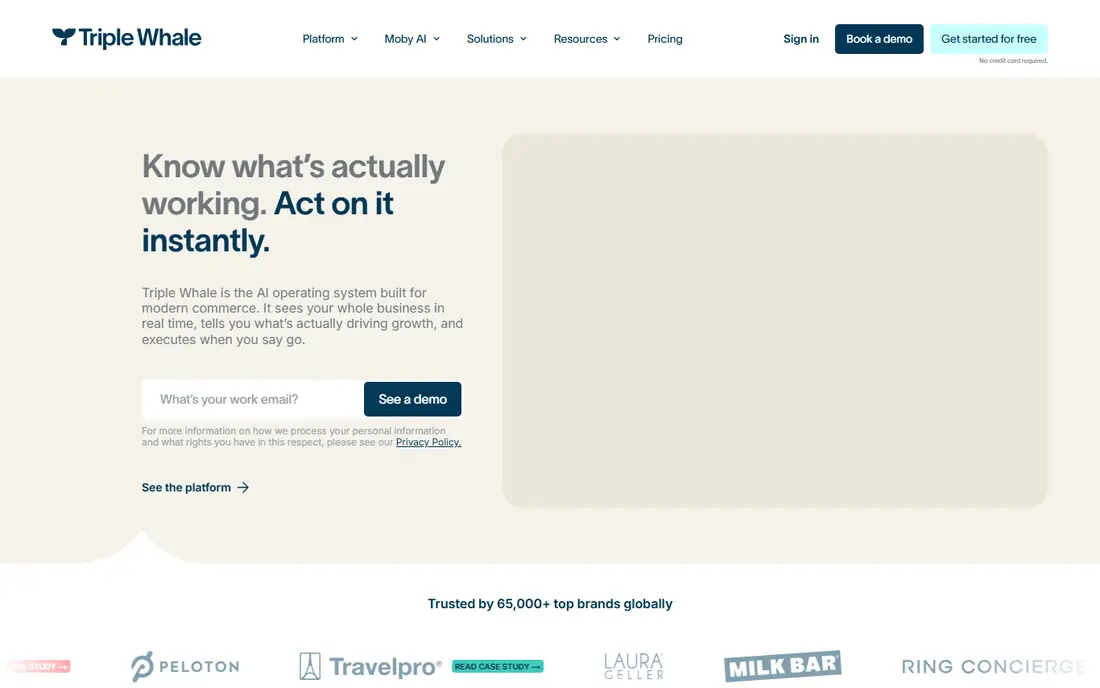
Triple Whale gives Shopify brands a central view of marketing spend, revenue, profit, and attribution. Its pixel and multi-touch models help teams see which channels contribute to orders, while dashboards track blended performance without exporting many reports. Forecasting and survey tools add context for planning.
Pricing by GMV means costs rise with store size, and paid plans run on yearly terms. Small stores should test the free plan first and confirm which features sit on each tier. For DTC brands that want one analytics home, Triple Whale is the broadest option here.
- Unified dashboards with attribution and profit views
- Triple Pixel for multi-touch measurement
- Forecasting and post-purchase surveys
- Paid plans price by annual GMV on yearly terms
- Full suite can be costly for small stores
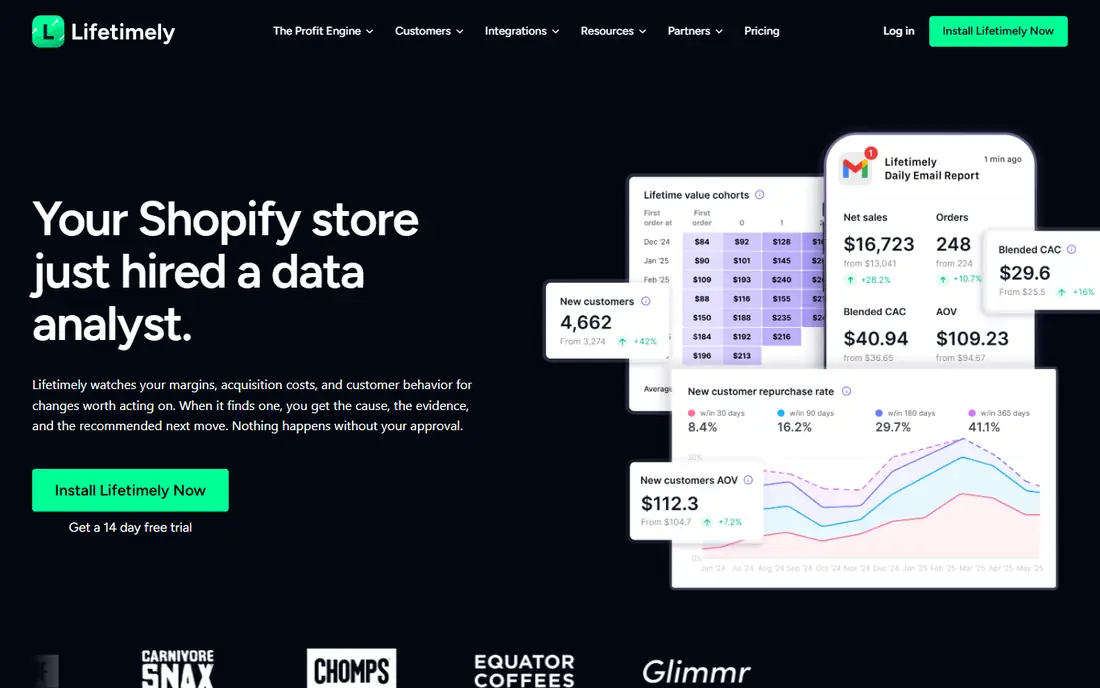
Lifetimely answers a different question from attribution tools: are customers profitable over time? It tracks lifetime value, cohorts, time between orders, and daily profit after product, shipping, and ad costs. That view helps stores decide whether discounts and acquisition spend actually pay off.
The Shopify focus limits non-Shopify stores, and paid tiers scale with orders. Still, the free plan is genuinely useful for small stores, and paid plans include AI-assisted profit analysis. If retention and profit matter more than channel debates, start with Lifetimely.
- Free plan for up to 50 orders monthly
- Daily profit view with costs included
- Lifetime value, cohorts, and retention analysis
- Shopify focused
- Paid pricing rises with order volume
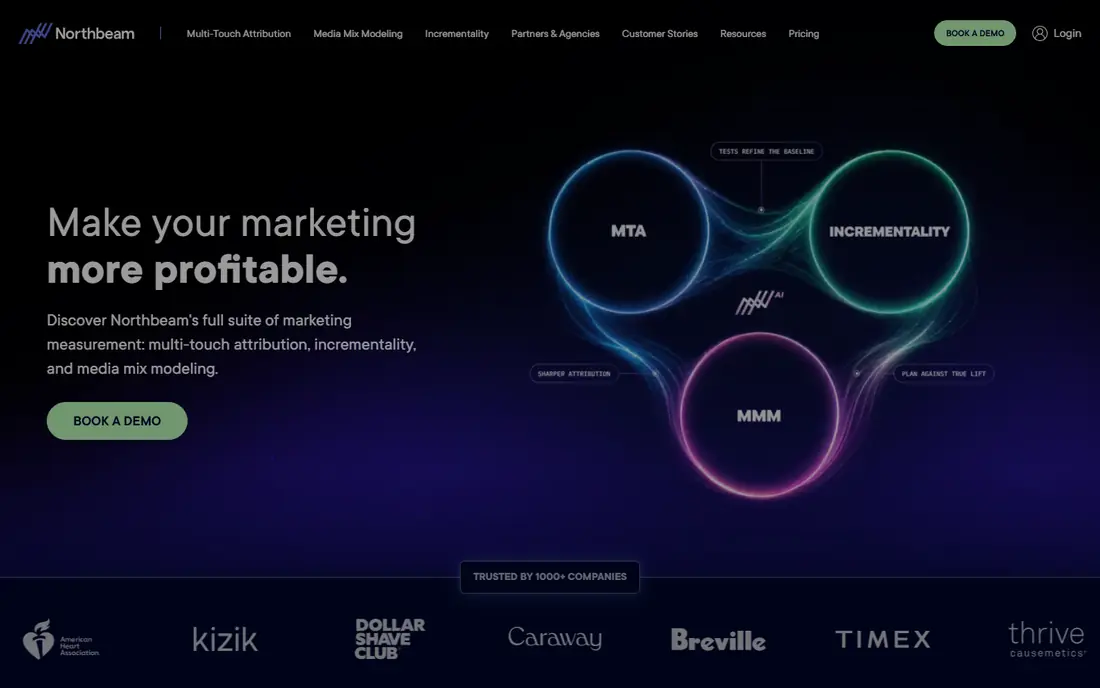
Northbeam suits larger DTC brands spending heavily across many channels. Its attribution models and media mix work help teams judge incrementality, not just last-click results. Creative analysis shows which ads and messages drive orders, which matters when ad budgets are large.
Smaller stores may find setup and pricing too heavy, and a simpler dashboard may answer their questions faster. Northbeam earns its place when ad spend is high enough that attribution errors cost real money. Ask about data requirements and onboarding time during a demo.
- Multi-touch attribution and media mix modeling
- Creative performance analysis
- Custom reporting for large DTC teams
- Custom pricing aimed at larger brands
- Setup is more involved than plug-and-play dashboards
Google Analytics remains the baseline every store should run, even if it buys another tool. It shows where traffic comes from, how users move through the site, and which pages convert. Integration with Google Ads and Search Console helps teams connect search and ad performance to site behavior.
It does not replace profit analytics, since it lacks cost, margin, and cohort depth out of the box. Attribution is also limited for complex multi-channel journeys. Use Google Analytics as the free traffic layer, then add a profit or attribution tool for the questions it cannot answer.
- Free and widely supported
- Traffic, conversion, and funnel reporting
- Integrates with Google Ads and Search Console
- No built-in profit or lifetime value views
- Attribution modeling is limited for ecommerce decisions
Contentsquare, which includes Hotjar in its wider product family, helps teams see how shoppers actually use a store. Heatmaps, session replays, and journey analysis reveal where visitors drop off, which elements draw attention, and where checkout friction appears. That insight complements revenue dashboards well.
Pricing is custom for most business plans, so smaller stores should compare Hotjar or a free tier first. Contentsquare suits mid-size and larger brands that optimize conversion rate across many pages. Pair it with a profit tool, since behavior data alone does not show margin.
- Session replays, heatmaps, and journey analysis
- Helps find friction in checkout and product pages
- Works across platforms and devices
- Custom pricing for most plans
- More of a behavior tool than a profit dashboard
Polar Analytics gives Shopify merchants fast profit dashboards without building reports manually. It connects orders, ad spend, and costs into a live profit view, with marketing and product breakdowns beside it. Teams that want a quick daily answer on profit often prefer it to spreadsheet reporting.
Non-Shopify stores should look elsewhere, and pricing needs a direct check for your plan. Polar Analytics works best as a daily profit companion to attribution tools, not as a full attribution replacement. Trial it during a normal sales week to judge dashboard usefulness.
- One-click Shopify profit and marketing dashboards
- Real-time P and L views
- Connects ad, order, and cost data
- Shopify focused
- Pricing depends on plan and store needs
ThoughtMetric helps ecommerce brands answer whether ads bring new customers or just retarget existing ones. It reports new-customer ROAS, cost per new order, and lifetime value by acquisition channel, which changes how teams judge campaigns. Post-purchase surveys add attribution for podcasts and word of mouth.
Pricing starts at $99 per month based on pageviews, so high-traffic stores should check tier thresholds. It does not cover churn analytics, so subscription brands may need a second tool for cancellations. For acquisition-focused DTC brands, ThoughtMetric adds a useful customer-type lens.
- Splits revenue into new and returning customers
- New-customer ROAS and cost per order
- Survey data supports podcast and word-of-mouth attribution
- Pageview-based pricing tiers
- Not a churn or subscription analytics tool
Hotjar is the low-cost way to watch how visitors use your store. Heatmaps show clicks and scrolls, recordings reveal confusion, and surveys collect direct feedback. Setup is a simple script, and the free plan suits small stores testing conversion ideas.
It does not track profit, attribution, or lifetime value, so pair it with a revenue tool. Session limits on lower plans also matter for high-traffic stores. For qualitative insight on why visitors leave, Hotjar remains one of the easiest tools to start with.
- Free plan for basic heatmaps and recordings
- Easy script install
- Surveys and feedback tools included
- No revenue or profit analytics
- Session limits apply on lower plans
How we picked these
We compared official feature pages, pricing pages, Shopify listings, and public buyer guides for ecommerce analytics tools. We favored tools with a clear analytics job, whether attribution, profit, lifetime value, or behavior, and we noted platform limits such as Shopify-only support. We did not claim hands-on testing, and we did not invent ratings, awards, or prices.
Pricing in this category changes with GMV, order volume, pageviews, or seats, so confirm your tier before buying. Where pricing varied by source or was custom, we listed See website or the most consistent published figure. A trial during a normal sales period tells you more than a demo with sample data.
How to choose an analytics stack that stays useful
Most stores need two or three tools, not one giant dashboard. Build around your main decision, then add depth only where it changes action.
Start with traffic, profit, and one attribution view
Run Google Analytics for traffic, add Lifetimely or Polar Analytics for profit, and add Triple Whale, Northbeam, or ThoughtMetric for attribution if ad spend justifies it. That stack answers traffic, margin, and channel questions without paying for overlapping dashboards. Review monthly whether each tool still drives a decision.
Check data quality before trusting a dashboard
Attribution models differ, and no model is perfectly accurate. Compare platform-reported revenue, analytics revenue, and bank deposits regularly, and investigate gaps. Check how each tool handles returns, discounts, taxes, and shipping costs, since those details change profit views. A clean data setup beats a fancier model built on messy inputs.
Protect customer privacy and consent
Analytics tools collect visitor and customer data, so consent, retention, and data sharing settings matter. Use cookie consent where required, limit data collection to what you use, and review each vendor privacy policy. For session recordings and surveys, avoid capturing sensitive form inputs, and follow platform rules for your region.
FAQ
What are the best e-commerce analytics tools for Shopify?
Triple Whale and Lifetimely are strong Shopify-first picks, with Triple Whale leading on attribution and Lifetimely leading on profit and lifetime value. Polar Analytics suits daily profit dashboards, while ThoughtMetric suits acquisition analysis. Google Analytics should run beside any of them for traffic data.
What is the difference between attribution and profit analytics?
Attribution asks which marketing channels and ads led to orders. Profit analytics asks whether those orders made money after product, shipping, ad, and fee costs. Stores need both, since a channel can drive many orders at a loss. Pair an attribution tool with a profit tool for a full picture.
Is Google Analytics enough for ecommerce?
It is enough for traffic, funnels, and basic conversion tracking, but not for profit, lifetime value, or advanced attribution. Most growing stores add a profit tool such as Lifetimely or Polar Analytics, and an attribution tool if ad spend is significant. Start free with Google Analytics, then add tools when questions go unanswered.
How much do e-commerce analytics tools cost?
Costs range from free plans for Google Analytics, Hotjar, Triple Whale, and Lifetimely to GMV, order, or pageview-based paid tiers. Northbeam and Contentsquare use custom pricing for larger teams. Confirm your tier basis, whether GMV, orders, or pageviews, since that decides how costs scale.
Which tool is best for lifetime value analysis?
Lifetimely is built for lifetime value, cohorts, and retention, with daily profit views beside them. Triple Whale also covers cohorts and forecasting, while ThoughtMetric adds lifetime value by acquisition channel. Choose Lifetimely if retention and repeat purchase behavior are your main focus.
Do I need session recordings and heatmaps?
They help when conversion rate is the bottleneck, such as high traffic with low checkout completion. Hotjar and Contentsquare reveal friction that revenue dashboards cannot show. If traffic is low or profit data is missing, fix tracking and profit views first, then add behavior tools.