Top 6 Onboarding Software for Schools for 2026 (Prices and Free Plans)
Shortlisting the best onboarding software for schools? 6 products compared on cost, free access and ideal buyer. Every entry states what it lacks. Plain facts.
- Editor's choice
 Classter
All-in-one admissions to alumni management
Starts at€8.50 per studentVisit classter.comFull review - Great alternativeVeracross
Teams comparing choices in this category
Starts atSee websiteVisit veracross.comFull review - Also consider
 Blackbaud
Schools with advancement and fundraising needs
Starts atSee websiteVisit blackbaud.comFull review
Direct answer
If you need all-in-one admissions to alumni management, Classter is the first tool to look at here. Listed starting prices: Classter from €8.50 per student. For a different need, Veracross covers teams comparing choices in this category and Blackbaud covers schools with advancement and fundraising needs. The other 3 tools in the list cover narrower or pricier cases.
TL;DR:
- Classter sits first on this list: all-in-one admissions to alumni management.
- For UK schools and trusts needing a MIS, Arbor is worth a look.
- Classter, Arbor and the 4 others all need a premium plan or a trial, since no free plan is listed.
- One limit worth knowing about Veracross: may not suit public or higher education.
- Expect to ask for a quote from Veracross, Blackbaud, FACTS and others; the other tools show a starting price.
Last checked November 2026. Prices and plan details were read from the vendors' own pages in November 2026; vendors change plans often, so confirm the current price on the vendor site before you buy.
Quick comparison
| Tool | Best for | Starts at | Free plan? | |
|---|---|---|---|---|
| Classter | All-in-one admissions to alumni management | €8.50 per student | Not stated | Visit |
| Veracross | Teams comparing choices in this category | See website | Not stated | Visit |
| Blackbaud | Schools with advancement and fundraising needs | See website | Not stated | Visit |
 FACTS | K-12 schools seeking a connected ecosystem | See website | Not stated | Visit |
| TADS | Private and faith-based schools needing tuition tools | See website | Not stated | Visit |
| Arbor | UK schools and trusts needing a MIS | See website | Not stated | Visit |
6 onboarding software for schools in detail
LinkVetted compared 6 onboarding software for schools. The goal is a practical shortlist: published prices, free plan facts, best-fit use cases and honest limits for every entry.
Classter serves all-in-one admissions to alumni management. This wide coverage means onboarding can bundle student records, school management, and learning tools from the start.
The main drawbacks: May be more than a small school needs.
For everyday use, review the module list on the vendor site to confirm onboarding coverage. Price to start with Classter: €8.50 per student. Free options: Not stated.
- Single system for simplified management
- Merges SIS, SMS, LMS
- All-in-one scope may need setup time
Veracross
Best for: Teams comparing choices in this category

Veracross serves teams comparing choices in this category. It suits private schools that want a consolidated approach to admissions, enrollment, and student records from the start.
As for the details, schools needing broad nonprofit or foundation tools might look at Blackbaud instead. Veracross does not show a starting price in this comparison, so check the vendor site for current pricing. On free options: Not stated.
- Aims to unify school data
- Concentrated on private K-12 student information
- May not suit public or higher education
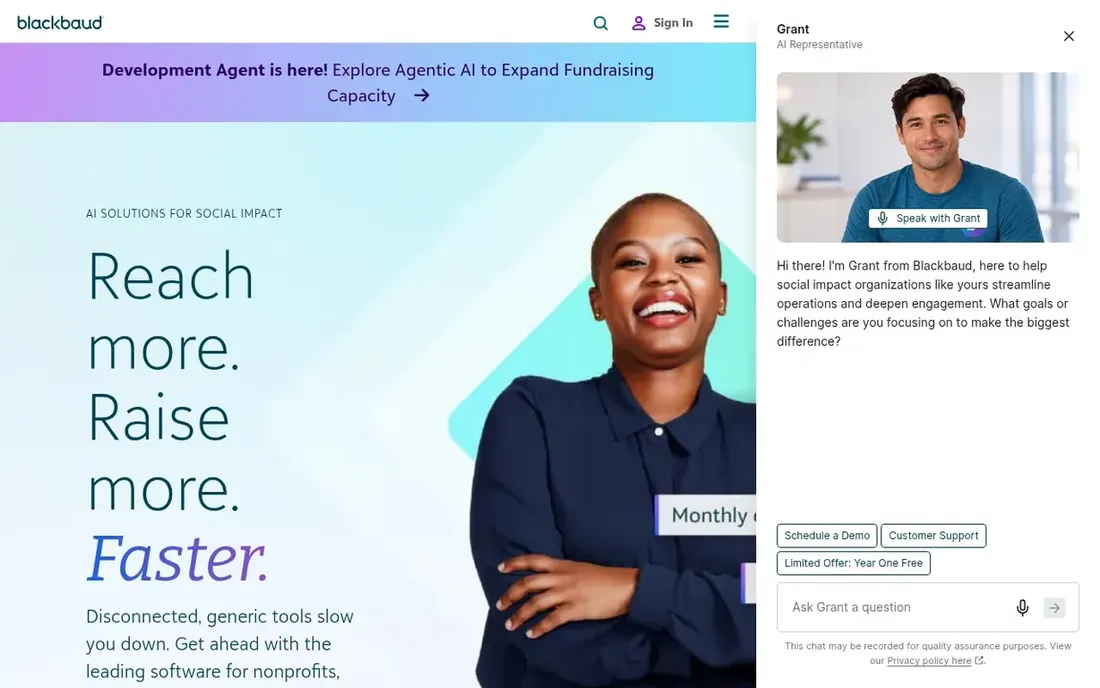
Blackbaud is aimed squarely at schools with advancement and fundraising needs. Blackbaud provides AI-powered software for nonprofits, education, foundations, and firms, based on its homepage. It is meant to help organizations drive greater social impact.
Where it falls short: Not a dedicated K-12 SIS first.
Beyond that, since Blackbaud serves several sectors, schools may need to choose specific modules for admissions or student data. It may be more than a small school needs if the priority is only a straightforward SIS. No starting price is listed for Blackbaud here; confirm pricing on the vendor site. As for free access: Not stated.
- Supports foundations and social impact work
- Merges education software with nonprofit tools
- Wide focus may need module selection
Think of FACTS for K-12 schools seeking a connected ecosystem. Smaller schools might find a narrower SIS more straightforward. From a buyer's view, if your school is private and faith-based with heavy tuition needs, TADS may be a closer fit.
More specifically, for onboarding, this means a school can potentially unify several administrative processes. In practice, the breadth of FACTS means schools should map which modules they need for onboarding, as not every function may be relevant. From a buyer's view, confirm module details on the vendor site. Pricing for FACTS is not stated here, so ask the vendor for current figures. Free access: Not stated.
Best features of FACTS: Includes admissions, finances.
Drawbacks to consider: May be complicated for very small schools.
- Aims for one connected system
- Intelligent K-12 SaaS solutions
- Wide scope may need careful module review
TADS
Best for: Private and faith-based schools needing tuition tools
Where TADS fits: private and faith-based schools needing tuition tools. It fits schools that want financial aid and billing workflows integrated with student information from day one.
Check the vendor site for TADS pricing; none is listed in this comparison. Trial and free access: Not stated.
The main drawbacks: May be less relevant for public schools.
- Merges tuition management and financial aid
- Faith-based schools
- Tuition focus may overshadow onboarding features
Arbor
Best for: UK schools and trusts needing a MIS
Arbor serves UK schools and trusts needing a MIS. Confirm which suite components support your onboarding process on the vendor site.
Arbor is built around UK school requirements, so schools outside the UK may find it less relevant. For onboarding, this means schools can bring together staff management, timetabling, and finance alongside core MIS functions. This comparison lists no price for Arbor; ask the vendor. Trial and free access: Not stated.
Drawbacks to consider: MIS focus may lack broader LMS depth.
- Built for UK school management
- Arbor Finance
- UK-focused may not suit US schools
Selection criteria
LinkVetted looked at what each vendor publishes: pricing, plan limits, feature coverage for onboarding software for schools and stated drawbacks. No hands-on testing is claimed. Plan names, prices and limits change often. Treat the figures here as a starting point and verify them with the vendor. Position on the page reflects fit for a typical buyer first, with price clarity and free access breaking ties. Treat it as a guide, not a ruling.
Things to verify first
- Ask Veracross, Blackbaud, FACTS and others for a written quote, since no starting price is shown.
- Before choosing Classter, weigh its main limit: all-in-one scope may need setup time.
- Ask the daily users to test FACTS on a live task before you roll it out to everyone.
- Confirm the exact Veracross plan that includes your must-have features.
- See whether Classter offers onboarding or training, and whether it is included in the price.
FAQ
How do private and public schools differ in onboarding needs?
Public schools may focus more on district-wide student information and integration with existing systems. For everyday use, school type should guide which product you shortlist.
Can onboarding software help with staff and parent communication?
Numerous school products include communication tools as part of their broader suite. For instance, Classter merges SIS, SMS, and LMS functions that can support messaging.
Does any tool for onboarding software for schools here have a free plan?
A permanent free plan is not offered by Classter, Arbor or the other tools here. Plan a short evaluation period instead.
Can I try these tools before paying?
Not by default. None of the tools, from Classter to Arbor, lists a free plan or a free trial here, so ask each vendor for a demo before committing.
What should schools look for in onboarding software?
Schools should prioritize tools that link admissions, enrollment, and student records in one workflow. Consider your school type, existing systems, and whether you need tuition or financial aid features.
Is Classter the right pick for everyone comparing onboarding software for schools?
No single tool suits every team. Classter comes first because it fits all-in-one admissions to alumni management, while Veracross suits teams comparing options in this category and Blackbaud suits schools with advancement and fundraising needs. Match the tool to your own size, budget and workflow before deciding.
Sources
- https://www.classter.com
- https://www.veracross.com
- https://www.blackbaud.com
- https://www.factsmgt.com
- https://www.tads.com
- https://www.arbor-education.com