Best Client Onboarding Software in 2026: 8 Tools Compared
Compare the best client onboarding software for agencies and freelancers in 2026, with portals, forms, contracts, reminders and pricing compared side by side.
- Editor's choice
 Dubsado
Automated workflows for service businesses
Starts atSee websiteVisit dubsado.comFull review - Great alternative
 HoneyBook
Fast setup for solo professionals
Starts atSee websiteVisit honeybook.comFull review - Also consider
 Copilot
Branded portals for agencies
Starts atSee websiteVisit copilot.comFull review
TL;DR:
- The best client onboarding software for most small teams is a tool that combines intake forms, contracts, payments and a client portal in one place, so clients do not have to juggle separate links.
- Agencies that onboard many clients at once should look for a cross-client dashboard, required steps and automatic reminders, because those features stop work from starting before intake is finished.
- Solo professionals often get more value from an all-in-one client tool than from a dedicated onboarding platform, since the same tool can also handle proposals and invoicing.
- Free plans and trials vary a lot, so test the exact intake flow with a real client scenario before you pay for a year.
Quick comparison
| Tool | Best for | Starts at | Free plan? | |
|---|---|---|---|---|
| Dubsado | Automated workflows for service businesses | See website | Free trial | Visit |
| HoneyBook | Fast setup for solo professionals | See website | Free trial | Visit |
| Copilot | Branded portals for agencies | See website | Free trial | Visit |
 Moxie | Freelancers who want CRM plus invoicing | See website | Free trial | Visit |
 17hats | Simple all-in-one client management | See website | Yes | Visit |
 Bonsai | Freelancers who need contracts and payments | See website | Free trial | Visit |
 GUIDEcx | Complex, team-based onboarding projects | See website | No | Visit |
 Rocketlane | Customer onboarding with project tracking | See website | Free trial | Visit |
The best client onboarding software
Good onboarding sets the tone for the whole client relationship. The tools below cover intake, contracts, payments and follow-up, and we compared their official feature pages, pricing pages and client portal options to see where each one fits best.
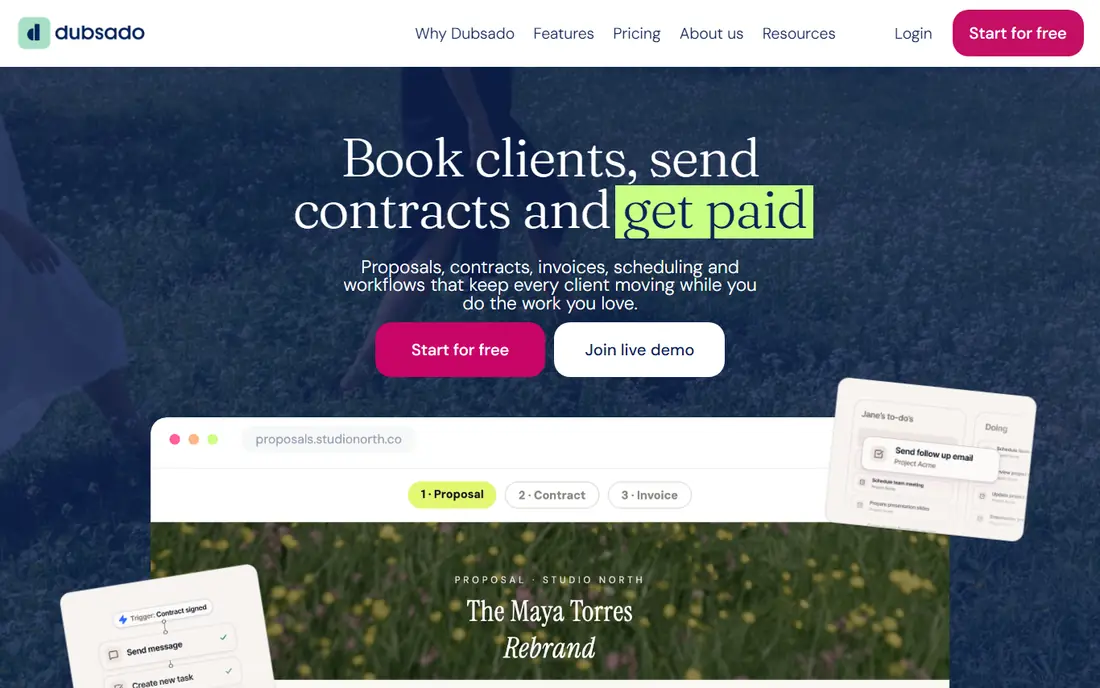
Dubsado suits service businesses that repeat the same intake process for every client and want much of it to run on its own. A new inquiry can trigger a proposal, then a contract, then an invoice, then a welcome questionnaire, with reminders sent when a step sits unfinished. That chain is the main reason many consultants, photographers and coaches choose it over a simpler form tool.
The trade-off is the setup work. Building workflows, forms and portal pages takes focused time, and the range of options can feel overwhelming during the first week. Once the system is built, though, it handles repeat clients with far less manual chasing, and the branded portal gives clients one place to find contracts, invoices and messages.
- Deep workflow automation
- Customizable forms and portals
- Contracts and payments in one place
- Setup takes time
- Interface can feel busy at first
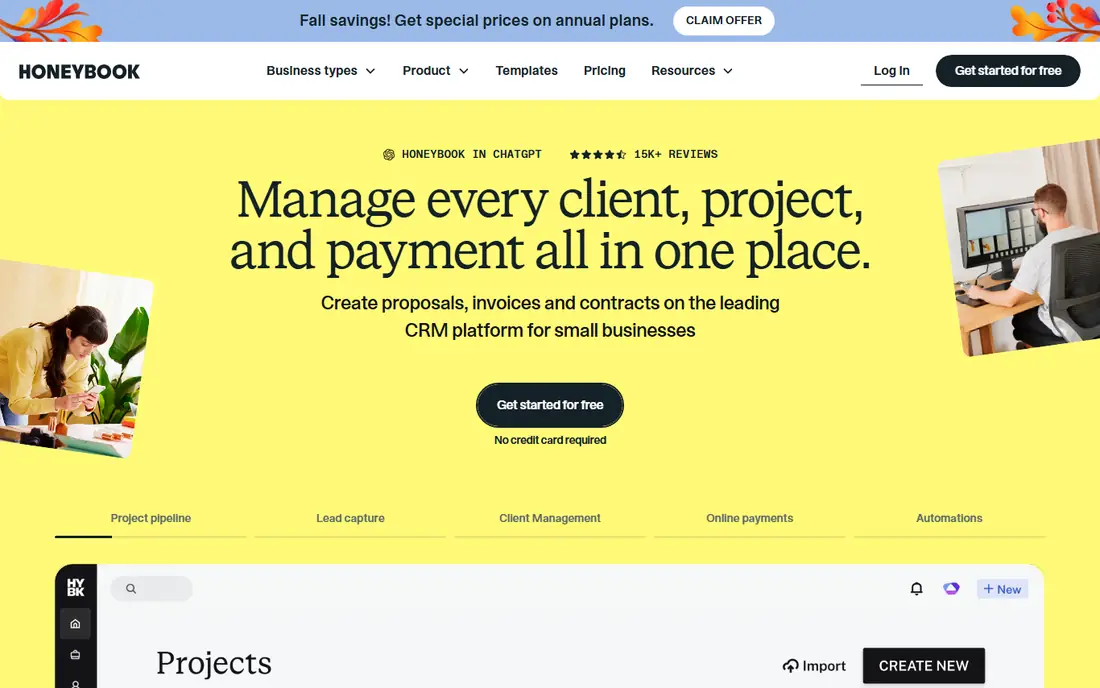
HoneyBook is a strong pick for solo professionals who want to look polished without spending days configuring software. Templates for proposals, contracts, invoices and questionnaires help a new user send a complete intake package on the first day. The client portal is straightforward, and built-in scheduling removes the back-and-forth that often slows onboarding.
The catch is depth. Teams that need conditional logic, complex branching or detailed project tracking may hit limits sooner than they would with Dubsado or a dedicated onboarding platform. For a single person or a very small team with a standard intake process, that simplicity is a benefit rather than a drawback.
- Clean interface
- Quick templates
- Payments and scheduling included
- Less workflow depth than Dubsado
- Pricing rises with team size
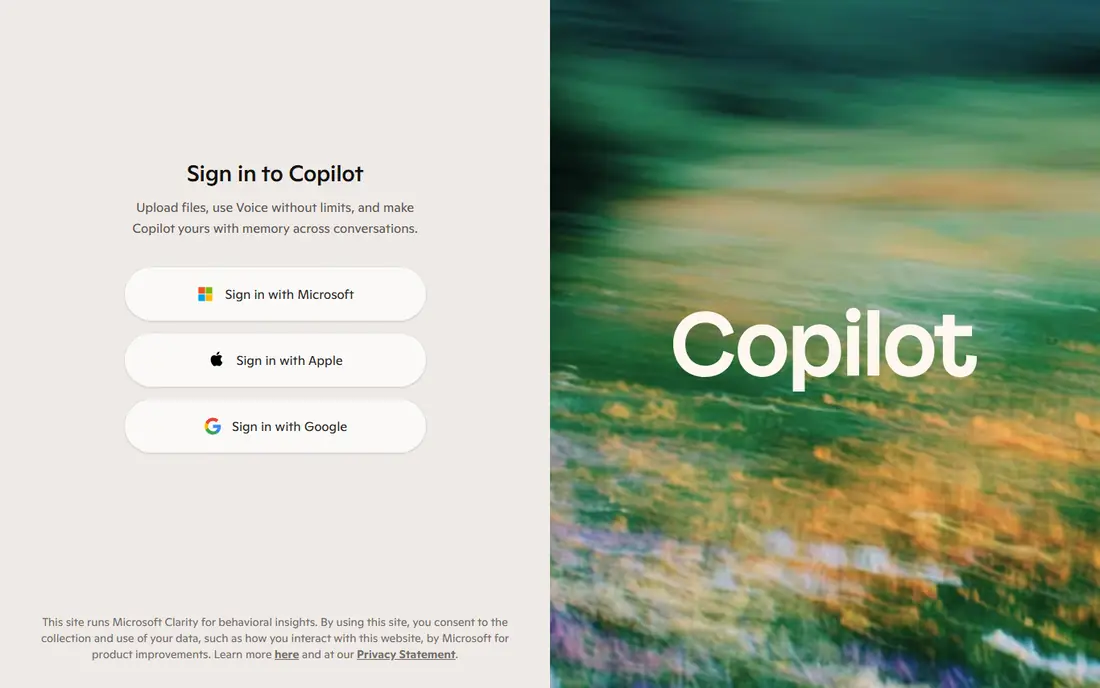
Copilot, formerly known under the Assembly name in some comparisons, focuses on the client-facing side of onboarding. Each client gets a branded portal with files, forms, messages and billing links, which works well for agencies that want every client to see the same polished experience. The portal approach also helps when several team members serve the same client, since work and communication stay in one workspace.
Copilot is less of a full business system than Dubsado or HoneyBook. Agencies that already have accounting or project tools may prefer that focus, since Copilot slots in as the client layer. Agencies that want one tool to do everything should check the billing and automation details closely before committing.
- Clean white-label portals
- Apps and integrations
- Per-client workspaces
- Quote-based pricing on some plans
- Fewer built-in invoicing options than all-in-one tools
Moxie aims at freelancers and small studios that need client management without enterprise complexity. Leads, projects, invoices and client communication sit in one dashboard, and onboarding templates help a new client move from inquiry to signed agreement without a patchwork of tools. The interface is modern and easy to read, which matters when you check it between client calls.
The main limit is scale. Larger agencies with complex approval chains or many staff roles may want a dedicated onboarding platform instead. For a freelancer or a team of two or three, Moxie covers the core intake steps well and keeps the monthly cost in check.
- Client CRM and invoicing together
- Modern interface
- Useful templates
- Smaller ecosystem than older rivals
- Some advanced automation is limited
17hats is a practical choice for small businesses that want one tool for leads, bookings, contracts and invoices. The setup is faster than Dubsado, and the free tier gives a low-risk way to test the basics. Questionnaires, contracts and payment links can be sent from the same client record, which keeps onboarding tidy for a solo owner.
Watch the document limits on lower plans. A document can be a quote, contract, invoice or questionnaire, so a busy month can use the allowance faster than expected. Businesses with steady volume should price the higher plan from the start rather than treating the entry plan as a long-term home.
- Low entry cost
- Lead capture and invoicing included
- Straightforward setup
- Document caps on lower plans
- Workflow options are more basic
Bonsai works well for freelancers who care most about getting paid correctly and having a signed agreement before work starts. Contract templates, proposals, time tracking and invoicing are tightly linked, so onboarding flows naturally into project work. The client portal is clean, and clients can sign and pay without creating accounts on several separate services.
Bonsai is not the deepest workflow builder on this list. If your intake needs branching questionnaires or multi-step approvals, a dedicated onboarding tool may fit better. If your intake is mostly proposal, contract, deposit and kickoff form, Bonsai handles it with little fuss.
- Strong contract templates
- Time tracking and invoicing
- Clean client portal
- Onboarding workflows are less flexible
- Some features sit on higher plans
GUIDEcx is built for onboarding that looks like a project, with many tasks, owners and deadlines. Clients see a clear timeline of what is done, what is next and who owns each step, which reduces status emails and confusion during long implementations. Managers get a portfolio view across all active onboardings, so a stalled account is easy to spot.
This is not a tool for a solo freelancer. Pricing is aimed at companies, and the setup reflects that scope. For software companies, agencies and service firms that onboard clients over weeks rather than days, that structure is exactly the point, and it pays for itself in fewer dropped handoffs.
- Clear project timelines for clients
- Task ownership across teams
- Strong visibility for managers
- Enterprise pricing
- More than a small team needs
Rocketlane combines onboarding projects with client collaboration, so tasks, documents, messages and timelines live in one shared space. Templates help teams repeat a proven onboarding path, while reporting shows where projects stall. That mix suits customer success and professional services teams that treat onboarding as a measured part of retention, not just an intake form.
Smaller teams may find Rocketlane heavier than they need, especially if they only onboard a few clients per month. Teams that already track onboarding in spreadsheets or chat threads will feel the benefit most, because the shared project view replaces scattered updates with one clear record.
- Onboarding project templates
- Client collaboration spaces
- Time tracking and reporting
- Learning curve for smaller teams
- Pricing is aimed at companies
How we picked these
We compared official feature pages, pricing pages, portal descriptions and public documentation for tools that handle client intake, contracts, forms, payments or onboarding projects. We favored tools that are actively sold and supported in 2026, that cover more than one onboarding step, and that serve a clear audience, from solo freelancers to larger onboarding teams. Where a vendor did not publish a price, we wrote See website rather than guessing.
What to check before you choose
Start with the client journey, not the feature list. Map the exact steps a new client takes, from first inquiry to kickoff call, and check that the tool covers each step without forcing clients through extra accounts or links. A tool that looks complete on a pricing page can still create friction if clients must log in separately for forms, contracts and payments.
Next, check reminders, roles and visibility. Automatic reminders matter because clients delay paperwork, and a dashboard matters because a busy team cannot chase every account from memory. If more than one person touches onboarding, confirm that roles, permissions and task ownership work the way your team actually operates.
Finally, test with a real scenario. Run a test client through the full flow, including a missed step and a late payment, and see how the tool handles it. Check export options and contract terms too, so you can move your client records if you switch tools later. The best onboarding tools for small business use are the ones that stay invisible to clients while keeping your team organized behind the scenes.
FAQ
What is the best onboarding tool for a small agency?
A branded portal tool such as Copilot or a project-based tool such as Rocketlane or GUIDEcx fits agencies best, because managers can see every onboarding at once. Solo professionals often do better with HoneyBook, Dubsado or Moxie, which combine intake with invoicing. The right choice depends on how many clients you onboard each month and how complex each one is.
What is the best software for onboarding new clients on a budget?
17hats offers a free tier and low-cost plans, while Dubsado and HoneyBook offer trials that let you test the full flow before paying. Start with the trial, build one real intake workflow, and only upgrade when volume or document limits force the issue. A free tool that clients ignore is not cheaper than a paid tool they complete.
Do I need a dedicated client onboarding platform?
Not always. If your intake is a form, a contract and a payment, an all-in-one client tool covers it. A dedicated platform earns its place when onboarding has many steps, several owners, compliance checks or long timelines. In that case, required steps and a cross-client dashboard prevent work from starting before intake is truly finished.
Can client onboarding software replace my CRM?
For many small businesses, yes, at least for the early client relationship. Tools such as Dubsado, HoneyBook and Moxie include contact records, pipelines and communication. Larger teams often keep a separate CRM and use onboarding software as the client-facing layer, so check integrations before you assume one tool can replace another.
How long does it take to set up client onboarding software?
Simple tools can be live in a day with templates, while deep workflow tools can take one to three weeks to configure well. Budget time for forms, contract language, payment settings and a test run with a colleague acting as the client. Rushing setup usually creates confusing client emails later, which defeats the purpose of the tool.
What features matter most in a new client onboarding tool?
Forms, e-signatures, payments, automatic reminders and a client portal matter most, followed by templates and reporting. If you handle sensitive documents, add access controls and a clear audit trail to that list. The best tool for client onboarding is the one your clients actually finish, not the one with the longest feature page.