5 Note-Taking Software for Hybrid Teams Worth Shortlisting in 2026
Compare 5 best Note-Taking software for hybrid teams, with prices, free plans and who each fits. Concise write-ups of every option. See the full list.
- Editor's choice
 Coda
Docs blended with spreadsheet structure
Starts atSee websiteVisit coda.ioFull review - Great alternative
 Microsoft OneNote
Straightforward capture in Microsoft environments
Starts atSee websiteVisit onenote.comFull review - Also consider
 Craft
Refined notes across devices
Starts at$4.8 per monthVisit craft.doFull review
Direct answer
Coda leads the list, best for docs blended with spreadsheet structure. Listed starting prices: Craft from $4.8 per month, Notion from $10 per member a month and Slite from $10 per user per month. If your case is different, Microsoft OneNote suits straightforward capture in Microsoft environments and Craft suits polished notes across devices. The full list of 5 tools follows, with prices and free plan facts.
TL;DR:
- Coda takes the first slot, best suited to docs blended with spreadsheet structure.
- Before buying Coda, weigh this: setup takes some learning.
- The cheapest monthly starting price in the list is $4.8 per month, offered by Craft.
- Craft, Notion, Slite: these are the 3 tools out of 5 that offer a free plan.
Last checked November 2026. Prices and plan details were read from the vendors' own pages in November 2026; vendors change plans often, so confirm the current price on the vendor site before you buy.
Quick comparison
| Tool | Best for | Starts at | Free plan? | |
|---|---|---|---|---|
| Coda | Docs blended with spreadsheet structure | See website | Not stated | Visit |
| Microsoft OneNote | Straightforward capture in Microsoft environments | See website | Not stated | Visit |
| Craft | Refined notes across devices | $4.8 per month | Yes | Visit |
 Notion | All-in-one workspace with AI | $10 per member a month | Yes | Visit |
 Slite | Accurate AI-assisted knowledge base | $10 per user per month | Yes | Visit |
Every option for Note-Taking software for hybrid teams explained
Choosing Note-Taking software for hybrid teams usually comes down to price, fit and limits. This LinkVetted guide sets 5 tools side by side on those three points, with the facts kept short and checkable.
Coda serves docs blended with spreadsheet structure. For hybrid teams, that means meeting notes can live next to trackers and light internal tools, keeping related information in one connected doc instead of scattered files. That power includes a ramp-up time, and straightforward note-taking can feel like more machinery than needed.
The main drawbacks: Setup takes some learning.
In daily use, teams without someone to design the initial structure may struggle to get value rapidly. More specifically, choose a more straightforward notes app if your needs are largely text capture. Pricing for Coda is not stated here, so ask the vendor for current figures. Free options: Not stated.
- App-like building blocks
- Docs with spreadsheet structure
- Can be overkill for plain notes
Where Microsoft OneNote fits: simple capture in Microsoft environments. Its homepage emphasizes capturing ideas, organizing notes, clipping web content and collaborating from anywhere.
The notebook and section structure is familiar and fast to learn, which fits hybrid teams that want low-friction capture and already work within Microsoft tools. Microsoft OneNote shows no starting price here, so confirm the cost on the vendor site. As for free access: Not stated.
Watch-outs: Organizing large notebooks takes care.
- Capture notes from any device
- Clip web content into notebooks
- Less suited to structured databases
Craft works best for refined notes across devices. Craft is a productivity app for notes, tasks and docs that follows you across all your devices, per its homepage, with premium features available.
Trade-offs to know: Team knowledge features are lighter.
Worth adding: teams needing deep collaboration structures should compare it with a workspace system. As for the details, some capabilities sit behind premium features, which the vendor site details. Craft cost at the entry level: $4.8 per month. A free plan is available with Craft.
- Focused writing experience
- Follows you across devices
- Some features need premium
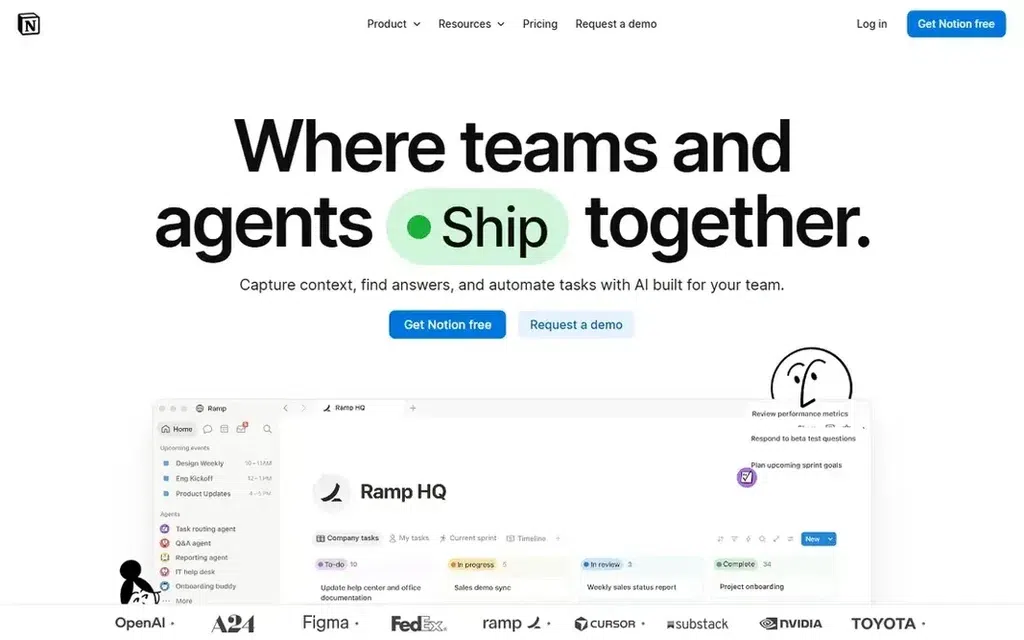
Notion serves all-in-one workspace with AI. Notion is an AI workspace that blends notes, documents and databases in one place. Its homepage flags custom agents, search across connected apps and automation of busywork.
In practice, teams that only need fast, straightforward note capture may find it heavier than necessary. Also, consider a lighter tool if your priority is quick capture instead of a full workspace. What you pay to start with Notion: $10 per member per month. Notion offers a free plan.
Honest limits: Can feel complicated to set up. What users get: AI search across connected apps.
- Automation for repetitive work
- Docs and databases
- Structure needs planning
Slite is aimed squarely at accurate AI-assisted knowledge base. Slite is described on its homepage as an AI knowledge base that stays accurate. It links to the tools where work happens to build and maintain the knowledge a business relies on.
So the team and its AI can work from steady answers. Slite is centered on knowledge management instead of tasks, databases or app building. So teams wanting a broader workspace may need another tool alongside it. Slite cost at the entry level: $10 per user per month. You can start on Slite without paying.
What to check first: Concentrated on knowledge over tasks.
- Links to tools where work happens
- Supports team and AI answers
- Narrower than full workspaces
How we chose
Each tool was reviewed on what its vendor publishes: price, plan limits, core features and stated drawbacks. We did not run hands-on tests. Seat minimums, billing terms and add-ons can move the real cost, so the starting prices here are a guide and not a quote. The order reflects how well each tool fits the most common buying scenario for Note-Taking software for hybrid teams, then price clarity, then free plan access. It is a starting point, not a verdict.
Before you commit
- Ask Coda and Microsoft OneNote for a written quote, since no starting price is shown.
- Look at free plan limits closely: Craft, Notion and Slite have one, and the caps decide whether it is usable for real work.
- Read the limits listed for Coda first: setup takes some learning.
- Involve the people who will use Slite daily; a short pilot beats a long feature checklist.
- Look at the renewal terms for Craft: auto-renewal, notice periods and price changes can matter more than the first-year price.
FAQ
Which note-taking tool is a good match for a hybrid team just starting out?
For most readers this guide would start with Coda, built for docs blended with spreadsheet structure. Microsoft OneNote is the alternative for straightforward capture in Microsoft environments, and Craft for refined notes across devices. The right answer depends on budget and workflow.
Is Coda the right pick for everyone comparing Note-Taking software for hybrid teams?
No single tool suits every team. Coda comes first because it fits docs blended with spreadsheet structure, while Microsoft OneNote suits simple capture in Microsoft environments and Craft suits polished notes across devices. Match the tool to your own size, budget and workflow before deciding.
What is the cheapest option for Note-Taking software for hybrid teams in this list?
On published monthly entry prices, Craft is the lowest here at $4.8 per month. Entry price is only part of the cost, because seats, add-ons and billing terms can change the total. All 5 picks in this Note-Taking software for hybrid teams comparison list a starting price, free plan details and the main limits on their cards above.
Do these tools publish their prices?
Not all of them. Coda and Microsoft OneNote publish no starting price, so expect a quote request for those. The rest, Craft included, show a starting price, though seats and billing terms still change the final cost.
Can I try these tools before paying?
Often, yes. Craft, Notion and Slite have a free plan. Use your own data and a real task during the test, and check what the free tier or trial limits before you rely on it.
Sources
- https://coda.io
- https://www.onenote.com
- https://www.craft.do
- https://www.notion.so
- https://slite.com