Best Note-Taking App for University Students in 2026: 5 Tools Compared
Best note-taking app for university students, compared. 5 tools with published prices, free plans and limits. Plain-spoken summaries throughout. Costs up front.
- Editor's choice
 GoodNotes
Handwritten notes on tablets
Starts at$11.99 a yearVisit goodnotes.comFull review - Great alternative
 Notability
Handwriting with audio and study aids
Starts at$11.99 a yearVisit gingerlabs.comFull review - Also consider
 Obsidian
Private linked notes
Starts at$4 per user per monthVisit obsidian.mdFull review
Direct answer
For handwritten notes on tablets, GoodNotes is where this list starts. Listed starting prices: GoodNotes from $11.99 a year, Notability from $11.99 a year and Obsidian from $4 per user per month. Notability fits handwriting with audio and study aids; Obsidian fits private linked notes. The remaining 2 options are covered below with prices and limits.
TL;DR:
- The list opens with GoodNotes, aimed at handwritten notes on tablets.
- Google Keep is the one to check for simple fast notes.
- Before buying Notability, weigh this: concentrated on Apple devices.
- Obsidian is the lowest-priced starter here at $4 per user per month.
Last checked November 2026. Prices and plan details were read from the vendors' own pages in November 2026; vendors change plans often, so confirm the current price on the vendor site before you buy.
Quick comparison
| Tool | Best for | Starts at | Free plan? | |
|---|---|---|---|---|
| GoodNotes | Handwritten notes on tablets | $11.99 a year | Yes | Visit |
| Notability | Handwriting with audio and study aids | $11.99 a year | Yes | Visit |
| Obsidian | Private linked notes | $4 per user per month | Yes | Visit |
 Notion | All-in-one study workspace | $10 per member per month | Yes | Visit |
 Google Keep | Straightforward fast notes | See website | Not stated | Visit |
Note-Taking App for University Students, one by one
LinkVetted put together this guide to note-taking app for university students for readers who want a clear shortlist without reading every vendor page. It compares 5 tools on starting price, free plans, who each one suits and where each one falls short.
In short, GoodNotes is for handwritten notes on tablets. GoodNotes is a note-taking app that brings thinking to life with shared notes, whiteboards, and text documents, plus real-time collaboration. GoodNotes is optimized for tablet handwriting, so students who largely type on a laptop may find it less convenient.
It is also less focused on long-form research databases than Notion or Obsidian. In daily use, the mix of handwriting and shared boards does well for visual courses and group work. Pick GoodNotes when digital handwriting and collaborative whiteboards are central to your study routine. Entry price for GoodNotes: $11.99 per year. Free access exists with GoodNotes.
Watch-outs: Less centred on text-heavy research.
- Live collaboration on shared notes
- Turns brainstorming into action
- Best experience needs a tablet
Notability works best for handwriting with audio and study aids. Notability turns handwritten notes, audio, and documents into AI-powered summaries, flashcards, and quizzes.
From a buyer's view, AI-generated summaries and quizzes should be checked against your own notes for accuracy. The starting price for Notability: $11.99 per year. You can start on Notability without paying.
Limits to weigh: Focused on Apple devices.
- Turns handwritten notes into summaries
- Supports audio recording alongside notes
- AI features may need review for accuracy
Obsidian is designed for private linked notes. Obsidian is a free and adaptable app for private thoughts, built around local files and linked notes. In daily use, Obsidian does not focus on live collaboration or handwritten note capture, so group projects and tablet handwriting may need another tool.
Trade-offs to know: Needs setup to match your workflow.
It also takes some setup before it feels comfortable. University students who research across numerous sources can link ideas, build a personal knowledge base, and keep everything private on their own device. Starting cost for Obsidian: $4 per user per month. Obsidian includes a free tier.
- Links notes together for connected thinking
- Keeps notes locally for privacy
- No built-in live collaboration
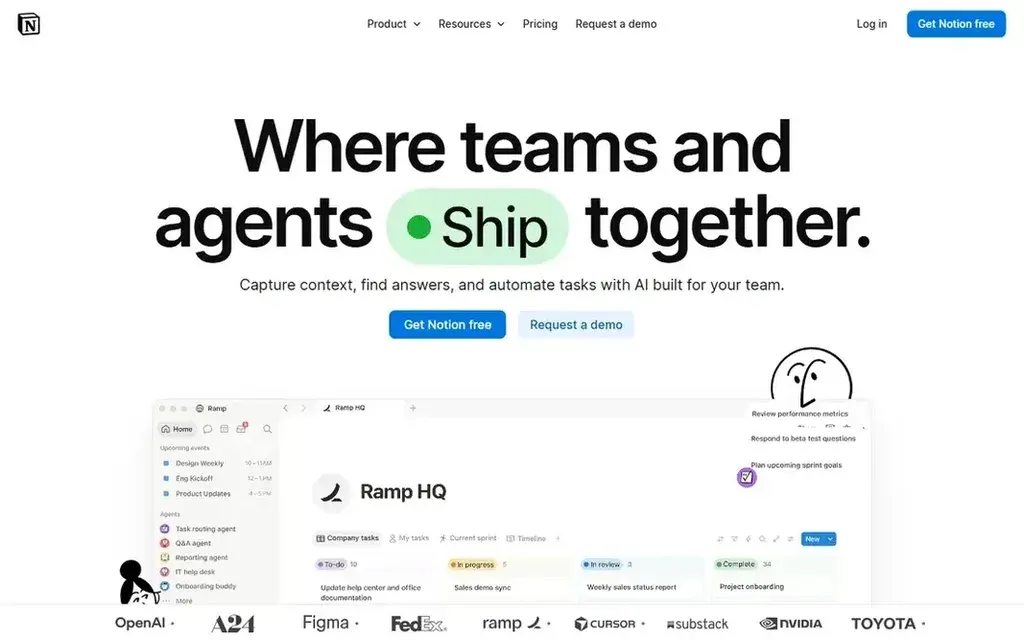
Notion is a good fit for all-in-one study workspace. For university students, it works as a central hub where lecture notes, reading lists, assignment trackers, and project pages live together.
For everyday use, students who primarily handwrite notes or want a light capture tool may prefer a dedicated notes app. From a buyer's view, the adaptability includes a ramp-up time, and straightforward note-taking can feel heavier than needed. Entry price for Notion: $10 per member per month. A free plan is available with Notion.
Watch-outs: Needs internet for full features.
- Custom agents and automation features
- Merges notes, databases, tasks
- Can feel complicated for straightforward note-taking
Choose Google Keep for simple fast notes. Google Keep is a light note-taking tool for fast notes, lists, and reminders, and it works across devices with a Google account. More specifically, pick Google Keep for fast capture and reminders alongside a more capable notes app.
For everyday use, students who require handwriting, audio, or linked notes should consider GoodNotes, Notability, or Obsidian. In daily use, Google Keep supplies restricted formatting and structure. So it is not a strong match for long lecture notes or research databases. Google Keep does not show a starting price in this comparison, so check the vendor site for current pricing. Free plan details: Not stated.
Downsides: Restricted formatting and structure.
- A decent match for reminders and lists
- Works across devices with a Google account
- Not made for long research notes
Selection criteria
Things to verify first
- Ask Google Keep for a written quote, since no starting price is shown.
- Check what the free option really includes: GoodNotes, Notability, Obsidian and Notion offer a free plan, and usage caps differ.
- Before choosing GoodNotes, weigh its main limit: best experience needs a tablet.
- Test how quickly GoodNotes answers a pre-sales question; it hints at how support will feel later.
- Test the integrations you rely on with Notability before committing; some connectors sit on upper tiers.
FAQ
Do these tools publish their prices?
Not all of them. Google Keep publishes no starting price, so expect a quote request for it. The rest, GoodNotes included, show a starting price, though seats and billing terms still change the final cost.
What is the cheapest option for note-taking app for university students in this list?
On published monthly entry prices, Obsidian is the lowest here at $4 per user per month. Entry price is only part of the cost, because seats, add-ons and billing terms can change the total. All 5 picks in this Note-Taking app for University students comparison list a starting price, free plan details and the main limits on their cards above.
Can I try these tools before paying?
Often, yes. GoodNotes, Notability, Obsidian and Notion have a free plan. Use your own data and a real task during the test, and check what the free tier or trial limits before you rely on it.
Is GoodNotes the right pick for everyone comparing note-taking app for university students?
No single tool suits every team. GoodNotes comes first because it fits handwritten notes on tablets, while Notability suits handwriting with audio and study aids and Obsidian suits private linked notes. Match the tool to your own size, budget and workflow before deciding.
Sources
- https://www.goodnotes.com
- https://www.gingerlabs.com
- https://obsidian.md
- https://www.notion.so
- https://keep.google.com