Best No Code API Integration Platform in 2026: Prices, Free Plans and 5 Picks
Best no code API integration platform in 2026: 5 tools with starting prices, free plans and limits. The weak spots sit next to the strengths. Jump to the table.
- Editor's choice
 Boomi
Unified integration across apps and data
Starts at$99 a monthVisit boomi.comFull review - Great alternative
 Tray.ai
AI-native orchestration and agent building
Starts at$50 per monthVisit tray.aiFull review - Also consider
 MuleSoft Anypoint Platform
API-led integration and AI governance
Starts at$2,000 a monthVisit mulesoft.comFull review
Direct answer
This list puts Boomi first for unified integration across apps and data. Listed starting prices: Boomi from $99 a month, Tray.ai from $50 per month and MuleSoft Anypoint Platform from $2,000 a month. Look at Tray.ai for AI-native orchestration and agent building, and at MuleSoft Anypoint Platform for API-led integration and AI governance. The full list of 5 tools follows, with prices and free plan facts.
TL;DR:
- Boomi is the opening pick, best for unified integration across apps and data.
- The cheapest monthly starting price in the list is $50 per month, offered by Tray.ai.
- n8n fits technical teams wanting code adaptability.
- Before buying Make, weigh this: complicated scenarios can become hard to run.
Last checked November 2026. Prices and plan details were read from the vendors' own pages in November 2026; vendors change plans often, so confirm the current price on the vendor site before you buy.
Quick comparison
| Tool | Best for | Starts at | Free plan? | |
|---|---|---|---|---|
| Boomi | Unified integration across apps and data | $99 a month | Free trial | Visit |
| Tray.ai | AI-native orchestration and agent building | $50 per month | Free trial | Visit |
| MuleSoft Anypoint Platform | API-led integration and AI governance | $2,000 a month | Yes | Visit |
 Make | Visual no-code workflow automation | See website | Yes | Visit |
 n8n | Technical teams wanting code adaptability | €20 per month, billed yearly | Free trial | Visit |
The best no code API integration platform
If you are comparing no code API integration platform, this page covers 5 tools in one place: what each is best for, what it costs to start, whether it has a free plan, and the main limit to know about.
Choose Boomi for unified integration across apps and data. Boomi presents itself as a data activation company with a single system that integrates applications, APIs, data, and AI agents.
Highlights: Integrates applications, APIs, data.
Limits to weigh: Wide system can take time to learn.
In daily use, consider a narrower no-code tool if your scope is restricted to a handful of cloud apps. Boomi pricing: $99 per month. Trial and free access: Free trial.
- AI agents
- Aims to simplify integration complexity
- May be more than small teams need
Tray.ai serves AI-native orchestration and agent building. Tray.ai describes itself as an AI-native integration system that links to a large ecosystem of apps, databases, APIs, and services.
On top of that, pick Tray.ai when AI orchestration is central to your plans. Price to start with Tray.ai: $50 per month. As for free access: Free trial.
Where it falls short: AI-first design may overwhelm straightforward use cases.
- Supports building AI agents and governing MCP
- AI-native integration system
- Advanced agent features need technical understanding
For API-led integration and AI governance, MuleSoft Anypoint Platform is a natural candidate. If you need light no-code connections between a handful of apps, a more straightforward system will likely be a better fit.
Drawbacks to consider: Enterprise complexity for smaller teams.
The product is designed for enterprise scale, so smaller teams may find it complicated and resource-intensive to operate. It generally requires specialist integration skills. What you pay to start with MuleSoft Anypoint Platform: $2,000 per month. MuleSoft Anypoint Platform has a free plan.
- Enterprise API integration focus
- Registry to find and govern AI agents
- Needs specialist skills to run well
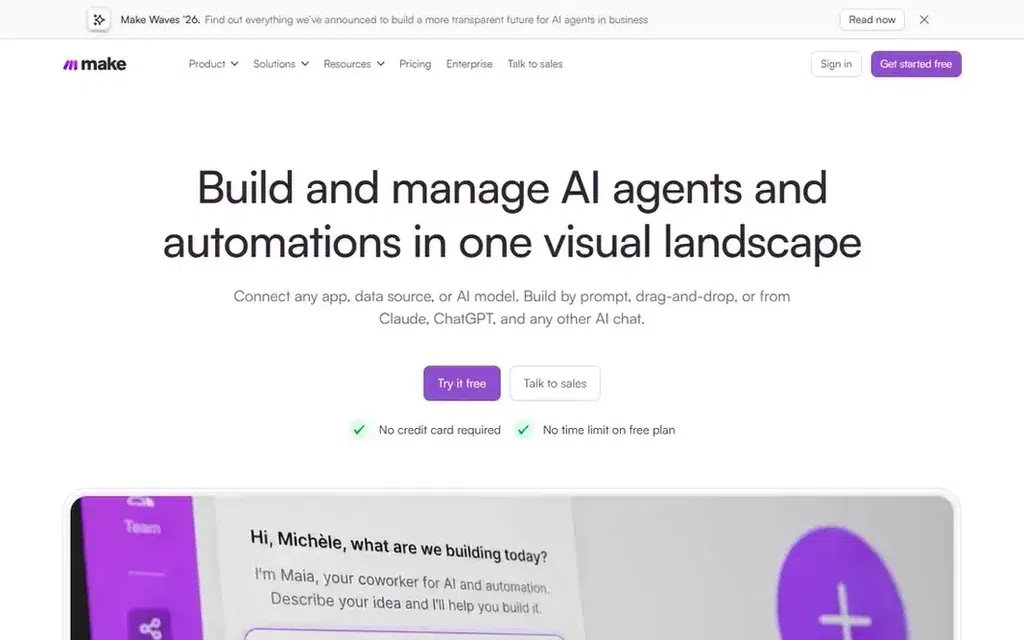
Pick Make if this describes you: visual no-code workflow automation. Choose Make when speed and visual clarity matter more than deep code control. Make is a no-code integration system centered on a visual canvas where you link apps and APIs to automate work.
Its homepage flags AI and agentic workflow building, making it a fit for operations, marketing. IT teams that want to automate without code. This comparison lists no price for Make; ask the vendor. Free access exists with Make.
Where it falls short: Complicated scenarios can become hard to handle.
- Visual builder for AI and agentic workflows
- Approachable no-code integration tool
- Advanced governance may need extras
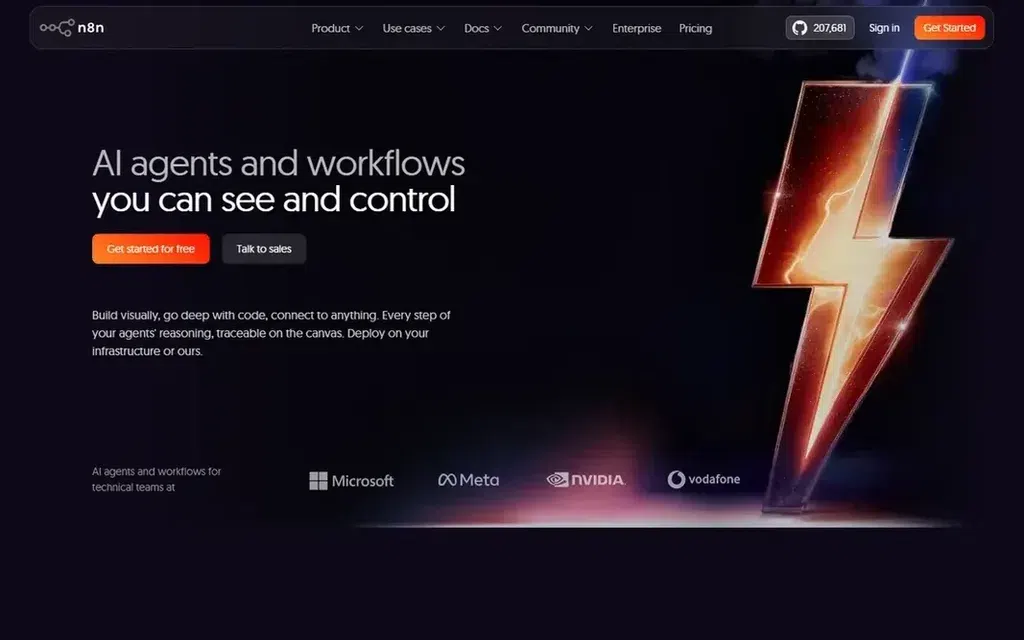
Choose n8n for technical teams wanting code adaptability. That makes it a fit for developers and technical operations teams who want to extend automations beyond what a purely visual builder permits. Pick a more straightforward no-code system if your users are primarily business-side.
Since it leans toward code adaptability, n8n may be less approachable for non-technical users who want a completely guided visual experience. Beyond that, teams without technical resources may find advanced customization harder to maintain. Price to start with n8n: €20 per month, billed annually. Free plan details: Free trial.
Honest limits: Needs some technical comfort for advanced use.
- Combines AI with business process automation
- Supplies code adaptability alongside no-code speed
- Less approachable for pure non-technical users
How the list was put together
For each of the 5 tools we noted price, free plan or trial, fit for no code API integration platform and the main limit, using vendor pages and documentation. Where a vendor does not publish a price, the entry says quote. Where a price depends on seats or billing term, the entry says so. We ordered the tools by general fit, then by how clearly pricing is shown, then by free access. A buyer with unusual needs may reorder them.
What to confirm before you sign up
- Confirm the entry price on the vendor page. For Make that means a quote rather than a fixed price.
- Look at free plan limits closely: MuleSoft Anypoint Platform and Make have one, and the caps decide whether it is usable for real work.
- Take the trial from Boomi, Tray.ai and n8n and push a live task through it before you pay.
- Before choosing Boomi, weigh its main limit: wide product can take time to learn.
- Test the integrations you rely on with Boomi before committing; some connectors sit on upper tiers.
- Look at the renewal terms for Make: auto-renewal, notice periods and price changes can matter more than the first-year price.
FAQ
Which options for no code API integration platform have a free plan?
MuleSoft Anypoint Platform and Make offer a free plan in this list. Free plans usually cap users, projects or features, so check the limits on the vendor page. Several others offer a trial instead.
What is a no-code API integration system?
It is software that lets you link apps, data, and APIs through visual builders rather than custom code. These products deal with authentication, data mapping, and workflow logic so business users can automate work.
Is Boomi the right pick for everyone comparing no code API integration platform?
No single tool suits every team. Boomi comes first because it fits unified integration across apps and data, while Tray.ai suits AI-native orchestration and agent building and MuleSoft Anypoint Platform suits API-led integration and AI governance. Match the tool to your own size, budget and workflow before deciding.
Can I try these tools before paying?
Often, yes. MuleSoft Anypoint Platform and Make have a free plan and Boomi, Tray.ai and n8n offer a free trial. Use your own data and a real task during the test, and check what the free tier or trial limits before you rely on it.
How are the tools for no code API integration platform ordered?
Boomi sits first and n8n last because the order follows typical fit for no code API integration platform, then price clarity and free access. It is a judgement call, so read each profile for fit and limits.
Which platform is a good match for non-technical teams?
For most readers this guide would start with Boomi, built for unified integration across apps and data. Tray.ai is the alternative for AI-native orchestration and agent building, and MuleSoft Anypoint Platform for API-led integration and AI governance. The right answer depends on budget and workflow.