Best No Code App Builder in 2026: 9 Builders Compared
We compared the best no code app builder options for web and mobile apps, covering free plans, publishing costs, data sources, and how far each tool goes.

- Editor's choice
 Bubble
Full web apps and SaaS products
Starts at$59 per monthVisit bubble.ioFull review - Great alternative
 Glide
Internal tools from spreadsheets
Starts at$19 per monthVisit glideapps.comFull review - Also consider
 Adalo
Simple native mobile apps
Starts at$36 per monthVisit adalo.comFull review
TL;DR:
- Bubble suits full web apps with real databases and workflows, while Glide and Softr suit faster internal tools built on sheets or Airtable.
- FlutterFlow and Adalo suit native mobile apps, and FlutterFlow adds code export for teams that want an exit path.
- AppSheet is the natural pick inside Google Workspace, and Power Apps is the natural pick inside Microsoft 365.
- Free plans are for building and testing in most cases, so check publishing, user limits, and row limits before you commit.
- The cheapest paid plan is rarely the full cost, since users, rows, and usage can raise the bill as your app grows.
Quick comparison
| Tool | Best for | Starts at | Free plan? | |
|---|---|---|---|---|
| Bubble | Full web apps and SaaS products | $59 per month | Yes | Visit |
| Glide | Internal tools from spreadsheets | $19 per month | Yes | Visit |
| Adalo | Simple native mobile apps | $36 per month | Yes | Visit |
 AppSheet | Google Workspace business apps | $5 per user per month | Yes | Visit |
 Softr | Client portals on Airtable or Google Sheets | $19 per month | Yes | Visit |
 FlutterFlow | Native apps with code export | $39 per month | Yes | Visit |
 Thunkable | Beginners and classroom mobile apps | See website | Yes | Visit |
 Appy Pie | Cheapest prompt-to-app path | $16 per month | Free trial | Visit |
 Microsoft Power Apps | Microsoft 365 business apps | $20 per user per month | Yes | Visit |
The best no code app builders
We compared official pricing pages, feature pages, and app store listings for each builder. We checked what the free plan allows, what publishing costs, and which data sources each tool supports. We did not count a prompt demo as a finished app, and we favored tools that still publish to web, iOS, or Android in 2026.
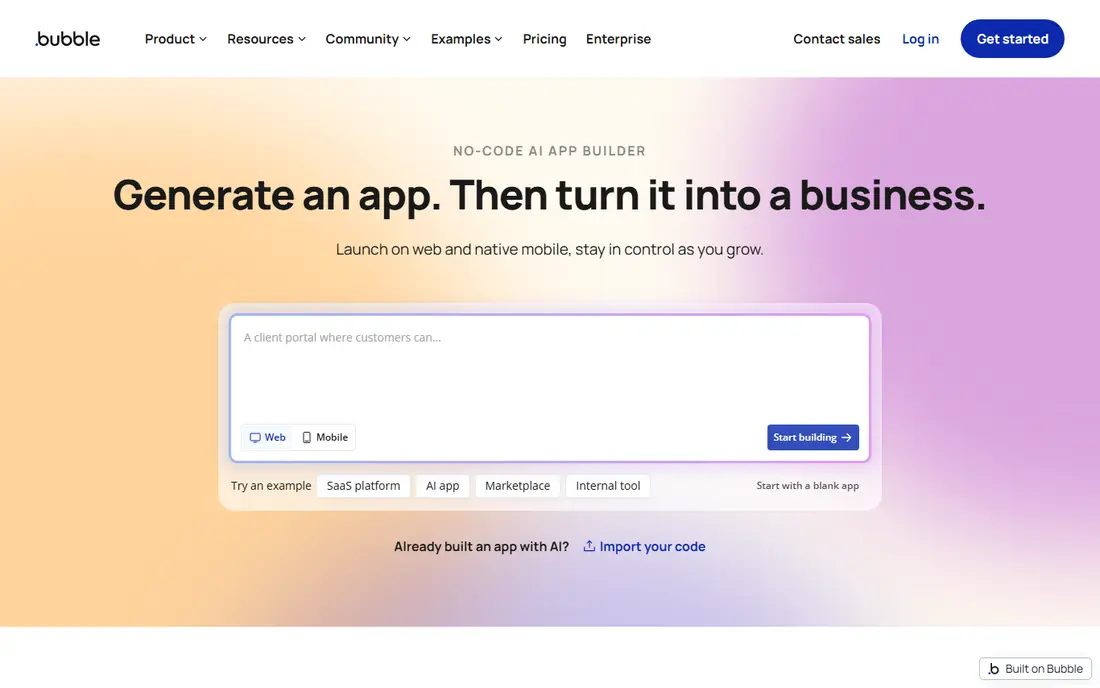
Bubble is the builder to pick when your app needs real logic, not just a form on a sheet. You design pages visually, define your own database, and build workflows for sign-ups, payments, roles, and emails. The plugin range extends it further, and the AI starting point can draft a first version that you then edit by hand.
The catch is workload pricing. Inefficient searches and workflows can burn usage fast, so you need to learn pagination and data design early. It is also more to learn than Glide or Softr, which makes it a poor fit for a one-page internal tool. For readers weighing this option, the question is simple: does the strength above outweigh the limit, and does the price fit how often you will use it? If both answers are yes, it belongs on your shortlist.
- Visual database and workflows
- Large plugin range
- AI-assisted starting point
- Usage-based workload costs can surprise
- Learning curve is steep

Glide is the fastest route from a messy spreadsheet to an app your team will actually open. You connect a sheet, pick a layout, and add forms, lists, and roles without writing code. That speed makes it ideal for inventories, field checklists, client portals, and dashboards that need to work on phones.
The limit is scope. Glide apps are best as web and progressive web apps, not as full native App Store products, and row limits can force a higher plan as data grows. Check those limits before you build a company-wide tool on it. For readers weighing this option, the question is simple: does the strength above outweigh the limit, and does the price fit how often you will use it? If both answers are yes, it belongs on your shortlist.
- Fast sheet-to-app building
- Clean mobile layout
- Good for teams and clients
- Native app publishing is limited
- Row and user limits matter at scale
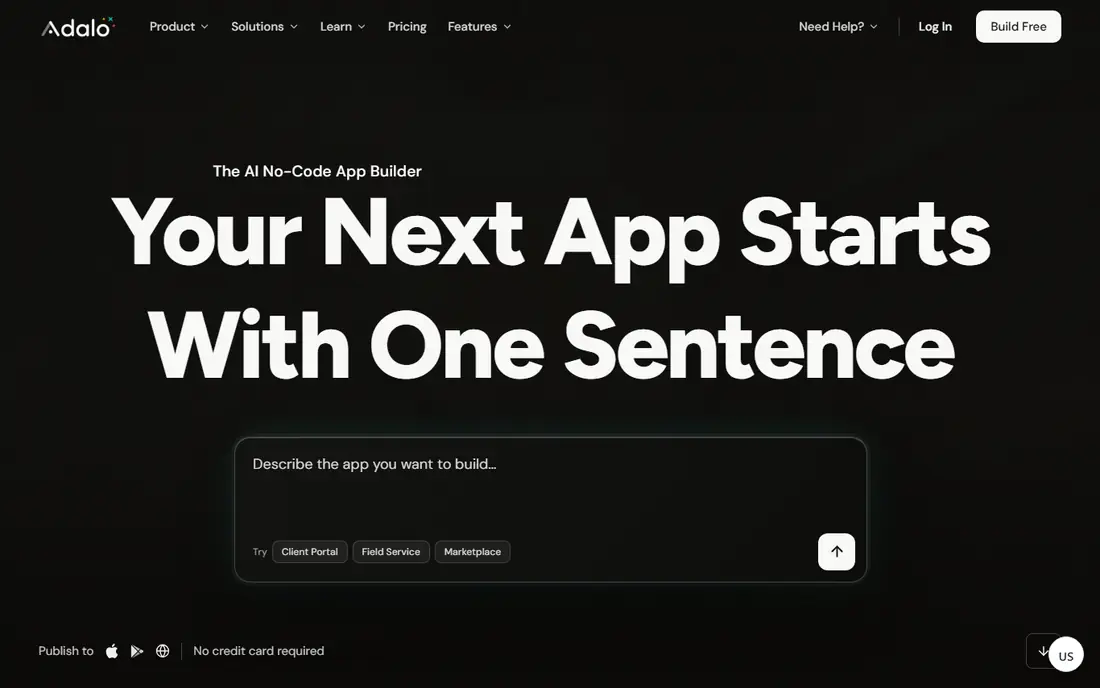
Adalo suits founders who want a real mobile app without hiring developers. Its component builder covers lists, forms, maps, and user accounts, and you can publish to the App Store and Google Play. Flat pricing is easier to budget than per-user pricing for a small public app.
Data-heavy apps can feel slower, and design freedom is narrower than a full web builder. If your app needs complex workflows or large data sets, Bubble or FlutterFlow may handle it better. For readers weighing this option, the question is simple: does the strength above outweigh the limit, and does the price fit how often you will use it? If both answers are yes, it belongs on your shortlist.
- True native iOS and Android publishing
- Clear component builder
- Flat pricing
- Performance can lag on data-heavy apps
- Design control is narrower than Bubble
AppSheet is the obvious pick if your team already lives in Google Workspace. It turns sheets into apps with forms, barcodes, maps, and automation, and field teams can use it offline in many cases. Because it sits inside Google, sign-in and data access feel natural for Workspace shops.
Per-user pricing can add up fast for a large team, and the design is functional rather than beautiful. If you need a polished customer-facing app, Softr or Glide will look better with less effort. For readers weighing this option, the question is simple: does the strength above outweigh the limit, and does the price fit how often you will use it? If both answers are yes, it belongs on your shortlist.
- Deep Google Sheets and Drive links
- Automation and forms
- Strong for field teams
- Per-user cost adds up
- Design polish is limited
Softr is for teams whose data already exists and just needs a clean front door. You build portals, directories, and internal tools from Airtable or Google Sheets using blocks, then add membership, permissions, and payments. That makes it fast for client areas, member directories, and resource hubs.
It is not a full logic builder. If you need custom workflows, complex calculations, or a database you design from scratch, Bubble will give you more room, while Softr will feel boxed in. For readers weighing this option, the question is simple: does the strength above outweigh the limit, and does the price fit how often you will use it? If both answers are yes, it belongs on your shortlist.
- Block-based portals
- Strong Airtable support
- Membership and permissions built in
- Not a full app logic builder
- Best when your data already lives in Airtable
FlutterFlow is the pick for teams that want visual building without giving up code ownership. You build for iOS, Android, and web from one visual project, connect Firebase for auth and data, and export Flutter code if you later hire developers. That exit path matters for startups that may outgrow a pure no-code tool.
The learning curve is steeper than Adalo or Glide, and the best results still need comfort with data models and APIs. Beginners who want a simple app in a weekend may find it heavier than they need. For readers weighing this option, the question is simple: does the strength above outweigh the limit, and does the price fit how often you will use it? If both answers are yes, it belongs on your shortlist.
- Visual Flutter building
- Real code export
- Firebase support
- Steeper learning curve
- Best results still need some technical comfort
Thunkable is a friendly first builder for learners, small teams, and simple public apps. The drag-and-drop editor, ready components, and learning guides make it easy to ship a first app. You can publish to both major stores, and the block logic is clear enough for students and non-developers.
Advanced apps will hit limits sooner. Complex data, custom design, and heavy workflows are harder here than in Bubble or FlutterFlow, so treat it as a starting builder rather than a long-term platform for a complex product. For readers weighing this option, the question is simple: does the strength above outweigh the limit, and does the price fit how often you will use it? If both answers are yes, it belongs on your shortlist.
- Drag-and-drop native building
- Good learning material
- IOS and Android publishing
- Advanced logic and design are limited
- Paid plans rise with publishing needs
Appy Pie suits small businesses that want a simple branded app at a low entry price. Templates cover restaurants, shops, churches, and service businesses, and the prompt-assisted flow can draft a first version fast. Publishing help and a low starting price make it tempting for a first app.
The trade-off is originality and depth. Template apps can feel alike, and advanced logic or custom design is limited. If your app is your main product, a more flexible builder will serve you better in the long run. For readers weighing this option, the question is simple: does the strength above outweigh the limit, and does the price fit how often you will use it? If both answers are yes, it belongs on your shortlist.
- Prompt-assisted building
- Wide app templates
- App store publishing help
- Template feel can show
- Advanced customization is limited
Power Apps is the right builder when your company already pays for Microsoft 365. It connects to SharePoint, Teams, Dataverse, and other Microsoft tools, and Copilot can draft apps and formulas from plain language. For internal workflows, approvals, and data apps, that integration is hard to beat.
Licensing is the hard part. Per-user and per-app plans, plus premium connectors, can confuse budgeting, and the value drops sharply outside a Microsoft shop. Small teams without Microsoft 365 should look at Glide or AppSheet first. For readers weighing this option, the question is simple: does the strength above outweigh the limit, and does the price fit how often you will use it? If both answers are yes, it belongs on your shortlist.
- Deep Microsoft 365 and Dataverse links
- Strong for enterprise workflows
- Copilot help
- Per-user cost and licensing are complex
- Best value only inside Microsoft shops
How we picked these
We compared official pricing pages, feature docs, and publishing guides, and we checked free-plan limits for building, publishing, users, and rows. We favored builders that publish a working app today, not just a demo, and we noted where per-user or usage pricing changes the real cost. We did not test every builder with a full production launch, and we say so plainly.
How to choose a no code app builder
Name the app type before you pick a tool
A native mobile app, a web portal, and an internal field tool need different builders. Adalo and FlutterFlow fit native mobile, Softr and Glide fit portals and internal tools, and Bubble fits full web products. Picking by app type avoids rebuilding later.
Price the published app, not the free demo
Free building is common, but publishing, users, rows, and usage often cost extra. List how many users, rows, and monthly actions you expect, then compare the plan that covers those numbers, not the cheapest plan on the page.
Check your exit path early
Ask whether you can export code, export data, or move your database elsewhere. FlutterFlow exports code, while sheet-based tools let you keep your data in a sheet. A clear exit path matters more once your app holds real users and real data.
The best app builder no code tools differ less in their marketing than in their limits. We weighed publishing cost, data control, and real app scope above demo speed, because a fast demo that cannot publish or scale wastes more time than a slower builder that can. Start with one small, real use case, publish it, and only then commit your main app to that platform.
FAQ
What is the best no code app builder for beginners?
Glide and Softr are strong beginner picks for web and internal tools, while Adalo is a friendly pick for simple native mobile apps. Bubble is more powerful but takes longer to learn. Choose by app type, not by which demo looks fastest.
What is the best app maker for a mobile app?
Adalo suits simple native apps with flat pricing, and FlutterFlow suits more ambitious native apps with code export. Both publish to iOS and Android. Check store fees and review rules separately, since those costs sit outside the builder plan.
Can I build an app for free with no code?
Yes, for building and testing in most cases. Publishing, extra users, more rows, and higher usage usually need a paid plan. Treat the free plan as a trial of the builder, then budget for the plan that covers your published app.
Is Bubble better than Glide?
Bubble is better for full web apps with custom logic and databases, while Glide is better for fast internal tools built on sheets. Neither is better in general. Match Bubble to products and Glide to team tools.
What is the best no code platform for Google Workspace teams?
AppSheet is the natural fit, because it builds on Sheets and Drive and works well for field teams. Glide is a good alternative if you want a more polished web app on the same sheet data.