Best No-Code Tools for Presentations in 2026: 8 Tools Compared
We compared the best no-code tools for presentations, covering prompt decks, templates, collaboration, exports, and pricing for 2026 in full detail today.
- Editor's choice
 Gamma
Prompt-to-deck speed
Starts at$9 per monthVisit gamma.appFull review - Great alternative
 Canva
Templates and easy editing
Starts at$15 per monthVisit canva.comFull review - Also consider
 Beautiful.ai
On-brand Smart Slides
Starts at$14.50 per monthVisit beautiful.aiFull review
TL;DR:
- Gamma is our pick for most people, because it turns a prompt or outline into a polished web deck in under a minute.
- Canva suits creators who want the largest template library plus simple editing, with a free plan that covers basic decks.
- Beautiful.ai fits teams that need layouts to stay on brand, since its Smart Slides rebalance automatically as content changes.
- Pitch is the best choice for link-first team decks, with collaboration, analytics, and a free plan for small teams.
- Prezi stands out for non-linear, zooming presentations, which suit talks where the big picture matters as much as each slide.
Quick comparison
| Tool | Best for | Starts at | Free plan? | |
|---|---|---|---|---|
| Gamma | Prompt-to-deck speed | $9 per month | Yes | Visit |
| Canva | Templates and easy editing | $15 per month | Yes | Visit |
| Beautiful.ai | On-brand Smart Slides | $14.50 per month | Free trial | Visit |
 Pitch | Team collaboration and links | $10 per month | Yes | Visit |
 Visme | Infographics and data decks | See website | Yes | Visit |
 Genially | Interactive content | See website | Yes | Visit |
 Prezi | Zooming non-linear talks | $7 per month | Yes | Visit |
 Plus AI | AI inside Slides and PowerPoint | $10 per month | Free trial | Visit |
The best no-code tools for presentations
No-code presentation tools let anyone build a deck without design skills or code. We compared prompt generation, templates, collaboration, exports, and price, and we kept only tools that still work in 2026. Note that Tome, once a popular option here, shut down in April 2025, so we did not include it.
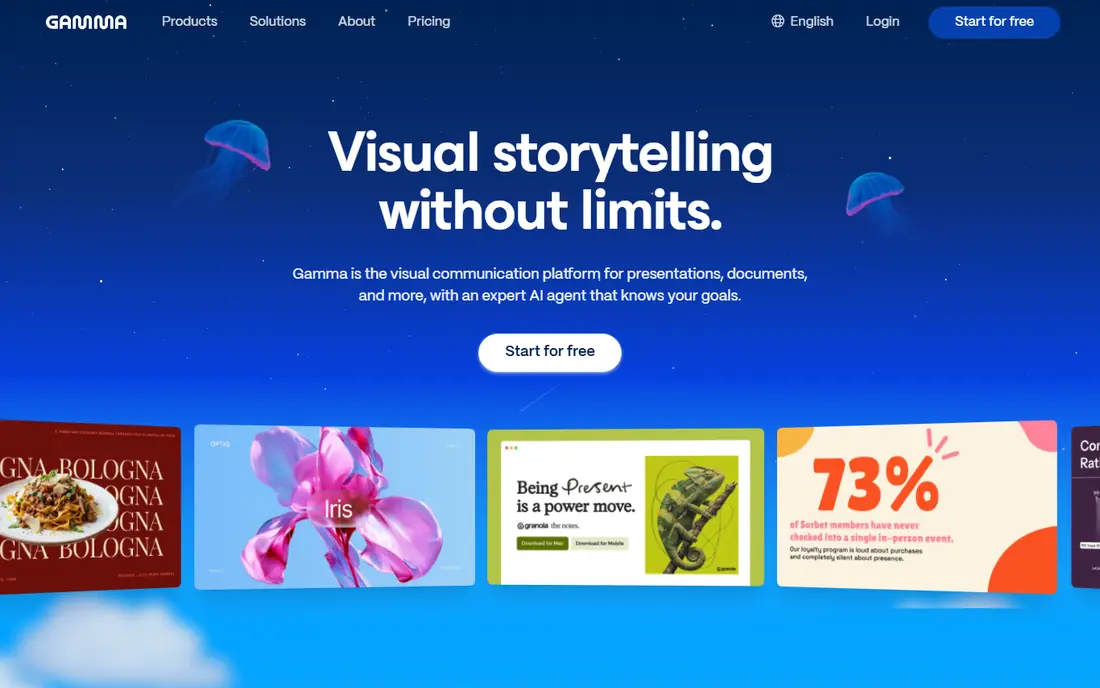
Gamma is the fastest route from an idea to a presentable deck on this list. A user types a prompt, pastes an outline, or imports a document, and Gamma builds a set of cards with text, images, and layout already in place. That speed matters for founders, marketers, and students who need a deck today, not after a design course.
The web-native format is a strength and a trade-off. Decks look modern in a browser, with smooth navigation and embedded media, and they share well as a link. Paid Plus starts at about $9 per month billed annually, with 1,000 credits a month, and it removes Gamma branding and adds export options.
The catch is the free credit model. The free plan gives 400 one-time credits, which do not refill, so heavy free use runs out. Teams that must deliver strict PowerPoint files should also test export fidelity with a real branded deck before committing, since web-first layouts do not always map perfectly to PowerPoint.
- Fast prompt-to-deck generation
- Polished web-native decks
- PDF and PowerPoint export on paid plans
- Free plan uses one-time credits that do not refill
- Web-first format needs care for strict PowerPoint workflows
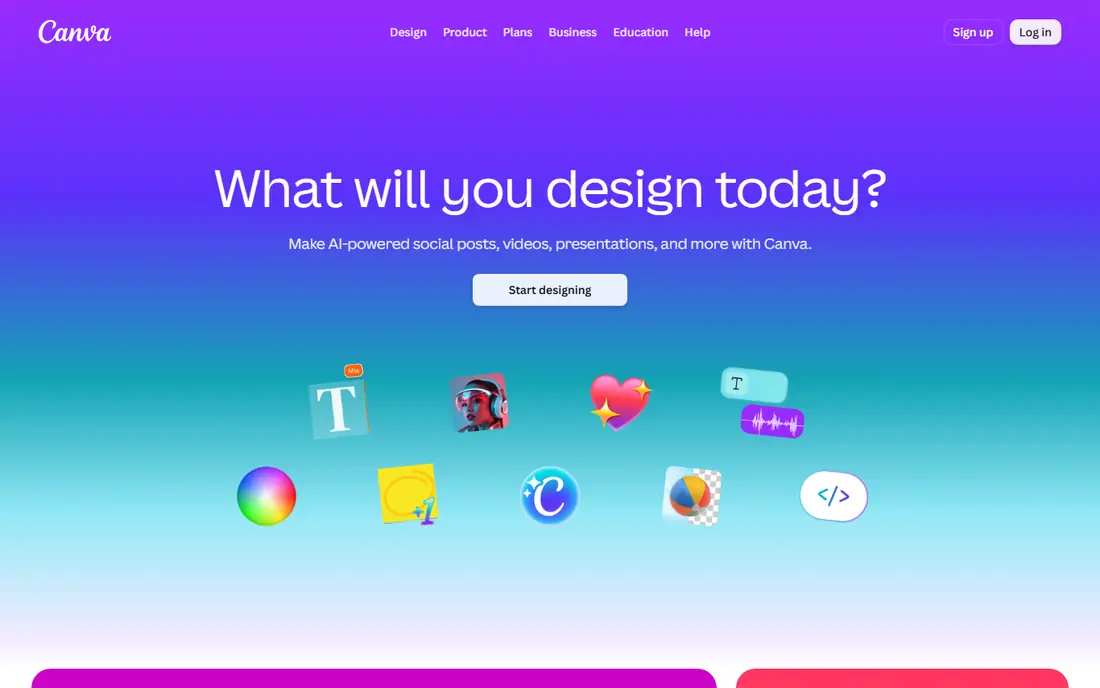
Canva is the most flexible no-code presentation tool for most users. Its template library covers pitches, lessons, reports, and social decks, and the editor is simple enough for a beginner to use without training. A user can start from a template, swap text and images, and export to PowerPoint or PDF.
The free plan is generous for basic decks, with limited AI uses per month, while Pro adds a brand kit, more AI allowance, and premium assets. Pro costs about $15 per month for one person when billed monthly, with a lower annual rate, which is good value for a team that also needs social graphics and documents.
The weakness is AI depth. Canva can generate and assist with decks, but it does not match Gamma for prompt-to-deck speed and structure. Template familiarity is also a risk, since many decks start from the same layouts, so users should change colors, images, and structure enough to make the deck their own.
- Largest template library here
- Drag-and-drop editor
- PowerPoint export and brand kit on paid plans
- AI deck generation is less focused than Gamma
- Popular templates can look familiar

Beautiful.ai is built for teams that care about design discipline. Its Smart Slides adjust layout automatically as a user adds or removes content, so text does not overflow, images stay balanced, and decks keep a consistent look. That enforcement saves design review time for consulting firms, agencies, and corporate teams.
The brand controls add to that value. Teams can lock colors, fonts, and logos, and paid plans offer unlimited AI content generation. Pro costs $14.50 per month billed annually, or $45 per month if billed monthly, with Team plans for larger groups.
The trade-off is freedom and free access. Beautiful.ai offers a 14-day trial rather than a permanent free plan, and its structured slides give less freeform control than Canva. Users who want full creative freedom may find it constraining, while teams that want guardrails will see that constraint as the point.
- Smart Slides rebalance layout automatically
- Strong brand controls
- PowerPoint import and export
- No permanent free plan, only a 14-day trial
- Less freeform than Canva
Pitch is designed for teams that share decks as links and track how they perform. Multiple people can edit together, comment, and manage versions, while link analytics show who viewed a deck and for how long. That makes it a good fit for sales, fundraising, and marketing teams that live in shared decks.
The free plan covers small teams well, with unlimited presentations and 100 one-time AI credits. Paid Plus starts at about $10 per month billed annually for a single-user workspace, with Team and Business plans for larger groups and more credits.
The limit is AI and export gating. Free and entry plans have limited AI credits, and unbranded PowerPoint export requires a paid plan. Teams that need heavy AI generation or frequent PowerPoint delivery should compare Gamma or Beautiful.ai on those specific needs.
- Real-time collaboration
- Link sharing and analytics
- Free plan for small teams
- AI credits are limited on free and entry plans
- PowerPoint export needs a paid plan
Visme suits decks where data and visuals carry the story. It offers charts, data widgets, infographics, and interactive elements that go past a standard slide, which helps for reports, proposals, and training decks. A user can turn a spreadsheet into a chart, then place that chart inside a branded deck without a separate design tool.
The template range covers presentations, infographics, documents, and social graphics, so a small team can keep many formats in one tool. A free plan lets users try the editor, while paid plans add brand controls, more assets, and higher export limits.
The catch is learning time. Visme has more options than Gamma or Canva, and a new user may need longer to build a first polished deck. Teams that only need simple slides may prefer a faster tool, while teams that need data-rich decks will get more from Visme.
- Strong data widgets and infographics
- Brand kit and templates
- Interactive elements
- Editor takes longer to learn than Gamma or Canva
- Pricing varies by plan and region
Genially is the most interactive tool on this list. Users can build presentations with clickable hotspots, quizzes, games, and animated elements, which suits teachers, trainers, and marketers who want an audience to take part rather than just watch slides. The template library covers lessons, escape rooms, infographics, and interactive images.
That interactivity is a real advantage for online learning and training. A trainer can embed questions, branching paths, and media inside one link, then share it with a class or team. A free plan lets users try the core features, with paid plans for more privacy, branding, and analytics.
The limit is format. Genially shines as a web link, and it is not the best choice for a strict PowerPoint file or a formal board deck. Users who need a traditional slide file should pair Genially with Canva or Pitch for those deliveries, and use Genially where interaction is the goal.
- Highly interactive presentations and gamified content
- Large template library
- Good for education and training
- Interactive features need a web link to shine
- PowerPoint-style delivery is not its main strength
Prezi takes a different approach from slide-by-slide decks. It uses a large canvas where a presenter can zoom from an overview into details and back out again. That structure helps for talks where relationships matter, such as a strategy overview, a lesson map, or a product story with several connected parts.
The tool also offers AI-assisted creation, with credit limits that vary by plan. The free Basic plan gives a starting point with capped AI use, while Standard starts at $7 per month and adds more credits and features. Teams can also use Prezi for video-style presentations and lessons.
The catch is restraint. A zooming deck can feel dynamic, but too much movement distracts from the message, especially in a formal meeting. Prezi works best when the presenter plans the zoom path carefully and keeps movement purposeful, rather than zooming for its own sake.
- Zooming canvas shows the big picture
- AI credits on paid plans
- Good for talks and lessons
- Zooming style can distract if overused
- Some features need paid plans
Plus AI is the best option for users who cannot leave Google Slides or PowerPoint. Instead of asking a team to learn a new deck tool, Plus AI adds AI generation, rewriting, and editing inside the slides tool they already use. A user can prompt for a new deck, expand an outline, or rewrite a slide without exporting and re-importing files.
That workflow fit matters in corporate and school settings. Teams that must deliver real PowerPoint or Google Slides files can use Plus AI without worrying about export fidelity, since the file never leaves its native format. Basic pricing starts at $10 per user per month billed annually, with a 7-day trial.
The limit is dependence. Plus AI needs Google Slides or PowerPoint to work, so users who want a web-native sharing experience may prefer Gamma or Pitch. It also offers a trial rather than a permanent free plan, so ongoing use requires a paid subscription.
- Works inside Google Slides and PowerPoint
- Generates and rewrites slides from prompts
- Keeps existing workflows
- No permanent free plan, only a trial
- Depends on Google or Microsoft tools
How we picked these
We compared official feature pages, pricing pages, and export documentation, and we checked that each tool still works for no-code deck building in 2026. We favored tools with a clear no-code workflow, a free plan or trial, and a distinct strength, from prompt generation to interactivity to Office-native editing. We left out Tome because it shut down in April 2025.
We did not claim hands-on testing. Our comparison rests on published features, pricing, free limits, and public documentation. Users should test export quality with a real deck before buying, since export fidelity is where many tools differ most.
How to choose the right deck tool
Start with the delivery format, not with the AI demo. A tool that makes a beautiful web link is the wrong pick if your client expects a PowerPoint file, and a PowerPoint-native tool is the wrong pick if your audience will only ever see a link.
Decide web link or file first
Gamma, Pitch, and Genially shine as links, with analytics and interactivity that files cannot match. Canva, Beautiful.ai, and Plus AI shine when the deliverable must be a PowerPoint or PDF file. Pick the format first, then compare tools inside that group.
Test with a real branded deck
Free plans are useful, but they hide export limits and branding rules. Build one real deck with your colors, fonts, and logo, then export it and open it on another computer. Check fonts, images, charts, and slide order, since those are the details that break in export.
Count AI credits against real use
Prompt decks, rewrites, and image generation all consume credits on many tools. Estimate how many decks and rewrites you make per month, then compare that number with the credit allowance on the plan you would actually buy. A low monthly price with a small credit allowance can cost more in practice than a higher plan with enough credits.
Keep collaboration simple
If several people edit decks, check guest limits, comments, version history, and roles before you buy. A tool that looks cheap for one user can become expensive when every reviewer needs a paid seat. Pitch and Canva handle team editing well, while Gamma and Beautiful.ai handle it differently, so test the exact workflow your team uses.
FAQ
What are the best no-code presentation tools for beginners?
Gamma and Canva are the best starting points for beginners, because both offer templates and simple editors that do not need design training. Gamma is faster for prompt-to-deck work, while Canva offers more templates and a larger free plan. Beginners who need strict PowerPoint files should also look at Plus AI.
Are there free best no-code presentation tools?
Yes, Gamma, Canva, Pitch, Visme, Genially, and Prezi all offer free plans, with limits on credits, assets, or exports. Beautiful.ai and Plus AI offer trials rather than permanent free plans. For occasional decks, a free plan may be enough, while regular users usually need a paid plan for exports and branding.
Can no-code tools export to PowerPoint?
Most tools on this list export to PowerPoint or PDF on paid plans, but fidelity varies. Canva, Beautiful.ai, Pitch, and Gamma all offer PowerPoint export, while Plus AI works inside PowerPoint itself, so no export step is needed. Always test export with a real branded deck before relying on it for client work.
Is Gamma better than Canva for presentations?
Gamma is better for fast prompt-to-deck generation and modern web decks, while Canva is better for template choice, general design work, and a generous free plan. Choose Gamma when speed and AI structure matter most, and choose Canva when you need one tool for decks, social graphics, and documents.
What happened to Tome?
Tome shut down in April 2025, so it is no longer available for new decks. Gamma, Beautiful.ai, Pitch, and Canva are the closest current replacements, depending on whether you need prompt decks, brand control, team links, or templates. If you had Tome decks, check whether you exported them before the shutdown, since old decks are no longer accessible through Tome.