Best Best.net Integrated Development Environments Software for 2026: Our 5 Vetted Picks
5 tools for the best.net integrated development environments software, compared on pricing, free plans and best-fit use. Every profile names its biggest catch.
- Editor's choice
 Visual Studio Code
Light and extensible editing
Starts atSee websiteVisit code.visualstudio.comFull review - Great alternativeCodeRush
Visual Studio productivity enhancement
Starts atSee websiteVisit devexpress.comFull review - Also considerReSharper
Boosting Visual Studio productivity
Starts atSee websiteVisit jetbrains.comFull review
Direct answer
Visual Studio Code comes first here, mainly for light and extensible editing. Listed starting prices: Visual Studio from $45 per user a month. CodeRush is better for Visual Studio productivity enhancement, and ReSharper is better for Boosting Visual Studio productivity. Details, prices and limits for the rest of the 5 tools are below.
TL;DR:
- Top of the list is Visual Studio Code, which targets light and extensible editing.
- For full-featured.NET development, Visual Studio is worth a look.
- None of the 5 tools, from Visual Studio Code to Visual Studio, has a free plan, so budget for a subscription or use a trial.
- CodeRush comes with a trade-off: only for Visual Studio.
Last checked November 2026. Prices and plan details were read from the vendors' own pages in November 2026; vendors change plans often, so confirm the current price on the vendor site before you buy.
Quick comparison
| Tool | Best for | Starts at | Free plan? | |
|---|---|---|---|---|
| Visual Studio Code | Light and extensible editing | See website | Not stated | Visit |
| CodeRush | Visual Studio productivity enhancement | See website | Not stated | Visit |
| ReSharper | Boosting Visual Studio productivity | See website | Not stated | Visit |
| MonoDevelop | Cross-platform Mono development | See website | Not stated | Visit |
 Visual Studio | Full-featured.NET development | $45 per user a month | Not stated | Visit |
Quick comparison
##.net Integrated Development Environments Software profiles This LinkVetted guide covers 5 options for.net integrated development environments software. Each profile lists a starting price, free plan details, strengths and drawbacks, so you can drop poor fits quickly.
Think of Visual Studio Code for light and extensible editing. VS Code is well suited to developers who prefer a configurable editor for fast edits, scripting, or web development alongside.NET projects.
For complicated.NET projects requiring advanced debugging and profiling, a full IDE may be more suitable. No starting price is listed for Visual Studio Code here; confirm pricing on the vendor site. Free options: Not stated.
Trade-offs to know: Less integrated tooling than full IDEs.
- Highly extensible
- Cross-platform
- Needs extensions for full.NET support
CodeRush
Best for: Visual Studio productivity enhancement
CodeRush works best for Visual Studio productivity enhancement. CodeRush is a free productivity extension for Visual Studio that helps developers write code quicker, find and fix defects, refactor, and build tests immediately.
The main drawbacks: Only for Visual Studio.
Also, CodeRush is a strong match for Visual Studio users looking to boost their coding efficiency without switching IDEs. CodeRush does not show a starting price in this comparison, so check the vendor site for current pricing. On free options: Not stated.
- Code analysis and refactoring
- Test creation tools
- May overlap with ReSharper
ReSharper
Best for: Boosting Visual Studio productivity
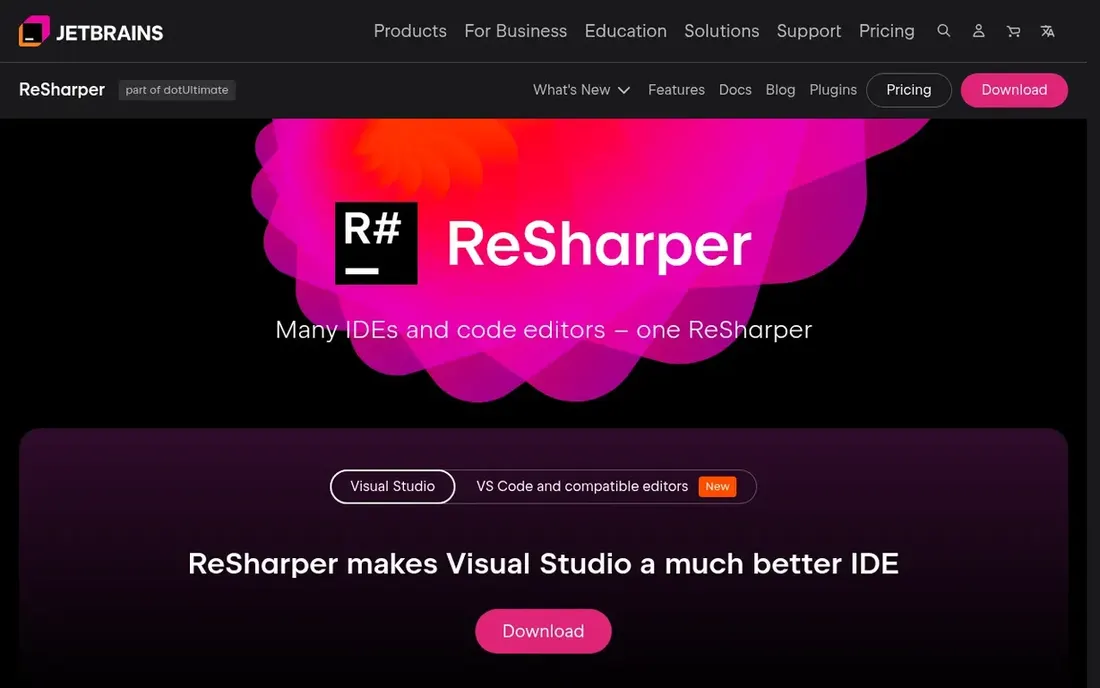
Pick ReSharper if this describes you: Boosting Visual Studio productivity. It helps developers write cleaner code quicker.
Points against: Needs Visual Studio or compatible editor.
This tool is a strong match for teams already using Visual Studio who want to enhance their coding efficiency. ReSharper shows no starting price here, so confirm the cost on the vendor site. Free access: Not stated.
- Enhances code quality
- Supports several editors
- Can impact performance
MonoDevelop
Best for: Cross-platform Mono development
MonoDevelop targets cross-platform Mono development. This IDE is a good match for developers working with legacy Mono projects or those seeking a free, open-source alternative.
Limits to weigh: Less active development.
MonoDevelop has seen less active development in recent years, and its support for the latest.NET versions may be restricted. MonoDevelop does not show a starting price in this comparison, so check the vendor site for current pricing. On free options: Not stated.
- Integrated with Mono
- Open source
- Restricted modern.NET support

Visual Studio is designed for full-featured.NET development. Visual Studio can be resource-intensive and may feel overwhelming for straightforward tasks.
For everyday use, Visual Studio is Microsoft's flagship IDE for.NET and other languages, offering a rich set of tools for building applications across systems. It comes with advanced debugging, testing, and collaboration features. Visual Studio cost at the entry level: $45 per user per month. Free access: Not stated.
Watch-outs: Heavy resource usage.
- Full IDE with broad tooling
- Supports several languages and products
- Primarily Windows-focused
How we built this list
For each of the 5 tools we noted price, free plan or trial, fit for.net integrated development environments software and the main limit, using vendor pages and documentation. Treat prices as a snapshot: vendors change plans often, so check the vendor site for the figure that applies today. Order on the page follows fit for the typical buyer first, then price transparency and free access. Your own requirements should decide the final pick.
Questions to settle before buying
- Ask Visual Studio Code, CodeRush, ReSharper and MonoDevelop for a written quote, since no starting price is shown.
- Before choosing Visual Studio Code, weigh its main limit: needs extensions for full.NET support.
- Make sure MonoDevelop lets you export your data in a format another tool can read.
- Map your must-have features to a specific Visual Studio Code plan before you compare prices.
- Get the contract term, renewal terms and any onboarding fees from ReSharper in writing.
FAQ
Do these tools publish their prices?
Not all of them. Visual Studio Code, CodeRush, ReSharper and MonoDevelop publish no starting price, so expect a quote request for those. The rest, Visual Studio included, show a starting price, though seats and billing terms still change the final cost.
Can I try these options before paying?
Not by default. None of the tools, from Visual Studio Code to Visual Studio, lists a free plan or a free trial here, so ask each vendor for a demo before committing.
What is the cheapest option for.net integrated development environments software in this list?
On published monthly entry prices, Visual Studio is the lowest here at $45 per user per month. Entry price is only part of the cost, because seats, add-ons and billing terms can change the total. All 5 picks in this Best.net integrated development environments software comparison list a starting price, free plan details and the main limits on their cards above.
What is the best.NET IDE for Windows?
This list starts with Visual Studio Code, which fits light and extensible editing. For other needs, CodeRush is aimed at Visual Studio productivity enhancement, and ReSharper at Boosting Visual Studio productivity. Check each tool's price and main limit first.
How are the tools for.net integrated development environments software ordered?
Visual Studio Code sits first and Visual Studio last because the order follows typical fit for.net integrated development environments software, then price clarity and free access. It is a judgement call, so read each profile for fit and limits.
Sources
- https://code.visualstudio.com
- https://www.devexpress.com/products/coderush
- https://www.jetbrains.com/resharper
- https://www.monodevelop.com
- https://visualstudio.microsoft.com