6 Best Legal Document Management Software for Remote Teams for 2026, Vetted and Compared
Best legal document management software for remote teams in 2026: 6 contenders with entry costs and free tiers. Prices and drawbacks included. Start here.
- Editor's choice
 Filevine
Case-centered legal work with AI
Starts atSee websiteVisit filevine.comFull review - Great alternativeLitera
Large businesses needing legal technology breadth
Starts atSee websiteVisit litera.comFull review - Also consider
 Smokeball
Small businesses wanting automation and billing
Starts atSee websiteVisit smokeball.comFull review
Direct answer
Filevine is the first pick on this list for case-centered legal work with AI. Listed starting prices: MyCase from $50 per user a month. Litera is the stronger choice for large businesses needing legal technology breadth, while Smokeball suits small businesses wanting automation and billing. The other 3 tools in the list cover narrower or pricier cases.
TL;DR:
- The list opens with Filevine, aimed at case-centered legal work with AI.
- The main caution on Litera: geared toward larger organizations.
- For AI-assisted knowledge work for legal teams, iManage is worth a look.
- Filevine, iManage and the 4 others all need a premium plan or a trial, since no free plan is listed.
- MyCase is the lowest-priced starter here at $50 per user per month.
Last checked November 2026. Prices and plan details were read from the vendors' own pages in November 2026; vendors change plans often, so confirm the current price on the vendor site before you buy.
Quick comparison
| Tool | Best for | Starts at | Free plan? | |
|---|---|---|---|---|
| Filevine | Case-centered legal work with AI | See website | Free trial | Visit |
| Litera | Large businesses needing legal technology breadth | See website | Not stated | Visit |
| Smokeball | Small businesses wanting automation and billing | See website | Not stated | Visit |
 NetDocuments | Secure cloud document and email management | See website | Not stated | Visit |
 MyCase | Small businesses managing cases and billing | $50 per user a month | Free trial | Visit |
| iManage | AI-assisted knowledge work for legal teams | See website | Not stated | Visit |
The 6 tools in detail
Choosing legal document management software for remote teams usually comes down to price, fit and limits. This LinkVetted guide sets 6 tools side by side on those three points, with the facts kept short and checkable.
Filevine makes the most sense for case-centered legal work with AI. Filevine presents itself as a legal AI product for law businesses and legal teams, with its homepage built around the LOIS identity.
Drawbacks to consider: AI framing may need clarification.
Ask for a walkthrough of document organization and permissions before deciding. Beyond that, the positioning points to case-centered work supported by AI instead of a standalone document vault. Check the vendor site for Filevine pricing; none is listed in this comparison. On free options: Free trial.
- Presented as a legal AI product
- Made for law businesses and legal teams
- Restricted detail on document controls
Litera
Best for: Large businesses needing legal technology breadth
Litera works best for large businesses needing legal technology breadth. Litera presents legal technology options aimed at legal professionals, with messaging centered on amplifying impact across legal organizations.
Where it is weaker: Pitched at bigger organizations.
In practice, coordinating several components can add administrative overhead. Check the vendor site for Litera pricing; none is listed in this comparison. Trial and free access: Not stated.
- Used across large legal organizations
- Document workflow orientation
- Several components to coordinate

Smokeball targets small businesses wanting automation and billing. If your priority is a pure document and email repository with enterprise controls, a document-centric product may fit better.
Where it falls short: Geared toward smaller practices.
From a buyer's view, the product is framed around practice management for smaller businesses, so large departments with complicated governance needs may look elsewhere. Smokeball shows no starting price here, so confirm the cost on the vendor site. Free options: Not stated.
- Automatic time tracking
- Document automation included
- Less centred on enterprise governance
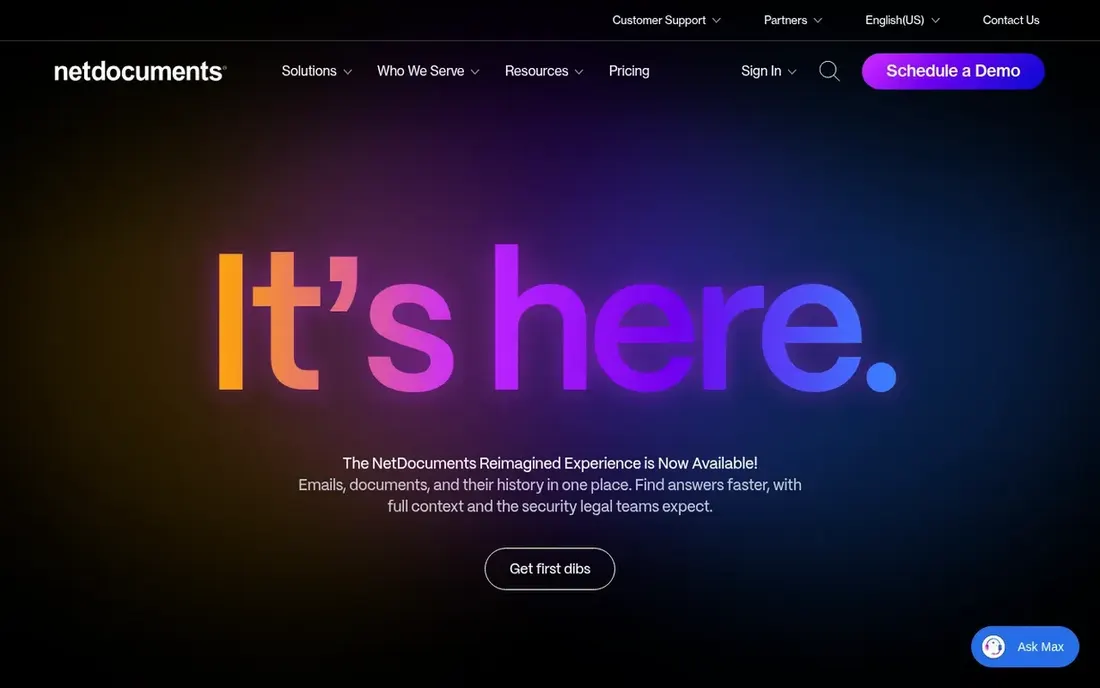
NetDocuments is designed for secure cloud document and email management. NetDocuments presents itself as document and email management for legal businesses and departments, with a secure, compliant system described as anywhere accessible. In practice, consider a practice management suite instead when documents are only one part of the workflow.
Trade-offs to know: Legal-specific setup required.
The product is document and email centric, so teams wanting deep billing, intake or case analytics may pair it with other systems. Smaller practices without dedicated administrators may find the compliance-first approach heavier than needed. This comparison lists no price for NetDocuments; ask the vendor. Free plan details: Not stated.
- Email management built in
- Cloud access from anywhere
- Not a full billing suite
MyCase is aimed squarely at small businesses managing cases and billing. Since the emphasis is practice management, document management depth may be lighter than dedicated platforms.
Honest limits: Document depth may be entry-level.
On top of that, MyCase describes legal practice management software built to run a profitable firm, handling cases, clients, billing and payments in one place. MyCase cost at the entry level: $50 per user per month. On free options: Free trial.
- Cases
- Payments handled in one place
- Not positioned for large departments
iManage
Best for: AI-assisted knowledge work for legal teams

iManage serves AI-assisted knowledge work for legal teams. iManage describes itself as an AI knowledge work system that handles and activates knowledge, supporting decisions whereas connecting people and AI.
Worth adding: teams looking chiefly for document automation tied to time tracking and billing should weigh a practice management product. In practice, for remote legal teams, that means documents sit inside a wider knowledge layer instead of a straightforward folder structure. Pricing for iManage is not stated here, so ask the vendor for current figures. On free options: Not stated.
Points against: Wide system scope.
- Knowledge activation focus
- Connects people with AI tools
- May suit bigger organizations best
How the list was put together
We compared the tools on published pricing, free plan or trial availability, feature coverage for legal document management software for remote teams, and the limits each vendor documents. Treat prices as a snapshot: vendors change plans often, so check the vendor site for the figure that applies today. We ordered the tools by general fit, then by how clearly pricing is shown, then by free access. A buyer with unusual needs may reorder them.
Before you commit
- Ask Filevine, Litera, Smokeball and others for a written quote, since no starting price is shown.
- Run a trial of Filevine and MyCase with real work before paying for a year; your own workflow is the best test.
- Before choosing Filevine, weigh its main limit: AI framing may need clarification.
- Add up seats, add-ons and usage charges for Smokeball before comparing it with cheaper entries.
- Read the plan comparison for MyCase carefully; key features often start on a higher tier.
FAQ
Can large businesses and small practices use the same platform?
At times, but fit varies. Litera and iManage are oriented toward bigger legal organizations with complicated needs, whereas Smokeball and MyCase are framed around smaller practices.
Do these tools publish their prices?
Not all of them. Filevine, Litera, Smokeball and others publish no starting price, so expect a quote request for those. The rest, MyCase included, show a starting price, though seats and billing terms still change the final cost.
Does any tool for legal document management software for remote teams here have a free plan?
No tool in this list, Filevine and iManage included, has a permanent free plan. Filevine, MyCase offer a trial. Trials and quotes are the usual route, so plan a short evaluation period.
What should a remote legal team look for in document management software?
Prioritize secure anywhere access, clear permission controls and steady email capture alongside documents. Confirm how the product manages versioning and retention, since distributed teams rely on a single trusted source.
How are the tools for legal document management software for remote teams ordered?
Filevine sits first and iManage last because the order follows typical fit for legal document management software for remote teams, then price clarity and free access. It is a judgement call, so read each profile for fit and limits.
What is the cheapest option for legal document management software for remote teams in this list?
On published monthly entry prices, MyCase is the lowest here at $50 per user per month. Entry price is only part of the cost, because seats, add-ons and billing terms can change the total. For the full picture, the cards above cover all 6 entries of this legal document management software for remote teams list, including price, free plan and limits.
Sources
- https://www.filevine.com
- https://www.litera.com
- https://www.smokeball.com
- https://www.netdocuments.com
- https://www.mycase.com
- https://imanage.com