Best Legal Document Management Software in 2026: 10 Tools Compared
We compared the best legal document management software on matter filing, email capture, version control and security, so law firms can choose with care.
- Editor's choice
 NetDocuments
Cloud DMS for mid-size and large firms
Starts atSee websiteVisit netdocuments.comFull review - Great alternative
 iManage Work
Enterprise document and email management
Starts atSee websiteVisit imanage.comFull review - Also consider
 Clio Manage
All-in-one practice management
Starts at$49 per user per monthVisit clio.comFull review
TL;DR:
- NetDocuments and iManage Work lead for mid-size and large firms that need strict matter filing and compliance controls.
- Clio Manage is the best all-in-one choice for small and mid-size firms that also need billing and case management.
- LexWorkplace suits small firms that want a dedicated DMS with published pricing, at 395 dollars per month for three users.
- MyCase and PracticePanther offer good value for small firms, with entry plans around 49 to 59 dollars per user per month.
Quick comparison
| Tool | Best for | Starts at | Free plan? | |
|---|---|---|---|---|
| NetDocuments | Cloud DMS for mid-size and large firms | See website | No | Visit |
| iManage Work | Enterprise document and email management | See website | No | Visit |
| Clio Manage | All-in-one practice management | $49 per user per month | Free trial | Visit |
 MyCase | Small firm value | $49 per user per month | Free trial | Visit |
 PracticePanther | High-volume case practices | $59 per user per month | Free trial | Visit |
 LexWorkplace | Dedicated DMS for small firms | $395 per month | Free trial | Visit |
 Filevine | Case and document workflows | See website | No | Visit |
 Smokeball | Small firm productivity plus DMS | See website | No | Visit |
 LEAP | Integrated legal practice software | See website | No | Visit |
 Worldox | On-premises document management | See website | No | Visit |
The best legal document management software
A law firm document system is not just file storage. It must file documents by matter, capture email without extra steps, control versions, limit access by role, and keep an audit trail that stands up when a client or court asks what happened. We compared official feature and pricing pages and public comparisons to find tools that do that work for firms of different sizes, from solo practices to large firms with strict compliance needs.
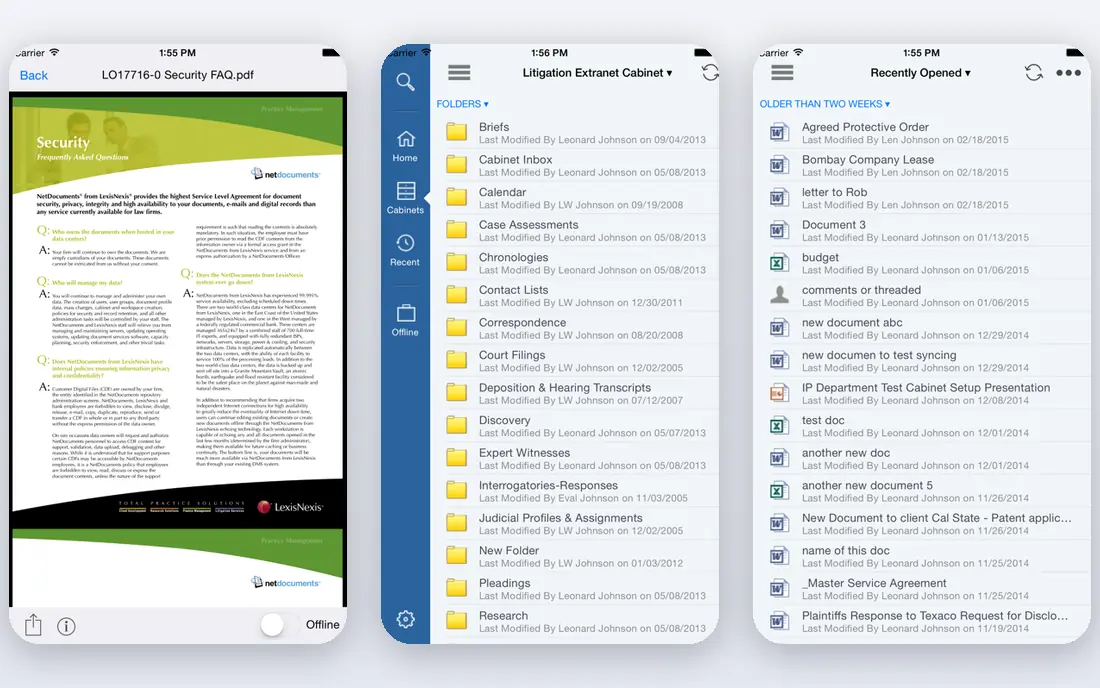
NetDocuments is a cloud-native document management system built for law firms and corporate legal teams that need reliable matter filing and security. Documents and email can be saved to the right matter workspace, versions and access controls are tracked, and compliance features support firms with strict client and regulatory requirements. An AI assistant helps lawyers find and summarize documents, which saves time when a matter file runs to hundreds of items.
Pricing is not published, and firms must go through a sales process to get a quote, which makes budgeting harder than with a published-rate tool. The web and mobile experience works on Mac, but the ndOffice desktop integration is Windows only, so Mac-heavy firms should test the workflow carefully. For mid-size and large firms that need a dedicated, cloud DMS with strong governance, NetDocuments is a leading choice.
- Cloud-native matter filing
- Strong security and compliance controls
- AI assistant and email integration
- No published pricing
- Desktop ndOffice integration is Windows only
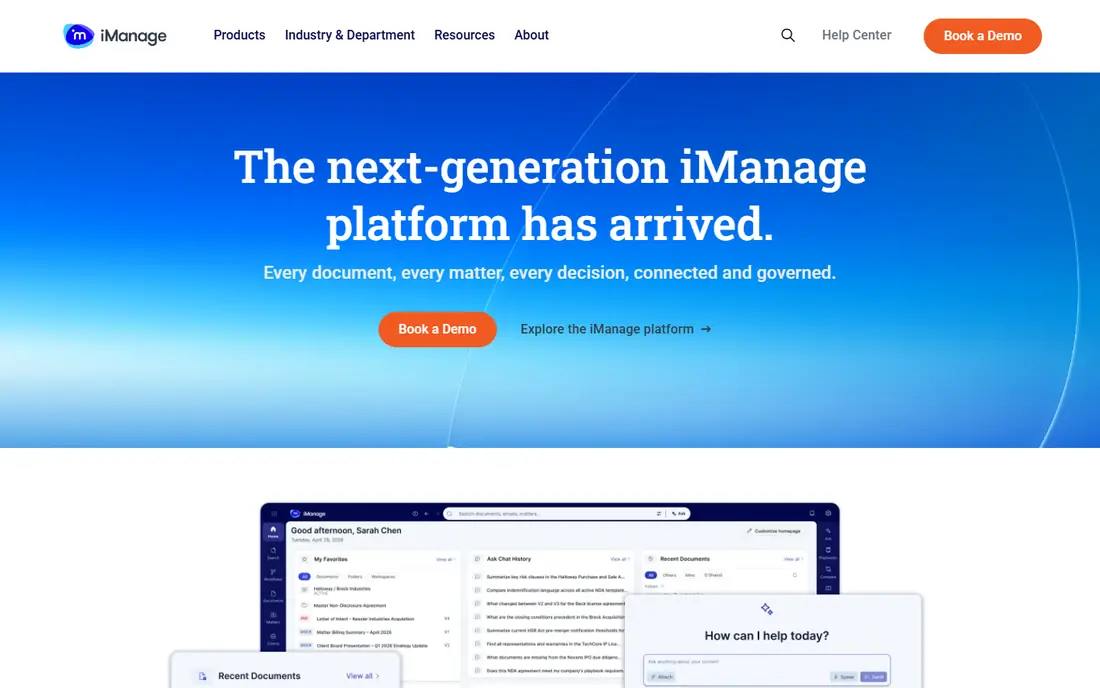
iManage Work is the enterprise standard for many large law firms, covering document management, email management and collaboration in one system. Lawyers can file email and documents to a matter from Outlook or other tools, search across matters, and work with version control and security policies that match firm and client requirements. Auto-classification and AI features help keep large matter files organized without manual filing for every item.
Cost and effort are the barriers. iManage does not publish pricing, and implementation typically needs IT staff, migration planning and training. Smaller firms will find that heavy for their needs. Large firms with dedicated IT, complex security requirements and a need for on-premises or hybrid deployment will find iManage Work hard to beat, especially when email filing discipline is a firm-wide priority.
- Deep matter and email management
- On-premises or cloud deployment
- Auto-classification and AI features
- Quote-based pricing only
- Implementation needs IT support and training

Clio Manage is the best all-in-one option for small and mid-size firms that want documents alongside case management, time tracking, billing and calendars. Documents can be stored by matter, shared through a client portal, and linked to tasks and billing, which reduces the need for separate tools. The EasyStart plan has been reported from 49 dollars per user per month, with higher tiers adding advanced features and add-ons for document automation, intake, accounting and legal AI.
Firms that need a dedicated DMS with deep matter filing, version governance and compliance controls may find Clio lighter than NetDocuments or iManage. Add-ons also raise the total cost, so model the full stack before signing. For most small and mid-size firms, though, Clio gives a practical balance: documents live where the case work happens, and staff learn one system instead of two.
- Case, billing, calendar and documents in one system
- Wide integrations
- Large user base
- Document features are part of a broader suite, not a dedicated DMS
- Add-ons raise total cost
MyCase suits small firms that want practice management and document storage at a predictable price. The entry plan has been reported from around 49 to 50 dollars per user per month when billed annually, and it covers case management, time and billing, client communication and document storage. Staff can find matter documents, share files through the client portal, and keep billing and case notes in the same place, which helps solo and small firms stay organized without extra software.
The document system is not as deep as a dedicated DMS. Version governance, email filing and compliance controls are lighter, so firms with strict client security requirements should test those areas carefully. For a small firm that needs good value, a simple interface and documents tied to cases and billing, MyCase is a strong choice.
- Affordable entry plan
- Case, billing and client portal in one place
- Easy to learn
- DMS depth is lighter than NetDocuments or iManage
- AI features are limited
PracticePanther is built for firms that handle many cases at once, such as personal injury, family law or criminal defense practices. Intake forms, case workflows, billing and document storage sit together, and automations reduce manual follow-up on routine tasks. Documents can be attached to matters, shared with clients and tracked alongside deadlines, which helps a busy practice keep files moving without losing track of a case.
Pricing starts around 59 dollars per user per month in recent comparisons, which is higher than MyCase entry pricing, so firms should compare feature tiers carefully. Like other practice management tools, PracticePanther is not a dedicated enterprise DMS, so firms with complex filing governance should compare NetDocuments or iManage. For high-volume practices that need speed and automation, PracticePanther fits well.
- Strong for high-volume case work
- Intake, billing and documents together
- Good automation
- Entry price around 59 dollars per user per month
- Dedicated DMS features are lighter than enterprise tools
LexWorkplace is a dedicated document management system for small firms that do not want a full practice suite, but do want proper matter filing. The Core plan costs 395 dollars per month for three users, with a seven-day free trial, which makes budgeting clear compared with quote-only enterprise tools. It supports Windows and Mac, files documents and email by matter, and integrates with Clio Manage, so a firm can keep billing in Clio while documents live in LexWorkplace.
The main limit is client uploads: LexWorkplace sends documents to clients by secure link, but it does not include a client upload portal, so firms that need clients to upload documents will need another tool for that step. For a small firm that wants a DMS-first system with published pricing and a simple rollout, LexWorkplace is an excellent shortlist option.
- Dedicated DMS with published pricing
- Works on Windows and Mac
- Integrates with Clio Manage
- No client upload portal
- Higher cost for a solo lawyer than a general tool
Filevine combines case management, document handling and workflow automation for firms that run cases as structured processes. Documents sit inside case workflows with deadlines, tasks and team assignments, and reporting shows case progress across a whole practice. That structure suits personal injury, mass tort and other high-volume practices where each case follows a similar path and documents must move through stages on time.
Pricing is quote based, and getting the most from Filevine needs workflow design and training, so firms should budget implementation time. It is not the simplest choice for a solo lawyer who just needs file storage. For firms that want documents tied to case stages, deadlines and team work, Filevine offers more workflow depth than general practice tools.
- Case workflows with documents and deadlines
- Good for injury and mass tort practices
- Strong reporting
- Quote-based pricing
- Setup and customization take time
Smokeball helps small firms turn document and case work into billable time automatically, which is a practical advantage for practices that lose revenue to unbilled admin time. Matter documents, emails, tasks and billing sit together, and automatic time capture records work done in Word, Outlook and other tools. That makes it easier for a small firm to bill accurately without manual timesheets.
Pricing is quote based, so firms must request a current quote, and Mac support is limited for the desktop app, which Mac-heavy firms should test. Document management depth is also lighter than NetDocuments or iManage. For Windows-based small firms that want productivity, time capture and documents in one system, Smokeball is worth a demo.
- Automatic time tracking from document work
- Matter documents and billing together
- Good for small firms
- Quote-based pricing
- Desktop app does not support Mac OS for full features
LEAP is an integrated legal practice system that covers matter management, document production, time and billing, accounting and legal forms. Documents can be generated from templates, filed by matter and linked to billing, which helps small firms that produce many standard documents. The all-in-one approach means staff learn one system for most daily work, rather than juggling separate tools for documents, billing and forms.
The trade-off is scope. LEAP is more than a DMS, so firms that only need document filing may pay for features they do not use, and pricing is quote based. Implementation also needs planning to set up forms and accounting correctly. For small firms that want one integrated system and are ready to adopt it fully, LEAP is a strong option. For DMS-only needs, LexWorkplace may be simpler.
- Practice management, documents, accounting and legal forms in one system
- Strong for small firms
- Quote-based pricing
- Breadth can feel heavy for firms that only need a DMS
Worldox is a document management system that many firms have used for years, particularly those that prefer on-premises or hybrid deployment over a fully cloud system. It files documents and email by matter, supports search across matters, and gives firms control over where data lives and how it is backed up. That control appeals to firms with specific security, retention or infrastructure requirements.
The costs are different from cloud tools. Pricing has been reported around 460 dollars per user plus maintenance, with server infrastructure and support costs on top, so the total is higher than a simple subscription rate suggests. Worldox also feels less cloud-native than NetDocuments, with a heavier IT footprint. Firms that already run Worldox and want to keep on-premises control may stay with it, while firms moving to cloud should compare NetDocuments and iManage first.
- Long-standing DMS for firms that want on-premises or hybrid control
- Matter filing and search
- Familiar to many firms
- On-premises costs and maintenance
- Pricing reported around 460 dollars per user plus maintenance
- Less cloud-native than rivals
How we picked these
We compared official feature and pricing pages and public comparisons, focusing on matter filing, email capture, version control, access permissions, audit trails, security and pricing transparency. We favored tools that are actively maintained in 2026, serve a distinct firm size, and offer a trial or demo where possible. Where pricing is quote based, we say so rather than guessing, because legal DMS quotes vary widely by firm size, users and modules.
What to check before you buy
Start with a real matter file, not a demo folder. Test filing email, finding a document under pressure, controlling who can see a sensitive file, and restoring a prior version. Check how the tool handles conflicts, redaction and client access, and whether it meets your jurisdiction and client security requirements. Also confirm migration: moving years of matter files, email and naming conventions takes planning, and a phased migration of active matters first often works better than a single big move.
Ask for total cost, including implementation, migration, training and support, not just the license rate. For quote-only tools, get renewal terms in writing. Check mobile and Mac support if your lawyers work outside the office, and confirm data export options so you are not locked into one vendor. The best legal document management software is the one every lawyer actually files into, every day, without workarounds.
FAQ
What is the best legal document management software for a small law firm?
For most small firms, Clio Manage or MyCase are strong starting points because they combine documents with case management and billing at published entry prices. LexWorkplace is the best dedicated DMS choice for a small firm that wants proper matter filing without a full practice suite. Choose based on whether you need an all-in-one system or a DMS that pairs with tools you already use.
How much does legal document management software cost?
Entry prices range from around 49 dollars per user per month for MyCase and Clio Manage, to 395 dollars per month for three users on LexWorkplace Core. Enterprise tools such as NetDocuments and iManage are quote based, so costs vary by users, modules and implementation. Always add migration, training and support to the license cost when budgeting.
Can we keep Clio and add a document management system?
Yes. LexWorkplace integrates with Clio Manage, so billing and calendars can stay in Clio while documents and email live in LexWorkplace. Other firms pair Clio with NetDocuments or iManage for deeper DMS governance. Check the integration during a trial to confirm that matter names, contacts and documents stay consistent between systems.
Do these tools work on Mac?
Most cloud tools work on Mac through a web browser, and LexWorkplace supports both Windows and Mac. NetDocuments works on Mac through the browser and apps, though ndOffice desktop integration is Windows only, and Smokeball lists Mac OS as unsupported for its desktop app. Test your exact workflow, including Word and Outlook filing, on the devices your lawyers actually use.
What is the difference between a DMS and practice management software?
A dedicated DMS focuses on filing, version control, security and search for documents and email by matter. Practice management software covers cases, calendars, time, billing and client communication, with document storage as one part of a broader system. Many firms use both: a practice system for case work and a DMS for document governance, linked by integration.
Sources
- https://www.netdocuments.com/pricing
- https://imanage.com/pricing
- https://www.clio.com/pricing
- https://www.mycase.com/pricing
- https://www.practicepanther.com/pricing
- https://lexworkplace.com/pricing
- https://www.filevine.com/pricing
- https://smokeball.com/pricing
- https://www.leap.us/pricing
- https://www.worldox.com/pricing