Best Landscaping Design Software for Small Businesses for 2026: Our 5 Vetted Picks
Searching for the best landscaping design software for small businesses? Here are 5 options with prices and free plans. Each tool gets a one-line verdict.

- Editor's choice
 ArchiCAD
BIM workflows for bigger projects
Starts atSee websiteVisit graphisoft.comFull review - Great alternative
 PRO Landscape
Photo imaging and quick client presentations
Starts atSee websiteVisit prolandscape.comFull review - Also consider
 DynaSCAPE
Design plus business management
Starts at$48 per monthVisit dynascape.comFull review
Direct answer
For BIM workflows for bigger projects, ArchiCAD is where this list starts. Listed starting prices: DynaSCAPE from $48 per month and Structure Studios VIP3D from $84 per user a month. PRO Landscape fits photo imaging and quick client presentations; DynaSCAPE fits design plus business management. All 5 tools are compared below on price, free plan and limits.
TL;DR:
- ArchiCAD takes the first slot, best suited to BIM workflows for bigger projects.
- Vectorworks Landmark fits all-in-one landscape design and documentation.
- DynaSCAPE comes with a trade-off: business features may overlap with existing office tools.
- A permanent free plan is missing from all 5 tools, ArchiCAD and Vectorworks Landmark included; plan for a trial or a premium start.
- DynaSCAPE is the lowest-priced starter here at $48 per month.
Last checked November 2026. Prices and plan details were read from the vendors' own pages in November 2026; vendors change plans often, so confirm the current price on the vendor site before you buy.
Quick comparison
| Tool | Best for | Starts at | Free plan? | |
|---|---|---|---|---|
| ArchiCAD | BIM workflows for bigger projects | See website | Not stated | Visit |
| PRO Landscape | Photo imaging and quick client presentations | See website | Not stated | Visit |
| DynaSCAPE | Design plus business management | $48 per month | Free trial | Visit |
| Structure Studios VIP3D | 3D pools and outdoor living spaces | $84 per user a month | Free trial | Visit |
 Vectorworks Landmark | All-in-one landscape design and documentation | See website | Not stated | Visit |
Tool-by-tool breakdown
This LinkVetted guide covers 5 landscaping design software for small businesses. Each profile lists a starting price, free plan details, strengths and drawbacks, so you can drop poor fits quickly.
ArchiCAD makes the most sense for BIM workflows for bigger projects. ArchiCAD from Graphisoft is BIM software for architects, offering a suite of built-in tools and an approachable interface. ArchiCAD is oriented to building design, so landscape-specific features like planting and irrigation are not its core strength.
The main drawbacks: Architecture-first, not landscaping-first.
Straightforward residential garden plans seldom justify the learning investment. In daily use, choose it when BIM coordination with architects is a regular requirement. This comparison lists no price for ArchiCAD; ask the vendor. Free plan details: Not stated.
- Easy-to-learn interface for architects
- BIM model with built-in tools
- Overkill for simple garden plans

PRO Landscape is built with photo imaging and quick client presentations in mind. Small firms that sell projects face to face can benefit from placing designs over client photos, which makes proposals simpler to understand. On top of that, the emphasis on presentation and imaging means businesses with demanding construction documentation needs may still want a dedicated CAD or BIM tool.
On top of that, learning the full range of features takes time for a small team. As for the details, choose it when winning client approval rapidly is the priority. For everyday use, PRO Landscape describes itself as complete landscape design software with AI tools for photo imaging, CAD, 3D and mobile apps designed for professionals. The mobile apps also support work away from the desk, handy for site visits and fast revisions. PRO Landscape shows no starting price here, so confirm the cost on the vendor site. Trial and free access: Not stated.
Where it is weaker: Feature breadth takes time to master.
- 3D and mobile apps in one package
- AI-assisted photo imaging for selling
- Presentation focus may not handle heavy documentation
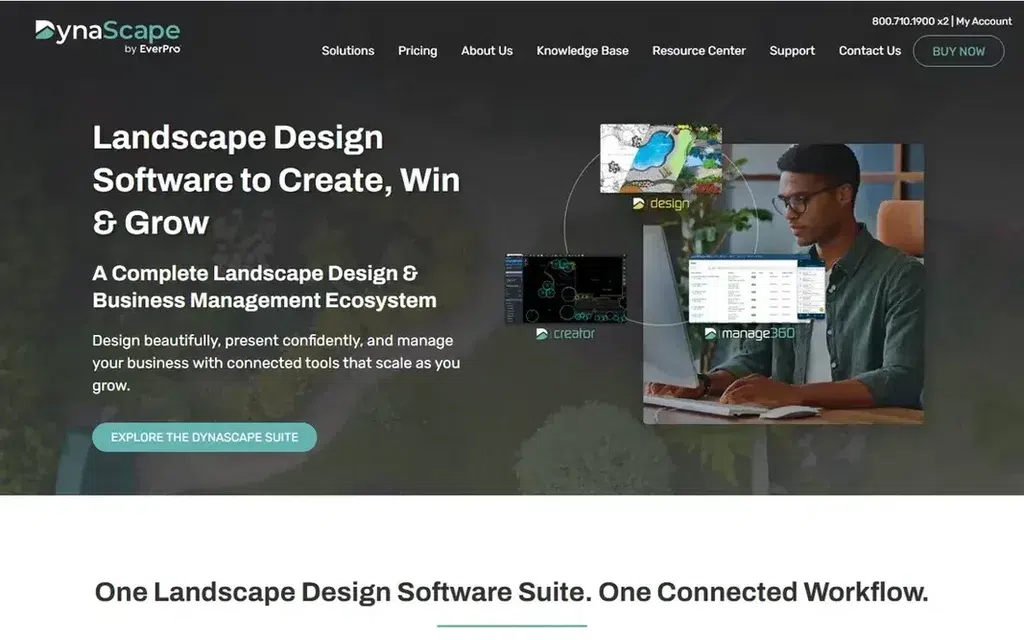
DynaSCAPE makes the most sense for design plus business management. From a buyer's view, pick DynaSCAPE when design output and daily business organization are equally important.
What to check first: Less relevant if you only need drafting.
In practice, if your office already runs on separate accounting or project tools, the management side may add overlap instead of value. More specifically, businesses focused purely on rendering or BIM coordination should weigh other choices. On cost, DynaSCAPE starts like this: $48 per month. On free options: Free trial.
- Geared toward professional landscape industry
- Design and business management in one suite
- Business features may overlap with existing office tools
Structure Studios VIP3D
Best for: 3D pools and outdoor living spaces
Structure Studios VIP3D serves 3D pools and outdoor living spaces. As with any visualization tool, build-ready output should be verified before construction.
Drawbacks to consider: Pool-centric focus may not suit pure planting design.
Also, pick VIP3D when residential outdoor spaces are your core business. The starting price for Structure Studios VIP3D: $84 per user per month. Trial and free access: Free trial.
- Photoreal 3D presentations
- Handles pools alongside landscaping
- Build-ready output needs careful checking
Vectorworks Landmark is built with all-in-one landscape design and documentation in mind. Small companies that deal with both creative concepts and construction paperwork may appreciate having those tasks under one roof, since plans and visuals come from the same model. It tends to fit businesses that want to grow into more complicated projects without switching tools later.
For everyday use, firms that only need fast 2D sketches or photo mockups may find a lighter tool quicker to adopt. As for the details, Vectorworks Landmark is a professional 3D landscape design product built around transforming design, presentation, irrigation and documentation workflows. The trade-off is complexity: a wide toolset means more to learn before a small crew becomes productive. Vectorworks Landmark does not show a starting price in this comparison, so check the vendor site for current pricing. Trial and free access: Not stated.
Points against: General-purpose CAD background required.
- Presentation and irrigation
- Merges design
- Deeper feature set can feel heavy for beginners
How we compared the tools
Selection started from tools commonly considered for landscaping design software for small businesses, then narrowed to 5 that have clear pricing information or a clear quote process. Treat prices as a snapshot: vendors change plans often, so check the vendor site for the figure that applies today. Tools are placed by general fit for landscaping design software for small businesses, with price clarity and free access as tie-breakers. A different team can reasonably rank them differently.
Pre-purchase checklist
- Get a written quote from ArchiCAD, PRO Landscape and Vectorworks Landmark; the list shows no starting price for them.
- Take the trial from DynaSCAPE and Structure Studios VIP3D and push a live task through it before you pay.
- Before choosing ArchiCAD, weigh its main limit: architecture-first, not landscaping-first.
- Ask Vectorworks Landmark how an export works before you move any records in; an easy exit lowers the risk.
- A short pilot of DynaSCAPE with your real workflow tells you more than a feature table.
FAQ
What is the cheapest option for landscaping design software for small businesses in this list?
On published monthly entry prices, DynaSCAPE is the lowest here at $48 per month. Entry price is only part of the cost, because seats, add-ons and billing terms can change the total.
Does any tool for landscaping design software for small businesses here have a free plan?
No tool in this list, ArchiCAD and Vectorworks Landmark included, has a permanent free plan. DynaSCAPE, Structure Studios VIP3D offer a trial. Trials and quotes are the usual route, so plan a short evaluation period.
Can I try these tools before paying?
Often, yes. DynaSCAPE and Structure Studios VIP3D offer a free trial. Use your own data and a real task during the test, and check what the free tier or trial limits before you rely on it.
Is ArchiCAD the right pick for everyone comparing landscaping design software for small businesses?
No single tool suits every team. ArchiCAD comes first because it fits BIM workflows for larger projects, while PRO Landscape suits photo imaging and fast client presentations and DynaSCAPE suits design plus business management. Match the tool to your own size, budget and workflow before deciding.
Sources
- https://www.graphisoft.com/archicad
- https://www.prolandscape.com
- https://www.dynascape.com
- https://www.structurestudios.com
- https://www.vectorworks.net/en-US/landmark