Choosing Home Designer Software in 2026: 6 Options Compared
6 tools for the best home designer software, compared on pricing, free plans and best-fit use. Hidden costs and gaps are flagged. Pick with confidence.
- Editor's choice
 Cedreo
Quick 3D renderings for professionals
Starts atSee websiteVisit cedreo.comFull review - Great alternative
 Planner 5D
Simple 2D and 3D house design
Starts at$19.99 a monthVisit planner5d.comFull review - Also consider
 RoomSketcher
Professional floor plans and 3D visualization
Starts at$12 per monthVisit roomsketcher.comFull review
Direct answer
If you need quick 3D renderings for professionals, Cedreo is the first tool to look at here. Listed starting prices: Planner 5D from $19.99 a month and RoomSketcher from $12 per month. If your case is different, Planner 5D suits simple 2D and 3D house design and RoomSketcher suits professional floor plans and 3D visualization. The full list of 6 tools follows, with prices and free plan facts.
TL;DR:
- Cedreo is the opening pick, best for quick 3D renderings for professionals.
- The cheapest monthly starting price in the list is $12 per month, offered by RoomSketcher.
- Cedreo, Planner 5D, RoomSketcher, Floorplanner: these are the 4 tools out of 6 that offer a free plan.
- Before buying Cedreo, weigh this: may be overkill for straightforward DIY.
- Chief Architect Home Designer Pro suits advanced DIY home design and remodeling.
Last checked November 2026. Prices and plan details were read from the vendors' own pages in November 2026; vendors change plans often, so confirm the current price on the vendor site before you buy.
Quick comparison
| Tool | Best for | Starts at | Free plan? | |
|---|---|---|---|---|
| Cedreo | Quick 3D renderings for professionals | See website | Yes | Visit |
| Planner 5D | Simple 2D and 3D house design | $19.99 a month | Yes | Visit |
| RoomSketcher | Professional floor plans and 3D visualization | $12 per month | Yes | Visit |
 Floorplanner | Online floor planning for several uses | See website | Yes | Visit |
 HomeByMe | Easy-to-learn 3D design with brand-name furniture | See website | Not stated | Visit |
| Chief Architect Home Designer Pro | Advanced DIY home design and remodeling | See website | Not stated | Visit |
Home Designer Software compared in detail
Short on time? The summary and table above give the quick view of 6 tools for home designer software, and the profiles that follow give the detail behind each entry.
Cedreo targets quick 3D renderings for professionals. Whereas Cedreo is powerful, it may be more than needed for casual DIY projects and could have a steeper ramp-up time.
Limits to weigh: May be overkill for straightforward DIY.
As for the details, Cedreo is a simple 3D home design software that makes it possible for users to build 2D and 3D floor plans and realistic interior and exterior renderings rapidly. Check the vendor site for Cedreo pricing; none is listed in this comparison. A free plan is available with Cedreo.
- Both interior and exterior design
- Right for builders and architects
- Requires some design knowledge
Planner 5D is aimed squarely at simple 2D and 3D house design. The tool provides a set of features for both interior and exterior planning. From a buyer's view, opt for Planner 5D if you need a versatile tool with both 2D and 3D capabilities.
Trade-offs to know: Ramp-up time for advanced tools.
Planner 5D is an advanced and easy-to-use 2D/3D house design tool that permits users to build dream home designs with capable software. Whereas Planner 5D is user-friendly, some advanced features may be behind a paywall, and the interface can take time to learn. On cost, Planner 5D starts like this: $19.99 per month. Free access exists with Planner 5D.
- Feature-rich design capabilities
- Advanced yet easy-to-use
- Some features may need payment
In short, RoomSketcher is for professional floor plans and 3D visualization. RoomSketcher is meant to build professional floor plans in minutes, offering in-depth 2D and 3D visualization. It is well suited to real estate agents, interior designers, and homeowners who require high-quality plans quickly.
Trade-offs to know: Some features need subscription.
Choose RoomSketcher for professional-grade floor plans with efficient visualization. More specifically, the software is recognised for its simplicity and efficient workflow. That said, RoomSketcher may need a subscription for full access to its features, which could be a drawback for casual users. The starting price for RoomSketcher: $12 per month. RoomSketcher has a free plan. Where it shines: Professional-quality output.
- 2D and 3D visualization
- Fast creation of in-depth floor plans
- May have a ramp-up time
Pick Floorplanner if this describes you: online floor planning for several uses. Floorplanner is an online floor planner and 3D room planner tool that lets users to build 2D floor plans and 3D room designs easily. It is right for personal use, retail, real estate, and more, offering a versatile option for several needs.
In daily use, the tool is accessible straight in a web browser. If you need more in-depth architectural tools, consider Chief Architect Home Designer Pro. No starting price is listed for Floorplanner here; confirm pricing on the vendor site. Floorplanner includes a free tier.
Limits to weigh: May need subscription for advanced features.
- 2D and 3D room designs
- Simple online access
- Restricted advanced customization
For easy-to-learn 3D design with brand-name furniture, HomeByMe is a natural candidate. HomeByMe is an easy-to-learn and easy-to-use home design tool that lets you build floor plans in 2D and furnish your home in 3D with real brand-name furniture. It is perfect for homeowners and renters who want to visualize interior spaces with realistic products.
For everyday use, the software is accessible online and provides a smooth experience for fast design iterations. Choose HomeByMe for interior decorating with real furniture. Pricing for HomeByMe is not stated here, so ask the vendor for current figures. As for free access: Not stated.
Points against: Limited exterior design features.
- Real brand-name furniture choices
- User-friendly interface
- May need account creation
Chief Architect Home Designer Pro
Best for: Advanced DIY home design and remodeling
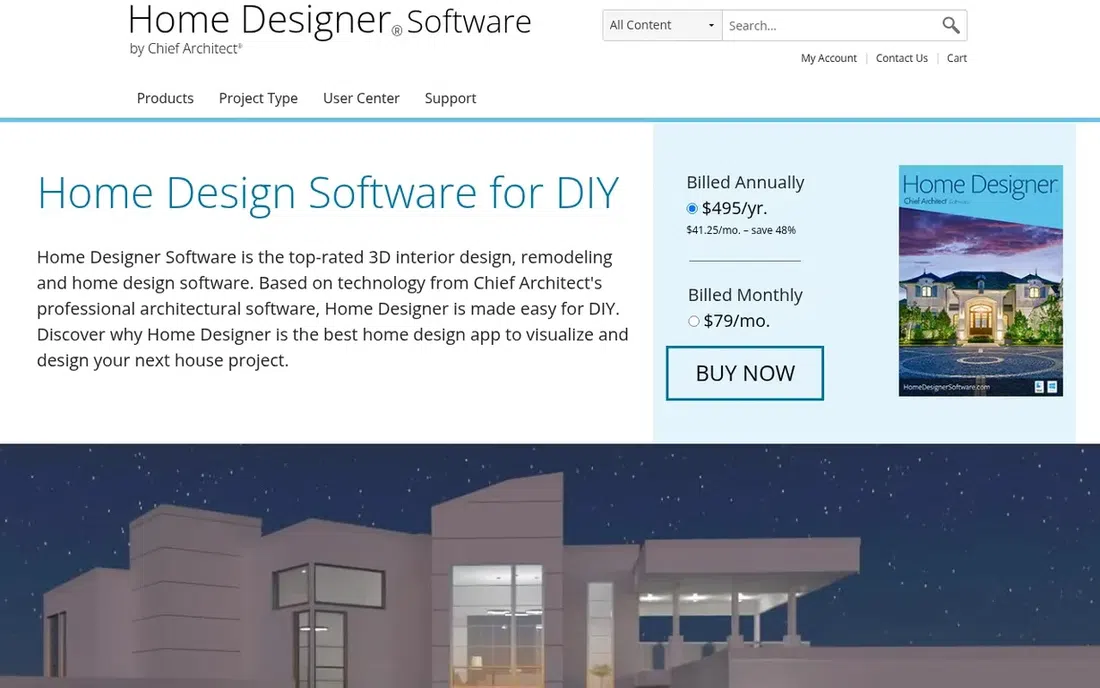
In short, Chief Architect Home Designer Pro is for advanced DIY home design and remodeling. Choose Chief Architect Home Designer Pro if you need advanced capabilities and are willing to learn.
This tool is a strong match for homeowners and DIY enthusiasts who want professional-grade results without hiring a designer. Chief Architect Home Designer Pro shows no starting price here, so confirm the cost on the vendor site. As for free access: Not stated.
Where it falls short: Steeper ramp-up time for beginners.
- From the creators of Chief Architect
- Supports interior design and remodeling
- May need capable hardware
What went into this list
A buyer's checklist
- Ask Cedreo, Floorplanner, HomeByMe and Chief Architect Home Designer Pro for a written quote, since no starting price is shown.
- Check what the free option really includes: Cedreo, Planner 5D, RoomSketcher and Floorplanner offer a free plan, and usage caps differ.
- Before choosing Cedreo, weigh its main limit: may be overkill for straightforward DIY.
- The entry price of HomeByMe is only the starting point; model the full cost with seats and extras.
- Make sure Planner 5D lets you export your data in a format another tool can read.
FAQ
How are the tools for home designer software ordered?
Cedreo sits first and Chief Architect Home Designer Pro last because the order follows typical fit for home designer software, then price clarity and free access. It is a judgement call, so read each profile for fit and limits.
What is the cheapest option for home designer software in this list?
On published monthly entry prices, RoomSketcher is the lowest here at $12 per month. Entry price is only part of the cost, because seats, add-ons and billing terms can change the total. Each of the 6 options in this home designer software guide has its own card above with the price, free plan and limits.
Can I try these options before paying?
Often, yes. Cedreo, Planner 5D, RoomSketcher and Floorplanner have a free plan. Use your own data and a real task during the test, and check what the free tier or trial limits before you rely on it.
Which options for home designer software have a free plan?
On this list, Cedreo, Planner 5D, RoomSketcher and Floorplanner include a free plan. Caps on seats, usage or features are common, so test the free plan against your real workload.
Sources
- https://cedreo.com
- https://planner5d.com
- https://www.roomsketcher.com
- https://floorplanner.com
- https://home.by.me
- https://www.homedesignersoftware.com