Top 5 File Transfer Tool for Large Files for 2026 (Prices and Free Plans)
Best file transfer tool for large files: 5 contenders ranked by fit, with entry costs and free tiers. With pricing notes and limits. Current for November 2026.
- Editor's choice
 MASV
Quick large media file transfer
Starts at$58 per monthVisit massive.ioFull review - Great alternative
 Microsoft OneDrive
Microsoft 365 subscribers
Starts atSee websiteVisit microsoft.comFull review - Also consider
 Dropbox
General cloud storage and sharing
Starts at$9.99 a monthVisit dropbox.comFull review
Direct answer
Our first pick is MASV, best for quick large media file transfer. Listed starting prices: MASV from $58 per month, Dropbox from $9.99 a month and Signiant Media Shuttle from $13,000 per year. Microsoft OneDrive is the stronger choice for Microsoft 365 subscribers, while Dropbox suits general cloud storage and sharing. The other 2 tools in the list cover narrower or pricier cases.
TL;DR:
- Number one here is MASV, a fit for quick large media file transfer.
- MASV stands alone as the one tool in this list with a free plan.
- The main caution on Microsoft OneDrive: best features need Microsoft 365.
- The cheapest monthly starting price in the list is $9.99 per month, offered by Dropbox.
Last checked November 2026. Prices and plan details were read from the vendors' own pages in November 2026; vendors change plans often, so confirm the current price on the vendor site before you buy.
Quick comparison
| Tool | Best for | Starts at | Free plan? | |
|---|---|---|---|---|
| MASV | Quick large media file transfer | $58 per month | Yes | Visit |
| Microsoft OneDrive | Microsoft 365 subscribers | See website | Not stated | Visit |
| Dropbox | General cloud storage and sharing | $9.99 a month | Free trial | Visit |
 WeTransfer | Fast, account-free transfers | See website | Not stated | Visit |
| Signiant Media Shuttle | Global media workflows | $13,000 per year | No | Visit |
The best file transfer tool for large files
Short on time? The summary and table above give the quick view of 5 file transfer tool for large files, and the profiles that follow give the detail behind each entry.
MASV works best for quick large media file transfer. MASV is a large file transfer service that prioritizes speed and reliability, particularly for media and entertainment workflows.
Also, for everyday file sharing, MASV might be more than needed, and its usage-based pricing could be less predictable. MASV starts at: $58 per month. You can start on MASV without paying.
Drawbacks to consider: May be overkill for small files.
- Secure
- Optimized for speed
- Pricing based on usage
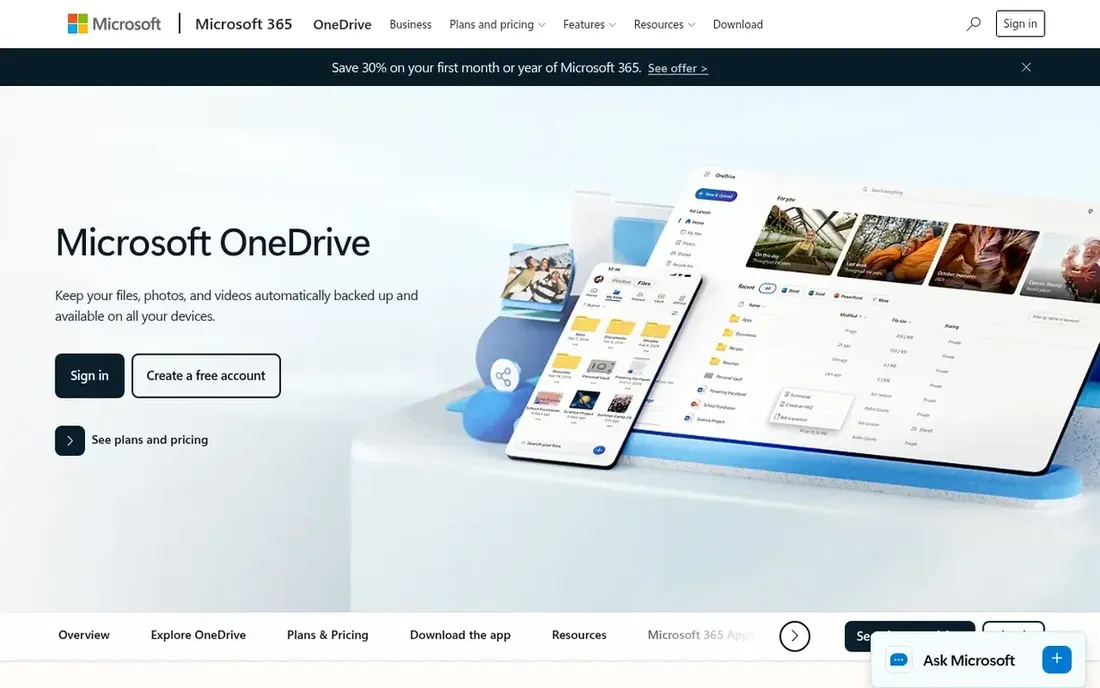
Microsoft OneDrive serves Microsoft 365 subscribers. Microsoft OneDrive is a personal cloud storage service that supplies secure file sharing and document collaboration.
It is deeply integrated with Windows and Microsoft Office, making it a natural choice for users of those systems. Microsoft OneDrive shows no starting price here, so confirm the cost on the vendor site. As for free access: Not stated.
- Smooth Windows integration
- Office Online collaboration
- Best features need Microsoft 365

Dropbox was built for general cloud storage and sharing. Otherwise, Dropbox supplies a solid all-around option. Dropbox is a well-known cloud storage service that lets you store, sync, and share files from any device.
It is a strong match for individuals and teams who require a dependable product for everyday file transfer and collaboration. Its straightforward interface makes it accessible to users of all technical levels. What you pay to start with Dropbox: $9.99 per month. Free options: Free trial.
Watch-outs: May be overkill for occasional transfers.
- Simple to use across devices
- Secure storage
- Advanced features need premium plans
In short, WeTransfer is for fast, account-free transfers. The service emphasizes simplicity and speed, making it accessible to anyone.
From a buyer's view, WeTransfer is not made for long-term storage or collaboration, and free transfers have size limits. Check the vendor site for WeTransfer pricing; none is listed in this comparison. As for free access: Not stated.
Watch-outs: Limited storage at no cost users.
- No account required
- Straightforward interface
- Not well suited to continuing collaboration
Signiant Media Shuttle
Best for: Global media workflows
Signiant Media Shuttle works best for global media workflows. Signiant Media Shuttle is a large file transfer option aimed at media and entertainment workflows. It lets users to send any-size files globally with speed and security, using branded portals and adaptable storage choices.
Watch-outs: Needs setup.
It is well suited to organizations that require dependable, high-performance transfers. Beyond that, Media Shuttle is aimed at enterprise use, so it may be complicated and expensive for individuals or small teams. Worth adding: setup is required to configure portals and storage. Signiant Media Shuttle cost at the entry level: $13,000 a year. Signiant Media Shuttle has no free plan.
- Branded portals
- No bandwidth caps
- Enterprise-focused
How we built this list
LinkVetted looked at what each vendor publishes: pricing, plan limits, feature coverage for file transfer tool for large files and stated drawbacks. No hands-on testing is claimed. Where a price is missing, the vendor does not list one publicly or ties it to a quote. Always confirm before budgeting. The sequence is a judgement call: typical use case first, then pricing transparency, then free access. Use the profiles to check fit.
Questions to settle before buying
- Get a written quote from Microsoft OneDrive and WeTransfer; the list shows no starting price for them.
- Test the free plan from MASV against your real workload before relying on it.
- Run a trial of Dropbox with real work before paying for a year; your own workflow is the best test.
- Before choosing MASV, weigh its main limit: may be overkill for small files.
- Look at which plan of Signiant Media Shuttle unlocks the features you need; entry tiers are often cut down.
- Let daily users try Dropbox on real work; their feedback beats any feature checklist.
FAQ
How are the file transfer tool for large files ordered?
The order follows typical fit for file transfer tool for large files, with MASV first and Signiant Media Shuttle last, then price clarity and free access. It is editorial judgement, not a score, so another team could rank the tools differently.
What is the best tool for sending very large files quickly?
For most readers this guide would start with MASV, built for quick large media file transfer. Microsoft OneDrive is the alternative for Microsoft 365 subscribers, and Dropbox for general cloud storage and sharing. The right answer depends on budget and workflow.
Do these tools publish their prices?
Not all of them. Microsoft OneDrive and WeTransfer publish no starting price, so expect a quote request for those. The rest, MASV included, show a starting price, though seats and billing terms still change the final cost.
Which tool is a good match for team collaboration on large files?
MASV comes first here and is built for quick large media file transfer. Buyers with other needs may prefer Microsoft OneDrive (for Microsoft 365 subscribers) or Dropbox (for general cloud storage and sharing). Compare costs and limits first.
Is MASV the right pick for everyone comparing file transfer tool for large files?
No single tool suits every team. MASV comes first because it fits fast large media file transfer, while Microsoft OneDrive suits Microsoft 365 subscribers and Dropbox suits general cloud storage and sharing. Match the tool to your own size, budget and workflow before deciding.
Can I try these tools before paying?
Often, yes. MASV has a free plan and Dropbox offers a free trial. Use your own data and a real task during the test, and check what the free tier or trial limits before you rely on it.
Sources
- https://massive.io
- https://www.microsoft.com/en-us/microsoft-365/onedrive/online-cloud-storage
- https://www.dropbox.com
- https://wetransfer.com
- https://www.signiant.com/products/media-shuttle