Best File Sharing Software for Large Files for 2026: Our 5 Vetted Picks
Weighing the best file sharing software for large files? We lined up 5 products by cost, free access and fit. Plus the drawbacks of each tool. Easy to scan.
- Editor's choice
 Google Drive
Google Workspace users sharing files
Starts atSee websiteVisit workspace.google.comFull review - Great alternative
 Egnyte
Enterprises governing massive files
Starts at$22 per user per monthVisit egnyte.comFull review - Also consider
 ShareFile
Secure document workflows and sharing
Starts at$16.50 per user per monthVisit sharefile.comFull review
Direct answer
Google Drive comes first here, mainly for Google Workspace users sharing files. Listed starting prices: Egnyte from $22 per user per month and ShareFile from $16.50 per user per month. Egnyte fits enterprises governing massive files; ShareFile fits secure document workflows and sharing. Details, prices and limits for the rest of the 5 tools are below.
TL;DR:
- Top of the list is Google Drive, which targets Google Workspace users sharing files.
- Dropbox Business fits teams needing storage and sharing tools.
- The main caution on Google Drive: sharing controls can be complicated for beginners.
- A permanent free plan is missing from all 5 tools, Google Drive and Dropbox Business included; plan for a trial or a premium start.
Last checked November 2026. Prices and plan details were read from the vendors' own pages in November 2026; vendors change plans often, so confirm the current price on the vendor site before you buy.
Quick comparison
| Tool | Best for | Starts at | Free plan? | |
|---|---|---|---|---|
| Google Drive | Google Workspace users sharing files | See website | Not stated | Visit |
| Egnyte | Enterprises governing massive files | $22 per user per month | Free trial | Visit |
| ShareFile | Secure document workflows and sharing | $16.50 per user per month | Free trial | Visit |
 WeTransfer | Fast large file sends without account | See website | Not stated | Visit |
 Dropbox Business | Teams needing storage and sharing tools | See website | Not stated | Visit |
File Sharing Software for Large Files, one by one
Choosing file sharing software for large files usually comes down to price, fit and limits. This LinkVetted guide sets 5 tools side by side on those three points, with the facts kept short and checkable.
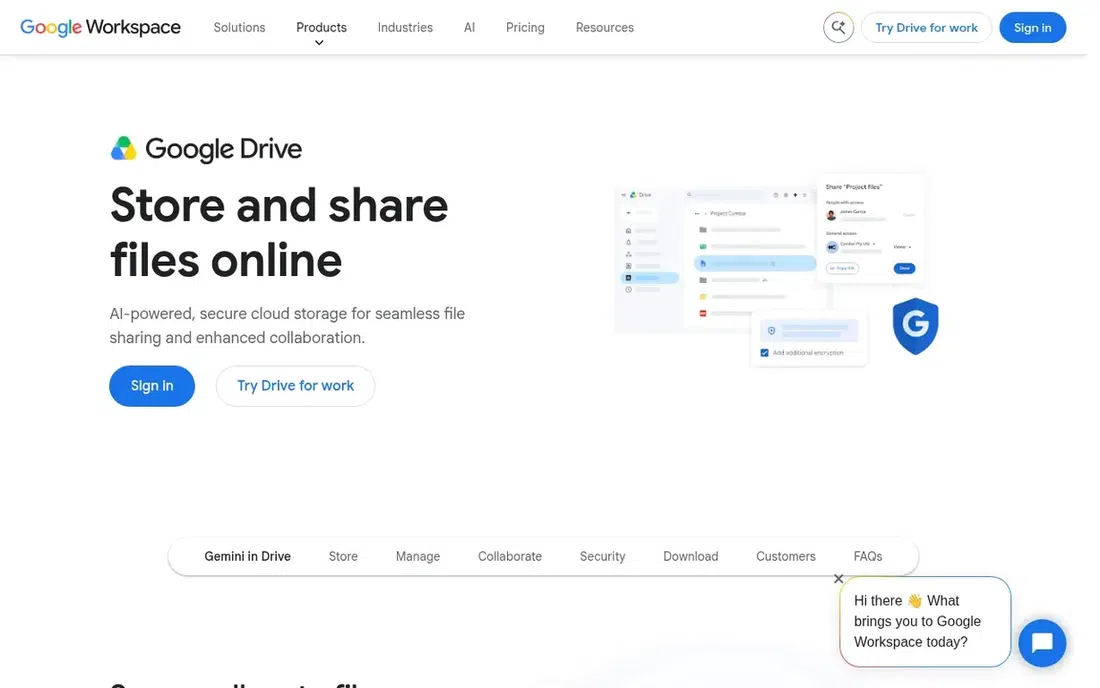
In short, Google Drive is for Google Workspace users sharing files. Google Drive gives you secure cloud storage and file sharing as part of Google Workspace.
Watch-outs: Sharing controls can be complex for beginners.
It is well suited to teams already using Google tools, offering straightforward sharing and collaboration on large files. Google Drive does not show a starting price in this comparison, so check the vendor site for current pricing. Free access: Not stated.
- Simple sharing with other users
- Links up with Google Workspace
- Storage limits apply
Think of Egnyte for enterprises governing massive files. More straightforward tools like Google Drive or OneDrive can manage everyday sharing.
Watch-outs: Needs setup for governance policies.
Egnyte is a content cloud product that gives you an AI context layer, collaboration on massive files, and governance of sensitive content. On top of that, Egnyte is best when governance and large-scale collaboration are priorities. Egnyte starts at: $22 per user per month. Free access: Free trial.
- AI context layer
- Collaboration on massive files
- Enterprise-oriented complexity
Think of ShareFile for secure document workflows and sharing. The service emphasizes confidence and compliance in file exchanges.
Trade-offs to know: Less suited for casual sharing.
For casual or personal large file transfers, WeTransfer or OneDrive may be more straightforward. Price to start with ShareFile: $16.50 per user per month. On free options: Free trial.
- Secure sharing and collaboration
- Focus on security
- May need training for advanced workflows
Choose WeTransfer for fast large file sends without account. WeTransfer is a straightforward, fast way to send large files, photos, and videos around the world without an account. Worth adding: WeTransfer is a good match for ad hoc sends.
The service prioritizes speed and simplicity. As for the details, if you have to track document activity or run team folders, choose a system with more solid features. Pricing for WeTransfer is not stated here, so ask the vendor for current figures. On free options: Not stated.
Where it falls short: Restricted collaboration features.
- Straightforward and quick
- No account required
- File size and time limits apply

Dropbox Business works best for teams needing storage and sharing tools. Dropbox Business is a cloud product that goes beyond storage with sharing, eSignature, document tracking, and backup.
Beyond that, for individuals who only need occasional large file sends, a more straightforward tool like WeTransfer may be sufficient. The service emphasizes simplicity and integration across devices. Dropbox Business shows no starting price here, so confirm the cost on the vendor site. Free options: Not stated.
Honest limits: Business focus may be overkill for individuals.
- ESignature and document tracking
- Cloud storage and sharing
- Advanced features need setup
How we chose
The comparison looks at four things: starting price, free access, how well the feature set matches file sharing software for large files, and the main limit of each tool. Where a vendor does not publish a price, the entry says quote. Where a price depends on seats or billing term, the entry says so. We ordered the tools by general fit, then by how clearly pricing is shown, then by free access. A buyer with unusual needs may reorder them.
Before you commit
- Ask Google Drive, WeTransfer and Dropbox Business for a written quote, since no starting price is shown.
- Run a trial of Egnyte and ShareFile with real work before paying for a year; your own workflow is the best test.
- Before choosing Google Drive, weigh its main limit: sharing controls can be complicated for beginners.
- A short pilot of Egnyte with your real workflow tells you more than a feature table.
- The entry price of ShareFile is only the starting point; model the full cost with seats and extras.
FAQ
Does any tool for file sharing software for large files here have a free plan?
A permanent free plan is not offered by Google Drive, Dropbox Business or the other tools here. Egnyte, ShareFile offer a trial. Plan a short evaluation period instead.
What is the best file sharing software for large files?
Start with Google Drive if you need Google Workspace users sharing files. Egnyte is the better match for enterprises governing massive files, and ShareFile for secure document workflows and sharing. The best choice depends on budget, team size and workflow.
What is the cheapest option for file sharing software for large files in this list?
On published monthly entry prices, ShareFile is the lowest here at $16.50 per user per month. Entry price is only part of the cost, because seats, add-ons and billing terms can change the total. Each of the 5 options in this file sharing software for large files guide has its own card above with the price, free plan and limits.
Do these tools publish their prices?
Not all of them. Google Drive, WeTransfer and Dropbox Business publish no starting price, so expect a quote request for those. The rest, Egnyte included, show a starting price, though seats and billing terms still change the final cost.
Can I send large files without an account?
Yes, WeTransfer permits sending large files without creating an account. It is aimed at straightforward, fast transfers. On top of that, other tools may need an account for sharing and collaboration features.
Can I try these tools before paying?
Often, yes. Egnyte and ShareFile offer a free trial. Use your own data and a real task during the test, and check what the free tier or trial limits before you rely on it. All 5 picks in this file sharing software for large files comparison list a starting price, free plan details and the main limits on their cards above.
Sources
- https://workspace.google.com/products/drive
- https://www.egnyte.com
- https://www.sharefile.com
- https://wetransfer.com
- https://www.dropbox.com/business