Top 5 Disk Imaging Software for Bare Metal Recovery for 2026 (Prices and Free Plans)
Best disk imaging software for bare metal recovery: 5 tools compared on price, free plans and fit. Concise write-ups of every option. Updated November 2026.
- Editor's choice
 Paragon Hard Disk Manager
Disk management with data safety
Starts atPricing on requestVisit paragon-software.comFull review - Great alternative
 AOMEI Backupper
Simple system backup and cloning
Starts atPricing on requestVisit ubackup.comFull review - Also considerVeeam Backup & Replication
Virtual and cloud workload protection
Starts atPricing on requestVisit veeam.comFull review
Direct answer
Our first pick is Paragon Hard Disk Manager, best for Disk management with data safety. For a different need, AOMEI Backupper covers simple system backup and cloning and Veeam Backup & Replication covers virtual and cloud workload protection. Free plan facts and limits for all 5 tools follow. None of these vendors publish plan prices, so pricing is on request for every option.
TL;DR:
- Paragon Hard Disk Manager sits first on this list: Disk management with data safety.
- What to know about Veeam Backup & Replication first: complicated setup for small environments.
- Neither Paragon Hard Disk Manager nor MiniTool ShadowMaker, nor any of the other 3 tools, has a permanent free plan; trials and quotes are the norm.
- Paragon Hard Disk Manager, MiniTool ShadowMaker and the 3 others all sell by quote; expect sales conversations before you see a price.
- For professional backup with recovery actions, MiniTool ShadowMaker is worth a look.
Last checked November 2026. Pricing on request: vendors did not publish plan prices when this guide was last checked (November 2026), so ask each vendor for a written quote.
Quick comparison
| Tool | Best for | Starts at | Free plan? | |
|---|---|---|---|---|
| Paragon Hard Disk Manager | Disk management with data safety | Pricing on request | Not stated | Visit |
| AOMEI Backupper | Simple system backup and cloning | Pricing on request | Not stated | Visit |
| Veeam Backup & Replication | Virtual and cloud workload protection | Pricing on request | Free trial | Visit |
 Macrium Reflect | Feature-rich scheduled backups and imaging | Pricing on request | Not stated | Visit |
| MiniTool ShadowMaker | Professional backup with recovery actions | Pricing on request | Not stated | Visit |
Tool-by-tool breakdown
LinkVetted put together this guide to disk imaging software for bare metal recovery for readers who want a clear shortlist without reading every vendor page. It compares 5 tools on starting price, free plans, who each one suits and where each one falls short.
Pick Paragon Hard Disk Manager if this describes you: Disk management with data safety. The breadth of features can be overwhelming for those who only need entry-level imaging.
Limits to weigh: Can be complicated for beginners.
It is primarily Windows-focused. Paragon Hard Disk Manager does not show a starting price in this comparison, so check the vendor site for current pricing. Trial and free access: Not stated.
- Fits novices and experts
- Full disk management
- Windows-centric
Pick AOMEI Backupper if this describes you: simple system backup and cloning. AOMEI Backupper centres on system backup and cloning, supplying complete yet easy data backup, file syncing, and disk cloning for personal and business use on Windows PC and Server. It is a good fit for users who prioritize simplicity in creating images for bare metal recovery.
What to check first: Fewer advanced recovery choices.
Its feature set is less deep than some competitors. Beyond that, for more advanced scheduling or cloud workloads, consider Macrium Reflect or Veeam. AOMEI Backupper does not show a starting price in this comparison, so check the vendor site for current pricing. Free options: Not stated.
- Supports Windows PC and Server
- Straightforward backup and cloning
- Restricted cross-platform support
Veeam Backup & Replication
Best for: Virtual and cloud workload protection
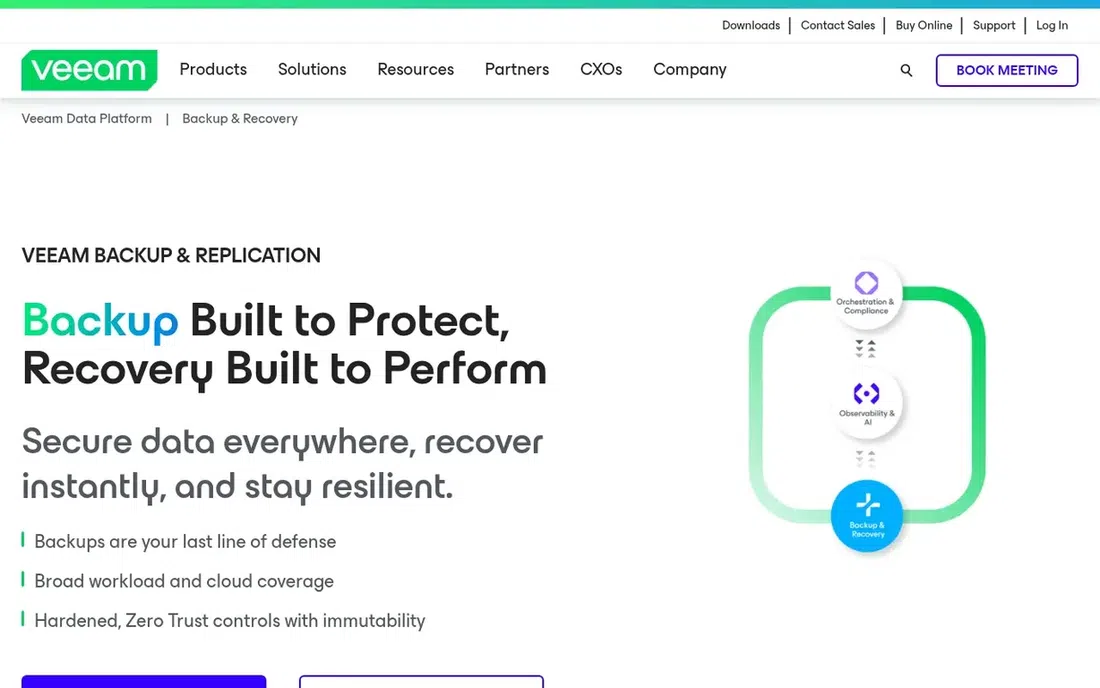
In short, Veeam Backup & Replication is for virtual and cloud workload protection. Veeam Backup & Replication provides secure and capable data protection for all workloads, on-premises and in the cloud, with smooth backup and instant recovery.
Honest limits: Complicated setup for small environments.
For everyday use, for entry-level physical imaging, Macrium Reflect or AOMEI Backupper may be more straightforward. Veeam is made for virtualized and cloud environments, so small companies with straightforward physical servers may find it overkill. Veeam Backup & Replication does not show a starting price in this comparison, so check the vendor site for current pricing. As for free access: Free trial.
- Supports on-premises and cloud
- Instant recovery features
- Centred on virtualized workloads
Where Macrium Reflect fits: feature-rich scheduled backups and imaging. Reflect is Windows-centric, so mixed-OS environments may need another tool.
Downsides: Primarily Windows-focused.
Its depth can be daunting for beginners. Macrium Reflect is a disk imaging and backup tool known for creating effective, schedulable backups that can be used for bare metal recovery. No starting price is listed for Macrium Reflect here; confirm pricing on the vendor site. As for free access: Not stated.
Where it shines: Scheduling choices.
- Widely used for recovery
- Capable imaging engine
- Advanced features may overwhelm beginners
MiniTool ShadowMaker
Best for: Professional backup with recovery actions
MiniTool ShadowMaker is a good fit for professional backup with recovery actions. MiniTool ShadowMaker is professional backup software that supplies several backup services and makes it possible for users to perform recovery actions to solve certain Windows issues.
In daily use, ShadowMaker may lack the depth needed for large-scale or heterogeneous environments. It is Windows-oriented. No starting price is listed for MiniTool ShadowMaker here; confirm pricing on the vendor site. On free options: Not stated.
Watch-outs: Windows-focused.
- User-friendly
- Several backup services
- Limited advanced enterprise features
Our selection method
What to check before you buy
- Confirm the entry price with every vendor: no tool from Paragon Hard Disk Manager to MiniTool ShadowMaker shows a fixed starting price.
- Take the trial from Veeam Backup & Replication and push a live task through it before you pay.
- Read the limits listed for Paragon Hard Disk Manager first: can be complicated for beginners.
- Let daily users try AOMEI Backupper on real work; their feedback beats any feature checklist.
- Add up seats, add-ons and usage charges for MiniTool ShadowMaker before comparing it with cheaper entries.
FAQ
How are the tools for disk imaging software for bare metal recovery ordered?
Paragon Hard Disk Manager sits first and MiniTool ShadowMaker last because the order follows typical fit for disk imaging software for bare metal recovery, then price clarity and free access. It is a judgement call, so read each profile for fit and limits.
What is bare metal recovery?
Bare metal recovery is the process of restoring a system image to a computer with no preinstalled operating system or software. It usually involves booting from recovery media and applying a disk image to restore the system to a working state.
Do these tools publish their prices?
No. None of the tools, from Paragon Hard Disk Manager to MiniTool ShadowMaker, shows a fixed starting price here, so budget time for quotes.
Does any tool for disk imaging software for bare metal recovery here have a free plan?
No tool in this list, Paragon Hard Disk Manager and MiniTool ShadowMaker included, has a permanent free plan. Veeam Backup & Replication offer a trial. Trials and quotes are the usual route, so plan a short evaluation period.
Is Paragon Hard Disk Manager the right pick for everyone comparing disk imaging software for bare metal recovery?
No single tool suits every team. Paragon Hard Disk Manager comes first because it fits Disk management with data safety, while AOMEI Backupper suits easy system backup and cloning and Veeam Backup & Replication suits virtual and cloud workload protection. Match the tool to your own size, budget and workflow before deciding.
Sources
- https://www.paragon-software.com/home/hdm-windows
- https://www.ubackup.com
- https://www.veeam.com/vm-backup-recovery-replication-software.html
- https://www.macrium.com/reflectfree
- https://www.minitool.com/backup