Best Decision Tree Makers Software in 2026: Prices, Free Plans and 5 Picks
5 tools for the best decision tree makers software, compared on pricing, free plans and best-fit use. The catches are listed up front. Pick with confidence.

- Editor's choice
 Creately
Org, process and cloud planning
Starts atSee websiteVisit creately.comFull review - Great alternative
 Draw.io
Security-first team diagramming
Starts atSee websiteVisit drawio.comFull review - Also consider
 Miro
Collaborative visual workshops and ideation
Starts at$8 per member a monthVisit miro.comFull review
Direct answer
Creately is the first pick on this list for Org, process and cloud planning. Listed starting prices: Miro from $8 per member a month and Gliffy from $2.80 per user a month. Alternatives: Draw.io for security-first team diagramming, and Miro for collaborative visual workshops and ideation. The full list of 5 tools follows, with prices and free plan facts.
TL;DR:
- This list starts with Creately, which is built for Org, process and cloud planning.
- A fair warning about Lucidchart: feature depth may overwhelm casual users.
- Only 3 of the 5 tools have a free plan (Creately, Miro, Gliffy), so check the caps.
- Starting prices begin at $2.80 per user per month with Gliffy.
Last checked November 2026. Prices and plan details were read from the vendors' own pages in November 2026; vendors change plans often, so confirm the current price on the vendor site before you buy.
Quick comparison
| Tool | Best for | Starts at | Free plan? | |
|---|---|---|---|---|
| Creately | Org, process and cloud planning | See website | Yes | Visit |
| Draw.io | Security-first team diagramming | See website | Not stated | Visit |
| Miro | Collaborative visual workshops and ideation | $8 per member a month | Yes | Visit |
 Lucidchart | AI-assisted system and process diagrams | See website | Not stated | Visit |
| Gliffy | Technical diagrams inside Confluence | $2.80 per user a month | Yes | Visit |
5 options for decision tree makers software in detail
This LinkVetted guide covers 5 options for decision tree makers software. Each profile lists a starting price, free plan details, strengths and drawbacks, so you can drop poor fits quickly.
Creately is designed for Org, process and cloud planning. Creately describes itself as software for org planning, process mapping and cloud architecture, working alongside AI.
Limits to weigh: Wide scope may need onboarding.
Consider it when decisions link to organizational or system planning. Decision trees become one part of a bigger planning picture instead of a standalone drawing. Pricing for Creately is not stated here, so ask the vendor for current figures. Creately has a free plan.
- Links to HR data and cloud accounts
- Handles org and process mapping
- Positioning leans toward planning over pure diagramming
Draw.io is designed for security-first team diagramming. It fits organizations with strict data handling requirements that still need decision trees and technical diagrams.
Draw.io emphasizes security and storage control instead of AI-assisted planning or guided templates. This comparison lists no price for Draw.io; ask the vendor. Trial and free access: Not stated.
Watch-outs: Fewer guided AI planning features.
- Free diagramming application
- Security-first positioning
- Interface is functional instead of refined

Think of Miro for collaborative visual workshops and ideation. Miro presents itself as an AI innovation workspace where teams align, break down tool silos and move from ideation to launch in one visual system. For everyday use, since Miro is a general visual workspace, teams needing strict diagramming standards or deep data-linked flowcharts may prefer a dedicated diagramming tool.
The main drawbacks: Less centred on formal diagram standards.
For everyday use, the emphasis is on collaboration and speed rather than rigid diagram conventions. Choose it when the priority is collaborative thinking instead of formal documentation. The starting price for Miro: $8 per member per month. Miro includes a free tier.
- Supports ideation through launch
- Aimed at team alignment
- Wide workspace can feel unstructured
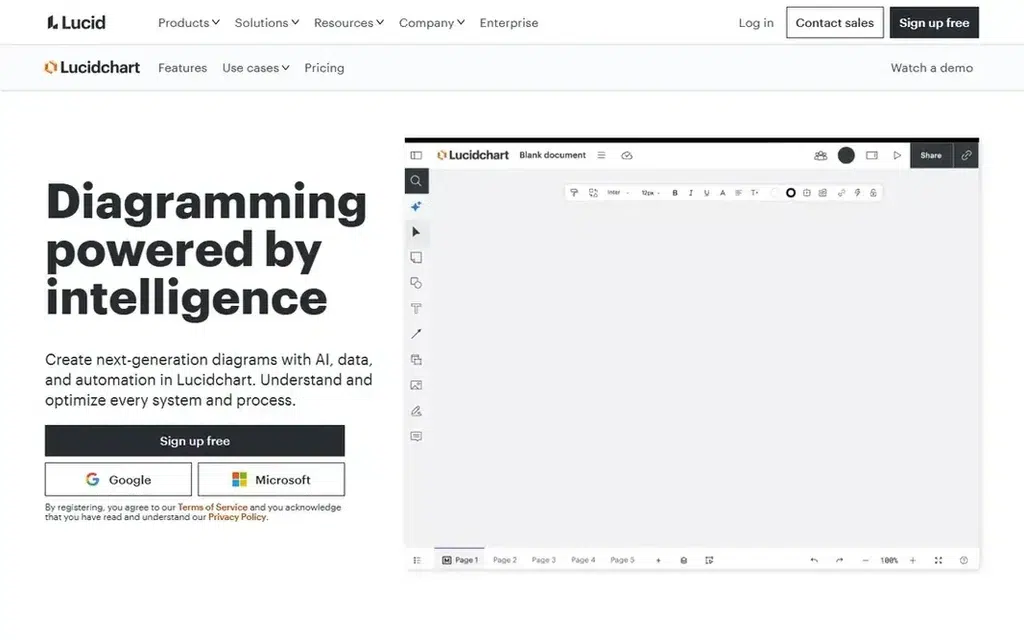
In short, Lucidchart is for AI-assisted system and process diagrams. Lucidchart is a diagramming product that emphasizes AI, data and automation to help teams understand and optimize systems and processes.
Where it falls short: Feature depth may overwhelm casual users.
Where it shines: data and automation features.
Worth adding: if you chiefly want a light sketching space for collaborative brainstorming, a more open-ended visual workspace could be a better fit. Teams that require to link diagrams to data and repeatable workflows will find the positioning relevant. Check the vendor site for Lucidchart pricing; none is listed in this comparison. As for free access: Not stated.
- Made for next-generation diagrams
- Capable for mapping systems and processes
- Browser-based workflow may not suit offline needs
Gliffy
Best for: Technical diagrams inside Confluence
Gliffy targets technical diagrams inside Confluence. Gliffy by Perforce is positioned as AI-powered technical diagramming for Confluence.
Worth adding: Gliffy's Confluence focus means teams working outside that environment may not get full value. For everyday use, decision trees sit naturally alongside technical notes and specifications. Entry price for Gliffy: $2.80 per user per month. Gliffy offers a free plan.
Drawbacks to consider: Narrow fit outside Confluence teams.
- AI-powered technical diagramming
- Concentrated on Confluence workflows
- Technical focus may not suit general business users
Selection criteria
Things to verify first
- Get a written quote from Creately, Draw.io and Lucidchart; the list shows no starting price for them.
- Read the fine print on the free plans from Creately, Miro and Gliffy; seat, project and feature caps differ.
- Before choosing Creately, weigh its main limit: positioning leans toward planning over pure diagramming.
- Ask Creately about contract length, onboarding fees and user minimums before you sign.
- Work out what Gliffy costs with your real seat count, add-ons and usage, not just the entry price.
FAQ
What is the cheapest option for decision tree makers software in this list?
On published monthly entry prices, Gliffy is the lowest here at $2.80 per user per month. Entry price is only part of the cost, because seats, add-ons and billing terms can change the total. All 5 picks in this decision tree Makers software comparison list a starting price, free plan details and the main limits on their cards above.
Do these tools publish their prices?
Not all of them. Creately, Draw.io and Lucidchart publish no starting price, so expect a quote request for those. The rest, Miro included, show a starting price, though seats and billing terms still change the final cost.
Can I try these options before paying?
Often, yes. Creately, Miro and Gliffy have a free plan. Use your own data and a real task during the test, and check what the free tier or trial limits before you rely on it.
What should a decision tree maker do well?
A decent decision tree maker should make branching logic simple to draw, keep diagrams readable as they grow and support sharing or collaboration. Consider whether you need data-linked diagrams, guided templates or just a quick canvas for sketching.
Which options for decision tree makers software have a free plan?
Creately, Miro and Gliffy offer a free plan in this list. Free plans usually cap users, projects or features, so check the limits on the vendor page.
Sources
- https://creately.com
- https://www.drawio.com
- https://miro.com
- https://www.lucidchart.com
- https://www.gliffy.com