Top 6 Computer Utilities Software for 2026 (Prices and Free Plans)
6 options for the best computer utilities software, with entry costs, free tiers and the buyer each one serves. Prices and drawbacks included. See which fits.

- Editor's choiceNorton Utilities
Optimization paired with security
Starts atSee websiteVisit norton.comFull review - Great alternativeIObit Advanced SystemCare
Wide cleanup and Windows tuning
Starts atSee websiteVisit iobit.comFull review - Also considerGlary Utilities
All-in-one free utility suite
Starts atSee websiteVisit glarysoft.comFull review
Direct answer
For optimization paired with security, Norton Utilities is where this list starts. Listed starting prices: CCleaner from $44.95. IObit Advanced SystemCare fits wide cleanup and Windows tuning; Glary Utilities fits all-in-one free utility suite. The remaining 3 options are covered below with prices and limits.
TL;DR:
- The list opens with Norton Utilities, aimed at optimization paired with security.
- The main caution on Glary Utilities: bundled tools can overwhelm.
- CCleaner is the only tool of the 6 with a free plan.
- For Norton Utilities, IObit Advanced SystemCare, Glary Utilities and others, you have to request a quote because no starting price is shown.
- For safe PC speed optimization, Auslogics BoostSpeed is worth a look.
Last checked November 2026. Prices and plan details were read from the vendors' own pages in November 2026; vendors change plans often, so confirm the current price on the vendor site before you buy.
Quick comparison
| Tool | Best for | Starts at | Free plan? | |
|---|---|---|---|---|
| Norton Utilities | Optimization paired with security | See website | Not stated | Visit |
| IObit Advanced SystemCare | Wide cleanup and Windows tuning | See website | Not stated | Visit |
| Glary Utilities | All-in-one free utility suite | See website | Not stated | Visit |
| Wise Care 365 | Windows optimization and cleanup | See website | Not stated | Visit |
 CCleaner | Everyday PC cleaning and privacy | $44.95 | Yes | Visit |
| Auslogics BoostSpeed | Safe PC speed optimization | See website | Not stated | Visit |
Computer Utilities Software compared in detail
This LinkVetted guide covers 6 options for computer utilities software. Each profile lists a starting price, free plan details, strengths and drawbacks, so you can drop poor fits quickly.
Norton Utilities
Best for: Optimization paired with security

Norton Utilities serves optimization paired with security. People seeking a light maintenance tool may prefer a more straightforward choice. On top of that, Norton Utilities comes from a vendor whose homepage centers on antivirus, privacy, identity and advanced scam protection.
For everyday use, the suite therefore leans toward combining system optimization with security-oriented features. Its security emphasis may be more than some users need if they only want entry-level cleaning, and it can overlap with a separate antivirus setup. Choose Norton Utilities when protection and optimization together matter more than minimal footprint. Check the vendor site for Norton Utilities pricing; none is listed in this comparison. As for free access: Not stated.
Where it is weaker: Heavier focus on security.
- Scam detection features
- Wide protection positioning
- May overlap with antivirus tools
IObit Advanced SystemCare
Best for: Wide cleanup and Windows tuning

IObit Advanced SystemCare makes the most sense for wide cleanup and Windows tuning. IObit Advanced SystemCare is described as software to clean, optimize, accelerate and secure a PC, including registry fixes and malware cleanup. Users who prefer a minimal cleaner may find it excessive.
Where it falls short: Feature set can feel busy.
As for the details, consider a simpler utility if you only need routine cleanup, and choose Advanced SystemCare when you want numerous tuning choices together. In practice, the vendor lists support across plenty of Windows versions, from current releases back to older ones. No starting price is listed for IObit Advanced SystemCare here; confirm pricing on the vendor site. Trial and free access: Not stated.
- Cleanup and registry fixes
- Tuning across Windows versions
- Some tools overlap
Glary Utilities
Best for: All-in-one free utility suite
Glary Utilities is built with all-in-one free utility suite in mind. Glary Utilities is presented by Glarysoft as a free, capable and all-in-one utility for the world market.
The main drawbacks: Interface may feel dense.
In daily use, the all-in-one approach means a dense interface and numerous tools that not every user will need. People who prefer a focused cleaner may find it overwhelming. Glary Utilities does not show a starting price in this comparison, so check the vendor site for current pricing. Free access: Not stated.
- Wide cleanup coverage
- Marketed as free and capable
- Bundled tools can overwhelm
Wise Care 365
Best for: Windows optimization and cleanup
Wise Care 365 makes the most sense for Windows optimization and cleanup. Pick Wise Care 365 for everyday Windows maintenance, and consider a broader suite if you need deeper tuning choices.
Downsides: Restricted beyond Windows.
Its scope is centered on Windows, so it is not a fit for other operating systems. Wise Care 365 does not show a starting price in this comparison, so check the vendor site for current pricing. As for free access: Not stated.
- Straightforward positioning
- Windows-focused utilities
- Feature depth varies
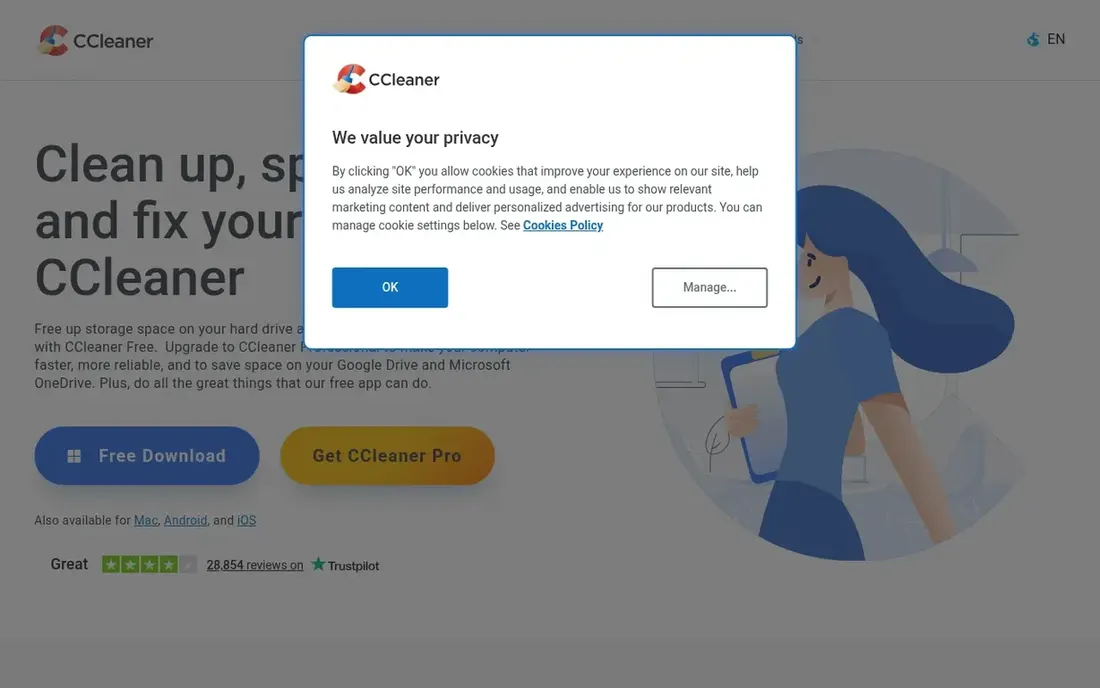
CCleaner works best for Everyday PC cleaning and privacy. CCleaner presents itself as a tool for cleaning your PC, protecting privacy and making a computer quicker and more secure. Its emphasis is on removing clutter and managing privacy settings instead of deep system tuning.
The main drawbacks: Security features are limited.
If you need registry-level fixes or broader optimization controls, a fuller suite may fit better. It performs best as a routine maintenance tool instead of a complete system management package. CCleaner starts at: $44.95. Free access exists with CCleaner.
What CCleaner does well: approachable interface.
- Straightforward
- Cleaning and privacy focus
- Fewer deep tuning tools
Auslogics BoostSpeed
Best for: Safe PC speed optimization
Choose Auslogics BoostSpeed for safe PC speed optimization. Its emphasis is optimization, so it is narrower than suites that bundle security and privacy features.
Users wanting protection alongside tuning may need extra software. For everyday use, choose BoostSpeed when speed is the priority, and confirm that the current feature set matches your maintenance needs before committing. Auslogics BoostSpeed shows no starting price here, so confirm the cost on the vendor site. On free options: Not stated.
Honest limits: Optimization claims need care.
- Speed-focused optimization
- Long-standing optimization focus
- Narrower than full security suites
How we built this list
For each of the 6 tools we noted price, free plan or trial, fit for computer utilities software and the main limit, using vendor pages and documentation. Where a vendor does not publish a price, the entry says quote. Where a price depends on seats or billing term, the entry says so. The order reflects how well each tool fits the most common buying scenario for computer utilities software, then price clarity, then free plan access. It is a starting point, not a verdict.
Before you commit
- Get a written quote from Norton Utilities, IObit Advanced SystemCare, Glary Utilities and others; the list shows no starting price for them.
- Test the free plan from CCleaner against your real workload before relying on it.
- Read the limits listed for Norton Utilities first: heavier focus on security.
- Compare total cost, not headline price: for CCleaner, add extra seats, add-ons and any usage-based charges.
- Confirm you can export your data from Auslogics BoostSpeed, so leaving later does not mean losing records.
FAQ
Is Norton Utilities the right pick for everyone comparing computer utilities software?
No single tool suits every team. Norton Utilities comes first because it fits optimization paired with security, while IObit Advanced SystemCare suits broad cleanup and Windows tuning and Glary Utilities suits all-in-one free utility suite. Match the tool to your own size, budget and workflow before deciding.
Can optimization tools harm a computer?
Choose tools from established vendors, review what each action changes and keep backups. Vendors for example Auslogics emphasize safe optimization, but caution is still wise.
Do these tools publish their prices?
Not all of them. Norton Utilities, IObit Advanced SystemCare, Glary Utilities and others publish no starting price, so expect a quote request for those. The rest, CCleaner included, show a starting price, though seats and billing terms still change the final cost.
Can I try these options before paying?
Often, yes. CCleaner has a free plan. Use your own data and a real task during the test, and check what the free tier or trial limits before you rely on it. For the full picture, the cards above cover all 6 entries of this computer utilities software list, including price, free plan and limits.
Is an utilities suite enough to keep a PC secure?
Not necessarily. Cleaning and optimization tools are not a substitute for dedicated security software except when the vendor bundles protection. Check whether the suite contains security features or whether you need separate antivirus coverage.
Which options for computer utilities software have a free plan?
CCleaner is the only tool in this list with a free plan. Free plans usually cap users, projects or features, so check the limits on the vendor page. Prices, free plan details and limits for all 6 tools in this computer utilities software roundup sit on the individual cards above.
Sources
- https://www.norton.com
- https://www.iobit.com
- https://www.glarysoft.com
- https://www.wisecleaner.com
- https://www.ccleaner.com
- https://www.auslogics.com