6 Best Collaborative Design Software for Distributed Teams for 2026, Vetted and Compared
Weighing the best collaborative design software for distributed teams? We lined up 6 products by cost, free access and fit. Real limits included. Decide faster.

- Editor's choice
 Adobe XD
Teams already inside Adobe workflows
Starts atSee websiteVisit adobe.comFull review - Great alternative
 Mural
Structured team strategy sessions
Starts at$9.99 per member a monthVisit mural.coFull review - Also consider
 Miro
Visual ideation and product alignment
Starts at$8 per member per monthVisit miro.comFull review
Direct answer
If you need teams already inside Adobe workflows, Adobe XD is the first tool to look at here. Listed starting prices: Mural from $9.99 per member a month, Miro from $8 per member per month and Sketch from $12 per editor a month. If your case is different, Mural suits structured team strategy sessions and Miro suits visual ideation and product alignment. The other 3 tools in the list cover narrower or pricier cases.
TL;DR:
- Top of the list is Adobe XD, which targets teams already inside Adobe workflows.
- The cheapest monthly starting price in the list is $3 per month, offered by Figma.
- For end-to-end product design collaboration, Figma is worth a look.
- The main caution on Mural: not designed for interface design.
Last checked November 2026. Prices and plan details were read from the vendors' own pages in November 2026; vendors change plans often, so confirm the current price on the vendor site before you buy.
Quick comparison
| Tool | Best for | Starts at | Free plan? | |
|---|---|---|---|---|
| Adobe XD | Teams already inside Adobe workflows | See website | Not stated | Visit |
| Mural | Structured team strategy sessions | $9.99 per member a month | Yes | Visit |
| Miro | Visual ideation and product alignment | $8 per member per month | Yes | Visit |
 Sketch | Designers who want a focused workflow | $12 per editor a month | Free trial | Visit |
 FigJam | Whiteboarding inside the Figma ecosystem | See website | Not stated | Visit |
 Figma | End-to-end product design collaboration | $3 a month | Not stated | Visit |
Collaborative Design Software for Distributed Teams compared in detail
LinkVetted put together this guide to collaborative design software for distributed teams for readers who want a clear shortlist without reading every vendor page. It compares 6 tools on starting price, free plans, who each one suits and where each one falls short.
Adobe XD is a good fit for teams already inside Adobe workflows. Adobe XD has received less active development in recent years, so teams wanting the newest collaboration features may look elsewhere.
Trade-offs to know: Development has slowed in recent years.
No starting price is listed for Adobe XD here; confirm pricing on the vendor site. On free options: Not stated.
- Familiar to plenty of designers
- Suits alongside other Adobe creative tools
- Collaboration features are less emphasized
Mural targets structured team strategy sessions. Mural is an AI-powered visual workspace built to boost team collaboration and innovation.
Where it is weaker: Large sessions need facilitation.
In daily use, choose Mural when your distributed team's priority is structured, facilitated collaboration instead of design output. Beyond that, sessions with numerous participants can become chaotic without a clear facilitator and template. Starting cost for Mural: $9.99 per member per month. Mural includes a free tier.
- AI-powered visual workspace
- Built for team collaboration
- Not designed for interface design

For visual ideation and product alignment, Miro is a natural candidate. Distributed teams use it to align around ideas, break down tool silos and keep planning visible in one visual system.
In practice, Miro is a workspace for thinking and planning instead of a full interface design environment, so design teams still need a dedicated tool for in-depth screens. More specifically, very large boards can become hard to navigate without tidy structure. On cost, Miro starts like this: $8 per member per month. A free plan is available with Miro.
What to check first: Not a dedicated interface design tool.
- Helps break down tool silos
- AI-powered visual workspace
- Boards can get cluttered at scale
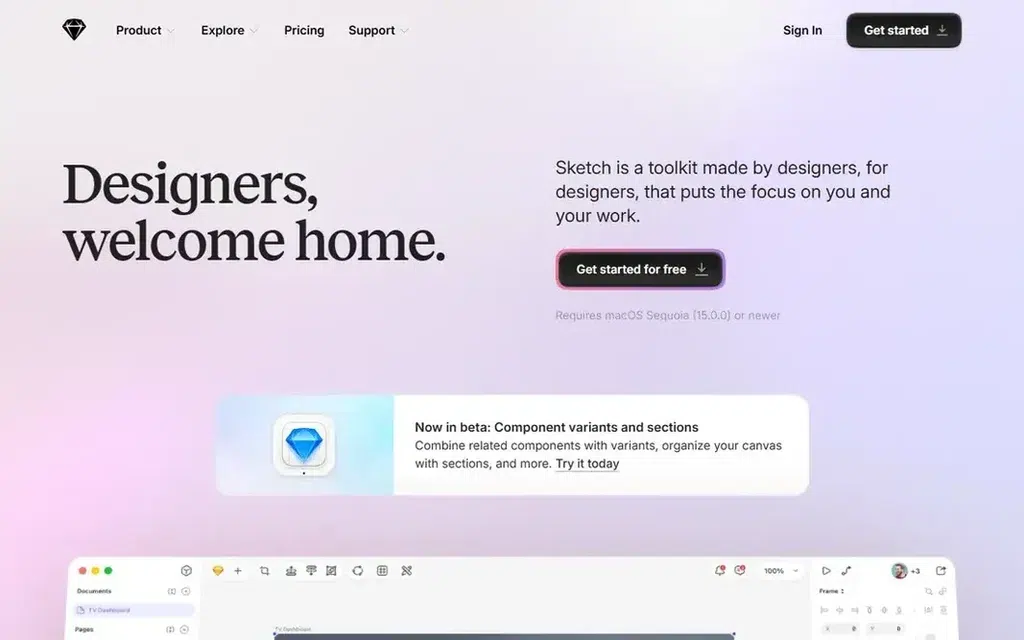
Pick Sketch if this describes you: designers who want a focused workflow. Consider something else if your distributed team needs everyone editing live in the browser at once. Sketch positions itself as a tool that puts the focus back on the designer and the work, made by designers for designers.
It spans design, prototyping, collaboration and handoff, which fits individual designers and small teams that want a focused environment instead of a sprawling product. Distributed teams can still share files and hand off work, but the emphasis stays on craft. It is also tied to a specific system, which matters for mixed-device teams. On cost, Sketch starts like this: $12 per editor per month. Free options: Free trial.
Limits to weigh: System availability is restricted.
- Prototype and handoff in one app
- Design
- Collaboration is less central than in canvas tools
Where FigJam fits: Whiteboarding inside the Figma ecosystem. FigJam is an online collaborative whiteboard where teams can diagram, brainstorm and organize ideas together. FigJam is a whiteboard, so it does not replace a full design tool for in-depth screens or handoff.
Downsides: Narrower than full design tools.
Strengths: Suits naturally with Figma workflows.
Product teams use it for flows, workshops and planning before moving into in-depth design. Teams outside the Figma ecosystem may get more value from a broader visual workspace. This comparison lists no price for FigJam; ask the vendor. Free options: Not stated.
- Diagram
- Brainstorm and organize together
- Best value if you already use Figma
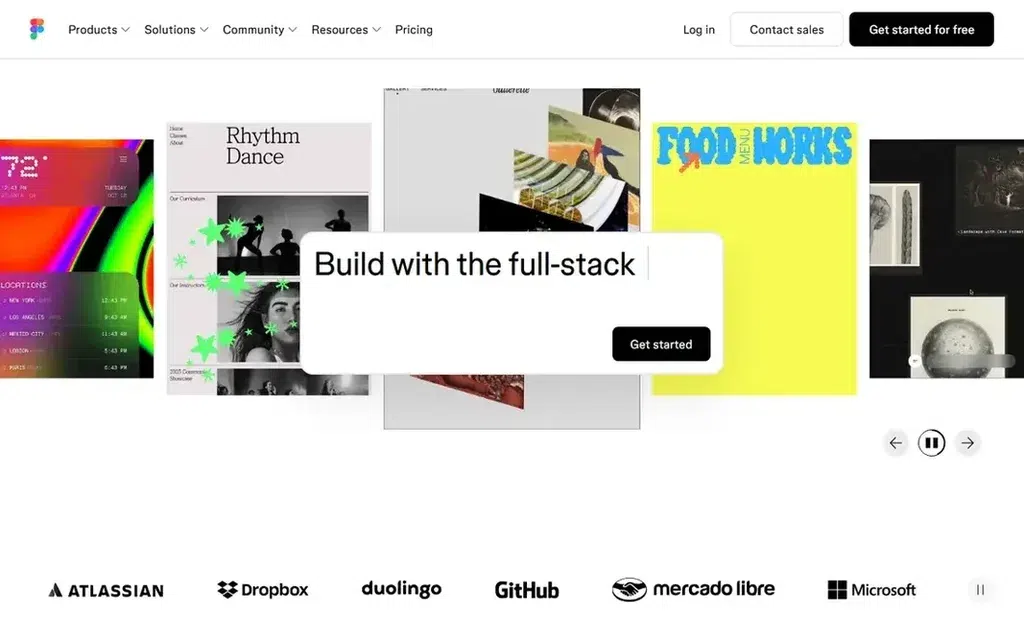
Think of Figma for end-to-end product design collaboration. Choose Figma when design and handoff have to live together for a distributed product team.
Figma presents itself as a collaborative canvas where design, code and AI come together. Also, teams can move from an early concept to a production-ready lead to one shared place, which fits distributed product teams that want designers, developers and stakeholders looking at the same work. Starting cost for Figma: $3 per month. Free plan details: Not stated.
The main drawbacks: Deep features take time to learn.
- Design
- Capable support for shared team workflows
- Large files can feel heavy
How these tools were picked
We compared the tools on published pricing, free plan or trial availability, feature coverage for collaborative design software for distributed teams, and the limits each vendor documents. Prices and plan limits come from vendor pages and can change, so confirm them on the vendor site before you buy. Order on the page follows fit for the typical buyer first, then price transparency and free access. Your own requirements should decide the final pick.
What to confirm before you sign up
- Confirm the entry price on the vendor page. For Adobe XD and FigJam that means a quote rather than a fixed price.
- Check what the free option really includes: Mural and Miro offer a free plan, and usage caps differ.
- Use real work to test the free trial from Sketch, rather than a demo project.
- Read the limits listed for Adobe XD first: development has slowed in recent years.
- See whether Sketch offers onboarding or training, and whether it is included in the price.
- Before you load data into FigJam, check what an export looks like and who can run it.
FAQ
Can I try these tools before paying?
Often, yes. Mural and Miro have a free plan and Sketch offers a free trial. Use your own data and a real task during the test, and check what the free tier or trial limits before you rely on it.
How are the tools for collaborative design software for distributed teams ordered?
The order follows typical fit for collaborative design software for distributed teams, with Adobe XD first and Figma last, then price clarity and free access. It is editorial judgement, not a score, so another team could rank the tools differently.
Which tool is a good match for a distributed product design team?
Start with Adobe XD if you need teams already inside Adobe workflows. Mural is the better match for structured team strategy sessions, and Miro for visual ideation and product alignment. The best choice depends on budget, team size and workflow.
Which options for collaborative design software for distributed teams have a free plan?
Mural and Miro offer a free plan in this list. Free plans usually cap users, projects or features, so check the limits on the vendor page. One other tool offers a trial instead. Each of the 6 options in this collaborative design software for distributed teams guide has its own card above with the price, free plan and limits.
Is Adobe XD the right pick for everyone comparing collaborative design software for distributed teams?
No single tool suits every team. Adobe XD comes first because it fits teams already inside Adobe workflows, while Mural suits structured team strategy sessions and Miro suits visual ideation and product alignment. Match the tool to your own size, budget and workflow before deciding.
Sources
- https://www.adobe.com/products/xd.html
- https://www.mural.co
- https://miro.com
- https://www.sketch.com
- https://www.figma.com/figjam
- https://www.figma.com