Best Software for YouTube Video Automation (2026): 5 Picks Checked on Vendor Pages
Top software for YouTube video automation in 2026: 5 contenders with entry costs and free tiers. Weaknesses are named for every tool. Narrow your shortlist.
- Editor's choice
 InVideo AI
Prompt-driven AI video creation
Starts at$4 per seat/mo, billed yearlyVisit invideo.ioFull review - Great alternative
 Pictory
Script and URL to video
Starts at$12.50 per month, billed yearlyVisit pictory.aiFull review - Also consider
 Synthesia
Business and training videos with AI presenters
Starts at$19 a monthVisit synthesia.ioFull review
Direct answer
Start with InVideo AI if you need prompt-driven AI video creation. Listed starting prices: InVideo AI from $4 per seat/mo, billed yearly, Pictory from $12.50 per month, billed yearly and Synthesia from $19 a month. For a different need, Pictory covers script and URL to video and Synthesia covers business and training videos with AI presenters. The full list of 5 tools follows, with prices and free plan facts.
TL;DR:
- InVideo AI takes the first slot, best suited to prompt-driven AI video creation.
- Descript is the one to check for text-based editing and transcription.
- Only 3 of the 5 tools have a free plan (Synthesia, HeyGen, Descript), so check the caps.
- What to know about HeyGen first: avatar format limits creative variety.
Last checked November 2026. Prices and plan details were read from the vendors' own pages in November 2026; vendors change plans often, so confirm the current price on the vendor site before you buy.
Quick comparison
| Tool | Best for | Starts at | Free plan? | |
|---|---|---|---|---|
| InVideo AI | Prompt-driven AI video creation | $4 per seat/mo, billed yearly | Not stated | Visit |
| Pictory | Script and URL to video | $12.50 per month, billed yearly | Free trial | Visit |
| Synthesia | Business and training videos with AI presenters | $19 a month | Yes | Visit |
 HeyGen | Personal avatar videos | $29 a month | Yes | Visit |
 Descript | Text-based editing and transcription | $16 per person per month | Yes | Visit |
Every option for software for YouTube video automation explained
LinkVetted put together this guide to software for YouTube video automation for readers who want a clear shortlist without reading every vendor page. It compares 5 tools on starting price, free plans, who each one suits and where each one falls short.
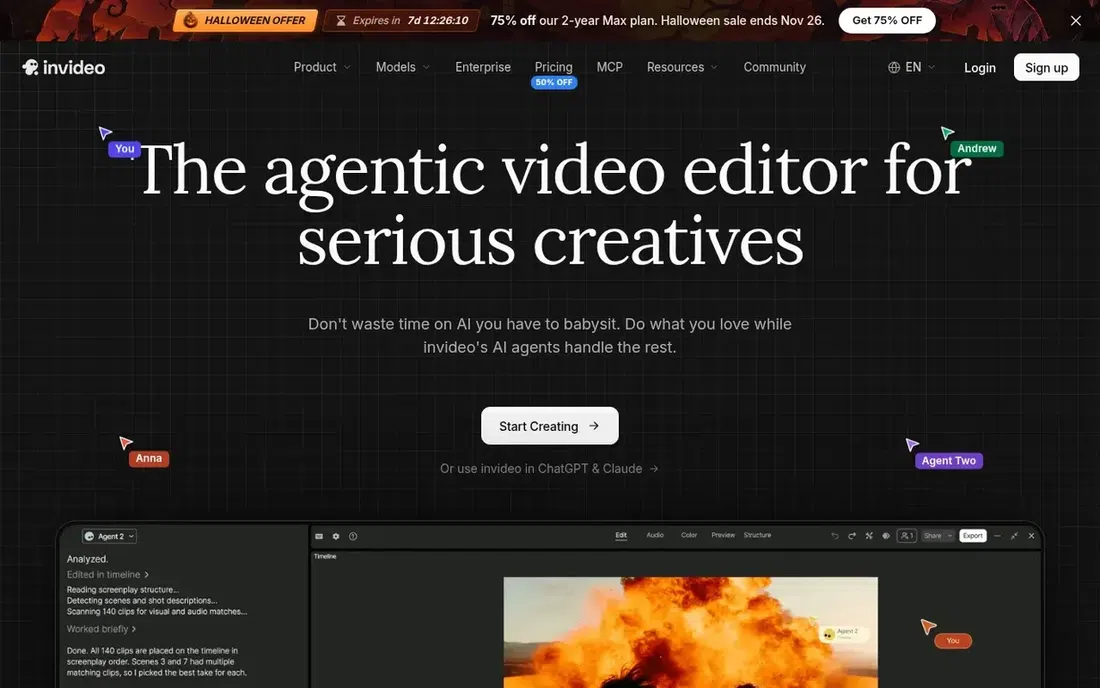
InVideo AI is a good fit for prompt-driven AI video creation. That makes it a reasonable fit for explainer-style or faceless channels that publish often and need volume. As for the details, agent-led generation can limit precise control over timing and scene detail, so editors with specific creative requirements may want a manual editor for final polish.
Limits to weigh: Less control over fine detail.
It also does not handle YouTube keyword research or performance tracking. Choose it when speed of drafting matters more than frame-level control. On cost, InVideo AI starts like this: $4 per seat/mo, billed annually. Trial and free access: Not stated.
- Creates and edits AI videos
- Agent-assisted workflow
- Not a channel analytics tool

Pictory is designed for script and URL to video. Pick something else if you need a full manual editing suite or channel growth data. The agent proposes the structure, so output quality relies on how much you refine the scene plan afterward.
It is a production aid instead of a discovery or analytics system, so it will not help with titles, tags, or audience research. From a buyer's view, Pictory describes itself as an AI video agent and generator: you describe the video or start from a script, URL, PowerPoint, or audio, and the agent plans the scenes for you to review and refine. What you pay to start with Pictory: $12.50 per month, billed annually. Free plan details: Free trial.
Drawbacks to consider: Not designed for channel SEO.
- Start from script, URL, PowerPoint
- Or audio
- Scene plans need manual review
Synthesia targets business and training videos with AI presenters. Synthesia is an AI video system positioned for business communication, training, and upskilling, with support for many different languages. It is a practical choice for corporate and educational channels.
Its business orientation means it is less tailored to personality-driven or vlog-style channels where authentic footage matters. Creators wanting to edit their own recorded footage may be better served by a transcription-based editor. Beyond that, treat it as a tool for structured, repeatable presenter content instead of general video editing. Synthesia cost at the entry level: $19 per month. Free access exists with Synthesia.
Where it is weaker: Oriented to corporate content.
- Supports plenty of languages
- AI video product geared toward business use
- Less suited to vlog-style channels
HeyGen was built for personal avatar videos. Avatar-based output is a distinct format, and some audiences prefer genuine footage, so it performs best for informational content instead of highly personal vlogs.
More specifically, HeyGen lets creators make AI videos using a personal avatar that carries their face and voice. So they do not have to film every video. Entry price for HeyGen: $29 per month. A free plan is available with HeyGen.
Downsides: Avatar format limits creative variety.
- Produce videos with a personal avatar
- Avoids filming every video
- Not a channel SEO tool
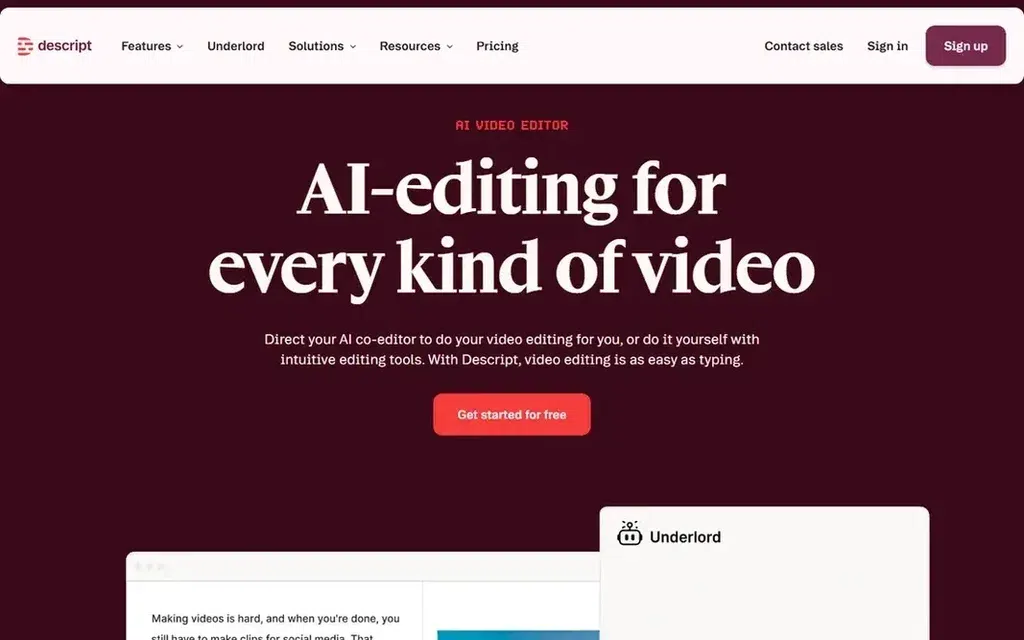
Descript serves text-based editing and transcription. Descript is an AI video and audio editor built around text-based editing, so cutting a recording works much like editing a document. It merges recording, transcription, editing, and publishing in a single tool.
Watch-outs: A good match for spoken content.
For everyday use, creators who want an AI to plan scenes from a written script may prefer a generator-style tool instead. It also does not manage keyword research or channel growth, so pair it with a separate YouTube optimization tool. Entry price for Descript: $16 per person per month. You can start on Descript without paying.
Reasons to shortlist it: Edit video by editing text.
- Record, transcribe, edit
- Publish in one place
- Less concentrated on YouTube SEO
Selection criteria
For each of the 5 tools we noted price, free plan or trial, fit for software for YouTube video automation and the main limit, using vendor pages and documentation. Where a price is missing, the vendor does not list one publicly or ties it to a quote. Always confirm before budgeting. The sequence is a judgement call: typical use case first, then pricing transparency, then free access. Use the profiles to check fit.
Pre-purchase checklist
- Prices are a starting point; InVideo AI shows $4 per seat/mo, billed annually to start, so verify what your seat count would cost.
- Look at free plan limits closely: Synthesia, HeyGen and Descript have one, and the caps decide whether it is usable for real work.
- Run a trial of Pictory with real work before paying for a year; your own workflow is the best test.
- Read the limits listed for InVideo AI first: less control over fine detail.
- Involve the people who will use Descript daily; a short pilot beats a long feature checklist.
- Check whether InVideo AI bills monthly or annually, and what cancelling early costs.
FAQ
What is the cheapest option for software for YouTube video automation in this list?
On published monthly entry prices, InVideo AI is the lowest here at $4 per seat/mo, billed annually. Entry price is only part of the cost, because seats, add-ons and billing terms can change the total. For the full picture, the cards above cover all 5 entries of this software for YouTube video automation list, including price, free plan and limits.
Are avatar videos a good match for a YouTube channel?
They can work well for instructional, announcement, or localized content where a consistent presenter is handy. Channels built on personal connection may still prefer real footage, so weigh the format against your audience expectations.
Do these tools publish their prices?
Yes. Every tool from InVideo AI to Descript shows a starting price, though seats, add-ons and billing terms still change the final cost. Prices, free plan details and limits for all 5 tools in this software for YouTube video automation roundup sit on the individual cards above.
Is InVideo AI the right pick for everyone comparing software for YouTube video automation?
No single tool suits every team. InVideo AI comes first because it fits prompt-driven AI video creation, while Pictory suits script and URL to video and Synthesia suits business and training videos with AI presenters. Match the tool to your own size, budget and workflow before deciding.
Can these tools replace manual editing entirely?
They cut manual work but seldom remove it. AI scene planning and text-based editing still benefit from human review for pacing, accuracy, and brand consistency before publishing.
Can I try these tools before paying?
Often, yes. Synthesia, HeyGen and Descript have a free plan and Pictory offers a free trial. Use your own data and a real task during the test, and check what the free tier or trial limits before you rely on it.
Sources
- https://invideo.io
- https://pictory.ai
- https://www.synthesia.io
- https://www.heygen.com
- https://www.descript.com