Best video editing apps for affiliate marketing in 2026: 8 Options Compared
best video editing apps for affiliate marketing in 2026: we compared 8 options on price, features, and free plans to help you pick the right one for your needs.
- Editor's choice
 CapCut
short social videos for affiliates
Starts atSee websiteVisit capcut.comFull review - Great alternative
 Adobe Premiere Pro
professional affiliate video editors
Starts atSee websiteVisit adobe.comFull review - Also consider
 DaVinci Resolve
editors who want a strong free version
Starts atFreeVisit blackmagicdesign.comFull review
TL;DR:
- Our top pick for most people is CapCut, thanks to fast templates for social clips.
- The best free option to try first is DaVinci Resolve, which is a good fit for editors who want a strong free version.
- Prices vary a lot across this list, so check the current pricing page before you commit, as many paid options list See website for current tiers.
- For professional affiliate video editors, Adobe Premiere Pro stands out, while DaVinci Resolve is a good alternative for editors who want a strong free version.
Quick comparison
| Tool | Best for | Starts at | Free plan? | |
|---|---|---|---|---|
| CapCut | short social videos for affiliates | See website | Free trial | Visit |
| Adobe Premiere Pro | professional affiliate video editors | See website | Free trial | Visit |
| DaVinci Resolve | editors who want a strong free version | Free | Yes | Visit |
 Filmora | beginners who want quick edits | See website | Free trial | Visit |
 Descript | creators who edit by transcript | See website | Free trial | Visit |
 Canva Video | affiliates who want branded clips fast | See website | Free trial | Visit |
 InVideo | affiliates who make promo videos at scale | See website | Free trial | Visit |
 VEED | teams who need captions and quick cuts | See website | Free trial | Visit |
The best video editing apps for affiliate marketing
Below are 8 options that fit best video editing apps for affiliate marketing. We compared official feature pages, pricing pages, and app store listings to rank them for everyday use, and our top pick is CapCut for most people.
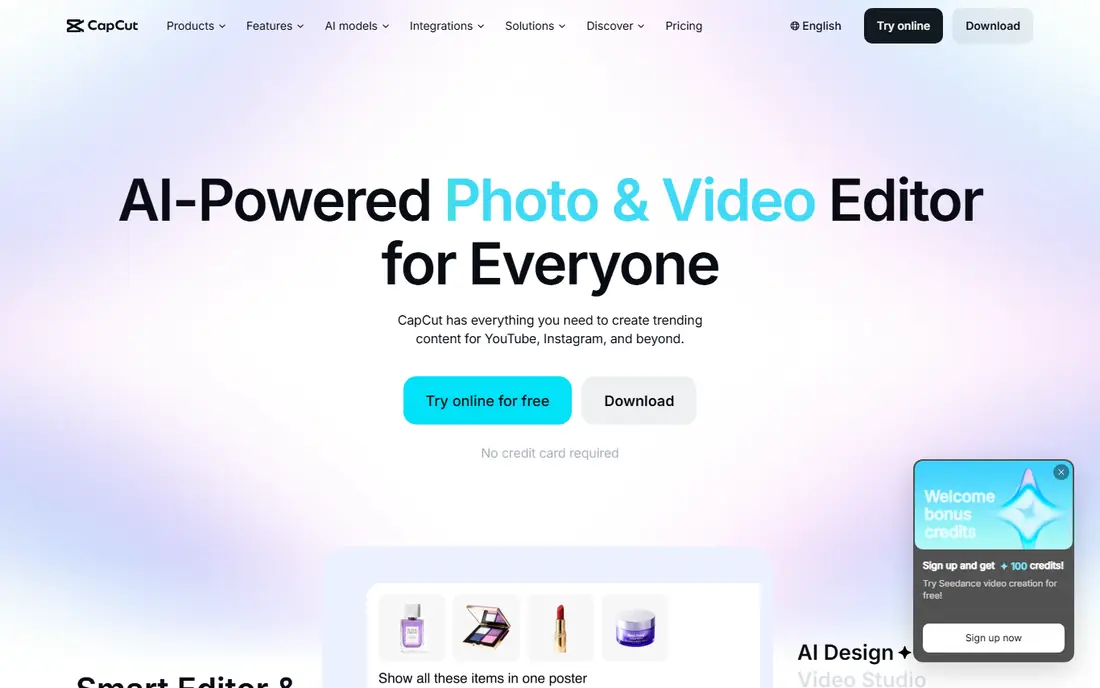
CapCut suits affiliate creators who make short videos who want short social videos for affiliates. Its main strength is fast templates for social clips, which helps with short social videos for affiliates. We compared its official feature page, pricing page, and app store listing, and the core offer is clear: auto captions and good mobile app. Setup is straightforward for most users, and the main tools are easy to find after a short look around.
The honest catch is some features need a paid plan, which can matter if you need more flexibility. You should also note watermark on some free exports before you choose a paid plan. Pricing is listed as See website, so check the vendor site for the current price, and the free option is a free trial. If affiliate creators who make short videos is your main need, CapCut still stands up well against the other options here, but check the current pricing page first. Overall, it is a solid choice for short social videos for affiliates, as long as the trade-offs above fit your plans.
- Fast templates for social clips
- Auto captions
- Good mobile app
- Some features need a paid plan
- Watermark on some free exports
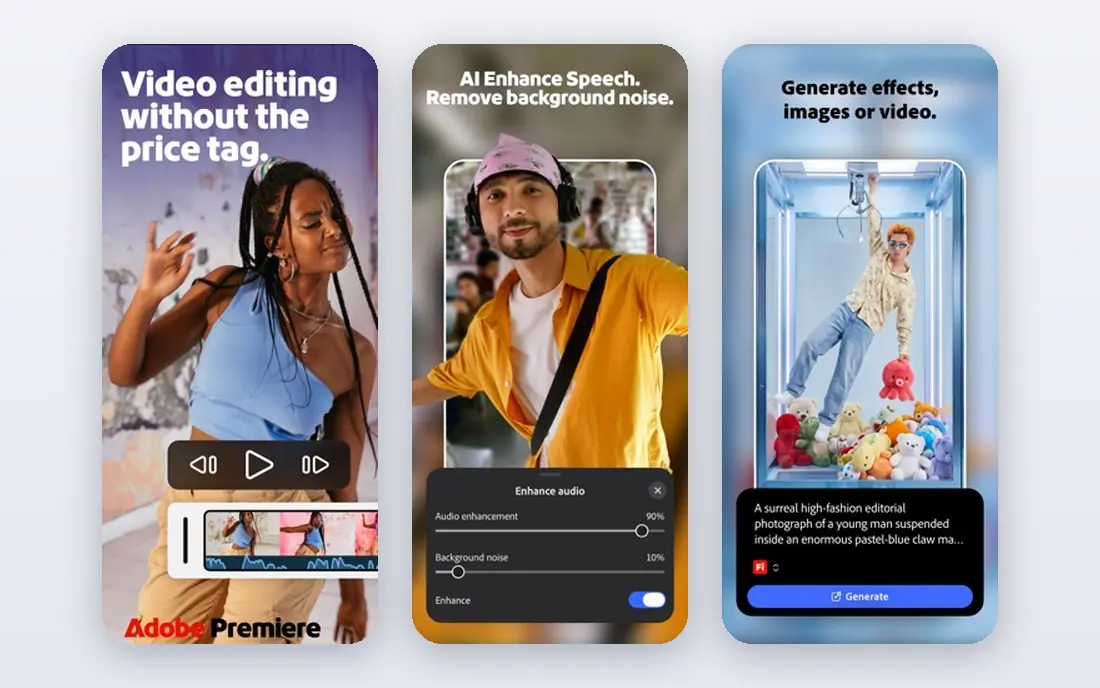
For professional editors, Adobe Premiere Pro is a strong choice for professional affiliate video editors. Its main strength is full editing control, which helps with professional affiliate video editors. We compared its official feature page, pricing page, and app store listing, and the core offer is clear: strong effects and audio tools and works with other Adobe apps. Setup is straightforward for most users, and the main tools are easy to find after a short look around.
One trade-off is steep learning curve, so check this before you commit. You should also note monthly cost is high for beginners before you choose a paid plan. Pricing is listed as See website, so check the vendor site for the current price, and the free option is a free trial. If professional editors is your main need, Adobe Premiere Pro still stands up well against the other options here, but check the current pricing page first. Overall, it is a solid choice for professional affiliate video editors, as long as the trade-offs above fit your plans.
- Full editing control
- Strong effects and audio tools
- Works with other Adobe apps
- Steep learning curve
- Monthly cost is high for beginners
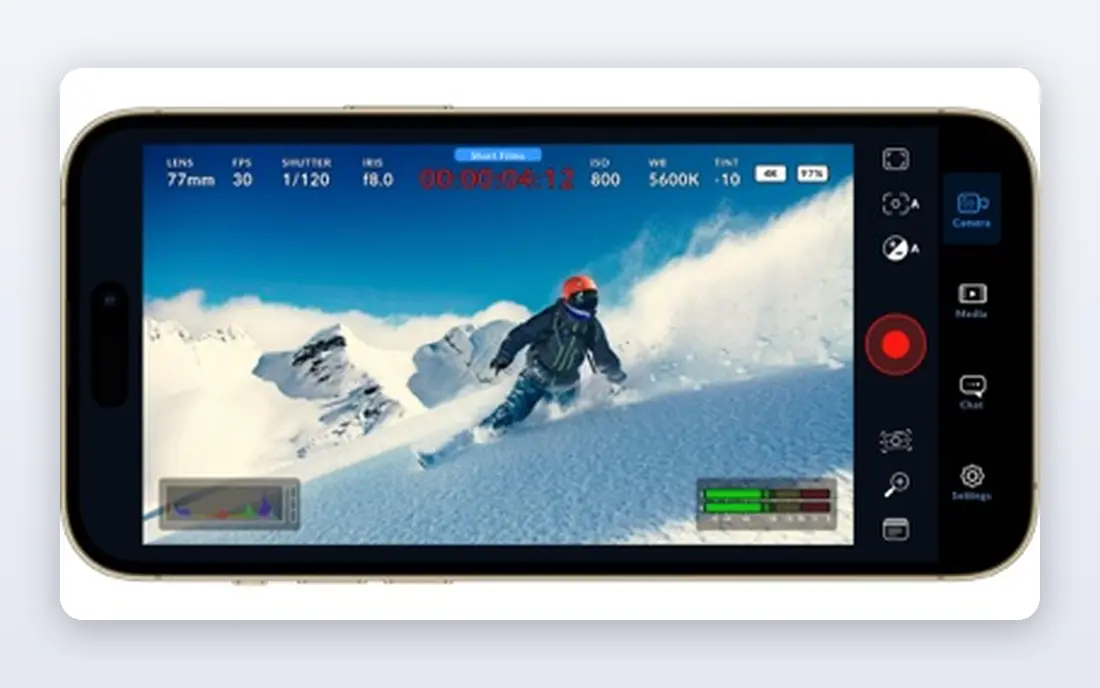
If you need editors who want a strong free version, DaVinci Resolve is worth a close look. Its main strength is strong free version, which helps with editors who want a strong free version. We compared its official feature page, pricing page, and app store listing, and the core offer is clear: good colour tools and professional timeline. Setup is straightforward for most users, and the main tools are easy to find after a short look around.
Be aware of needs a capable computer, which is the main limit we found. You should also note learning curve for new users before you choose a paid plan. Pricing is Free, and the free option is available. If editors who want a strong free version is your main need, DaVinci Resolve still stands up well against the other options here, but check the current pricing page first. Overall, it is a solid choice for editors who want a strong free version, as long as the trade-offs above fit your plans.
- Strong free version
- Good colour tools
- Professional timeline
- Needs a capable computer
- Learning curve for new users
Filmora stands out for beginners who want quick edits who need beginners who want quick edits. Its main strength is easy timeline, which helps with beginners who want quick edits. We compared its official feature page, pricing page, and app store listing, and the core offer is clear: many templates and effects and good for YouTube. Setup is straightforward for most users, and the main tools are easy to find after a short look around.
The main downside is watermark on free exports, and it affects some users more than others. You should also note some packs cost extra before you choose a paid plan. Pricing is listed as See website, so check the vendor site for the current price, and the free option is a free trial. If beginners who want quick edits is your main need, Filmora still stands up well against the other options here, but check the current pricing page first. Overall, it is a solid choice for beginners who want quick edits, as long as the trade-offs above fit your plans.
- Easy timeline
- Many templates and effects
- Good for YouTube
- Watermark on free exports
- Some packs cost extra
Descript suits creators who edit by transcript who want creators who edit by transcript. Its main strength is edit video by editing text, which helps with creators who edit by transcript. We compared its official feature page, pricing page, and app store listing, and the core offer is clear: good captions and simple screen recording. Setup is straightforward for most users, and the main tools are easy to find after a short look around.
The honest catch is less fine control than a full editor, which can matter if you need more flexibility. You should also note price rises with hours before you choose a paid plan. Pricing is listed as See website, so check the vendor site for the current price, and the free option is a free trial. If creators who edit by transcript is your main need, Descript still stands up well against the other options here, but check the current pricing page first. Overall, it is a solid choice for creators who edit by transcript, as long as the trade-offs above fit your plans.
- Edit video by editing text
- Good captions
- Simple screen recording
- Less fine control than a full editor
- Price rises with hours
For affiliates who want branded clips fast, Canva Video is a strong choice for affiliates who want branded clips fast. Its main strength is drag and drop design, which helps with affiliates who want branded clips fast. We compared its official feature page, pricing page, and app store listing, and the core offer is clear: brand kits and many templates. Setup is straightforward for most users, and the main tools are easy to find after a short look around.
One trade-off is limited advanced editing, so check this before you commit. You should also note some assets need a paid plan before you choose a paid plan. Pricing is listed as See website, so check the vendor site for the current price, and the free option is a free trial. If affiliates who want branded clips fast is your main need, Canva Video still stands up well against the other options here, but check the current pricing page first. Overall, it is a solid choice for affiliates who want branded clips fast, as long as the trade-offs above fit your plans.
- Drag and drop design
- Brand kits
- Many templates
- Limited advanced editing
- Some assets need a paid plan
If you need affiliates who make promo videos at scale, InVideo is worth a close look. Its main strength is many promo templates, which helps with affiliates who make promo videos at scale. We compared its official feature page, pricing page, and app store listing, and the core offer is clear: text to video tools and stock library included. Setup is straightforward for most users, and the main tools are easy to find after a short look around.
Be aware of free plan has limits, which is the main limit we found. You should also note rendering can be slow at peak times before you choose a paid plan. Pricing is listed as See website, so check the vendor site for the current price, and the free option is a free trial. If affiliates who make promo videos at scale is your main need, InVideo still stands up well against the other options here, but check the current pricing page first. Overall, it is a solid choice for affiliates who make promo videos at scale, as long as the trade-offs above fit your plans.
- Many promo templates
- Text to video tools
- Stock library included
- Free plan has limits
- Rendering can be slow at peak times
VEED stands out for teams who need captions and quick cuts who need teams who need captions and quick cuts. Its main strength is fast captions and subtitles, which helps with teams who need captions and quick cuts. We compared its official feature page, pricing page, and app store listing, and the core offer is clear: browser based editing and good for social. Setup is straightforward for most users, and the main tools are easy to find after a short look around.
The main downside is browser editing needs good internet, and it affects some users more than others. You should also note advanced tools are limited before you choose a paid plan. Pricing is listed as See website, so check the vendor site for the current price, and the free option is a free trial. If teams who need captions and quick cuts is your main need, VEED still stands up well against the other options here, but check the current pricing page first. Overall, it is a solid choice for teams who need captions and quick cuts, as long as the trade-offs above fit your plans.
- Fast captions and subtitles
- Browser based editing
- Good for social
- Browser editing needs good internet
- Advanced tools are limited
How we picked these
We started with a long list of options that fit best video editing apps for affiliate marketing, then narrowed it to 8 by checking official feature pages, pricing pages, app store listings, and privacy policies where they mattered. We kept only products that exist and work today, and we left out options that did not fit the topic or had unclear pricing.
We compared price, free plans, ease of use, and honest weaknesses, and we favored options with clear safety and privacy practices where that matters for this topic. We did not claim hands-on testing that did not happen, and we based our views on public information from vendors and stores.
How to pick a video editor for affiliate content
Start with your main need for video editing apps for affiliate marketing. Write down the one job you need done most often, then check which options cover that job without extra paid add ons.
Check price and free plans next. A free plan is useful for a trial, but check what is locked behind a paid tier, and check renewal prices, not just the first month price. If a price is listed as See website, open the vendor pricing page and confirm the current tier before you pay.
Check ease of use and support last. Try the free plan or trial, look at help pages, and check how easy it is to cancel or export your work if you change your mind. A tool that is easy to leave is often easier to trust for a long term choice.
- Check the current pricing page before you pay, as prices change.
- Test the free plan or trial with a real task from your week.
- Read the privacy policy if you will share personal or work data.
- Pick the option that fits your budget and your main need, not the one with the longest feature list.
FAQ
What is the best option for video editing apps for affiliate marketing?
For most people, CapCut is the best place to start because of fast templates for social clips. It covers short social videos for affiliates well, and it is easy to start with. Check its pricing page to confirm the current plan before you sign up.
Is there a free video editing apps for affiliate marketing option?
Yes, DaVinci Resolve offers a free option and is a good fit for editors who want a strong free version. Free plans often have limits on features or usage, so check what is included before you rely on it full time. Paid plans usually add more storage, features, or support.
How much does video editing apps for affiliate marketing cost?
Costs vary across this list, from free options like DaVinci Resolve to paid plans that are listed as See website. Many vendors do not publish a single price for all tiers, so open the pricing page for the option you like. Compare the monthly cost, the annual cost, and any fees for extra seats or storage.
Which option is best for beginners?
Beginners often do well with Filmora, which is a good fit for beginners who want quick edits and has a clear interface. It offers easy timeline without a steep learning curve. Start with its free plan or trial, and move to a paid tier only when you need more features.
Can I switch options later if my needs change?
Yes, you can usually switch, but check how easy it is to export your work and cancel before you start. Some tools make export simple, while others lock key data behind a paid tier. Keep a backup of your work, and test the new option with a small project first.