Best Software for Video Editing in Live Streams (2026): 5 Picks Checked on Vendor Pages
Top software for video editing in live streams in 2026: 5 contenders with entry costs and free tiers. Verdicts stay brief and factual. Narrow your shortlist.
- Editor's choice
 DaVinci Resolve
All-in-one editing, color and audio
Starts atSee websiteVisit blackmagicdesign.comFull review - Great alternative
 Wirecast
Cross-platform switching and multistreaming
Starts at$34 a monthVisit telestream.netFull review - Also consider
 OBS Studio
Open source streaming and recording
Starts atSee websiteVisit obsproject.comFull review
Direct answer
For all-in-one editing, color and audio, DaVinci Resolve is where this list starts. Listed starting prices: Wirecast from $34 a month. Wirecast fits cross-platform switching and multistreaming; OBS Studio fits open source streaming and recording. The remaining 2 options are covered below with prices and limits.
TL;DR:
- Top of the list is DaVinci Resolve, which targets all-in-one editing, color and audio.
- XSplit Broadcaster suits streaming games, podcasts and presentations.
- DaVinci Resolve, XSplit Broadcaster and the 3 others all need a premium plan or a trial, since no free plan is listed.
- What to know about DaVinci Resolve first: plenty of panels to learn.
Last checked November 2026. Prices and plan details were read from the vendors' own pages in November 2026; vendors change plans often, so confirm the current price on the vendor site before you buy.
Quick comparison
| Tool | Best for | Starts at | Free plan? | |
|---|---|---|---|---|
| DaVinci Resolve | All-in-one editing, color and audio | See website | Not stated | Visit |
| Wirecast | Cross-platform switching and multistreaming | $34 a month | Free trial | Visit |
| OBS Studio | Open source streaming and recording | See website | Not stated | Visit |
 vMix | Windows live production and switching | See website | Not stated | Visit |
| XSplit Broadcaster | Streaming games, podcasts and presentations | See website | Not stated | Visit |
Every option for software for video editing in live streams explained
LinkVetted compared 5 software for video editing in live streams. The goal is a practical shortlist: published prices, free plan facts, best-fit use cases and honest limits for every entry.
DaVinci Resolve is a good fit for all-in-one editing, color and audio. DaVinci Resolve merges professional video editing, color correction, visual effects and audio post-production in a single application. It is offered for Mac, Windows and Linux, which makes it an adaptable choice for streamers who want to turn recordings into finished content without moving between separate tools.
Main advantages: Editing, color.
Downsides: Heavier system demands for advanced work.
In practice, the breadth of DaVinci Resolve means more panels and settings to learn, and advanced color and effects work benefits from a strong computer. It is not a live streaming encoder, so pair it with a broadcast tool. Pricing for DaVinci Resolve is not stated here, so ask the vendor for current figures. As for free access: Not stated.
- VFX and audio together
- Windows and Linux
- Numerous panels to learn
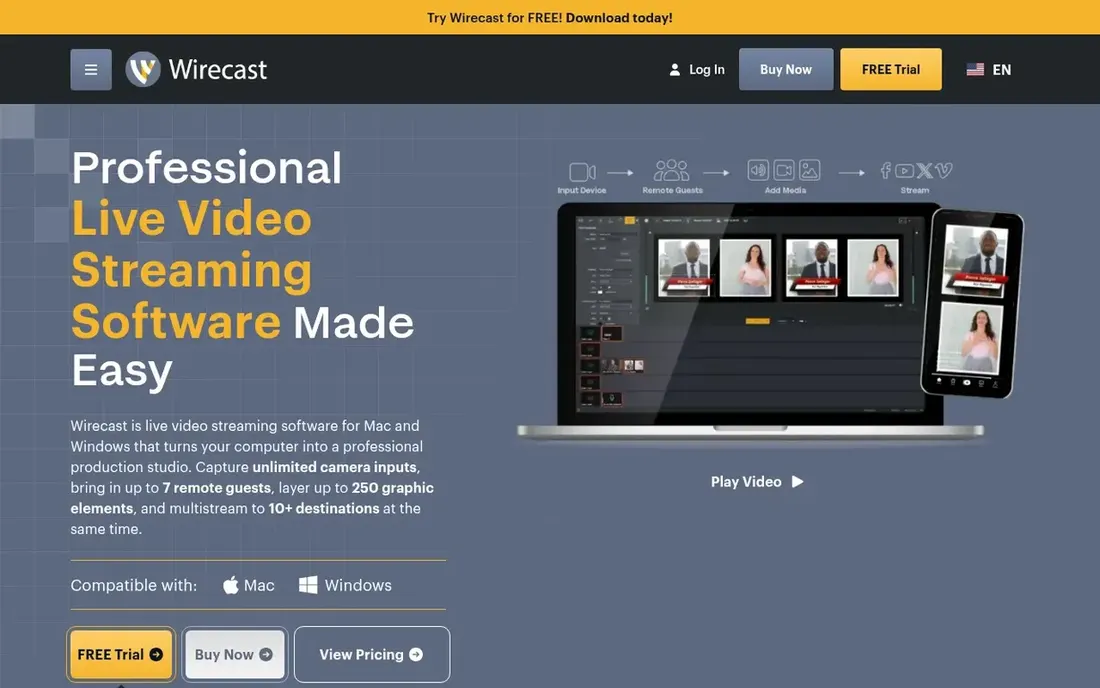
Think of Wirecast for cross-platform switching and multistreaming. Wirecast is live video streaming and broadcast software for Mac and Windows. It lets you switch cameras, add remote guests and multistream to products, which suits interview displays, podcasts and productions that require guests and multiple destinations at once.
Trade-offs to know: Feature depth can overwhelm new users.
Highlights: Works on Mac and Windows. Beyond that, Wirecast supplies a wide production toolset, and that breadth means more setup than an entry-level encoder. In daily use, running many cameras and remote guests places demands on your computer. If you only have to capture a screen and send one stream, OBS Studio is a lighter route; if live switching is the priority on Windows, vMix is the direct alternative. Wirecast starts at: $34 per month. As for free access: Free trial.
- Add remote guests and multistream
- Switch several cameras
- Needs a capable machine for numerous inputs
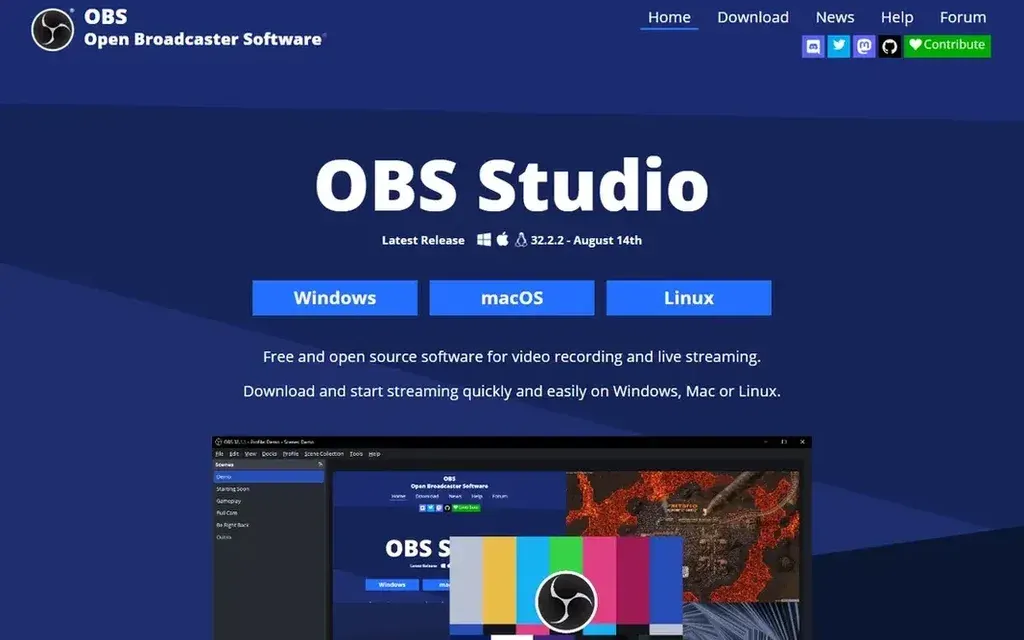
OBS Studio is built with open source streaming and recording in mind. Since it is free and widely documented, it suits hobbyist streamers, educators and small teams who want a capable encoder without a production switcher.
Scene setup and encoding settings reward users who read documentation, and advanced multi-camera switching is not its focus. OBS Studio does not show a starting price in this comparison, so check the vendor site for current pricing. As for free access: Not stated.
Where it falls short: Interface can feel technical for beginners.
- Free and open source
- High quality H264 and AAC encoding
- Restricted built-in post-production editing
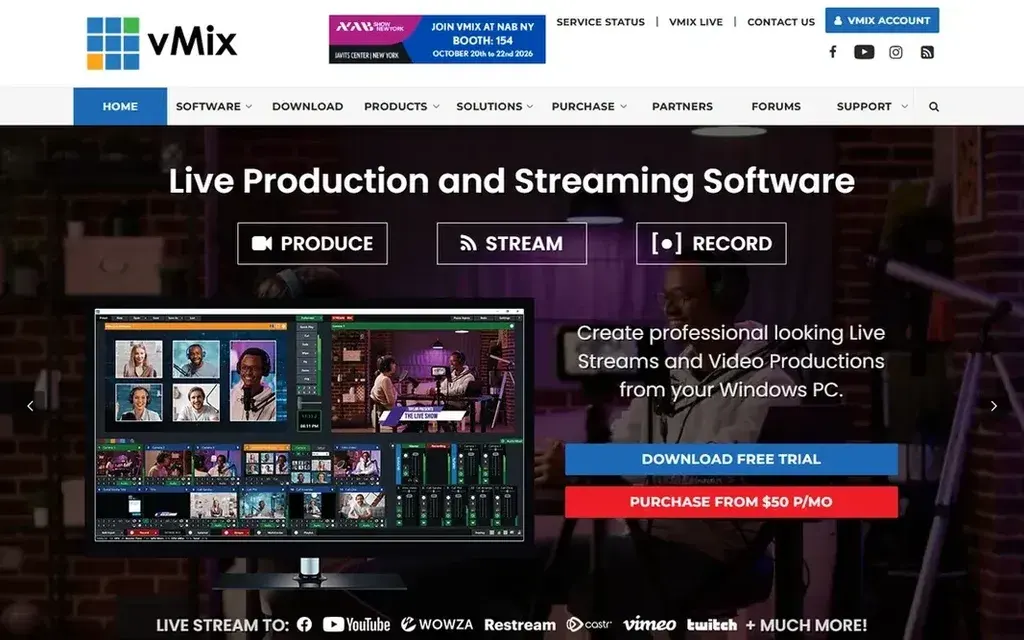
vMix works best for Windows live production and switching. vMix runs on Windows only, so Mac-based teams need a different path.
Its production-oriented interface carries a ramp-up time compared to a single-scene encoder. No starting price is listed for vMix here; confirm pricing on the vendor site. Free access: Not stated.
Best features of vMix: Video mixer and switcher features.
The main drawbacks: Windows only.
- Record and stream from a PC
- Made for professional looking output
- Denser interface than straightforward encoders
XSplit Broadcaster
Best for: Streaming games, podcasts and presentations
XSplit Broadcaster is aimed squarely at streaming games, podcasts and presentations. If you want an open source alternative, OBS Studio includes similar streaming ground; if you need a full switcher, vMix or Wirecast go further.
Limits to weigh: Less suited to advanced post-production.
XSplit Broadcaster is aimed at capture and live output instead of deep editing, so recorded sessions still need an editor for cuts and effects. Check the vendor site for XSplit Broadcaster pricing; none is listed in this comparison. As for free access: Not stated.
- Recording and live streaming in one tool
- Targeted at professional recordings
- Scene setup takes some learning
How these tools were picked
For each of the 5 tools we noted price, free plan or trial, fit for software for video editing in live streams and the main limit, using vendor pages and documentation. Seat minimums, billing terms and add-ons can move the real cost, so the starting prices here are a guide and not a quote. The sequence is a judgement call: typical use case first, then pricing transparency, then free access. Use the profiles to check fit.
What to confirm before you sign up
- Ask DaVinci Resolve, OBS Studio, vMix and XSplit Broadcaster for a written quote, since no starting price is shown.
- Take the trial from Wirecast and push a live task through it before you pay.
- Read the limits listed for DaVinci Resolve first: plenty of panels to learn.
- Run a one or two week pilot of XSplit Broadcaster with the people who will use it every day.
- Compare total cost, not headline price: for Wirecast, add extra seats, add-ons and any usage-based charges.
FAQ
Do these tools publish their prices?
Not all of them. DaVinci Resolve, OBS Studio, vMix and XSplit Broadcaster publish no starting price, so expect a quote request for those. The rest, Wirecast included, show a starting price, though seats and billing terms still change the final cost.
Can I try these tools before paying?
Often, yes. Wirecast offers a free trial. Use your own data and a real task during the test, and check what the free tier or trial limits before you rely on it. For the full picture, the cards above cover all 5 entries of this software for video editing in live streams list, including price, free plan and limits.
What is the cheapest option for software for video editing in live streams in this list?
On published monthly entry prices, Wirecast is the lowest here at $34 per month. Entry price is only part of the cost, because seats, add-ons and billing terms can change the total. Prices, free plan details and limits for all 5 tools in this software for video editing in live streams roundup sit on the individual cards above.
How are the tools for software for video editing in live streams ordered?
The order follows typical fit for software for video editing in live streams, with DaVinci Resolve first and XSplit Broadcaster last, then price clarity and free access. It is editorial judgement, not a score, so another team could rank the tools differently.
Sources
- https://www.blackmagicdesign.com/products/davinciresolve
- https://www.telestream.net/wirecast
- https://obsproject.com
- https://www.vmix.com
- https://www.xsplit.com