Switching From Rhino 3D? 5 Alternatives for 2026
Comparing Rhino 3D alternatives? 5 contenders, each with entry cost, free tier and best-fit buyer. Each tool gets a one-line verdict. Read the profiles.
- Editor's choice
 Autodesk 3ds Max
Professional modeling and large scenes
Starts atPricing on requestVisit autodesk.comFull review - Great alternative
 Houdini
Procedural and effects work
Starts atPricing on requestVisit sidefx.comFull review - Also consider
 Cinema 4D
Motion graphics and visualization
Starts atPricing on requestVisit maxon.netFull review
Direct answer
This list puts Autodesk 3ds Max first for professional modeling and large scenes. Alternatives: Houdini for procedural and effects work, and Cinema 4D for motion graphics and visualization. The remaining 2 options are covered below with pricing notes and limits. None of these vendors publish plan prices, so pricing is on request for every option.
TL;DR:
- Number one here is Autodesk 3ds Max, a fit for professional modeling and large scenes.
- Every tool from Autodesk 3ds Max to Blender works by quote, with no list price shown.
- For free all-around 3D creation, Blender is worth a look.
- Cinema 4D comes with a trade-off: not a precision CAD modeler.
Last checked November 2026. Pricing on request: vendors did not publish plan prices when this guide was last checked (November 2026), so ask each vendor for a written quote.
Quick comparison
| Tool | Best for | Starts at | Free plan? | |
|---|---|---|---|---|
| Autodesk 3ds Max | Professional modeling and large scenes | Pricing on request | Not stated | Visit |
| Houdini | Procedural and effects work | Pricing on request | Not stated | Visit |
| Cinema 4D | Motion graphics and visualization | Pricing on request | Not stated | Visit |
 Fusion 360 | Parametric CAD and manufacturing | Pricing on request | Not stated | Visit |
 Blender | Free all-around 3D creation | Pricing on request | Not stated | Visit |
The 5 tools in detail
LinkVetted put together this guide to Rhino 3D for readers who want a clear shortlist without reading every vendor page. It compares 5 tools on starting price, free plans, who each one suits and where each one falls short.
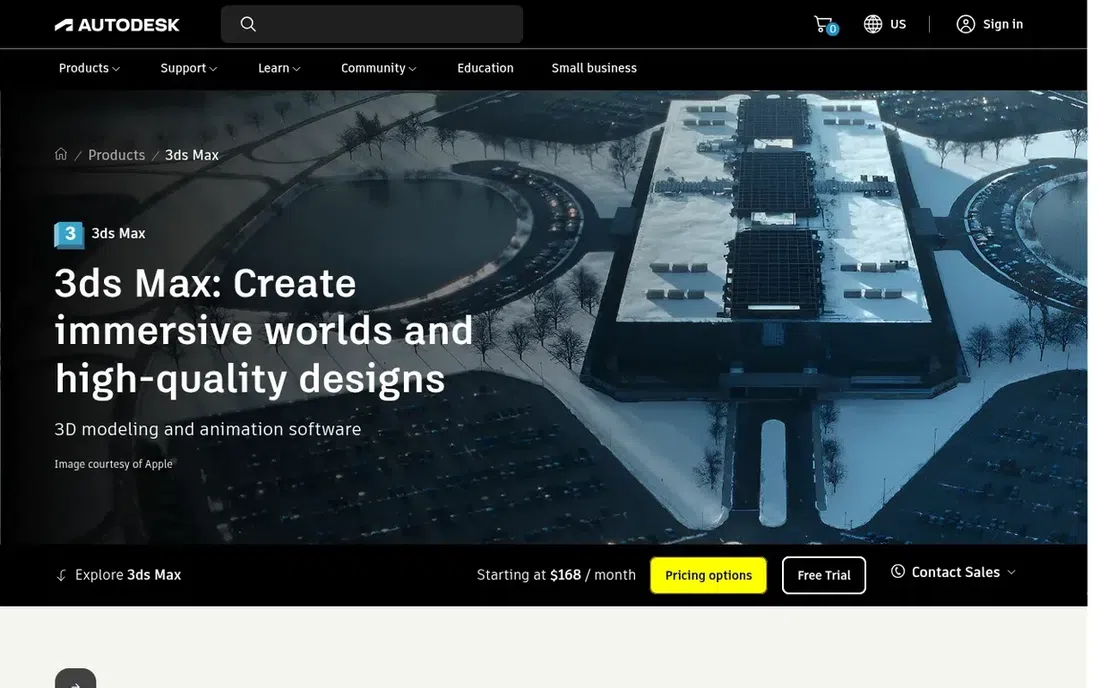
Autodesk 3ds Max is designed for professional modeling and large scenes. The vendor describes it as a tool for creating expansive worlds and high-quality designs.
Where it is weaker: Complicated for straightforward CAD tasks.
It is not a substitute for Rhino's NURBS modeling in engineering contexts. In daily use, choose it when visualization, animation and large-scene work matter more than CAD precision. Check the vendor site for Autodesk 3ds Max pricing; none is listed in this comparison. On free options: Not stated.
- Mature modeling and animation toolset
- Made for expansive scene creation and rendering
- Windows-only workflow
Houdini makes the most sense for procedural and effects work. Houdini from SideFX is built around a procedural system that lets artists produce several iterations and share workflows with colleagues. In practice, Houdini's node-based paradigm and depth make it challenging for users who just want to draw and edit precise surfaces.
Points against: Overkill for straightforward product modeling.
In daily use, setup time is significant for straightforward modeling tasks. It is the right choice when procedural iteration and simulation are central, not when fast CAD drafting is the goal. Houdini shows no starting price here, so confirm the cost on the vendor site. On free options: Not stated.
- Made for film
- Procedural system for rapid iteration
- Steep ramp-up time

Cinema 4D is designed for motion graphics and visualization. Cinema 4D from Maxon is a 3D modeling, animation and rendering application widely used in motion graphics, broadcast design and product visualization. Its workflow is approachable for artists moving from 2D design into 3D.
The main drawbacks: Smaller parametric CAD feature set.
Worth adding: users needing manufacturing output or parametric history should look elsewhere. Also, Cinema 4D is not built for the precise, dimension-driven surface modeling Rhino takes care of, and its CAD-style tools are restricted. Pricing for Cinema 4D is not stated here, so ask the vendor for current figures. Free plan details: Not stated.
- Capable motion graphics and rendering ecosystem
- Well-organized interface
- Not a precision CAD modeler
Fusion 360 is a good fit for Parametric CAD and manufacturing. Autodesk Fusion, formerly Fusion 360, is a cloud-based system for 3D CAD, modeling, manufacturing, industrial design, electronics and mechanical engineering.
Limits to weigh: Different modeling feel from Rhino.
For Rhino users moving toward manufacturing workflows, it provides an integrated environment. Pricing for Fusion 360 is not stated here, so ask the vendor for current figures. As for free access: Not stated.
- CAE and PCB
- Merges CAD, CAM
- Cloud dependency for full workflow

Think of Blender for free all-around 3D creation. Blender's polygon and subdivision approach differs from Rhino's curve-driven precision modeling, so CAD-style drafting and tolerance-critical work can feel awkward.
Honest limits: Dense interface for newcomers.
For everyday use, if your work centers on manufacturing-ready surfaces or class-A curves, a parametric CAD tool may serve you better. Pricing for Blender is not stated here, so ask the vendor for current figures. On free options: Not stated.
- Open-source and broadly capable
- Capable modeling
- Not built around NURBS precision CAD
How we compared the tools
We compared the tools on published pricing, free plan or trial availability, feature coverage for Rhino 3D, and the limits each vendor documents. Where a price is missing, the vendor does not list one publicly or ties it to a quote. Always confirm before budgeting. The ranking is editorial: typical fit first, then clear pricing, then free access. If your needs are unusual, read the profiles rather than relying on position.
Pre-purchase checklist
- Ask each vendor, from Autodesk 3ds Max to Blender, for a written quote; none of them publishes a starting price.
- Read the limits listed for Autodesk 3ds Max first: Windows-only workflow.
- Involve the people who will use Houdini daily; a short pilot beats a long feature checklist.
- Check the support hours and onboarding help Cinema 4D offers; smaller vendors vary a lot here.
- Look at the renewal terms for Autodesk 3ds Max: auto-renewal, notice periods and price changes can matter more than the first-year price.
FAQ
Can Blender replace Rhino for product modeling?
Blender deals with polygon and subdivision modeling well, which fits visualization and concept work. It is less suited to tolerance-critical NURBS surfaces and engineering drawings, so plenty of product teams pair it with a CAD tool instead of replacing Rhino outright.
Which choice fits procedural or effects-heavy projects?
Houdini is designed around a procedural system for film, TV and game effects, making it capable for iteration and simulation. Cinema 4D and 3ds Max are better suits when motion graphics and rendering lead the work instead.
Is Autodesk 3ds Max the right pick for everyone comparing Rhino 3D?
No single tool suits every team. Autodesk 3ds Max comes first because it fits professional modeling and large scenes, while Houdini suits procedural and effects work and Cinema 4D suits motion graphics and visualization. Match the tool to your own size, budget and workflow before deciding.
How are the tools for Rhino 3D ordered?
Autodesk 3ds Max sits first and Blender last because the order follows typical fit for Rhino 3D, then price clarity and free access. It is a judgement call, so read each profile for fit and limits.
Does any tool for Rhino 3D here have a free plan?
No tool in this list, Autodesk 3ds Max and Blender included, has a permanent free plan. Trials and quotes are the usual route, so plan a short evaluation period.
Do these tools publish their prices?
No. None of the tools, from Autodesk 3ds Max to Blender, shows a fixed starting price here, so budget time for quotes.
Sources
- https://www.autodesk.com/products/3ds-max
- https://www.sidefx.com/products/houdini
- https://www.maxon.net/en/cinema-4d
- https://www.autodesk.com/products/fusion-360
- https://www.blender.org