Best Website Builder Software for Startups in 2026: Prices, Free Plans and 6 Picks
Best website builder software for startups: 6 contenders ranked by fit, with entry costs and free tiers. With pricing notes and limits. Compare quickly.

- Editor's choiceGoDaddy Website Builder
Quick, straightforward starter websites
Starts atSee websiteVisit godaddy.comFull review - Great alternative
 Duda
Agencies building client sites
Starts at$19 a monthVisit duda.coFull review - Also consider
 Wix
All-in-one startup site setup
Starts atSee websiteVisit wix.comFull review
Direct answer
GoDaddy Website Builder is the first pick on this list for quick, straightforward starter websites. Listed starting prices: Duda from $19 a month, Shopify from $19 a month and WordPress.com from $4 a month. Duda is better for agencies building client sites, and Wix is better for all-in-one startup site setup. Prices, free plans and limits for all 6 tools follow.
TL;DR:
- GoDaddy Website Builder sits first on this list: quick, straightforward starter websites.
- Starting prices begin at $4 per month with WordPress.com.
- A fair warning about Duda: pitched at professionals, not DIY founders.
- For design-forward brand websites, Squarespace is worth a look.
- WordPress.com stands alone as the one tool in this list with a free plan.
Last checked November 2026. Prices and plan details were read from the vendors' own pages in November 2026; vendors change plans often, so confirm the current price on the vendor site before you buy.
Quick comparison
| Tool | Best for | Starts at | Free plan? | |
|---|---|---|---|---|
| GoDaddy Website Builder | Quick, straightforward starter websites | See website | Not stated | Visit |
| Duda | Agencies building client sites | $19 a month | Free trial | Visit |
| Wix | All-in-one startup site setup | See website | Not stated | Visit |
 Shopify | Startups selling products online | $19 a month | Free trial | Visit |
 WordPress.com | Content-led sites with hosting included | $4 a month | Yes | Visit |
 Squarespace | Design-forward brand websites | $12 per month | Free trial | Visit |
6 website builder software for startups in detail
Short on time? The summary and table above give the quick view of 6 website builder software for startups, and the profiles that follow give the detail behind each entry.
GoDaddy Website Builder
Best for: Quick, straightforward starter websites
GoDaddy Website Builder works best for quick, straightforward starter websites. GoDaddy Website Builder promotes creating a website in minutes without technical skills, using mobile-friendly modern templates and support available at all hours.
Points against: Fewer advanced customization choices.
Worth adding: founders who want to focus on the business instead of the site commonly appreciate the simplicity. The emphasis on ease means less depth for startups planning complicated features, integrations or heavily customized layouts. This comparison lists no price for GoDaddy Website Builder; ask the vendor. Free options: Not stated.
- Support available around the clock
- Mobile-friendly modern templates
- Restricted depth for complicated sites
Duda was built for agencies building client sites. Duda describes itself as an AI web presence system for pros, built to help users build, get found and convert, with a focus on creating high-ranking client websites.
Honest limits: Geared toward professionals, not DIY founders.
It fits teams that value structured, repeatable site production. Duda starts at: $19 per month. Free options: Free trial.
- Made for creating client websites
- Focus on ranking and conversion
- Less consumer-oriented guidance
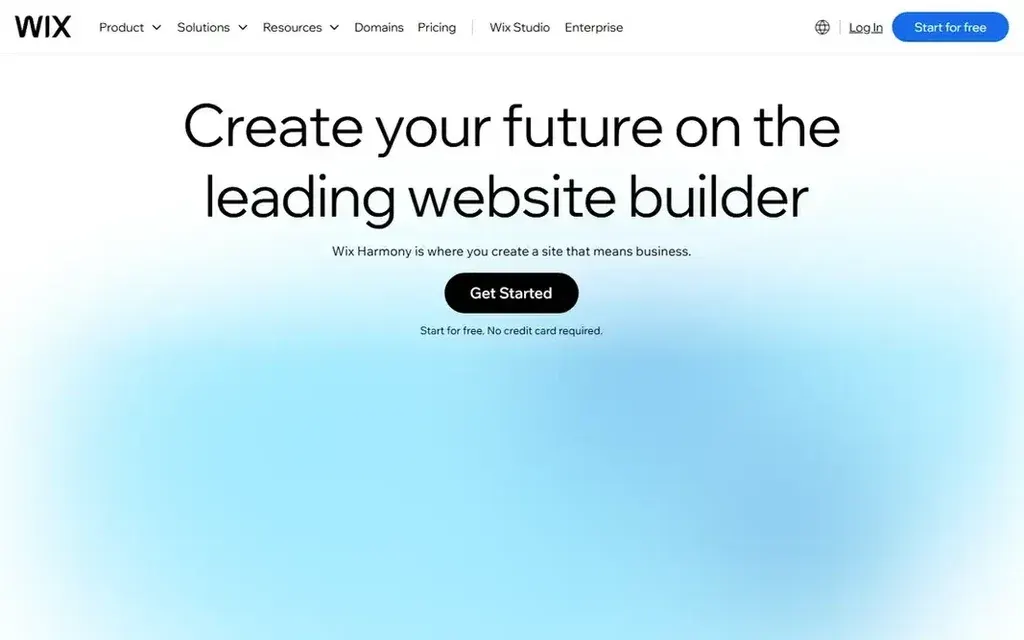
Think of Wix for all-in-one startup site setup. Wix presents itself as a system for building a business, with hosting, business tools, domains and marketing built in. As for the details, for a startup that wants to launch a site and run entry-level marketing from one dashboard, that bundling cuts the number of separate services to coordinate.
Drawbacks to consider: Less granular code control.
The breadth of features means more menus and settings to learn, and the system supplies less low-level code control than developer-oriented tools. Startups planning complicated custom applications or highly bespoke front ends may prefer a system built around design freedom. Check the vendor site for Wix pricing; none is listed in this comparison. As for free access: Not stated.
- Domains and marketing built in
- Beginner-friendly editing
- Large feature set can feel busy
Shopify makes the most sense for startups selling products online. Shopify positions itself as an all-in-one commerce system, offering tools to build or grow a business with AI and handle every part of it. Product startups, from direct-to-consumer brands to small retailers, get a setup oriented around catalogs, orders and storefronts rather than generic pages.
Honest limits: Commerce orientation shapes the entire setup.
That focus can shorten the path from launch to first sales. On top of that, for startups that primarily publish content, portfolios or service pages, the commerce emphasis may be more than needed, and other builders can feel more straightforward. The starting price for Shopify: $19 per month. Trial and free access: Free trial.
- Tools to run the entire business
- Commerce-focused toolset
- Less suited to pure content sites
WordPress.com serves content-led sites with hosting included. WordPress.com gives you everything needed to build a website with built-in hosting, premium themes and capable tools, and states that no technical setup is required. In daily use, startups concentrated on blogging, content marketing or editorial growth benefit from a mature publishing workflow and a large theme ecosystem.
Reasons to shortlist it: Built-in hosting and premium themes.
Watch-outs: Extras commonly need separate tools. It is a practical choice for founders who want a recognizable product without managing servers. The system's adaptability also means more decisions about themes and structure. From a buyer's view, consider WordPress.com when content is the core of the startup's strategy and you want hosting handled for you. Starting cost for WordPress.com: $4 per month. WordPress.com offers a free plan.
- No technical setup required
- Familiar publishing workflow
- Less unified business tooling

In short, Squarespace is for design-forward brand websites. Squarespace centers on creating a website and expanding a business, starting from configurable templates, AI website builder tools or a domain name.
More specifically, the guided flow helps founders move from idea to a presentable site without design help. Worth adding: template structures can also constrain truly unusual layouts. Price to start with Squarespace: $12 per month. Free options: Free trial.
Watch-outs: Template structure can limit unusual layouts.
- AI website builder tools
- Domain name included in setup flow
- Fewer deep business tools than all-in-one rivals
Selection criteria
LinkVetted looked at what each vendor publishes: pricing, plan limits, feature coverage for website builder software for startups and stated drawbacks. No hands-on testing is claimed. Seat minimums, billing terms and add-ons can move the real cost, so the starting prices here are a guide and not a quote. Order on the page follows fit for the typical buyer first, then price transparency and free access. Your own requirements should decide the final pick.
A buyer's checklist
- Confirm the entry price on the vendor page. For GoDaddy Website Builder and Wix that means a quote rather than a fixed price.
- Test the free plan from WordPress.com against your real workload before relying on it.
- Take the trial from Duda, Shopify and Squarespace and push a live task through it before you pay.
- Read the limits listed for GoDaddy Website Builder first: restricted depth for complicated sites.
- Before you load data into Shopify, check what an export looks like and who can run it.
- Map your must-have features to a specific Squarespace plan before you compare prices.
FAQ
Can a startup move to a different builder later?
Before committing, check how each vendor deals with exports and whether your domain can be repointed easily. Planning for portability early cuts friction if the business outgrows its first site.
Should an online store use Shopify rather than a general builder?
Shopify is built around commerce, so product startups normally find its toolset more straight relevant than a general website builder. General builders can still work for very small catalogs, but they may need extras for order and inventory management.
How are the tools for website builder software for startups ordered?
The order follows typical fit for website builder software for startups, with GoDaddy Website Builder first and Squarespace last, then price clarity and free access. It is editorial judgement, not a score, so another team could rank the tools differently.
Which website builder is a good match for a startup with no technical team?
GoDaddy Website Builder comes first here and is built for quick, straightforward starter websites. Buyers with other needs may prefer Duda (for agencies building client sites) or Wix (for all-in-one startup site setup). Compare costs and limits first.
Is GoDaddy Website Builder the right pick for everyone comparing website builder software for startups?
No single tool suits every team. GoDaddy Website Builder comes first because it fits fast, simple starter websites, while Duda suits agencies building client sites and Wix suits all-in-one startup site setup. Match the tool to your own size, budget and workflow before deciding.
Can I try these tools before paying?
Often, yes. WordPress.com has a free plan and Duda, Shopify and Squarespace offer a free trial. Use your own data and a real task during the test, and check what the free tier or trial limits before you rely on it.
Sources
- https://www.godaddy.com/websites/website-builder
- https://www.duda.co
- https://www.wix.com
- https://www.shopify.com
- https://wordpress.com
- https://www.squarespace.com