Choosing Webinar Software for Video Podcasting in 2026: 5 Options Compared
Best webinar software for video podcasting: 5 contenders ranked by fit, with entry costs and free tiers. Every tool lists pros and cons. Quick to scan.
- Editor's choice
 Restream
Multistreaming live video to numerous channels
Starts at$239 a monthVisit restream.ioFull review - Great alternative
 Riverside
High-quality recording and editing
Starts at$24 per monthVisit riverside.fmFull review - Also consider
 Livestorm
Marketing-focused webinar events
Starts at€2.50 per attendeeVisit livestorm.coFull review
Direct answer
Restream leads the list, best for Multistreaming live video to numerous channels. Listed starting prices: Restream from $239 a month, Riverside from $24 per month and Livestorm from €2.50 per attendee. Alternatives: Riverside for high-quality recording and editing, and Livestorm for marketing-focused webinar events. The remaining 2 options are covered below with prices and limits.
TL;DR:
- Top of the list is Restream, which targets Multistreaming live video to plenty of channels.
- For steady webinar hosting with recording, Zoom Webinars is worth a look.
- The cheapest monthly starting price in the list is $24 per month, offered by Riverside.
- A fair warning about Livestorm: less emphasis on raw recording quality.
- Only Riverside offers a free plan among these 5 tools.
Last checked November 2026. Prices and plan details were read from the vendors' own pages in November 2026; vendors change plans often, so confirm the current price on the vendor site before you buy.
Quick comparison
| Tool | Best for | Starts at | Free plan? | |
|---|---|---|---|---|
| Restream | Multistreaming live video to numerous channels | $239 a month | Not stated | Visit |
| Riverside | High-quality recording and editing | $24 per month | Yes | Visit |
| Livestorm | Marketing-focused webinar events | €2.50 per attendee | Not stated | Visit |
 StreamYard | Browser-based live streaming and recording | See website | Free trial | Visit |
 Zoom Webinars | Dependable webinar hosting with recording | See website | Not stated | Visit |
The 5 tools in detail
This LinkVetted guide covers 5 options for webinar software for video podcasting. Each profile lists a starting price, free plan details, strengths and drawbacks, so you can drop poor fits quickly.
Restream was built for Multistreaming live video to numerous channels. It also supports pre-recorded content, making it adaptable for different episode formats.
Restream centres on distribution instead of audience engagement or recording quality, so it lacks built-in webinar tools like Q&A moderation or registration. Entry price for Restream: $239 per month. Free options: Not stated.
The main drawbacks: Webinar interaction features are restricted.
- Supports pre-recorded content
- Simultaneous streaming to several products
- Needs separate recording option for high-quality files
Where Riverside fits: high-quality recording and editing. Riverside is an online studio for high-quality podcast and video recording and editing, powered by AI and made for human conversations.
Drawbacks to consider: Webinar hosting features are less developed.
What you pay to start with Riverside: $24 per month. A free plan is available with Riverside.
- HD recording quality
- Built-in editing tools
- May need separate streaming tool for live audiences
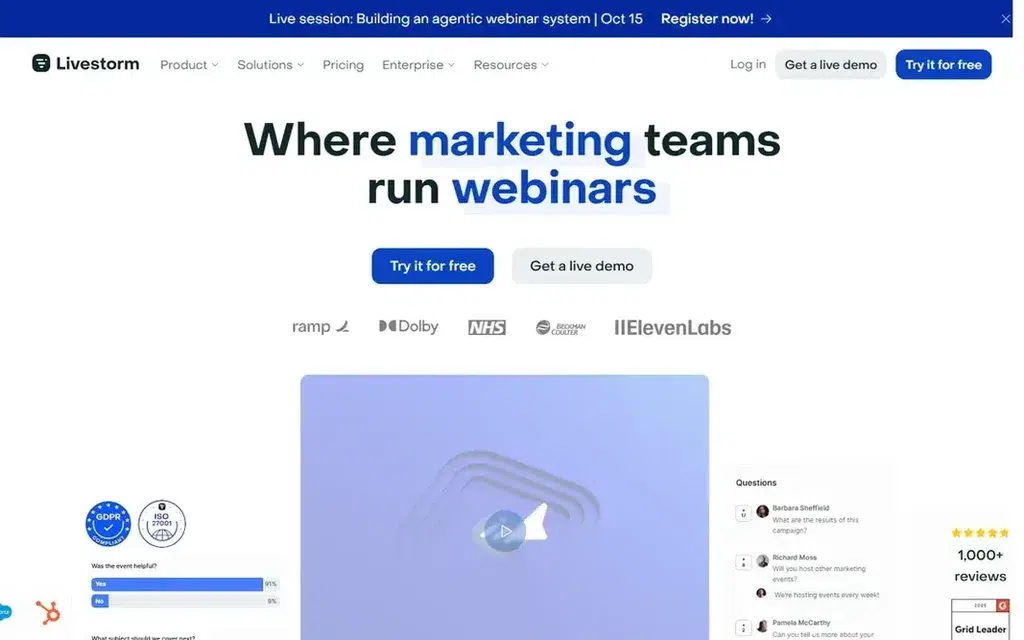
Livestorm is a good fit for marketing-focused webinar events. Video podcasters who treat their display as a marketing channel and want to track attendee behavior will find its analytics and integrations valuable.
It allows hosts to run branded events, capture engagement insights, and sync data to a CRM to demonstrate return on investment. Livestorm cost at the entry level: €2.50 per attendee. On free options: Not stated.
Limits to weigh: Less emphasis on raw recording quality.
- AI-enhanced features
- CRM sync for engagement insights
- May be overkill for straightforward podcast streams
StreamYard works best for browser-based live streaming and recording. StreamYard is a professional live streaming and recording studio that runs in your browser.
Downsides: Recording quality relies on internet connection.
In daily use, the product is made for live streaming instead of full webinar management, so features like registration pages and in-depth analytics are entry-level. Pricing for StreamYard is not stated here, so ask the vendor for current figures. On free options: Free trial.
- Straightforward guest invitation process
- No software installation required
- Restricted advanced production features

In short, Zoom Webinars is for dependable webinar hosting with recording. Zoom Webinars is part of Zoom's collaboration product, which bundles video meetings, chat, phone, whiteboard, and events.
Points against: Less suited for multistreaming to social systems.
The system is not designed as a dedicated live streaming studio, so producers who require scene layouts, overlays, or simultaneous streaming to several social channels may find it restricted. For video podcasters, it supplies a stable environment for hosting live episodes with audience interaction and recording. No starting price is listed for Zoom Webinars here; confirm pricing on the vendor site. On free options: Not stated.
- Familiar interface for most users
- Supports large audiences and Q&A
- Advanced production features need extras
How we built this list
LinkVetted looked at what each vendor publishes: pricing, plan limits, feature coverage for webinar software for video podcasting and stated drawbacks. No hands-on testing is claimed. Prices and plan limits come from vendor pages and can change, so confirm them on the vendor site before you buy. The order reflects how well each tool fits the most common buying scenario for webinar software for video podcasting, then price clarity, then free plan access. It is a starting point, not a verdict.
Pre-purchase checklist
- Confirm the entry price on the vendor page. For StreamYard and Zoom Webinars that means a quote rather than a fixed price.
- Test the free plan from Riverside against your real workload before relying on it.
- Use real work to test the free trial from StreamYard, rather than a demo project.
- Before choosing Restream, weigh its main limit: Webinar interaction features are restricted.
- Get the contract term, renewal terms and any onboarding fees from Riverside in writing.
- Make sure Livestorm lets you export your data in a format another tool can read.
FAQ
What is the cheapest option for webinar software for video podcasting in this list?
On published monthly entry prices, Riverside is the lowest here at $24 per month. Entry price is only part of the cost, because seats, add-ons and billing terms can change the total. Each of the 5 options in this webinar software for video Podcasting guide has its own card above with the price, free plan and limits.
Can I try these tools before paying?
Often, yes. Riverside has a free plan and StreamYard offers a free trial. Use your own data and a real task during the test, and check what the free tier or trial limits before you rely on it. All 5 picks in this webinar software for video Podcasting comparison list a starting price, free plan details and the main limits on their cards above.
Can I use a webinar product to record a video podcast?
Yes, most webinar systems allow recording of the session, but the quality and format vary. Check each system's recording capabilities before committing.
Do these tools publish their prices?
Not all of them. StreamYard and Zoom Webinars publish no starting price, so expect a quote request for those. The rest, Restream included, show a starting price, though seats and billing terms still change the final cost.
Is Restream the right pick for everyone comparing webinar software for video podcasting?
No single tool suits every team. Restream comes first because it fits Multistreaming live video to many channels, while Riverside suits high-quality recording and editing and Livestorm suits marketing-focused webinar events. Match the tool to your own size, budget and workflow before deciding.
Sources
- https://restream.io
- https://riverside.fm
- https://livestorm.co
- https://streamyard.com
- https://www.zoom.com