Top 5 Webinar Software for Therapists for 2026 (Prices and Free Plans)
Searching for the best webinar software for therapists? Here are 5 options with prices and free plans. Plain-spoken summaries throughout. Pick with confidence.

- Editor's choice
 SimplePractice
Integrated EHR and practice management
Starts at$49 a monthVisit simplepractice.comFull review - Great alternative
 Webex
AI-powered collaboration and events
Starts atSee websiteVisit webex.comFull review - Also consider
 Zoom
Dependable video webinars and meetings
Starts atSee websiteVisit zoom.usFull review
Direct answer
SimplePractice comes first here, mainly for integrated EHR and practice management. Listed starting prices: SimplePractice from $49 a month. Webex is the stronger choice for AI-powered collaboration and events, while Zoom suits steady video webinars and meetings. The other 2 tools in the list cover narrower or pricier cases.
TL;DR:
- The list opens with SimplePractice, aimed at integrated EHR and practice management.
- What to know about Microsoft Teams first: Webinar features may need extras.
- GoTo Webinar suits dedicated webinar hosting.
- Only Webex offers a free plan among these 5 tools.
- For the cheapest start, look at SimplePractice: $49 per month.
Last checked November 2026. Prices and plan details were read from the vendors' own pages in November 2026; vendors change plans often, so confirm the current price on the vendor site before you buy.
Quick comparison
| Tool | Best for | Starts at | Free plan? | |
|---|---|---|---|---|
| SimplePractice | Integrated EHR and practice management | $49 a month | Free trial | Visit |
| Webex | AI-powered collaboration and events | See website | Yes | Visit |
| Zoom | Dependable video webinars and meetings | See website | Not stated | Visit |
 Microsoft Teams | Integrated meetings and collaboration | See website | Not stated | Visit |
 GoTo Webinar | Dedicated webinar hosting | See website | Free trial | Visit |
Tool-by-tool breakdown
Short on time? The summary and table above give the quick view of 5 webinar software for therapists, and the profiles that follow give the detail behind each entry.

SimplePractice serves integrated EHR and practice management. SimplePractice is not primarily a webinar tool, so its features for large online events may be entry-level.
For everyday use, therapists planning frequent webinars might have to pair it with a dedicated webinar system. The starting price for SimplePractice: $49 per month. Free plan details: Free trial.
Points against: Webinar features may be restricted.
- Bundles telehealth options
- Merges EHR with scheduling and billing
- Centred on practice management
Webex is built with AI-powered collaboration and events in mind. Therapists seeking simplicity might prefer a more focused tool.
It can deal with webinars and large virtual gatherings, making it a choice for therapists who require advanced collaboration tools. Pricing for Webex is not stated here, so ask the vendor for current figures. Webex has a free plan.
Limits to weigh: Not therapy-specific.
- Integrated collaboration tools
- Supports large events
- Complicated setup for some users
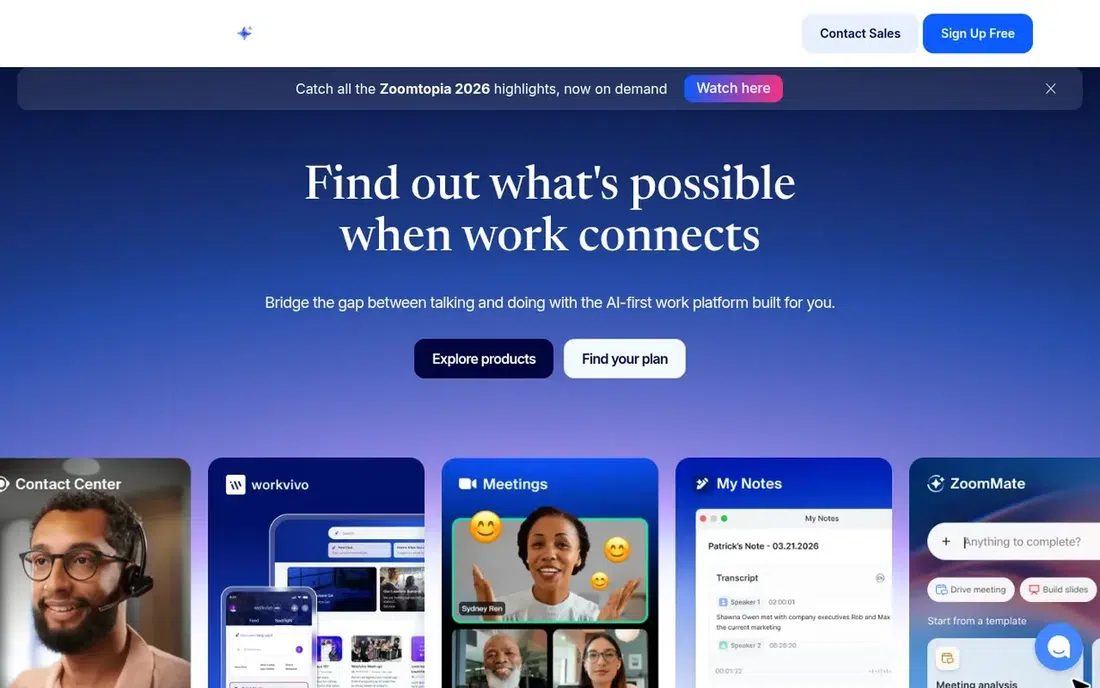
Think of Zoom for dependable video webinars and meetings. Whereas Zoom is versatile, it is not designed specifically for clinical practice, so therapists must ensure settings meet privacy needs.
What to check first: Not therapy-specific.
Also, the system is widely recognized and supplies tools for managing large audiences and interactive features. This comparison lists no price for Zoom; ask the vendor. Trial and free access: Not stated.
- Works across devices
- Supports webinars, meetings, chat
- Advanced features may need configuration
Microsoft Teams is aimed squarely at integrated meetings and collaboration. Microsoft Teams is a collaboration system that comes with video conferencing, meetings, and calling. On top of that, for dedicated webinar features, extra configuration or licenses may be needed.
The main drawbacks: Webinar features may need extras.
Also, Teams is not specifically aimed at therapy or healthcare, so privacy settings need careful review. Therapists already using Microsoft tools may find it convenient for hosting sessions and webinars. This comparison lists no price for Microsoft Teams; ask the vendor. On free options: Not stated.
- Organized workspace
- Supports video conferencing and calling
- Not therapy-specific
GoTo Webinar works best for dedicated webinar hosting. GoTo Webinar is a webinar system built for virtual conferences and audience engagement. It is right for therapists who host educational webinars or large group sessions and need features like registration and interactive tools.
On top of that, GoTo Webinar is not tailored to clinical practice, so therapists must ensure compliance with privacy regulations. Those needing integrated EHR features may have to combine it with other software. No starting price is listed for GoTo Webinar here; confirm pricing on the vendor site. On free options: Free trial.
Drawbacks to consider: Not therapy-specific.
Reasons to shortlist it: Engagement tools for audiences.
- Dependable product
- Designed for webinars and virtual conferences
- May need separate telehealth tools
How we compared the tools
LinkVetted used vendor pricing pages and product documentation as the base, then compared plans, free access and documented limits for 5 tools. Treat prices as a snapshot: vendors change plans often, so check the vendor site for the figure that applies today. Tools are placed by general fit for webinar software for therapists, with price clarity and free access as tie-breakers. A different team can reasonably rank them differently.
Pre-purchase checklist
- Ask Webex, Zoom, Microsoft Teams and GoTo Webinar for a written quote, since no starting price is shown.
- Look at the free plan from Webex closely: its caps decide whether it is usable for real work.
- Take the trial from SimplePractice and GoTo Webinar and push a live task through it before you pay.
- Before choosing SimplePractice, weigh its main limit: Webinar features may be restricted.
- Confirm minimum seats and billing terms with Microsoft Teams before you commit to an annual plan.
- List the apps you already depend on and check that Webex supports each one on the plan you would buy.
FAQ
Do these tools publish their prices?
Not all of them. Webex, Zoom, Microsoft Teams and GoTo Webinar publish no starting price, so expect a quote request for those. The rest, SimplePractice included, show a starting price, though seats and billing terms still change the final cost.
Is SimplePractice the right pick for everyone comparing webinar software for therapists?
No single tool suits every team. SimplePractice comes first because it fits integrated EHR and practice management, while Webex suits AI-powered collaboration and events and Zoom suits reliable video webinars and meetings. Match the tool to your own size, budget and workflow before deciding.
How are the tools for webinar software for therapists ordered?
The order follows typical fit for webinar software for therapists, with SimplePractice first and GoTo Webinar last, then price clarity and free access. It is editorial judgement, not a score, so another team could rank the tools differently.
What is the cheapest option for webinar software for therapists in this list?
On published monthly entry prices, SimplePractice is the lowest here at $49 per month. Entry price is only part of the cost, because seats, add-ons and billing terms can change the total. For the full picture, the cards above cover all 5 entries of this webinar software for therapists list, including price, free plan and limits.
Sources
- https://www.simplepractice.com
- https://www.webex.com
- https://zoom.us
- https://www.microsoft.com/microsoft-teams
- https://www.goto.com/webinar