Best Telehealth Platforms for Therapists in 2026: 8 Platforms Compared
Looking for the best telehealth platforms for therapists? We compare 8 HIPAA-compliant platforms for video sessions, notes, billing, and scheduling. Learn more.

- Editor's choice
 SimplePractice
Solo therapists wanting one system
Starts at$49 per monthVisit simplepractice.comFull review - Great alternative
 TherapyNotes
Full practice management and notes
Starts at$69 per monthVisit therapynotes.comFull review - Also consider
 Doxy.me
Simple, low-cost video visits
Starts atFreeVisit doxy.meFull review
TL;DR:
- Therapists need more than video: scheduling, notes, billing, and a client portal usually matter more than a standalone video link.
- A signed business associate agreement, encryption, and clear consent for AI notes are non-negotiables before you see clients online.
- SimplePractice and TherapyNotes suit therapists who want practice management plus telehealth in one system.
- Doxy.me suits therapists who only need reliable video and want a free starting tier.
- Test video quality on your actual internet connection and devices, because a demo on a fast office network hides real-world problems.
Quick comparison
| Tool | Best for | Starts at | Free plan? | |
|---|---|---|---|---|
| SimplePractice | Solo therapists wanting one system | $49 per month | Free trial | Visit |
| TherapyNotes | Full practice management and notes | $69 per month | Free trial | Visit |
| Doxy.me | Simple, low-cost video visits | Free | Yes | Visit |
 TheraNest | Solo and small-group practices | $29 per month | Free trial | Visit |
 Ensora Health | Flexible practice management | $29 per month | Free trial | Visit |
 Upheal | AI-assisted notes plus telehealth | $39 per month | Yes | Visit |
 Zoom for Healthcare | Video on top of existing tools | See website | No | Visit |
 VSee Clinic | Configurable clinic video workflows | See website | No | Visit |
The best telehealth platforms for therapists
Therapy online lives or dies on trust and routine. Clients need a link that works without downloads or confusion, and therapists need notes, billing, and scheduling that do not add an hour of admin after the last session. The platforms below range from video-only tools to full practice systems.
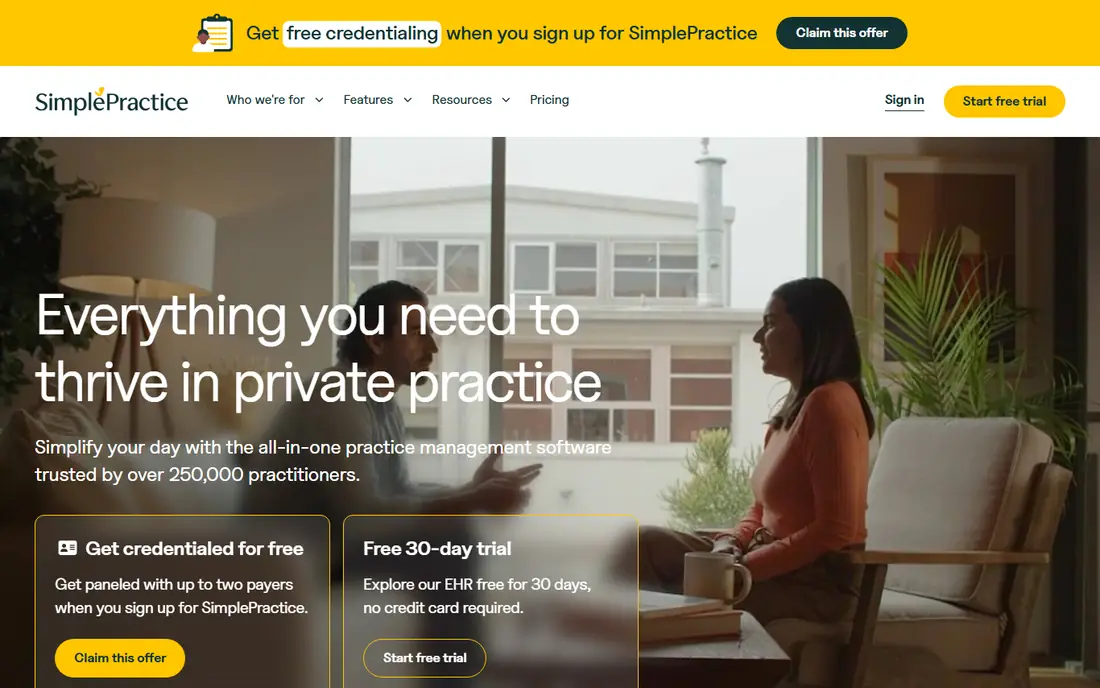
SimplePractice is our pick for most solo therapists because it covers the whole workflow. Clients book online, complete intake forms, join a secure video session, and pay through the portal, while notes and claims stay in the same system. Solo plans run from 49 to 99 dollars per month by tier, with a trial to test the flow.
The catch is cost creep. Add-ons such as AI notes and electronic prescribing raise the monthly total, and group pricing adds per-clinician fees. Review the AI note data settings closely, including any retention of de-identified transcripts, and confirm the current opt-out before enabling it. For a solo practice that wants one login, SimplePractice still leads.
- Scheduling, telehealth, notes, billing, and client portal in one place
- Polished client experience
- Strong template library
- Costs rise with add-ons and clinicians
- Recent price changes frustrated some users
- AI note settings need careful review

TherapyNotes suits therapists whose notes and billing are the bottleneck. Templates cover common therapy formats, claims and electronic remittance are built in, and telehealth sessions launch from the schedule without a separate link. Solo pricing starts at 69 dollars per month, with group rates per additional clinician and a telehealth add-on on some tiers.
The price is higher than the cheapest options, and the interface will not feel as fresh as newer tools. What you gain is depth: outcome measures, treatment plans, and billing workflows shaped for behavioral health. Practices that bill insurance heavily should test a full claim cycle during the trial, not just a video call.
- Deep therapy note templates
- Insurance billing and claims
- Telehealth integrated with scheduling
- Higher solo starting price
- Premium telehealth adds a per-clinician fee
- Interface is functional rather than modern

Doxy.me is the right choice when you already have scheduling and notes elsewhere and just need reliable video. Clients click a link, wait in a virtual room, and join from a browser, which removes the most common tech support problem in telehealth. The free tier covers basic one-to-one visits, and paid plans add group calls and clinic features.
The limit is scope. Doxy.me does not replace an electronic health record, so you still need separate systems for notes, billing, and intake. For a therapist starting online, or adding video to an existing practice, that simplicity is a strength. For a new practice building from scratch, a full platform saves double entry.
- Free tier for basic video
- No download for clients
- Simple waiting room and screen sharing
- No practice management on its own
- Paid tiers needed for group and clinic features
- Limited clinical tools
TheraNest, now part of Ensora Health, is a budget-friendly full practice option for solo and small-group therapists. The Starter tier starts at 29 dollars per therapist per month, with built-in telehealth, a client portal, note templates, and insurance billing. That combination is hard to match at this price.
Higher tiers add secure messaging, automated reminders, and richer reporting, so price the tier you actually need rather than the entry tier. Test intake, scheduling, and a claim during the trial, and confirm how group billing works if you plan to add clinicians later.
- Low solo starting price
- Built-in telehealth
- Client portal with self-scheduling and payments
- Advanced features sit on higher tiers
- Reporting is less deep than TherapyNotes
- Some users report a learning curve
Ensora Health is the parent brand behind TheraNest and related practice tools, and its platform covers scheduling, documentation, billing, and telehealth for therapy practices. Tiers run from about 29 to 89 dollars per therapist per month, with telehealth included on Advanced and Premier tiers and available as an add-on on Essentials.
The main work is reading the tier table carefully, since the product lines overlap and names have changed over time. Ask sales to confirm, in writing, which tier includes telehealth, messaging, and billing for your practice size. For groups that want one vendor across solo and group workflows, Ensora is worth a demo.
- Telehealth included on higher tiers
- Broad practice management suite
- Flexible templates
- Tier differences need careful reading
- Telehealth is an add-on on the lowest tier
- Pricing varies by product line
Upheal targets therapists who lose evenings to documentation. Telehealth calls run inside the same workspace as notes, and AI-assisted notes draft session summaries for clinician review, with a free plan covering calls without AI and paid notes plans from 39 dollars per month. A business associate agreement is included on every account, which is a welcome baseline.
AI notes are a help, not a replacement for clinical judgment. Review every draft, correct errors, and check how transcripts and notes are stored and used. Therapists who document heavily and want video plus notes in one tab will like Upheal, while those who bill complex insurance may still prefer TherapyNotes or SimplePractice.
- Native telehealth inside the workspace
- AI notes that cut documentation time
- Business associate agreement on every account
- Newer platform with a smaller user base
- AI notes need human review
- Full record features cost more than the notes tier
Zoom for Healthcare suits practices that already have scheduling, notes, and billing and only need dependable video. Clients know Zoom, connection quality is generally strong, and waiting rooms, screen sharing, and group sessions cover most therapy needs. It integrates with many record systems through marketplace apps.
The gap is everything beyond video. You still manage intake, notes, and payments elsewhere, and you must buy the healthcare plan that includes a business associate agreement, not a consumer Zoom plan. If video reliability is your main pain point, Zoom for Healthcare is a solid layer. If admin is the pain, pick a full platform instead.
- Familiar video quality and reliability
- Waiting rooms and screen sharing
- Works alongside any record system
- Video only, not a practice system
- Healthcare pricing is quote-based
- Business associate agreement requires the right plan
VSee Clinic fits clinics that need video shaped around their own workflow, including intake steps, waiting room handoffs, and multi-provider visits. It has a long history in telehealth, including work with larger clinics and specialized programs, and browser-based visits keep the client side simple.
For a solo therapist, VSee is usually more configuration than needed, and pricing is quoted rather than published. For a group practice or clinic with specific triage and handoff needs, that configurability is the point. Ask for a demo using your actual intake flow, not a generic one.
- Configurable waiting rooms and intake
- Supports clinics and group workflows
- Browser-based visits
- Quote-based pricing
- Interface feels dated next to newer tools
- Setup can be config-heavy
How we picked these
We compared vendor pricing pages, feature documentation, and recent telehealth comparisons for therapists, focusing on HIPAA compliance, business associate agreements, video reliability, scheduling, notes, and billing. We favored platforms with a clear therapy focus and a working telehealth offer in 2026, and included video-only tools for therapists who already own a record system. We did not conduct live therapy sessions, and prices change, so confirm the current plan terms before buying.
What to check before choosing a telehealth platform
Start with compliance basics: a signed business associate agreement on the plan you buy, encryption in transit and at rest, and clear consent language for recording or AI notes. Then test the client journey end to end, from booking link to payment, on a phone over a normal home connection.
Next, price the real monthly total. Add telehealth fees, AI note add-ons, per-clinician charges, and claim fees, and compare at your actual clinician count. Finally, check state licensing and payer rules for telehealth in your state, since platform features do not replace legal and billing requirements. A short trial with two or three real workflow days tells you more than any feature list.
FAQ
What is the best online platform for therapists?
For most solo therapists, SimplePractice is the strongest all-in-one choice, combining scheduling, telehealth, notes, and billing. TherapyNotes leads for insurance-heavy practices, TheraNest leads on budget, and Doxy.me leads for video-only needs. Match the platform to whether admin or video is your bigger problem.
What is the best telehealth platform for therapists on a budget?
Doxy.me offers a free tier for basic video visits, which is the cheapest starting point. For a full practice system on a budget, TheraNest starts at 29 dollars per therapist per month. Compare the full tier you need, since telehealth and messaging add-ons can change the total.
Is SimplePractice HIPAA compliant?
SimplePractice states that its platform is HIPAA compliant and provides a business associate agreement on paid plans. Compliance also depends on how you use it, including access controls, device security, and consent for any AI note features. Review the current terms and AI settings before enabling new features.
Do therapists need a business associate agreement for telehealth?
Yes, in most cases. A business associate agreement is a written contract with any vendor that handles protected health information on your behalf, including video, scheduling, and notes vendors. Confirm the agreement covers the exact plan and features you buy, not just the vendor in general.
Can I use regular Zoom for therapy sessions?
Regular consumer Zoom plans are not a substitute for a healthcare plan with a business associate agreement and healthcare controls. Zoom for Healthcare is the version built for clinical use, with the right agreement and settings. Check the plan terms and configure waiting rooms, passwords, and recording settings carefully.
What should clients need to join a therapy video session?
Ideally, just a link and a browser, with no download or account creation. Test the flow on a phone and a laptop, send clear instructions before the first session, and have an audio-only backup plan for poor connections. A simple join flow reduces no-shows and late starts more than any extra feature.