The 6 Best Webinar Platform with Accessibility Features in 2026, Ranked
6 best webinar platform with accessibility features, compared on pricing, free plans and best-fit use. Every tool lists pros and cons. Read the profiles.
- Editor's choiceAdobe Connect
Accessible training and e-learning webinars
Starts atSee websiteVisit adobe.comFull review - Great alternativeCisco Webex Webinars
AI-powered accessibility in enterprise settings
Starts atSee websiteVisit webex.comFull review - Also consider
 Livestorm
Marketing webinars with accessibility insights
Starts at€2.50 per attendeeVisit livestorm.coFull review
Direct answer
For accessible training and e-learning webinars, Adobe Connect is where this list starts. Listed starting prices: Livestorm from €2.50 per attendee. Cisco Webex Webinars fits AI-powered accessibility in enterprise settings; Livestorm fits marketing webinars with accessibility insights. The full list of 6 tools follows, with prices and free plan facts.
TL;DR:
- Adobe Connect is the opening pick, best for accessible training and e-learning webinars.
- One limit worth knowing about Livestorm: restricted advanced accessibility settings.
- Only Cisco Webex Webinars offers a free plan among these 6 tools.
- For Adobe Connect, Cisco Webex Webinars, WebinarJam and others, you have to request a quote because no starting price is shown.
- GoTo Webinar suits dependable hosting with accessibility choices.
Last checked November 2026. Prices and plan details were read from the vendors' own pages in November 2026; vendors change plans often, so confirm the current price on the vendor site before you buy.
Quick comparison
| Tool | Best for | Starts at | Free plan? | |
|---|---|---|---|---|
| Adobe Connect | Accessible training and e-learning webinars | See website | Not stated | Visit |
| Cisco Webex Webinars | AI-powered accessibility in enterprise settings | See website | Yes | Visit |
| Livestorm | Marketing webinars with accessibility insights | €2.50 per attendee | Not stated | Visit |
 WebinarJam | High-conversion webinars with entry-level accessibility | See website | Not stated | Visit |
 Zoom Webinars | Wide accessibility and captioning support | See website | Not stated | Visit |
 GoTo Webinar | Dependable hosting with accessibility choices | See website | Free trial | Visit |
6 webinar platform with accessibility features in detail
Choosing webinar platform with accessibility features usually comes down to price, fit and limits. This LinkVetted guide sets 6 tools side by side on those three points, with the facts kept short and checkable.
Adobe Connect
Best for: Accessible training and e-learning webinars
Adobe Connect makes the most sense for accessible training and e-learning webinars. Adobe Connect is a webinar and virtual training system with a focus on engagement and accessibility, offering features like configurable layouts and closed captioning.
For everyday use, the system demands more setup and training, and it may be overkill for straightforward webinars. In practice, if simplicity is a priority, consider more straightforward alternatives. Pricing for Adobe Connect is not stated here, so ask the vendor for current figures. Free options: Not stated.
Where it shines: Configurable accessible layouts.
Drawbacks to consider: Steeper ramp-up time.
- Capable moderation features
- Persistent meeting rooms
- Needs Adobe account
Cisco Webex Webinars
Best for: AI-powered accessibility in enterprise settings
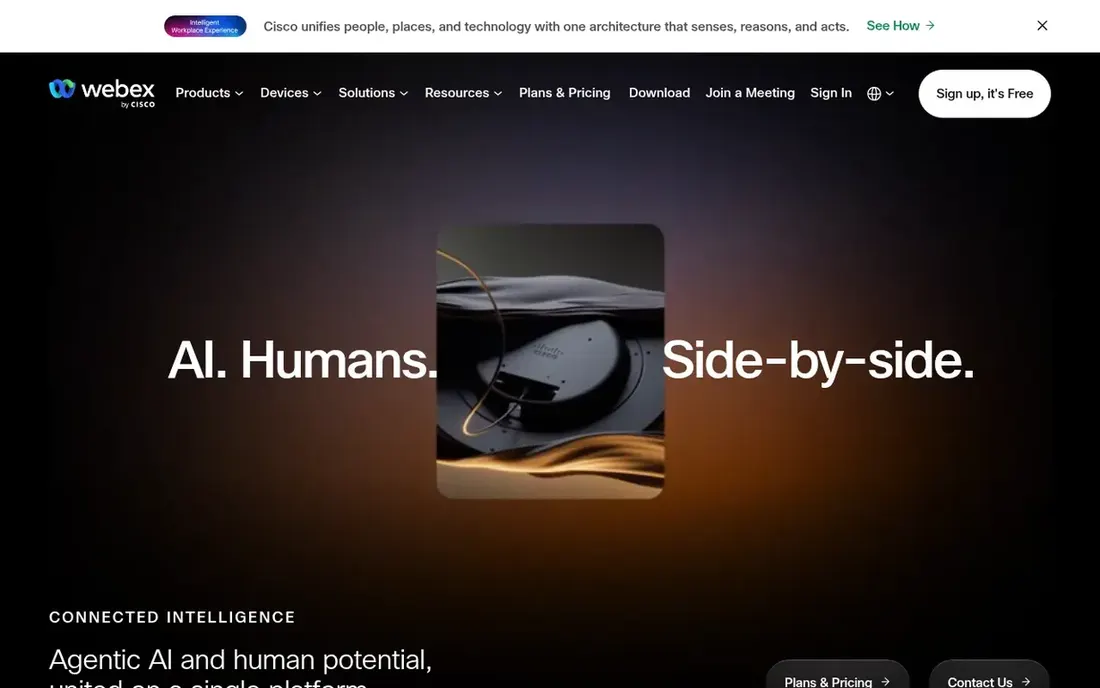
Where Cisco Webex Webinars fits: AI-powered accessibility in enterprise settings. Cisco Webex Webinars is part of the Webex collaboration suite, emphasizing AI-powered features that bundle automatic captions and transcripts.
The main drawbacks: Interface can be complicated.
From a buyer's view, for more straightforward needs or tighter budget, other systems may be more straightforward. In daily use, the system's complexity may need training, and some accessibility choices are not available in every configuration. No starting price is listed for Cisco Webex Webinars here; confirm pricing on the vendor site. Cisco Webex Webinars has a free plan.
- AI-driven captions and transcripts
- Capable enterprise security
- Accessibility features vary by plan
In short, Livestorm is for marketing webinars with accessibility insights. Livestorm is an all-in-one webinar product for marketing teams, offering browser-based events with features like automatic captions and engagement insights.
Honest limits: Restricted advanced accessibility settings.
What you pay to start with Livestorm: €2.50 per attendee. Free access: Not stated.
- Automatic captions
- Browser-based access
- Depends on stable internet
WebinarJam was built for high-conversion webinars with entry-level accessibility. The system gives you restricted accessibility choices compared with dedicated accessible systems, and it may not meet strict inclusion standards.
Pricing for WebinarJam is not stated here, so ask the vendor for current figures. As for free access: Not stated.
Downsides: Focus on sales over inclusion.
- Automatic events
- HD streaming
- Fewer accessibility features
Zoom Webinars makes the most sense for wide accessibility and captioning support. Even so, some accessibility features may rely on account settings or extras, and the depth of choices can overwhelm new users.
The main drawbacks: Some features need extras.
Pricing for Zoom Webinars is not stated here, so ask the vendor for current figures. Free plan details: Not stated.
- Live transcription and captions
- Adaptable webinar controls
- Complicated settings for new hosts
GoTo Webinar was built for steady hosting with accessibility choices. GoTo Webinar is a dedicated webinar system known for reliability, offering accessibility features for example closed captioning and keyboard shortcuts.
Downsides: Interface feels dated.
GoTo Webinar shows no starting price here, so confirm the cost on the vendor site. Free access: Free trial.
- Stable streaming
- Attendee engagement tools
- Restricted advanced accessibility features
Our selection method
Pre-purchase checklist
- Ask Adobe Connect, Cisco Webex Webinars, WebinarJam and others for a written quote, since no starting price is shown.
- Look at the free plan from Cisco Webex Webinars closely: its caps decide whether it is usable for real work.
- Use real work to test the free trial from GoTo Webinar, rather than a demo project.
- Read the limits listed for Adobe Connect first: needs Adobe account.
- Compare total cost, not headline price: for WebinarJam, add extra seats, add-ons and any usage-based charges.
- Confirm the exact Zoom Webinars plan that includes your must-have features.
FAQ
Can I try these tools before paying?
Often, yes. Cisco Webex Webinars has a free plan and GoTo Webinar offers a free trial. Use your own data and a real task during the test, and check what the free tier or trial limits before you rely on it. Prices, free plan details and limits for all 6 tools in this webinar platform with accessibility features roundup sit on the individual cards above.
Is Zoom Webinars accessible for screen reader users?
Zoom Webinars supplies screen reader support and keyboard shortcuts, though experiences can vary by device and configuration. It is usually considered accessible, but testing with your specific setup is recommended.
How are the tools for webinar platform with accessibility features ordered?
Adobe Connect sits first and GoTo Webinar last because the order follows typical fit for webinar platform with accessibility features, then price clarity and free access. It is a judgement call, so read each profile for fit and limits.
Which options for webinar platform with accessibility features have a free plan?
Cisco Webex Webinars is the only tool in this list with a free plan. Free plans usually cap users, projects or features, so check the limits on the vendor page. One other tool offers a trial instead. Each of the 6 options in this webinar platform with accessibility features guide has its own card above with the price, free plan and limits.
Do these tools publish their prices?
Not all of them. Adobe Connect, Cisco Webex Webinars, WebinarJam and others publish no starting price, so expect a quote request for those. The rest, Livestorm included, show a starting price, though seats and billing terms still change the final cost.
What accessibility features should I look for in a webinar product?
Look for live captions, screen reader compatibility, keyboard navigation, and adjustable text sizes. Also consider transcripts and compatibility with assistive technologies. Vendors should offer accessibility documentation.
Sources
- https://www.adobe.com/products/adobeconnect.html
- https://www.webex.com
- https://www.livestorm.co
- https://www.webinarjam.com
- https://www.zoom.com
- https://www.goto.com/webinar