Best Web Font Marketplaces Software for Remote Teams (2026): 6 Picks Checked on Vendor Pages
Comparing the best web font marketplaces software for remote teams? 6 contenders, each with entry cost, free tier and best-fit buyer. Full profiles inside.
- Editor's choiceYouWorkForThem
One-time font and graphic purchases
Starts atSee websiteVisit youworkforthem.comFull review - Great alternative
 Envato Elements
All-in-one creative asset library
Starts at$16.50 a monthVisit elements.envato.comFull review - Also considerMyFonts
Buying individual desktop and webfonts
Starts atSee websiteVisit myfonts.comFull review
Direct answer
This list puts YouWorkForThem first for one-time font and graphic purchases. Listed starting prices: Envato Elements from $16.50 a month. Alternatives: Envato Elements for all-in-one creative asset library, and MyFonts for buying individual desktop and webfonts. The full list of 6 tools follows, with prices and free plan facts.
TL;DR:
- Number one here is YouWorkForThem, a fit for one-time font and graphic purchases.
- For the cheapest start, look at Envato Elements: $16.50 per month.
- For teams inside Adobe workflows, Adobe Fonts is worth a look.
- The main caution on MyFonts: no built-in team license management.
Last checked November 2026. Prices and plan details were read from the vendors' own pages in November 2026; vendors change plans often, so confirm the current price on the vendor site before you buy.
Quick comparison
| Tool | Best for | Starts at | Free plan? | |
|---|---|---|---|---|
| YouWorkForThem | One-time font and graphic purchases | See website | Not stated | Visit |
| Envato Elements | All-in-one creative asset library | $16.50 a month | Not stated | Visit |
| MyFonts | Buying individual desktop and webfonts | See website | Not stated | Visit |
| Fonts.com | Browsing and buying quality fonts | See website | Not stated | Visit |
| Monotype | Managing licensing at scale | See website | Not stated | Visit |
| Adobe Fonts | Teams inside Adobe workflows | See website | Not stated | Visit |
The best web font marketplaces software for remote teams
Short on time? The summary and table above give the quick view of 6 web font marketplaces software for remote teams, and the profiles that follow give the detail behind each entry.
YouWorkForThem
Best for: One-time font and graphic purchases
YouWorkForThem is aimed squarely at one-time font and graphic purchases. YouWorkForThem provides fonts and graphics for designers, with a large catalog of fonts alongside stock photos and videos.
The main drawbacks: Fonts mixed with broader asset store.
It suits remote teams that prefer one-time purchases and want to browse fonts and supporting assets in the same place. YouWorkForThem does not show a starting price in this comparison, so check the vendor site for current pricing. On free options: Not stated.
- Long-standing designer resource
- Large font and graphics catalog
- No subscription-style unlimited access
Envato Elements targets all-in-one creative asset library. Envato Elements gives you AI tools and unlimited creative assets for professional and commercial use, with fonts sitting alongside templates, graphics, and more.
In practice, since it is a general creative library, its typography depth may not match dedicated font keeps for specialized or classic families. In daily use, teams that primarily need specific typefaces should compare MyFonts or Fonts.com before committing. Price to start with Envato Elements: $16.50 per month. Trial and free access: Not stated.
Where it falls short: Font depth may trail specialist keeps.
- Commercial use for professionals
- Unlimited downloads model
- Best value only if you use other assets
MyFonts
Best for: Buying individual desktop and webfonts
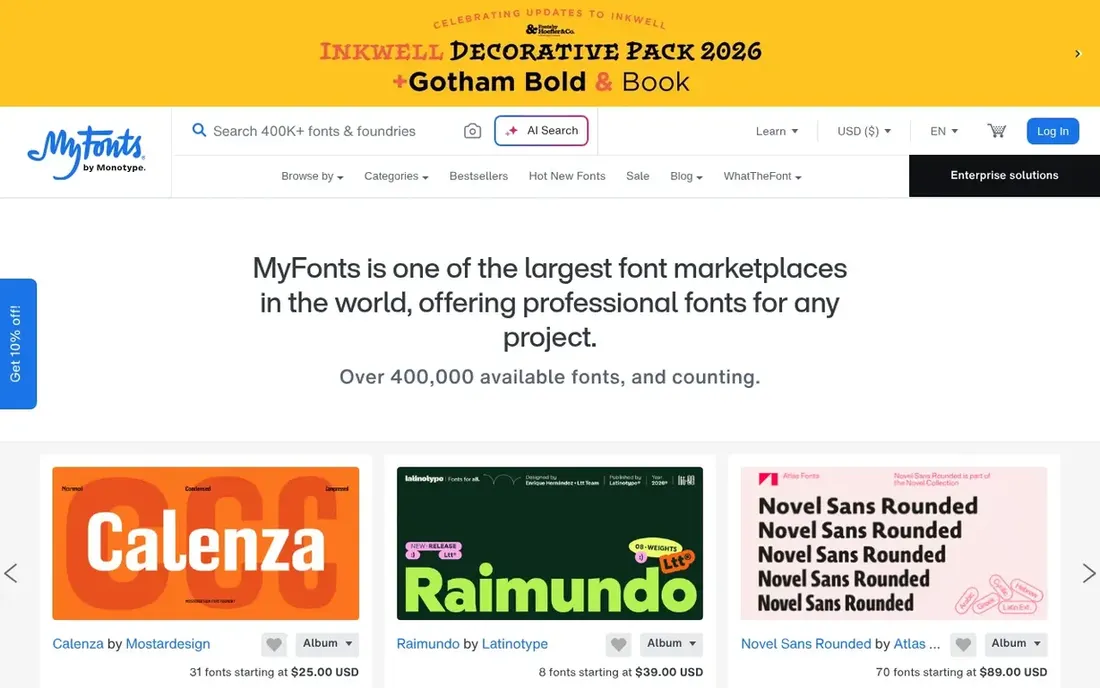
Where MyFonts fits: buying individual desktop and webfonts. MyFonts is a marketplace for downloading desktop and @font-face webfonts, mixing classics like Baskerville and Futura with hot new releases.
It fits remote teams that prefer to buy specific fonts outright and run their own licenses, instead of depend on a subscription library. MyFonts shows no starting price here, so confirm the cost on the vendor site. Free options: Not stated.
What to check first: Costs add up per font family.
- Clear per-font purchase model
- Broad catalog of @font-face webfonts
- No built-in team license management
Fonts.com
Best for: Browsing and buying quality fonts
Fonts.com works best for browsing and buying quality fonts. Fonts.com lets visitors browse, try, buy, and download high-quality desktop and web fonts, including classics, new releases, and best sellers.
It fits remote teams that want a familiar storefront for picking fonts project by project and handling licensing at the point of purchase. Fonts.com shows no starting price here, so confirm the cost on the vendor site. Free access: Not stated.
Trade-offs to know: No team collaboration features described.
- Desktop and web fonts in one store
- Classics and new releases
- Licensing handled per purchase
Monotype
Best for: Managing licensing at scale
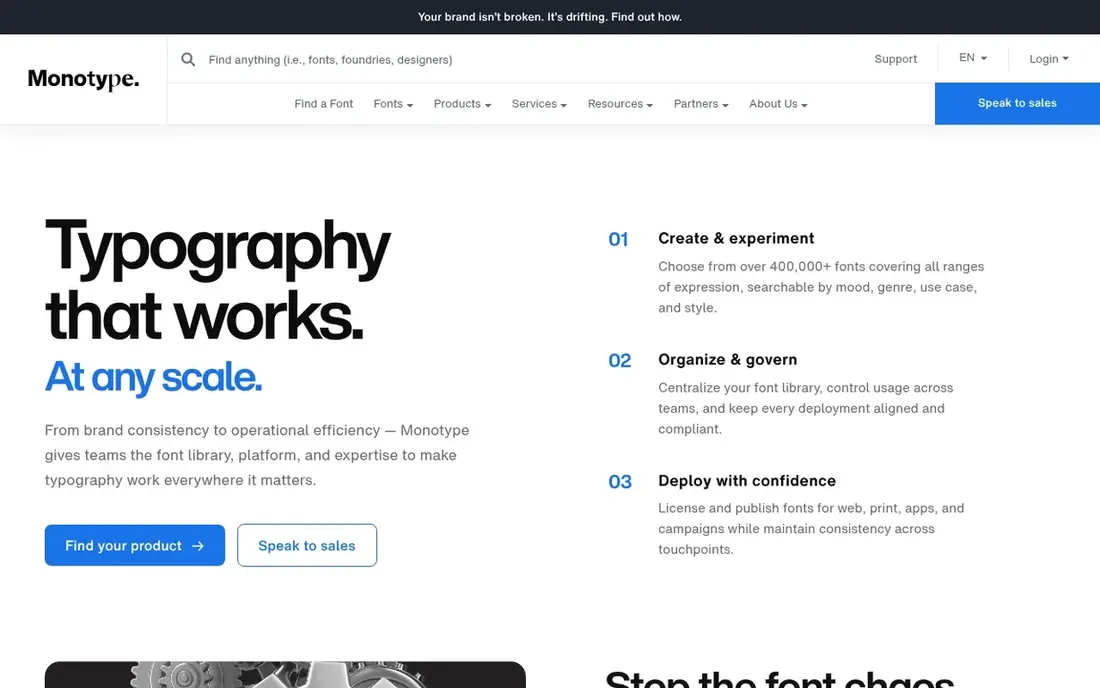
Where Monotype fits: managing licensing at scale. The system is geared toward organizational licensing and workflows, so very small teams may find it more than they need.
For straightforward single-font purchases, MyFonts or Fonts.com can be more straightforward starting points. Worth adding: Monotype brings font search, licensing management, and global deployment together, with a catalog spanning a very large number of fonts. This comparison lists no price for Monotype; ask the vendor. On free options: Not stated.
Watch-outs: Aimed more at organizations than individuals.
- Global deployment workflows
- Large font catalog to search
- Setup can be heavier for small teams
Adobe Fonts
Best for: Teams inside Adobe workflows
Adobe Fonts targets teams inside Adobe workflows. If you have to buy standalone desktop licenses for offline or non-Adobe use, a marketplace like MyFonts may be a better fit. As for the details, the service is most convenient inside the Adobe ecosystem.
So teams working primarily in other design tools may find activation less direct. Also, Adobe Fonts partners with leading type foundries to offer thousands of fonts to designers, with licensing handled so teams can focus on creative work. Adobe Fonts shows no starting price here, so confirm the cost on the vendor site. As for free access: Not stated.
Drawbacks to consider: Best value within Adobe ecosystem.
- Licensing included for creative use
- Simple activation in Adobe apps
- Less suited to non-Adobe-only teams
How we chose
What to check before you buy
- Get a written quote from YouWorkForThem, MyFonts, Fonts.com and others; the list shows no starting price for them.
- Read the limits listed for YouWorkForThem first: no subscription-style unlimited access.
- Look at which plan of Envato Elements unlocks the features you need; entry tiers are often cut down.
- Ask YouWorkForThem about contract length, onboarding fees and user minimums before you sign.
- Total up the real monthly cost of Fonts.com, including add-ons, extra users and usage-based fees.
FAQ
Which web font marketplace is a good match for a remote team new to font licensing?
Start with YouWorkForThem if you need one-time font and graphic purchases. Envato Elements is the better match for all-in-one creative asset library, and MyFonts for buying individual desktop and webfonts. The best choice depends on budget, team size and workflow.
Does any tool for web font marketplaces software for remote teams here have a free plan?
A permanent free plan is not offered by YouWorkForThem, Adobe Fonts or the other tools here. Plan a short evaluation period instead.
Do we need a subscription or can we buy fonts once?
Both models exist: Envato Elements and Adobe Fonts lean on continuing access, whereas MyFonts and YouWorkForThem emphasize one-time purchases. Choose based on whether your team needs constant variety or a stable set of specific families.
Do these tools publish their prices?
Not all of them. YouWorkForThem, MyFonts, Fonts.com and others publish no starting price, so expect a quote request for those. The rest, Envato Elements included, show a starting price, though seats and billing terms still change the final cost.
What is the cheapest option for web font marketplaces software for remote teams in this list?
On published monthly entry prices, Envato Elements is the lowest here at $16.50 per month. Entry price is only part of the cost, because seats, add-ons and billing terms can change the total. All 6 picks in this web Font marketplaces software for remote teams comparison list a starting price, free plan details and the main limits on their cards above.
Is YouWorkForThem the right pick for everyone comparing web font marketplaces software for remote teams?
No single tool suits every team. YouWorkForThem comes first because it fits one-time font and graphic purchases, while Envato Elements suits all-in-one creative asset library and MyFonts suits buying individual desktop and webfonts. Match the tool to your own size, budget and workflow before deciding.
Sources
- https://www.youworkforthem.com
- https://elements.envato.com
- https://www.myfonts.com
- https://www.fonts.com
- https://www.monotype.com
- https://fonts.adobe.com