6 Web Font Marketplaces Software Worth Shortlisting in 2026
6 tools for the best web Font marketplaces software, compared on pricing, free plans and best-fit use. Each entry gets a plain verdict. Checked this month.
- Editor's choiceFonts.com
Trying and buying quality fonts
Starts atSee websiteVisit fonts.comFull review - Great alternative
 Envato Elements
All-in-one creative asset library
Starts at$16.50 per monthVisit elements.envato.comFull review - Also considerMonotype Fonts
Enterprise font licensing and management
Starts atSee websiteVisit monotype.comFull review
Direct answer
Fonts.com leads the list, best for trying and buying quality fonts. Listed starting prices: Envato Elements from $16.50 per month. For a different need, Envato Elements covers all-in-one creative asset library and Monotype Fonts covers enterprise font licensing and management. The full list of 6 tools follows, with prices and free plan facts.
TL;DR:
- The list opens with Fonts.com, aimed at trying and buying quality fonts.
- Adobe Fonts is the one to check for designers inside Adobe workflows.
- Neither Fonts.com nor Adobe Fonts, nor any of the other 4 tools, has a permanent free plan; trials and quotes are the norm.
- Monotype Fonts comes with a trade-off: geared toward organizational buyers.
Last checked November 2026. Prices and plan details were read from the vendors' own pages in November 2026; vendors change plans often, so confirm the current price on the vendor site before you buy.
Quick comparison
| Tool | Best for | Starts at | Free plan? | |
|---|---|---|---|---|
| Fonts.com | Trying and buying quality fonts | See website | Not stated | Visit |
| Envato Elements | All-in-one creative asset library | $16.50 per month | Not stated | Visit |
| Monotype Fonts | Enterprise font licensing and management | See website | Not stated | Visit |
| YouWorkForThem | One-time purchases without subscriptions | See website | Not stated | Visit |
| Font Squirrel | Legitimately free fonts | See website | Not stated | Visit |
| Adobe Fonts | Designers inside Adobe workflows | See website | Not stated | Visit |
Tool-by-tool breakdown
LinkVetted put together this guide to web Font marketplaces software for readers who want a clear shortlist without reading every vendor page. It compares 6 tools on starting price, free plans, who each one suits and where each one falls short.
Fonts.com
Best for: Trying and buying quality fonts
Fonts.com is a good fit for trying and buying quality fonts. Fonts.com lets you browse a selection of high-quality desktop and web fonts, try them, and buy and download classics, new releases and best-selling fonts.
Points against: Needs per-font license review.
As a purchase-based marketplace, costs accumulate with each typeface, so budget-conscious projects may prefer free choices for example Font Squirrel. Worth adding: choose Fonts.com when you want to try and buy specific quality fonts rather than commit to a wide subscription service. Fonts.com does not show a starting price in this comparison, so check the vendor site for current pricing. Free options: Not stated.
- Desktop and web font selection
- Classics and new releases
- Purchase-based model
Envato Elements targets all-in-one creative asset library. Since it is not a dedicated font specialist, the typographic depth and foundry relationships of pure font marketplaces may be missing.
Trade-offs to know: Not a typography specialist.
For everyday use, choose Envato Elements when you want fonts plus many different other creative assets under one roof. Price to start with Envato Elements: $16.50 per month. Trial and free access: Not stated.
- AI tools for content creation
- Fonts alongside other assets
- Fonts are one part of a bigger library
Monotype Fonts
Best for: Enterprise font licensing and management
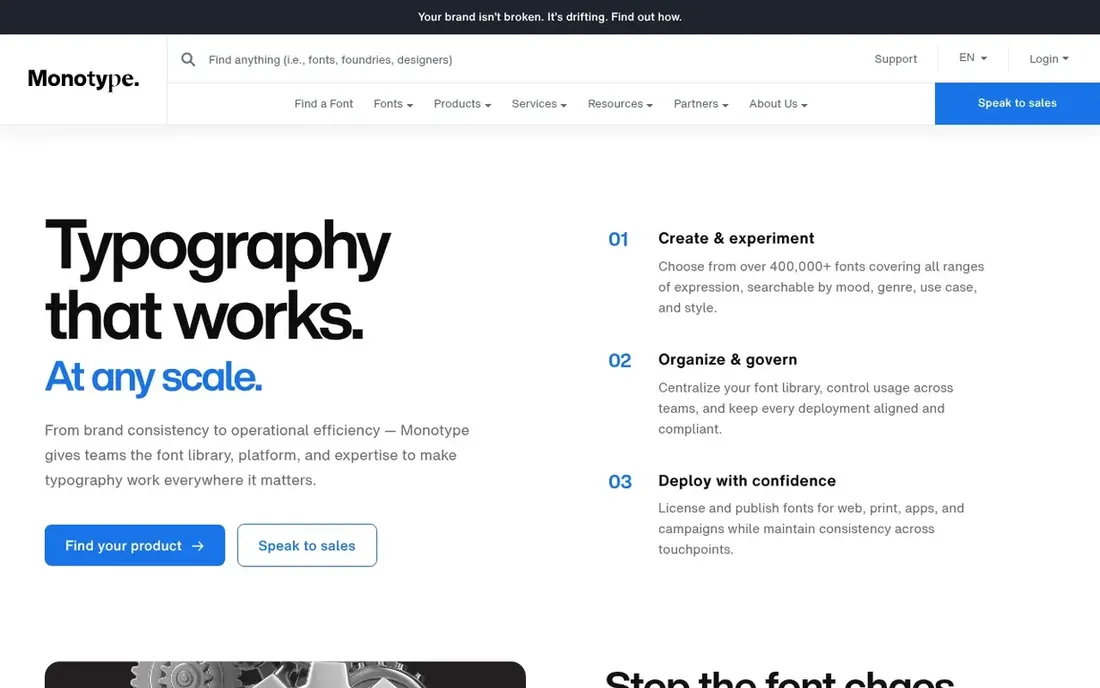
Where Monotype Fonts fits: enterprise font licensing and management. The emphasis is on centralized management and deployment.
Consider Monotype Fonts when licensing oversight and multi-team deployment matter more than fast one-off downloads. For everyday use, because it targets organizational font management, the system can feel heavy for a solo designer who just wants to download a handful of webfonts. Check the vendor site for Monotype Fonts pricing; none is listed in this comparison. As for free access: Not stated.
Where it falls short: Geared toward organizational buyers.
- Centralized licensing management
- Global deployment workflows
- Heavier setup for solo designers
YouWorkForThem
Best for: One-time purchases without subscriptions
YouWorkForThem is designed for one-time purchases without subscriptions. YouWorkForThem gives you a large catalog of fonts alongside graphics, stock photos and videos, sold through one-time purchases instead of subscriptions.
What to check first: No subscription convenience.
The site has served designers for a long time and emphasizes direct purchase. Pricing for YouWorkForThem is not stated here, so ask the vendor for current figures. Free plan details: Not stated.
- Long-standing designer resource
- One-time purchase model
- Quality varies across contributors
Font Squirrel
Best for: Legitimately free fonts
Pick Font Squirrel if this describes you: legitimately free fonts. The emphasis is on curation and legal clarity instead of volume.
Beyond that, choose Font Squirrel when free, legally usable fonts are the priority. No starting price is listed for Font Squirrel here; confirm pricing on the vendor site. Free access: Not stated.
Limits to weigh: Smaller than premium catalogs.
- Curated quality selection
- Handy webfont resources
- Restricted premium typefaces
Adobe Fonts
Best for: Designers inside Adobe workflows
Adobe Fonts is designed for designers inside Adobe workflows. Choose Adobe Fonts when your design pipeline already centers on Adobe software.
Beyond that, the service emphasizes worry-free licensing and wide access instead of one-time purchases. The central limitation is ecosystem dependence: teams outside Adobe tools may find the workflow less convenient. Adobe Fonts shows no starting price here, so confirm the cost on the vendor site. Free options: Not stated.
Where it falls short: Less suited to non-Adobe teams.
- Large library from partner foundries
- Suits Creative Cloud design work
- Tied to Adobe ecosystem
How we compared the tools
The comparison looks at four things: starting price, free access, how well the feature set matches web Font marketplaces software, and the main limit of each tool. Plan names, prices and limits change often. Treat the figures here as a starting point and verify them with the vendor. The order reflects how well each tool fits the most common buying scenario for web Font marketplaces software, then price clarity, then free plan access. It is a starting point, not a verdict.
Things to verify first
- Ask Fonts.com, Monotype Fonts, YouWorkForThem and others for a written quote, since no starting price is shown.
- Before choosing Fonts.com, weigh its main limit: purchase-based model.
- Let daily users try Fonts.com on real work; their feedback beats any feature checklist.
- List the apps you already depend on and check that Monotype Fonts supports each one on the plan you would buy.
- Check whether the features you need in YouWorkForThem sit on the entry plan or only on higher tiers.
FAQ
How are the tools for web Font marketplaces software ordered?
The order follows typical fit for web Font marketplaces software, with Fonts.com first and Adobe Fonts last, then price clarity and free access. It is editorial judgement, not a score, so another team could rank the tools differently.
Is Fonts.com the right pick for everyone comparing web Font marketplaces software?
No single tool suits every team. Fonts.com comes first because it fits trying and buying quality fonts, while Envato Elements suits all-in-one creative asset library and Monotype Fonts suits enterprise font licensing and management. Match the tool to your own size, budget and workflow before deciding.
Which web font marketplace is a good match for teams?
Fonts.com is the pick this page puts first, mainly for trying and buying quality fonts. If your situation differs, Envato Elements suits all-in-one creative asset library, and Monotype Fonts suits enterprise font licensing and management. Compare price and limits before you decide.
Do these tools publish their prices?
Not all of them. Fonts.com, Monotype Fonts, YouWorkForThem and others publish no starting price, so expect a quote request for those. The rest, Envato Elements included, show a starting price, though seats and billing terms still change the final cost.
Can I try these options before paying?
Not by default. None of the tools, from Fonts.com to Adobe Fonts, lists a free plan or a free trial here, so ask each vendor for a demo before committing.
Sources
- https://www.fonts.com
- https://elements.envato.com
- https://www.monotype.com
- https://www.youworkforthem.com
- https://www.fontsquirrel.com
- https://fonts.adobe.com