8 Best Barcode Scanner Apps
Compare the best barcode scanner app options for shops, warehouses and small teams. We cover scanning speed, inventory features, pricing and offline use.
- Editor's choice
 Orca Scan
Phone-based inventory scanning
Starts atSee websiteVisit orcascan.comFull review - Great alternative
 CodeREADr
Team scanning and validation
Starts atSee websiteVisit codereadr.comFull review - Also consider
 Scandit
High-speed scanning in apps
Starts atSee websiteVisit scandit.comFull review
TL;DR:
- Orca Scan and CodeREADr suit teams that scan stock, assets or tickets with a phone instead of buying dedicated hardware.
- Scandit, Scanbot and Dynamsoft suit developers and larger operations that need fast, reliable scanning built into an app.
- Sortly and LoMag help small businesses link scans to inventory counts, locations and item records.
- Check which barcode types you scan, whether you need offline mode, and how scan data exports to your existing system.
- The best barcode scanner apps are the ones that read damaged or curved labels in your real working conditions.
Quick comparison
| Tool | Best for | Starts at | Free plan? | |
|---|---|---|---|---|
| Orca Scan | Phone-based inventory scanning | See website | Yes | Visit |
| CodeREADr | Team scanning and validation | See website | Yes | Visit |
| Scandit | High-speed scanning in apps | See website | Free trial (30 days) | Visit |
 Scanbot SDK | Scanning built into your app | See website | Free trial (30 days) | Visit |
 Dynamsoft Barcode Reader | Developer barcode SDK | See website | Free trial (30 days) | Visit |
 BarKoder | Fast SDK for mobile apps | See website | Free trial (30 days) | Visit |
 Sortly | Visual inventory with scanning | See website | Yes | Visit |
 LoMag | Small warehouse inventory | See website | Yes | Visit |
The best barcode scanner apps
A barcode scanner app turns a phone camera into a working scanner. Some apps are ready to use for stock counts and check-in, while others are toolkits that developers add to a business app. We cover both kinds here, because the right choice depends on whether you want an app today or a scanning feature inside your own software.
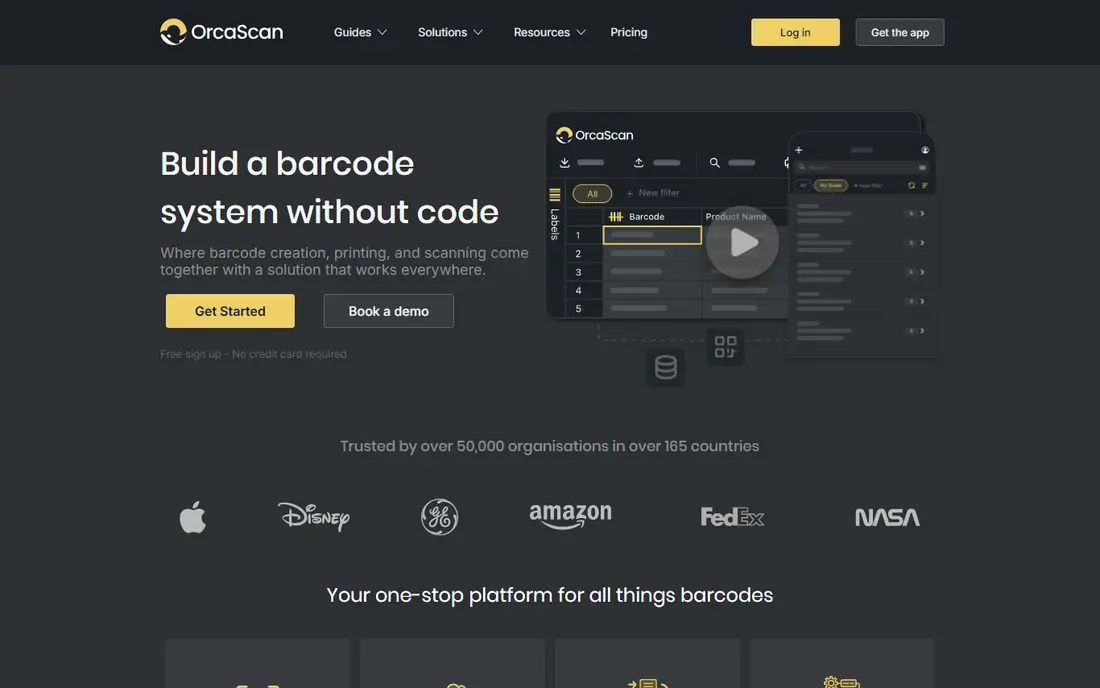
Orca Scan is a practical starting point for a shop or small warehouse that wants to scan without new hardware. You can build a sheet, add fields for location, quantity or condition, and start scanning barcodes with a phone. Scans feed straight into a list that can be exported, which helps with stock counts and asset checks. The limits are about scale and control. Very high-volume scanning, strict validation rules or deep system integration may need a more technical tool. For many small teams, though, Orca Scan gives a fast path from paper lists to scanned records.
- No-code setup for sheets and lists
- Batch scanning and custom fields
- Works on common phones
- Advanced team features need a paid plan
- Heavy scanning may still suit dedicated hardware better
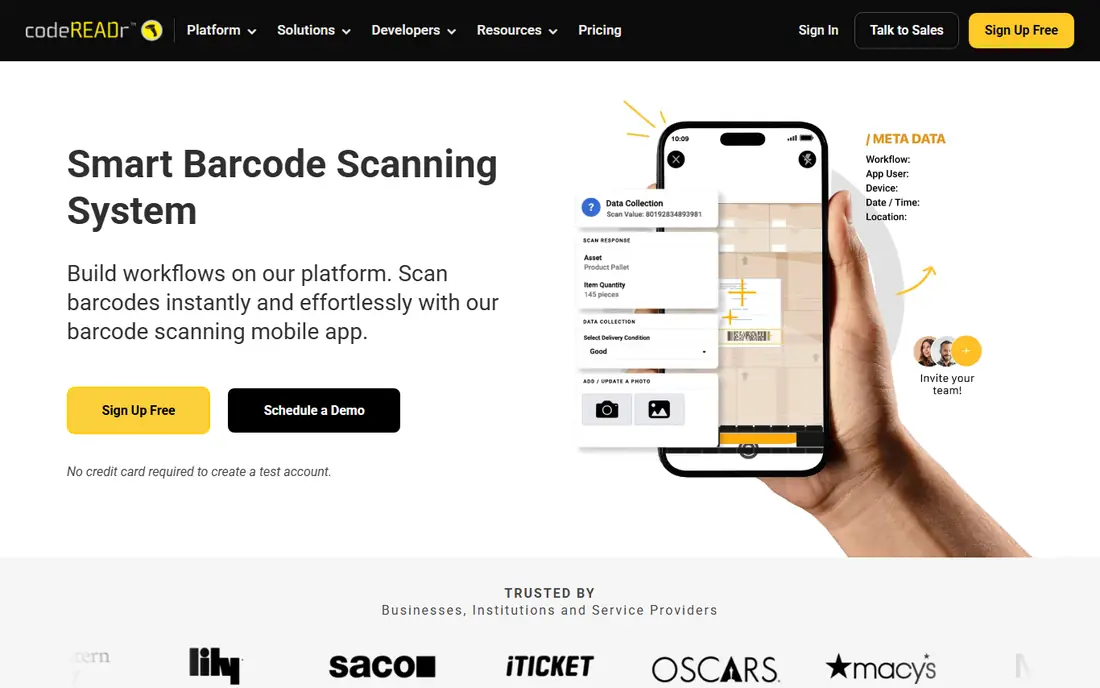
CodeREADr fits teams that need more than a simple scan list. It can check each scan against a database, flag a wrong item, and record who scanned what and when. That validation step matters for tickets, deliveries, asset check-out and stock movements where an error costs time later. Because it is built for teams, the setup deserves thought. You need to decide what database to validate against, what fields to collect, and how devices will be managed. Once that is set, CodeREADr is a solid choice for organised scanning across several staff members.
- Validates scans against a database
- Supports many barcode types
- Team and device controls
- Setup needs a clear data plan
- Pricing varies by use and devices

Scandit is aimed at businesses that put scanning inside their own app or workflow. Its strength is reading codes quickly in difficult conditions, such as damaged labels, glare, distance or several codes in one view. Batch scanning tools can count items or find one item among many without scanning each code one by one. The trade-off is cost and complexity. Scandit is a commercial platform, not a free consumer app, and pricing depends on use. Choose it when scanning speed and accuracy directly affect delivery times, checkout queues or warehouse throughput.
- Fast scanning in poor light and at angles
- Batch and multi-code scanning
- Strong documentation
- Commercial pricing is by quote for many uses
- Overkill for a simple stock list
Scanbot SDK gives developers a way to add barcode scanning to iOS and Android apps without building the camera and decoding work from scratch. Scanning runs on the device, which helps with privacy and with use in places where connectivity is weak. Ready-made screens speed up the first version, while deeper options allow custom workflows. It is not a ready-made inventory app. A business that just wants to scan stock should pick Orca Scan or CodeREADr instead. Scanbot makes sense when scanning must live inside an existing app, with your own screens, branding and data flow.
- On-device scanning for privacy
- Broad barcode support
- Ready-made scanning screens
- Developer setup still required
- Full features need a commercial licence
Dynamsoft Barcode Reader is a long-standing developer toolkit for reading barcodes across platforms. It supports a wide range of one-dimensional and two-dimensional codes, and it can read several codes in one image. That breadth helps in logistics, retail, healthcare and manufacturing, where different suppliers use different code types. As with other SDKs, the value depends on the development team. Licence options vary by deployment type, so check the current terms for your platform before you commit. For a custom app with varied barcode needs, Dynamsoft is a credible, mature option.
- Wide symbology support
- Batch and multi-code reading
- Desktop, web and mobile options
- Licence terms need careful reading
- Integration takes developer time
BarKoder focuses on mobile scanning performance with a toolkit that developers can shape to their app. It covers the barcode types most retail and logistics apps need, and it allows control over the scanning view, feedback and handling of results. That control helps when scanning is a core part of a job, not an occasional feature. The smaller profile means fewer public case studies than Scandit or Dynamsoft, so teams should test it with their own labels and lighting before buying. A trial with real stock, damaged labels and low light will tell you more than a feature page.
- Fast mobile scanning
- Configurable scanning interface
- Support for common symbologies
- Smaller ecosystem than the largest SDK vendors
- Business pricing is by quote in many cases
Sortly suits small businesses that think in items and photos rather than rows in a spreadsheet. Each item can carry a photo, a quantity, a location and a barcode, so staff can find stock by sight as well as by scan. Scanning speeds up check-in, check-out and stock counts, and the visual layout helps new staff learn the system. It is less suited to complex validation or high-speed warehouse scanning. If your main job is keeping track of equipment, parts or shop stock, and you want a system that is easy to show to a new hire, Sortly is a strong fit.
- Photos and folders make items easy to find
- Barcode and QR scanning built in
- Exports and reports
- Best for inventory, not for ticket or delivery validation
- Advanced features need a paid plan
LoMag is built for small warehouses and stockrooms that need more structure than a simple list. Items, locations, stock movements and related documents can sit together, and mobile scanning links physical stock to those records. That structure helps when several people handle receiving, picking and counting. The design is practical rather than flashy, and the full feature set takes a little learning. For a team that wants a warehouse tool with scanning included, rather than a general inventory app, LoMag is worth a trial with real stock and real locations.
- Inventory, locations and documents in one tool
- Barcode scanning on mobile
- Suited to small warehouses
- Interface is more functional than polished
- Some users will need time to learn the full system
How we picked these
We searched for barcode scanner apps and SDKs that are still offered in October 2026, and we separated ready-to-use apps from developer toolkits so readers can tell them apart. We checked vendor sites for current availability, free trials and pricing models, and we used See website where pricing was by quote or not clearly published. We did not claim hands-on testing, and we favoured tools with clear documentation, broad barcode support and a plausible fit for small teams or developers. We left out FreeRoam and similar consumer camping or unrelated apps, because they do not fit barcode scanning. We also left out simple consumer price-check apps that do not support team inventory or business workflows.
Choosing a barcode scanner app
Start with the job, not the app store rating. A stock count, a delivery check and a customer-facing scan each need different features, and the wrong choice shows up as slow scans or bad data.
Check your barcode types and conditions
List the codes you actually scan, including QR codes, Code 128, EAN and any damaged or curved labels. Test in your real light, at your real distance and with your real labels. A scanner that works on a clean printed code at a desk may fail on a worn warehouse label.
Decide between an app and an SDK
Pick a ready app such as Orca Scan, CodeREADr or Sortly when you want to start this week. Pick an SDK such as Scandit, Scanbot, Dynamsoft or BarKoder when scanning must live inside your own app or connect to your own database in a specific way. An SDK needs developer time, so budget for that as well as the licence.
Plan how scan data will be used
Decide where scans go, who can edit them, and how they export to a spreadsheet, accounting tool or warehouse system. Offline mode matters in warehouses, basements and rural sites. If scans must be validated, test that step early, because it is often where a simple app stops being enough.
FAQ
What are the best barcode scanner apps?
Orca Scan and CodeREADr are strong ready-to-use options, while Scandit, Scanbot and Dynamsoft are strong SDK choices for developers. Sortly and LoMag suit inventory work. The best barcode scanner app for you depends on whether you need a standalone app or scanning inside your own software.
Is there a free barcode scanner app for small business?
Yes, Orca Scan, CodeREADr, Sortly and LoMag offer free plans or free tiers, and the SDKs above offer trials. Free plans usually limit users, scans, features or exports. Test the free tier with your own barcodes before you rely on it for daily stock work.
Do barcode scanner apps work offline?
Some do, and some need a connection to validate scans or sync data. On-device SDKs often scan offline, while validation against a live database needs connectivity or a synced copy of the data. Check offline behaviour in your working location before you choose, especially for warehouses and field work.
Can a phone replace a dedicated barcode scanner?
For many small teams, yes. A phone camera handles common codes well and avoids buying extra hardware. Dedicated scanners still win for very high volumes, long shifts, harsh conditions or scanning at distance. If staff scan all day, test battery life and ergonomics as well as scan speed.
Which barcode types should I check before buying?
Check QR codes, Code 128, Code 39, EAN-13, UPC-A and PDF417 if your suppliers use them. Also check damaged, small and curved labels. A vendor list of supported symbologies is useful, but a trial with your own labels is the real test.