Choosing Web Developer Portfolio in 2026: 6 Options Compared
Searching for the best web developer portfolio? Here are 6 options with prices and free plans. Every profile names its biggest catch. Updated for 2026.
- Editor's choice
 GitHub Pages
Hosting straight from a repository
Starts atSee websiteVisit pages.github.comFull review - Great alternative
 Notion
Portfolios built from a workspace
Starts at$10 per member a monthVisit notion.comFull review - Also consider
 Squarespace
Template-driven portfolio sites
Starts at$12 a monthVisit squarespace.comFull review
Direct answer
Our first pick is GitHub Pages, best for hosting straight from a repository. Listed starting prices: Notion from $10 per member a month, Squarespace from $12 a month and Webflow from $15 per month. Notion is better for portfolios built from a workspace, and Squarespace is better for template-driven portfolio sites. The full list of 6 tools follows, with prices and free plan facts.
TL;DR:
- GitHub Pages sits first on this list: hosting straight from a repository.
- For design-focused portfolios with AI assistance, Framer is worth a look.
- Only 3 of the 6 tools have a free plan (Notion, Webflow, Framer), so check the caps.
- For the cheapest start, look at Notion: $10 per member per month.
Last checked November 2026. Prices and plan details were read from the vendors' own pages in November 2026; vendors change plans often, so confirm the current price on the vendor site before you buy.
Quick comparison
| Tool | Best for | Starts at | Free plan? | |
|---|---|---|---|---|
| GitHub Pages | Hosting straight from a repository | See website | Not stated | Visit |
| Notion | Portfolios built from a workspace | $10 per member a month | Yes | Visit |
| Squarespace | Template-driven portfolio sites | $12 a month | Free trial | Visit |
 Webflow | Refined, CMS-driven portfolio sites | $15 per month | Yes | Visit |
 Carrd | Straightforward one-page portfolios | See website | Not stated | Visit |
 Framer | Design-focused portfolios with AI assistance | $10 per month | Yes | Visit |
Web Developer Portfolio profiles
Choosing web developer portfolio usually comes down to price, fit and limits. This LinkVetted guide sets 6 tools side by side on those three points, with the facts kept short and checkable.
GitHub Pages is a good fit for hosting straight from a repository. GitHub Pages hosts websites for you and your projects straight from a GitHub repository, with a workflow where you edit, push, and your changes go live.
Honest limits: Limited built-in design tools.
Beyond that, if you want visual design tools and built-in CMS features, consider Webflow or Framer instead. Pricing for GitHub Pages is not stated here, so ask the vendor for current figures. As for free access: Not stated.
- Hosted from GitHub repositories
- Suits developer workflows
- Needs Git and repo knowledge
Notion makes the most sense for portfolios built from a workspace. If a refined, custom-designed portfolio is the goal, a builder like Webflow or Framer is a better fit.
Starting cost for Notion: $10 per member per month. Notion includes a free tier.
Honest limits: Not a dedicated website builder.
- Adaptable workspace for content
- AI search across apps
- Design control is limited
Squarespace is aimed squarely at template-driven portfolio sites. Squarespace is a website builder that supplies configurable templates, AI building tools, and domain choices for creating and expanding a site.
Beyond that, the template-based approach can restrict developers who want fine-grained control over layout and code. The starting price for Squarespace: $12 per month. Free access: Free trial.
Limits to weigh: Less code-level control.
- Domain and growth features
- Configurable website templates
- Template constraints may limit unique layouts
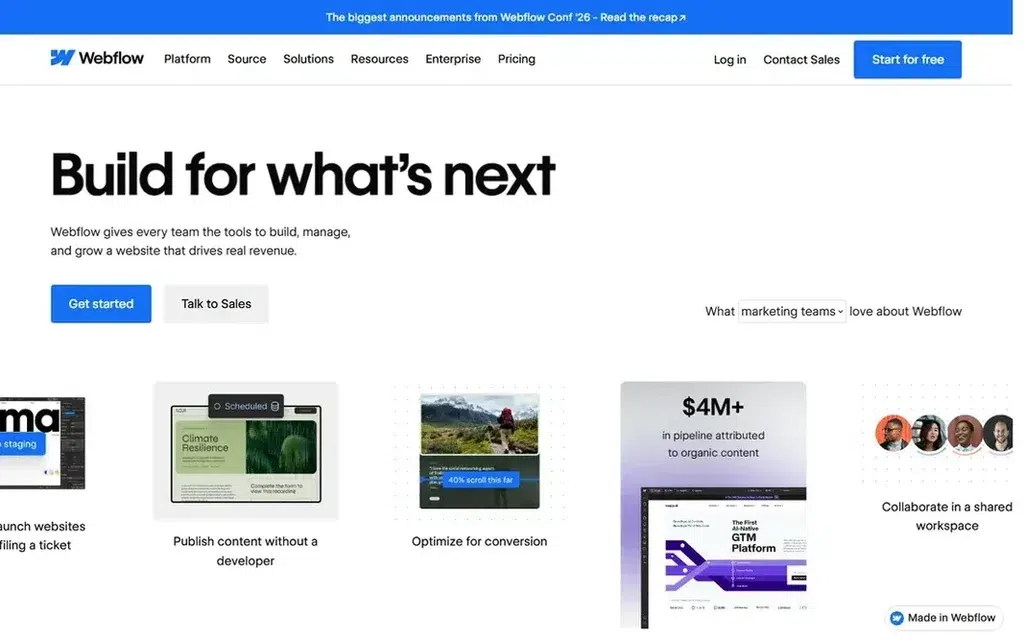
Think of Webflow for polished, CMS-driven portfolio sites. Webflow is a visual web system for designing, building, and hosting websites with enterprise-grade security and CMS capabilities. From a buyer's view, the system's breadth can be more than a straightforward personal portfolio needs.
Points against: Needs learning the system's model.
The ramp-up time may slow down fast launches. Beyond that, if you want a minimal one-page site or prefer to host straight from a repository, a lighter choice like Carrd or GitHub Pages may be a better fit. Entry price for Webflow: $15 per month. Webflow offers a free plan.
- Visual design with code-level control
- Built-in CMS and hosting
- Can be complicated for straightforward portfolios
Think of Carrd for simple one-page portfolios. Carrd is a product for building straightforward, fully responsive one-page sites for pretty much anything.
Where it falls short: Fewer advanced features.
The one-page format limits how much content you can present, and advanced features are minimal. If you need several pages, a CMS, or deeper customization, consider Webflow, Framer, or Squarespace. No starting price is listed for Carrd here; confirm pricing on the vendor site. As for free access: Not stated.
- Straightforward setup
- Works for numerous use cases
- Limited to one-page sites

Think of Framer for design-focused portfolios with AI assistance. It fits developers who want a quick, design-forward portfolio with hosting, CMS, analytics, and SEO features included, and who value visual editing over hand-coding every element.
Where Framer stands out: Editable changes after generation.
Watch-outs: Less control over underlying code. On cost, Framer starts like this: $10 per month. Framer offers a free plan.
- Analytics built in
- AI design agent for idea-to-launch
- AI output may need manual refinement
Selection criteria
Selection started from tools commonly considered for web developer portfolio, then narrowed to 6 that have clear pricing information or a clear quote process. Prices and plan limits come from vendor pages and can change, so confirm them on the vendor site before you buy. The sequence is a judgement call: typical use case first, then pricing transparency, then free access. Use the profiles to check fit.
Pre-purchase checklist
- Confirm the entry price on the vendor page. For GitHub Pages and Carrd that means a quote rather than a fixed price.
- Read the fine print on the free plans from Notion, Webflow and Framer; seat, project and feature caps differ.
- Use real work to test the free trial from Squarespace, rather than a demo project.
- Read the limits listed for GitHub Pages first: needs Git and repo knowledge.
- Before rolling out GitHub Pages, verify the integrations your workflow depends on.
- Ask the daily users to test Squarespace on a live task before you roll it out to everyone.
FAQ
What is the best tool for a web developer portfolio in 2026?
Start with GitHub Pages if you need hosting straight from a repository. Notion is the better match for portfolios built from a workspace, and Squarespace for template-driven portfolio sites. The best choice depends on budget, team size and workflow.
What is the cheapest option for web developer portfolio in this list?
On published monthly entry prices, Notion is the lowest here at $10 per member per month. Entry price is only part of the cost, because seats, add-ons and billing terms can change the total. All 6 picks in this web developer portfolio comparison list a starting price, free plan details and the main limits on their cards above.
Which options for web developer portfolio have a free plan?
Notion, Webflow and Framer offer a free plan in this list. Free plans usually cap users, projects or features, so check the limits on the vendor page. One other tool offers a trial instead.
Which tool is a good match for a one-page portfolio?
GitHub Pages comes first here and is built for hosting straight from a repository. Buyers with other needs may prefer Notion (for portfolios built from a workspace) or Squarespace (for template-driven portfolio sites). Compare costs and limits first.
How are the tools for web developer portfolio ordered?
GitHub Pages sits first and Framer last because the order follows typical fit for web developer portfolio, then price clarity and free access. It is a judgement call, so read each profile for fit and limits.
Can I try these tools before paying?
Often, yes. Notion, Webflow and Framer have a free plan and Squarespace offers a free trial. Use your own data and a real task during the test, and check what the free tier or trial limits before you rely on it.
Sources
- https://pages.github.com
- https://www.notion.com
- https://www.squarespace.com
- https://webflow.com
- https://carrd.co
- https://www.framer.com