Best Platform for Portfolio Website in 2026: 9 Platforms Compared
Compare the best platform for portfolio website options in 2026, with pricing, templates, selling tools and client galleries to help you choose well today.
- Editor's choice
 Squarespace
Polished portfolios that also sell
Starts at$16 per monthVisit squarespace.comFull review - Great alternative
 Wix
Widest template and app choice
Starts at$17 per monthVisit wix.comFull review - Also consider
 Format
Photographers and client proofing
Starts at$10 per monthVisit format.comFull review
TL;DR:
- Squarespace is our pick for most people because its templates look polished with little effort, and it also handles selling and blogging.
- Photographers who need client proofing should shortlist Format, Pixpa and SmugMug instead of a general website builder.
- Webflow and Cargo give the most design freedom, but they ask for more time and patience than template-led builders.
- A free plan helps for testing, yet Wix and Webflow are the only picks here with a lasting free tier, so check trial limits before you commit.
Quick comparison
| Tool | Best for | Starts at | Free plan? | |
|---|---|---|---|---|
| Squarespace | Polished portfolios that also sell | $16 per month | Free trial | Visit |
| Wix | Widest template and app choice | $17 per month | Yes | Visit |
| Format | Photographers and client proofing | $10 per month | Free trial | Visit |
 Pixpa | All-in-one portfolio, store and galleries | $5.40 per month | Free trial | Visit |
 Adobe Portfolio | Creative Cloud subscribers | See website | No | Visit |
 Cargo | Editorial and design-led portfolios | $14 per month | Free trial | Visit |
 Webflow | Full design control | $14 per month | Yes | Visit |
 Carbonmade | Simple, minimal portfolios | $8 per month | Free trial | Visit |
 SmugMug | Photographers selling prints | $20 per month | Free trial | Visit |
The best platform for portfolio website work
A good portfolio platform should make your work look strong on a phone, load quickly, and let a client contact you or buy without friction. These nine cover that job from different angles, from simple one-page sites to full stores.
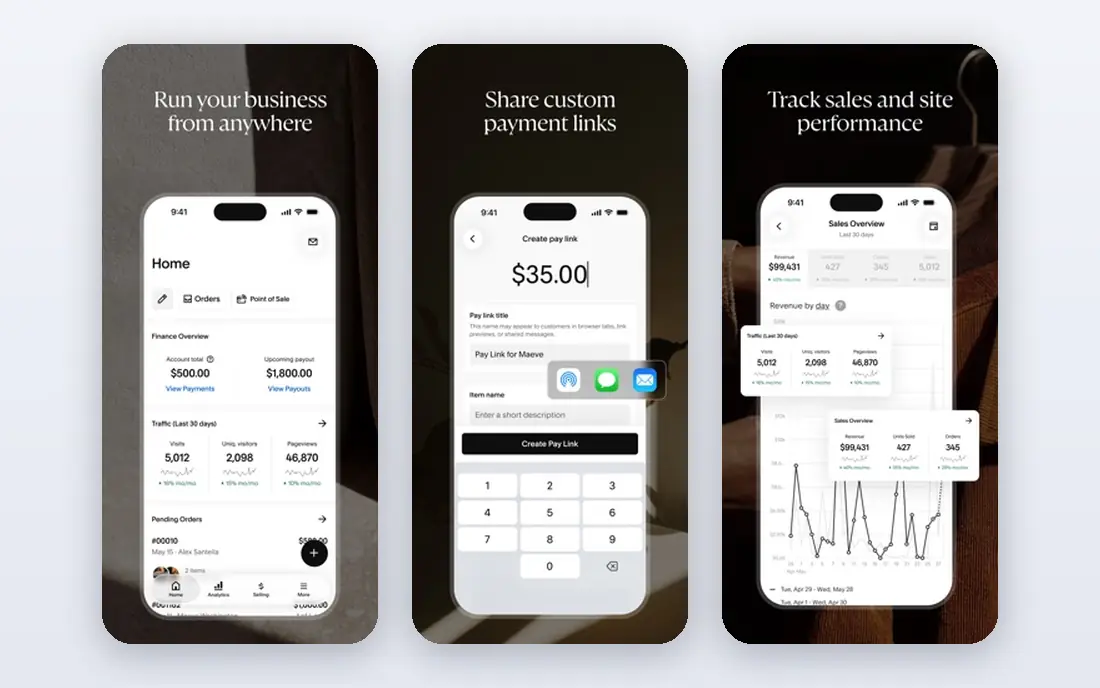
Squarespace earns the top spot for most creatives because the design decisions are already made well. Templates keep type, spacing and image sizes coherent, so a portfolio can look expensive even if you spend only an evening on it. That matters when a hiring manager or buyer judges you in under a minute. The platform also grows past a simple gallery, with pages for services, a blog for process posts, and a store for prints, presets or commissions.
The trade-off is focus. Squarespace is a general website builder, not a photographer workflow tool, so client proofing, watermarking and print lab fulfilment are missing or need workarounds. If most of your income comes from client shoots, pair it with a separate gallery tool or pick Format or Pixpa instead. For designers, illustrators, writers and small studios who want one polished site, it remains the safest default.
- Refined portfolio templates
- Built-in store, blog and scheduling
- Free custom domain for the first year on annual plans
- No native client proofing
- Only a 14-day trial, with no lasting free plan

Wix suits people who want choice above all else. You can start from a template, answer a few setup questions for an AI-generated draft, or build from a blank page. The app market adds booking, forms, stores, memberships and more, which helps when a portfolio needs to become a small business site. The free plan is genuinely useful for learning the editor before you pay, even though it keeps Wix branding and a Wix subdomain.
The catch is discipline. With so many options, it is easy to add sections, fonts and effects until the work itself gets lost. Wix also lacks the built-in client gallery workflow that photographers get from Format or Pixpa. Use it when you value flexibility and low starting friction, and keep the layout simple so the images stay in charge.
- Very large template library
- Lasting free plan for testing
- Broad app market for extra features
- Free plan shows Wix branding
- Design freedom can lead to messy layouts without care
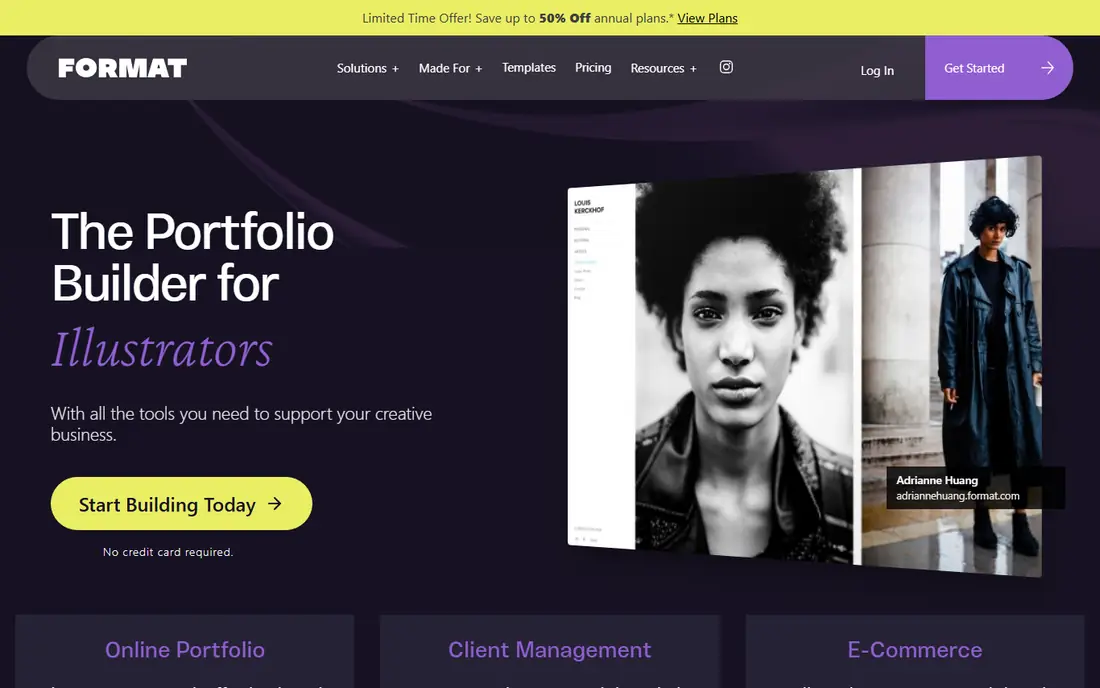
Format is built around how photographers actually work. Galleries look clean, images load well on mobile, and client galleries let people select favourites and approve sets for delivery. That workflow alone can save hours of email back-and-forth after a shoot. Blogging and basic selling are included, so a working photographer does not need three separate tools for a simple site.
The limits show up when you want a complex business site. Format has fewer templates and fewer marketing tools than Wix or Squarespace, and its store suits prints and downloads better than a large product catalogue. If your main need is a beautiful portfolio plus a professional way to deliver client work, those limits rarely matter. It is a focused tool that does its core job well.
- Photographer-first templates
- Built-in client galleries and proofing
- Clean mobile presentation
- Smaller template range than general builders
- Store features are more limited than Squarespace
Pixpa is the value pick in this list. For a low monthly price on annual billing, you get portfolio templates, client galleries, a blog and a store in one account, with no commission on sales on the paid plans we reviewed. That combination is hard to beat for photographers, designers and small studios who need the full set without paying for several subscriptions. The editor is straightforward, and the templates cover most creative fields without feeling generic.
The main weakness is familiarity. Clients and collaborators may know Squarespace or Wix by name, while Pixpa is less widely recognised, though that has no effect on how your site looks or works. Support and template depth are solid, but the community of tutorials is smaller. If budget matters and you want one tool for portfolio, proofing and selling, Pixpa deserves a close look.
- Low entry price
- Over 200 templates
- Client galleries and store with no commission on paid plans
- Smaller brand recognition than Squarespace
- 15-day trial is short for a careful decision
Adobe Portfolio makes sense only if you already pay for Creative Cloud. In that case, it costs nothing extra, and you can publish a clean portfolio from Lightroom collections in minutes. The designs are minimal and restrained, which suits photographers and illustrators who want the images to speak without decoration. Setup is simpler than any standalone builder here, because your photos and projects are already in Adobe tools.
Outside that situation, it is hard to recommend. You cannot buy Portfolio on its own, there is no native store for selling work, and customisation is narrow compared with Webflow or Squarespace. Treat it as a fast, free bonus for Creative Cloud users, and as a starting point that you may outgrow if selling or client delivery becomes central to your business.
- Included with a paid Creative Cloud plan
- Syncs with Lightroom collections
- Very fast to set up
- No standalone purchase
- No native store
- Limited template and customisation range
Cargo is for portfolios that need to feel like a designed object, not a standard template. Its grid tools and editorial layouts let designers, artists and studios create unusual pages, overlapping images, and custom navigation that would be hard to copy in a template builder. You can build for free and pay when you publish, which makes it low risk to experiment with a bold idea before you commit.
That freedom comes with a learning curve and fewer ready-made answers. Commerce is available as an add-on rather than a full store system, and blogging is limited, so Cargo suits portfolio-first sites rather than content-heavy business sites. If your work is visual and experimental, and a standard template would flatten it, Cargo is the most interesting choice here.
- Distinct editorial layouts
- Strong custom code control
- Free to build before you publish
- Smaller template library
- Commerce and blogging are more limited than general builders
Webflow gives designers control close to hand-coded work, without writing code for every page. You can set spacing, breakpoints, interactions and CMS collections for projects, case studies and filters, which makes it strong for agencies and designers with many pieces of work to organise. The free starter plan lets you learn the builder and publish to a Webflow subdomain before you pay for a custom domain.
The honest catch is time. Webflow rewards patience and design skill, and a beginner can spend days on details that a Squarespace template handles in minutes. Commerce costs extra, and client proofing is not built in. Choose Webflow when design control and a structured portfolio matter more than speed, and choose a simpler builder when you need a good site this week.
- Precise visual design control
- CMS for large portfolios
- Free starter plan for learning
- Steeper learning curve
- Commerce is a paid add-on
- Overkill for a simple portfolio
Carbonmade is the least complicated option here, and that is its appeal. The block editor lets illustrators, animators and designers drop in images, video and text without learning a large system. Pages stay minimal by design, so the work remains the focus, and the price stays low. For students, early-career creatives and people who need a clean link for applications, that simplicity is a real strength.
The limits are clear. There is no blog worth building a content habit on, no full store, and customisation is narrow. If you later need client galleries, selling or a large case-study archive, you will likely move to another platform. Start with Carbonmade when you want a tidy portfolio fast, and accept that it is a portfolio tool first and a business site second.
- Very simple block-based editor
- Minimal designs that keep focus on work
- Low price
- Limited customisation
- No blog or full store
- Small template range
SmugMug is built for photographers who sell. Galleries can be made private, password protected or open, and print fulfilment through partner labs means you do not handle printing, packing or shipping. That workflow suits wedding, portrait, event and outdoor photographers who sell prints at volume, and the unlimited storage on paid plans removes one worry about growing archives. Clients get a clean buying path from gallery to checkout.
The downside is breadth. SmugMug is a photo platform first, so general business pages, blogging and design variety lag behind Squarespace and Wix. The entry price is also higher than Pixpa or Format. Pick SmugMug when print sales are a core income stream, and pick a broader builder when your portfolio also needs to sell services, courses or non-photo products.
- Strong print sales and lab fulfilment
- Unlimited photo storage on paid plans
- Good gallery privacy controls
- Higher entry price
- Designs feel less modern than Squarespace
- Store is photo-focused
How we picked these
We compared official pricing pages, template libraries, gallery and selling features, and public reviews for each platform, with a focus on what ordinary creatives and small studios actually need: a site that looks good on mobile, a clear contact path, and a sensible price. We favoured platforms that are available now, in October 2026, and that cover different needs rather than listing nine near-identical builders. Prices shown are entry paid plans, usually on annual billing, so check the vendor pricing page for monthly rates and renewal terms before you buy.
What to check before you choose a portfolio platform
Start with the job, not the template gallery. A photographer who delivers client work needs proofing and privacy controls, while a designer who pitches agencies needs case-study layouts and fast loading. A seller needs checkout, tax handling and print fulfilment, while a student may only need a clean link and a contact form. Write down your top three must-haves, then test only the platforms that meet all three.
Test on a phone first
Most portfolio visits happen on a phone, so preview every shortlisted template there before you judge it on a laptop. Check image cropping, menu access, load time on a slower connection, and whether a contact button is easy to find. A template that looks stunning on desktop can hide your best work behind awkward crops on mobile.
Check ownership and exit costs
Confirm that you can use a custom domain, export or download your images, and cancel without losing your content. Some platforms make it easy to leave, while others lock your layout and structure in place. Keep original image files outside the platform, keep your domain registration separate if you can, and read the renewal price, not just the first-year offer.
Do not pay for features you will not use
A full store, membership system and email marketing suite sound useful, but they add cost and clutter if you only need a portfolio and a contact form. Start on the lowest plan that covers your must-haves, and upgrade when real client demand proves you need more. That approach keeps the site focused and the monthly bill honest.
FAQ
What is the best platform for portfolio website beginners?
Squarespace and Pixpa are the easiest starting points for most beginners, because their templates look finished with little tweaking. Wix is also friendly, though its many options can slow you down. If you only need a simple portfolio, Carbonmade is even simpler, but it offers fewer growth options.
Which is the best online portfolio platform for photographers?
Format and Pixpa are strong for photographers who need client galleries and proofing alongside a portfolio. SmugMug is the better pick when print sales matter most, thanks to lab fulfilment and gallery privacy controls. Adobe Portfolio works well if you already use Lightroom and Creative Cloud.
Can I sell prints and products from my portfolio site?
Yes, on the right platform. Squarespace, Wix and Pixpa include stores for prints, downloads and other products, while SmugMug focuses on photo print sales with lab fulfilment. Check commission rates, tax handling and shipping options on the vendor pricing page, since those details vary by plan.
Do I need a custom domain for my portfolio?
A custom domain is not required, but it looks more professional and is easier to remember than a platform subdomain. Most platforms here let you connect a domain you already own, and some include one free for the first year on annual plans. Keep the domain in your own account so you can move platforms later if needed.
Is a free portfolio platform good enough?
A free plan can work for testing and for a simple student portfolio, and Wix and Webflow both offer lasting free tiers. Free plans usually show platform branding and use a subdomain, which looks less professional for client work. For paid client work, a low-cost paid plan with a custom domain is usually worth the small monthly cost.