5 Best VR Prototyping Software for UX Designers for 2026, Vetted and Compared
Compare 5 best VR prototyping software for UX designers, with prices, free plans and who each fits. Each tool is judged on the same checks. Plain facts.
- Editor's choiceAdobe Substance 3D Modeler
Sculpting 3D assets in VR
Starts atSee websiteVisit adobe.comFull review - Great alternative
 ProtoPie
Advanced interaction prototyping
Starts atSee websiteVisit protopie.ioFull review - Also consider
 Axure RP
In-depth specs and complicated logic
Starts at$29 per user per monthVisit axure.comFull review
Direct answer
If you need Sculpting 3D assets in VR, Adobe Substance 3D Modeler is the first tool to look at here. Listed starting prices: Axure RP from $29 per user per month, Figma from $3 a month and Unity from $210.00 a month. Look at ProtoPie for advanced interaction prototyping, and at Axure RP for in-depth specs and complicated logic. The other 2 tools in the list cover narrower or pricier cases.
TL;DR:
- Adobe Substance 3D Modeler takes the first slot, best suited to Sculpting 3D assets in VR.
- Figma has the lowest monthly starting price in this list: $3 per month.
- Check the limits for ProtoPie before you commit: not a native VR authoring tool.
- Neither Adobe Substance 3D Modeler nor Unity, nor any of the other 3 tools, has a permanent free plan; trials and quotes are the norm.
Last checked November 2026. Prices and plan details were read from the vendors' own pages in November 2026; vendors change plans often, so confirm the current price on the vendor site before you buy.
Quick comparison
| Tool | Best for | Starts at | Free plan? | |
|---|---|---|---|---|
| Adobe Substance 3D Modeler | Sculpting 3D assets in VR | See website | Not stated | Visit |
| ProtoPie | Advanced interaction prototyping | See website | Not stated | Visit |
| Axure RP | In-depth specs and complicated logic | $29 per user per month | Not stated | Visit |
 Figma | Screen-first design and collaboration | $3 a month | Not stated | Visit |
 Unity | Full-control immersive builds | $210.00 a month | Free trial | Visit |
5 VR prototyping software for UX designers in detail
If you are comparing VR prototyping software for UX designers, this page covers 5 tools in one place: what each is best for, what it costs to start, whether it has a free plan, and the main limit to know about.
Adobe Substance 3D Modeler
Best for: Sculpting 3D assets in VR
Adobe Substance 3D Modeler makes the most sense for Sculpting 3D assets in VR. It suits teams that want to shape assets straight in virtual space.
It does not deal with flows, interactions or usability testing, so it is a supporting tool instead of a prototyping product. Adobe Substance 3D Modeler shows no starting price here, so confirm the cost on the vendor site. On free options: Not stated.
Points against: Asset modeling, not interaction design.
- Multisurface sculpting approach
- Works on desktop and in VR
- Needs 3D modeling familiarity
ProtoPie is a good fit for advanced interaction prototyping. ProtoPie targets screen-based interaction instead of headset-native 3D scenes, so spatial testing still needs another tool.
No starting price is listed for ProtoPie here; confirm pricing on the vendor site. Trial and free access: Not stated.
Limits to weigh: Not a native VR authoring tool.
- Manages rich multi-state logic
- Clean specs for developer handoff
- Complicated prototypes take time to build
Axure RP is designed for detailed specs and complicated logic. If your main question is how a menu feels inside a headset, choose a spatial tool.
Honest limits: No native VR or 3D support.
Axure RP has no native 3D or headset support, so it cannot validate spatial comfort or scale. In daily use, Axure RP is an all-in-one software design tool for creating prototypes, specifications and diagrams. Axure RP pricing: $29 per user per month. Free plan details: Not stated.
- Deals with conditional interaction logic
- Prototypes
- Interface feels dated to some designers
Figma makes the most sense for screen-first design and collaboration. Figma is a collaborative canvas where design, code and AI come together, taking work from first idea to shipped product with the whole team in one place. For everyday use, Figma is not a native VR prototyping environment, so spatial interactions and headset testing need other tools.
The main drawbacks: Spatial behavior needs other tools.
Where Figma stands out: Solid for UI and design systems; code and AI workflows.
It remains the natural starting point for most design work. UX designers generally use it for interface design, flows and design systems that surround a VR experience, for example companion apps, menus or onboarding screens. Entry price for Figma: $3 per month. Free options: Not stated.
- Bridges design
- Collaborative canvas for entire teams
- Restricted native 3D and VR prototyping
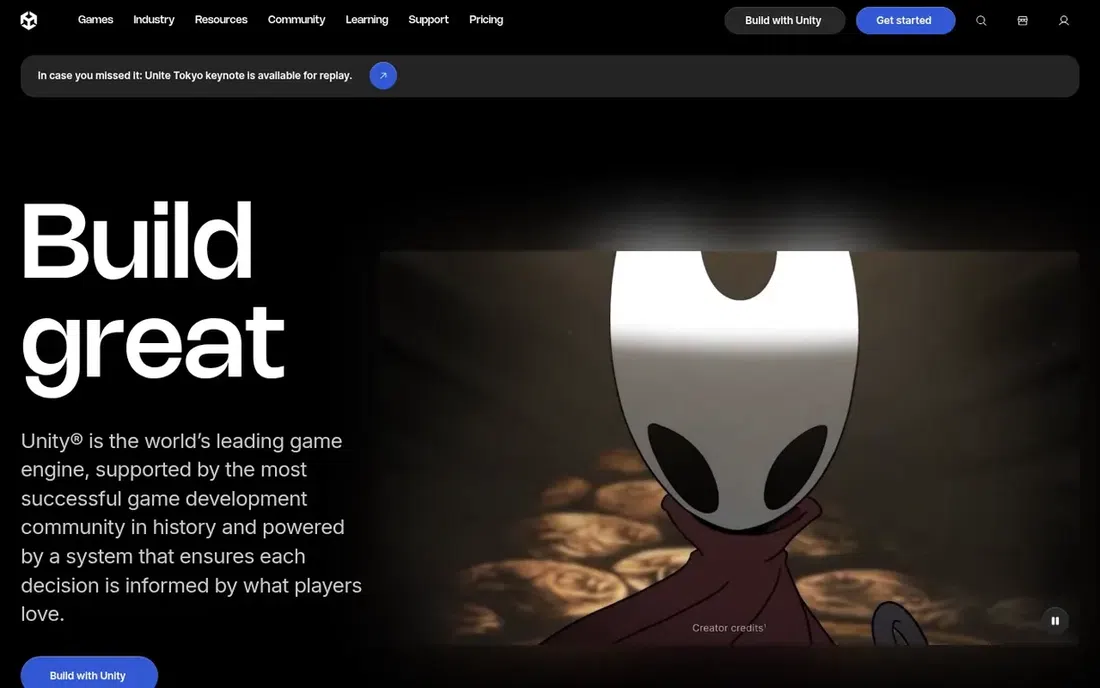
In short, Unity is for full-control immersive builds. Unity is a 3D engine used to develop, deploy and grow interactive content across mobile, PC, console and XR.
The trade-off is complexity: Unity assumes comfort with scene setup and code-driven behavior, which slows fast ideation. Also, for UX designers, it suits projects that require real interaction logic, spatial UI and a path to shipping a working immersive prototype instead of a rough sketch. On cost, Unity starts like this: $210.00 per month. Trial and free access: Free trial.
Honest limits: Needs scripting for advanced interactions.
- PC and console
- Supports XR alongside mobile
- Steep ramp-up time for designers
Our selection method
We compared the tools on published pricing, free plan or trial availability, feature coverage for VR prototyping software for UX designers, and the limits each vendor documents. Where a price is missing, the vendor does not list one publicly or ties it to a quote. Always confirm before budgeting. We ordered the tools by general fit, then by how clearly pricing is shown, then by free access. A buyer with unusual needs may reorder them.
What to confirm before you sign up
- Ask Adobe Substance 3D Modeler and ProtoPie for a written quote, since no starting price is shown.
- Run a trial of Unity with real work before paying for a year; your own workflow is the best test.
- Read the limits listed for Adobe Substance 3D Modeler first: asset modeling, not interaction design.
- Before you load data into Figma, check what an export looks like and who can run it.
- Look at the renewal terms for ProtoPie: auto-renewal, notice periods and price changes can matter more than the first-year price.
FAQ
How are the tools for VR prototyping software for UX designers ordered?
Adobe Substance 3D Modeler sits first and Unity last because the order follows typical fit for VR prototyping software for UX designers, then price clarity and free access. It is a judgement call, so read each profile for fit and limits.
Does any tool for VR prototyping software for UX designers here have a free plan?
No tool in this list, Adobe Substance 3D Modeler and Unity included, has a permanent free plan. Unity offer a trial. Trials and quotes are the usual route, so plan a short evaluation period.
Is Adobe Substance 3D Modeler the right pick for everyone comparing VR prototyping software for UX designers?
No single tool suits every team. Adobe Substance 3D Modeler comes first because it fits Sculpting 3D assets in VR, while ProtoPie suits advanced interaction prototyping and Axure RP suits detailed specs and complex logic. Match the tool to your own size, budget and workflow before deciding.
Do these tools publish their prices?
Not all of them. Adobe Substance 3D Modeler and ProtoPie publish no starting price, so expect a quote request for those. The rest, Axure RP included, show a starting price, though seats and billing terms still change the final cost.
Sources
- https://www.adobe.com/products/substance3d-modeler.html
- https://www.protopie.io
- https://www.axure.com
- https://www.figma.com
- https://unity.com