Best UI Prototyping Tools in 2026: 10 Tools Compared
Compare the best ui prototyping tools for wireframes, interactive prototypes and developer handoff, with current pricing, free plans and honest limits.

- Editor's choice
 Figma
Team UI design and prototyping
Starts atFreeVisit figma.comFull review - Great alternative
 Sketch
Mac-based UI design systems
Starts atSee websiteVisit sketch.comFull review - Also consider
 Adobe XD
Prototyping inside the Adobe ecosystem
Starts atSee websiteVisit adobe.comFull review
TL;DR:
- Figma is the safest default for most teams, thanks to collaboration, components and developer handoff in one tool.
- Penpot is the best free and open option, with a hosted free plan and self-hosting for teams that want control over files.
- Axure RP and ProtoPie suit complex, logic-heavy prototypes, while Balsamiq and Uizard suit fast, low-fidelity ideas.
- Test a real prototype, including sharing and handoff, before committing a team, since export and collaboration limits matter most in practice.
Quick comparison
| Tool | Best for | Starts at | Free plan? | |
|---|---|---|---|---|
| Figma | Team UI design and prototyping | Free | Yes | Visit |
| Sketch | Mac-based UI design systems | See website | Free trial | Visit |
| Adobe XD | Prototyping inside the Adobe ecosystem | See website | No | Visit |
 Framer | Interactive website prototypes that ship | Free | Yes | Visit |
 Axure RP | Complex logic and data-driven prototypes | $29 per month | Free trial | Visit |
 ProtoPie | Realistic mobile interactions | See website | Yes, limited | Visit |
 Penpot | Free open-source UI prototyping | Free | Yes | Visit |
 Balsamiq | Fast low-fidelity wireframes | See website | Free trial | Visit |
 Justinmind | Interactive prototypes with data | Free | Yes | Visit |
 Uizard | AI-assisted wireframes and prototypes | See website | Yes, limited | Visit |
The best UI prototyping tools
Prototyping tools range from quick wireframe sketchers to full design systems with developer handoff. Some focus on realistic interactions, others on speed, and a few on publishing real websites. We compared official feature and pricing pages, then picked tools that are actively available in October 2026 for real product work.

Figma is the default choice for most product teams, and for good reason. Designers work together in real time, components keep screens consistent, and developers can inspect measurements and code from the same file. Prototyping links, flows and basic interactions are built in, so a design can become a testable prototype without switching tools.
Cost is the main watch point. Free plans suit small projects, but professional seats for larger teams add up, and full developer features need the right seat type. For most teams, though, the collaboration and handoff value outweigh that cost.
- Real-time collaboration
- Components and variables for design systems
- Strong developer handoff
- Paid seats add up for large teams
- Advanced prototyping logic is lighter than Axure
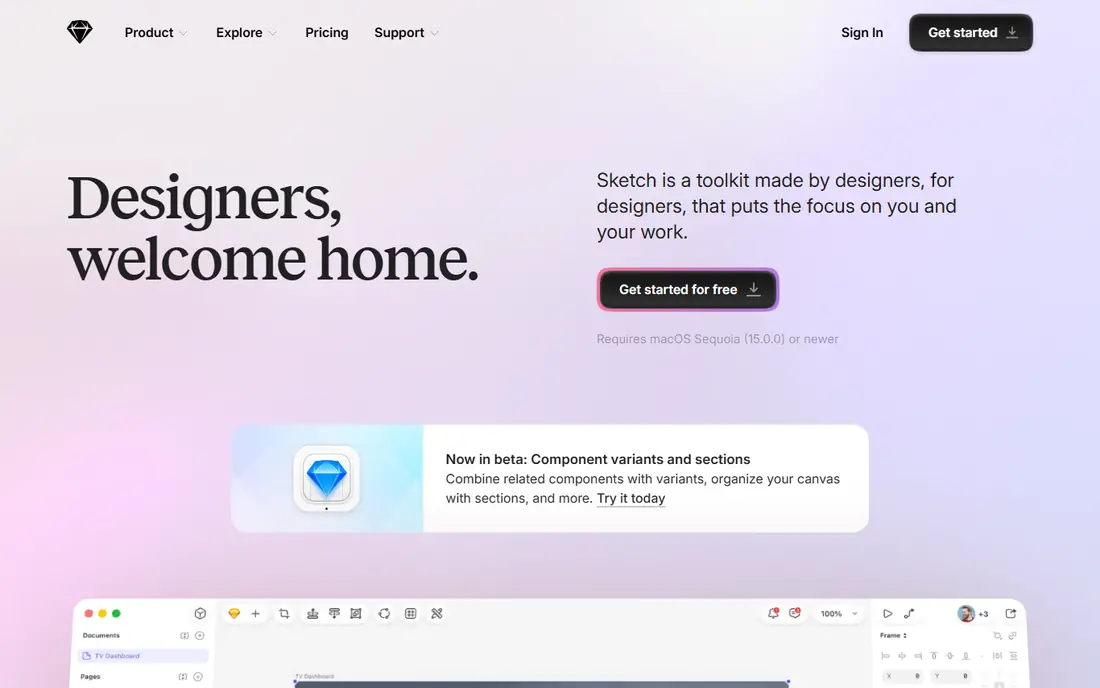
Sketch remains a strong choice for Mac-based teams. Its symbols, libraries and plugins support large design systems, and developers can inspect designs and export assets without a paid editor seat in many cases. The desktop app feels fast and focused for solo designers.
The limits are platform and collaboration. Sketch runs on Mac only, and real-time co-editing is less central than in Figma. Teams with Windows users, or teams that need browser-based collaboration every day, should weigh that before choosing Sketch.
- Mature Mac design app
- Strong symbols and libraries
- Open file format and developer inspection
- Mac only
- Collaboration is less central than Figma
- Some workflows need plugins

Adobe XD suits teams already deep in Adobe tools. Its repeat grids, components and auto-animate features make interactive prototypes quickly, and sharing links for review is straightforward. Designers who know Photoshop and Illustrator will feel at home.
The honest catch is momentum. Adobe's focus has shifted, and XD receives less new development than Figma or Framer. New teams should trial Figma first, while existing XD teams can keep using it where it already fits their workflow.
- Familiar Adobe workflow
- Repeat grids and components
- Voice and auto-animate prototyping
- Development has slowed and focus has shifted
- Smaller plugin ecosystem than Figma
Framer blurs the line between prototype and product. You can design a marketing site, add interactions, and publish it as a real website, which makes stakeholder feedback far more realistic than a clickable mockup. Code components let developers extend designs when needed.
That website focus is also its limit. Mobile app flows and complex logic-heavy prototypes are less central here than in Axure or ProtoPie. For landing pages and marketing sites, Framer is excellent. For app logic testing, pair it with a dedicated prototyping tool.
- Prototypes can publish as real websites
- Code components and effects
- Free plan for starting
- Website focus means app prototyping is less central
- Paid site plans needed for custom domains and scale
Axure RP is the tool for prototypes that must behave like real software. Conditional logic, variables, dynamic panels and data sets let you test complex flows, forms and edge cases before code exists. Documentation can live in the same file, which helps large enterprise projects.
That power comes with a learning curve and a dated interface. Simple marketing screens take longer in Axure than in Figma or Uizard, and the tool is overkill for a quick concept. When logic and documentation matter most, Axure earns its price.
- Conditional logic, variables and data-driven content
- Detailed documentation in the same file
- Strong enterprise use
- Steep learning curve
- Interface feels dated
- Overkill for simple screens
ProtoPie creates mobile prototypes that feel like real apps. It supports sensors, voice, gestures and interactions across devices without code, so you can test a flow on a real phone with realistic motion. That fidelity helps user testing catch problems that static screens hide.
Design tooling is lighter than in Figma or Sketch, so many teams design screens elsewhere and build interactions in ProtoPie. Free plans are limited, and full use needs a paid plan. For interaction testing, that split workflow is worth it.
- Sensor, voice and multi-device interactions without code
- Realistic mobile prototypes
- Good player apps for testing
- Less design tooling than Figma
- Paid plans needed for full project use
Penpot is the best free option for teams that want to avoid per-seat pricing. Its hosted plan is free, its file format is open, and teams can self-host the whole platform for full control over data. Components, design tokens and interactive prototyping cover most product work.
The gaps are ecosystem and polish. Plugins are fewer than Figma's, prototyping interactions are less deep, and very large files can slow down. For most small and mid-size teams, those gaps are acceptable given the price, which is free.
- Free hosted plan with no per-seat charges
- Open file format
- Self-hosting for full data control
- Smaller plugin ecosystem than Figma
- Prototyping depth and large-file performance lag leaders
Balsamiq is built for early ideas. Its hand-drawn style stops teams arguing about colours and fonts before structure is agreed, and its wireframes are fast to build and change. Reviewers can comment without a paid seat on many plans, which helps stakeholder feedback.
It is not a high-fidelity tool. You cannot finish polished UI or build complex interactions in Balsamiq, so teams move to Figma or another editor after wireframes are agreed. For the early, structural stage, that focus is a strength, not a flaw.
- Sketch-style wireframes keep focus on structure
- Fast to learn
- Reviewers cost nothing on many plans
- Not a high-fidelity design tool
- Project caps on cheaper tiers
Justinmind suits teams that need interactive prototypes with real data behaviour, but do not need Axure's full enterprise depth. Conditions, variables and data lists let you simulate forms, lists and flows, and its free plan lets you test that approach before paying.
Collaboration and developer handoff are weaker than Figma, and the interface feels older. For a solo designer or a small team testing logic-heavy flows on a budget, Justinmind is a practical choice. For large team design systems, Figma remains stronger.
- Free plan for starting
- Data-driven prototypes with conditions and variables
- Web and mobile prototyping
- Interface feels dated
- Collaboration and handoff are weaker than Figma
Uizard is the fastest way to turn an idea into a wireframe. Sketch on paper, upload a screenshot, or describe a screen, and Uizard produces an editable wireframe you can adjust. That speed helps in workshops and early product discussions where many ideas need testing.
AI output still needs human refinement, and finished UI control is weaker than in Figma or Sketch. Treat Uizard as a concept tool, not a final design system. When speed matters more than polish, it is hard to beat for early prototypes.
- AI turns sketches and screenshots into editable wireframes
- Very fast for early concepts
- Simple interface
- AI output needs refinement
- Less control than a manual design tool for finished UI
How we picked these
We compared official feature pages, pricing pages and public documentation, and kept tools that are actively available in October 2026. We favoured tools with a clear prototyping strength, from low-fidelity wireframes to logic-heavy flows, and we left out tools that are no longer maintained or have no working official site. Each pick had to support interactive prototyping, not just static screen design.
How to choose for your team
Start with how you work, not with a feature list. If your team collaborates daily in a browser, Figma or Penpot fits best. If you design on Mac and value a desktop app, Sketch fits. If you test complex logic, Axure or Justinmind fits. If you need realistic mobile interactions, ProtoPie fits.
Test sharing and handoff, not just drawing
Build one real flow, share it for comment, and hand it to a developer during a trial. Check whether comments, measurements, assets and exports work the way your team needs. A tool that draws beautifully but handoffs poorly will slow every project.
Check file ownership and export
Confirm you can export your work in a usable format and keep access if you cancel. Penpot's open format and Sketch's open format help here, while cloud tools vary. For long-lived product work, file ownership matters as much as features.
FAQ
What is the best UI prototyping tool for beginners?
Figma is the best default for beginners, thanks to its free plan, templates and large learning community. Uizard is faster for a first wireframe from a sketch, and Balsamiq is best for low-fidelity structure. Start with Figma if you plan to grow into a full design system.
Is Figma free?
Figma has a free Starter plan for small projects, with paid Professional and Organization plans for larger teams. Free plans limit projects and some features, while paid seats add collaboration, libraries and developer features. Check the current seat types before budgeting for a team.
What is the difference between wireframing and prototyping?
Wireframing sketches the structure and layout of screens, usually at low fidelity. Prototyping links screens into an interactive flow that users can click, tap and test. Many tools here do both, but Balsamiq focuses on wireframes, while Axure and ProtoPie focus on interactive behaviour.
Can I prototype without code?
Yes. Every tool here builds interactive prototypes without code, using links, triggers and conditions. Figma, Framer and Uizard cover common flows visually, while Axure and Justinmind add logic and data without code. Code components in Framer are optional, not required.
Which tool is best for mobile app prototyping?
Figma covers most mobile app prototyping well, with components and flows for phones. ProtoPie is best for realistic mobile interactions using sensors, gestures and voice. Penpot and Sketch also handle mobile screens well, depending on your platform and collaboration needs.
Should I use Penpot instead of Figma?
Penpot is a strong free alternative, especially for teams that want no per-seat cost, an open format or self-hosting. Figma still leads on plugins, prototyping depth and large-file performance. Try Penpot on a real project first, and switch only if its limits do not block your work.