The 5 Best Virtual Reality Marketplaces Software for Remote Teams in 2026, Ranked
5 best virtual reality marketplaces software for remote teams, compared on pricing, free plans and best-fit use. The catches are listed up front. No hype.

- Editor's choiceMeetinVR
Structured business meetings in VR
Starts atPricing on requestVisit meetinvr.comFull review - Great alternativeRec Room
Playful team-building and social games
Starts atPricing on requestVisit recroom.comFull review - Also considerMozilla Hubs
Open, browser-based social VR rooms
Starts atPricing on requestVisit hubs.mozilla.comFull review
Direct answer
MeetinVR is the first pick on this list for structured business meetings in VR. If your case is different, Rec Room suits playful team-building and social games and Mozilla Hubs suits open, browser-based social VR rooms. Free plan facts and limits for all 5 tools follow. None of these vendors publish plan prices, so pricing is on request for every option.
TL;DR:
- This list starts with MeetinVR, which is built for structured business meetings in VR.
- One limit worth knowing about Rec Room: not made for business meetings.
- Pricing across the list, from MeetinVR to Virbela, is by quote only.
- MeetinVR stands alone as the one tool in this list with a free plan.
Last checked November 2026. Pricing on request: vendors did not publish plan prices when this guide was last checked (November 2026), so ask each vendor for a written quote.
Quick comparison
| Tool | Best for | Starts at | Free plan? | |
|---|---|---|---|---|
| MeetinVR | Structured business meetings in VR | Pricing on request | Yes | Visit |
| Rec Room | Playful team-building and social games | Pricing on request | Not stated | Visit |
| Mozilla Hubs | Open, browser-based social VR rooms | Pricing on request | Not stated | Visit |
| Spatial | No-code immersive spaces for teams and creators | Pricing on request | Not stated | Visit |
| Virbela | Persistent virtual worlds for remote work | Pricing on request | Not stated | Visit |
Virtual Reality Marketplaces Software for Remote Teams compared in detail
If you are comparing virtual reality marketplaces software for remote teams, this page covers 5 tools in one place: what each is best for, what it costs to start, whether it has a free plan, and the main limit to know about.
MeetinVR
Best for: Structured business meetings in VR
In short, MeetinVR is for structured business meetings in VR. Consider a broader product if your needs extend beyond meetings. In practice, teams that want a meeting-first experience instead of a world-building sandbox may find it a natural fit.
MeetinVR is a virtual reality system made for business meetings and collaboration. Its stated focus is best-in-class meetings in the metaverse, with tools pitched at helping organizations gather in VR. No starting price is listed for MeetinVR here; confirm pricing on the vendor site. MeetinVR has a free plan.
Limits to weigh: VR hardware may be expected.
- Focused on business meetings
- Pitched at organizations
- Narrower scope than world-building tools
Rec Room
Best for: Playful team-building and social games
Rec Room is a good fit for playful team-building and social games. It is widely used for casual group play and can serve as a lighthearted choice for remote team socials or icebreakers.
What to check first: Not designed for business meetings.
Its game-first design makes it simple for participants to jump in and interact without much setup. This comparison lists no price for Rec Room; ask the vendor. Free access: Not stated.
- Cross-platform access
- Simple for newcomers to join
- Distractions may outweigh focus
Mozilla Hubs
Best for: Open, browser-based social VR rooms
Mozilla Hubs was built for open, browser-based social VR rooms. Mozilla Hubs is a social VR product that lets people gather in virtual rooms straight from a browser.
Its link-based model makes it easy to invite remote colleagues without requiring a headset or a software install. This comparison lists no price for Mozilla Hubs; ask the vendor. Free options: Not stated.
Watch-outs: Fewer built-in business features.
- Joins from a browser link
- Open and approachable
- Customization is restricted
Spatial
Best for: No-code immersive spaces for teams and creators

In short, Spatial is for no-code immersive spaces for teams and creators. Spatial is a product for building and publishing social games, brand experiences, virtual learning, galleries, onboarding, and training. It merges no-code tools with Unity-based choices, so teams can start straightforward and add complexity later.
Where it falls short: Feature depth varies by device.
In practice, since it works on web, mobile, and VR, participants can join from the device they already have, which lowers the barrier for remote colleagues who do not own a headset. From a buyer's view, pick something else if you need a persistent, always-on campus instead of event- or space-based experiences. No starting price is listed for Spatial here; confirm pricing on the vendor site. Free access: Not stated.
- Accessible on web, mobile, VR
- Runs in the browser with no download required
- Large events may need careful planning
Virbela
Best for: Persistent virtual worlds for remote work
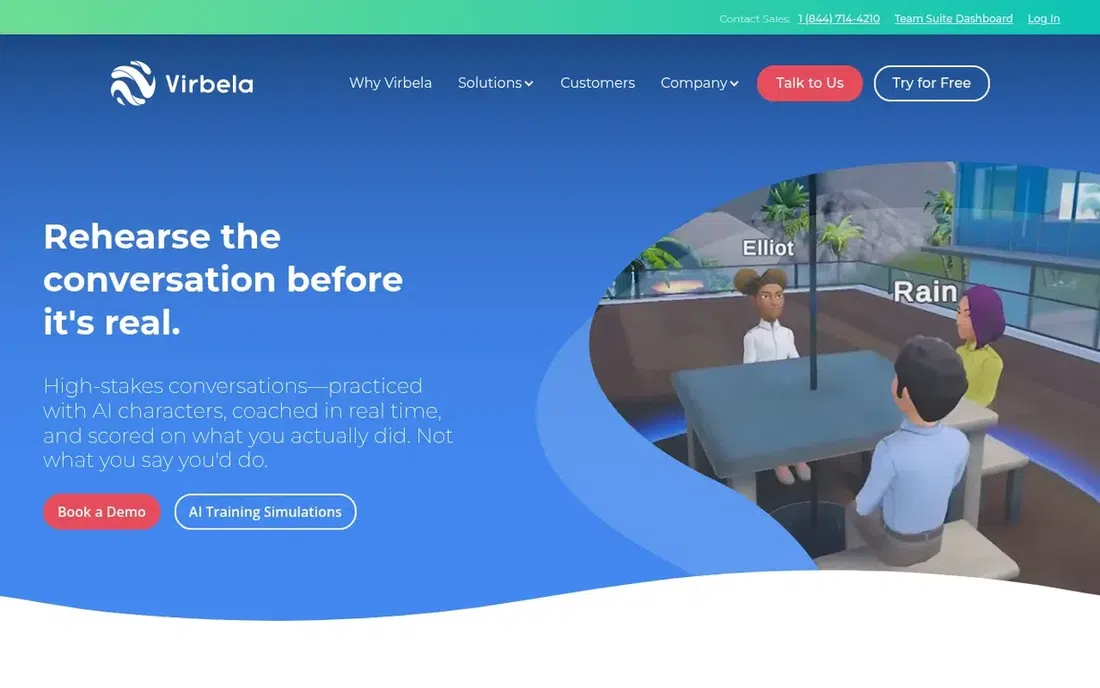
Virbela is built with persistent virtual worlds for remote work in mind. Virbela builds virtual worlds that bring business and in-person experiences online, with a stated goal of helping remote teams be more connected and productive.
Where it is weaker: Less suited to fast one-off meetings.
A persistent world can be more than a small team needs, and getting started may involve more planning than browser-based alternatives. More specifically, consider a lighter tool if you only need occasional meetings or a single event space. Check the vendor site for Virbela pricing; none is listed in this comparison. On free options: Not stated.
- Persistent world model
- Aims to make remote teams more connected
- Setup may need planning
Our selection method
The comparison looks at four things: starting price, free access, how well the feature set matches virtual reality marketplaces software for remote teams, and the main limit of each tool. Where a vendor does not publish a price, the entry says quote. Where a price depends on seats or billing term, the entry says so. Position on the page reflects fit for a typical buyer first, with price clarity and free access breaking ties. Treat it as a guide, not a ruling.
Things to verify first
- Ask each vendor, from MeetinVR to Virbela, for a written quote; none of them publishes a starting price.
- Test the free plan from MeetinVR against your real workload before relying on it.
- Read the limits listed for MeetinVR first: narrower scope than world-building tools.
- Run a one or two week pilot of MeetinVR with the people who will use it every day.
- Ask whether Spatial integrates with your current software, and whether that comes standard or as an add-on.
FAQ
Do these tools publish their prices?
No. None of the tools, from MeetinVR to Virbela, shows a fixed starting price here, so budget time for quotes.
How are the virtual reality marketplaces software for remote teams ordered?
The order follows typical fit for virtual reality marketplaces software for remote teams, with MeetinVR first and Virbela last, then price clarity and free access. It is editorial judgement, not a score, so another team could rank the tools differently.
Do remote teams need VR headsets to use these platforms?
Not always. Multiple products, including Spatial and Mozilla Hubs, offer browser-based access so participants can join without a headset.
Which virtual reality marketplaces software for remote teams have a free plan?
MeetinVR is the only tool in this list with a free plan. Free plans usually cap users, projects or features, so check the limits on the vendor page.
Can I try these tools before paying?
Often, yes. MeetinVR has a free plan. Use your own data and a real task during the test, and check what the free tier or trial limits before you rely on it.
Sources
- https://www.meetinvr.com
- https://recroom.com
- https://hubs.mozilla.com
- https://www.spatial.io
- https://www.virbela.com