The 5 Best Survey Software for Gyms in 2026, Ranked
5 products for the best Survey software for gyms, ranked by fit, with starting costs and free tiers. Each profile ends with a plain caveat. Decide faster.
- Editor's choice
 Typeform
Engaging conversational forms and follow-up
Starts atSee websiteVisit typeform.comFull review - Great alternative
 SurveySparrow
AI-assisted customer feedback analysis
Starts atSee websiteVisit surveysparrow.comFull review - Also consider
 SurveyMonkey
General member feedback and registrations
Starts at$25 per user a monthVisit surveymonkey.comFull review
Direct answer
Start with Typeform if you need engaging conversational forms and follow-up. Listed starting prices: SurveyMonkey from $25 per user a month and Jotform from $34 a month. SurveySparrow is better for AI-assisted customer feedback analysis, and SurveyMonkey is better for general member feedback and registrations. The other 2 tools in the list cover narrower or pricier cases.
TL;DR:
- This list starts with Typeform, which is built for engaging conversational forms and follow-up.
- Jotform is the one to check for fast forms and surveys with templates.
- Only 2 of the 5 tools have a free plan (SurveyMonkey, Jotform), so check the caps.
- One limit worth knowing about SurveyMonkey: advanced analysis may need a higher level.
Last checked November 2026. Prices and plan details were read from the vendors' own pages in November 2026; vendors change plans often, so confirm the current price on the vendor site before you buy.
Quick comparison
| Tool | Best for | Starts at | Free plan? | |
|---|---|---|---|---|
| Typeform | Engaging conversational forms and follow-up | See website | Not stated | Visit |
| SurveySparrow | AI-assisted customer feedback analysis | See website | Free trial | Visit |
| SurveyMonkey | General member feedback and registrations | $25 per user a month | Yes | Visit |
 Zoho Survey | Configurable questionnaires and market research | See website | Not stated | Visit |
 Jotform | Fast forms and surveys with templates | $34 a month | Yes | Visit |
Every option for Survey software for gyms explained
LinkVetted put together this guide to Survey software for gyms for readers who want a clear shortlist without reading every vendor page. It compares 5 tools on starting price, free plans, who each one suits and where each one falls short.
Typeform makes the most sense for engaging conversational forms and follow-up. Typeform builds AI-powered forms that present questions in a conversational, one-at-a-time style, which can feel more engaging to gym members than a long static page.
Where it is weaker: Conversational format may not suit long internal surveys.
Worth adding: the system also triggers automatic workflows after a response, like follow-ups or data enrichment, which fits lead capture for trial memberships and post-visit feedback. Pricing for Typeform is not stated here, so ask the vendor for current figures. Free options: Not stated.
- No-code setup
- Automatic workflows after responses
- Workflow features can add complexity
Where SurveySparrow fits: AI-assisted customer feedback analysis. The system's scope may be broader than a small gym needs, and value relies on having clear feedback goals and someone to review the analysis.
What to check first: Setup needs defining feedback goals.
- Focus on customer journey insight
- AI analysis of customer experience
- May be broader than a small gym needs
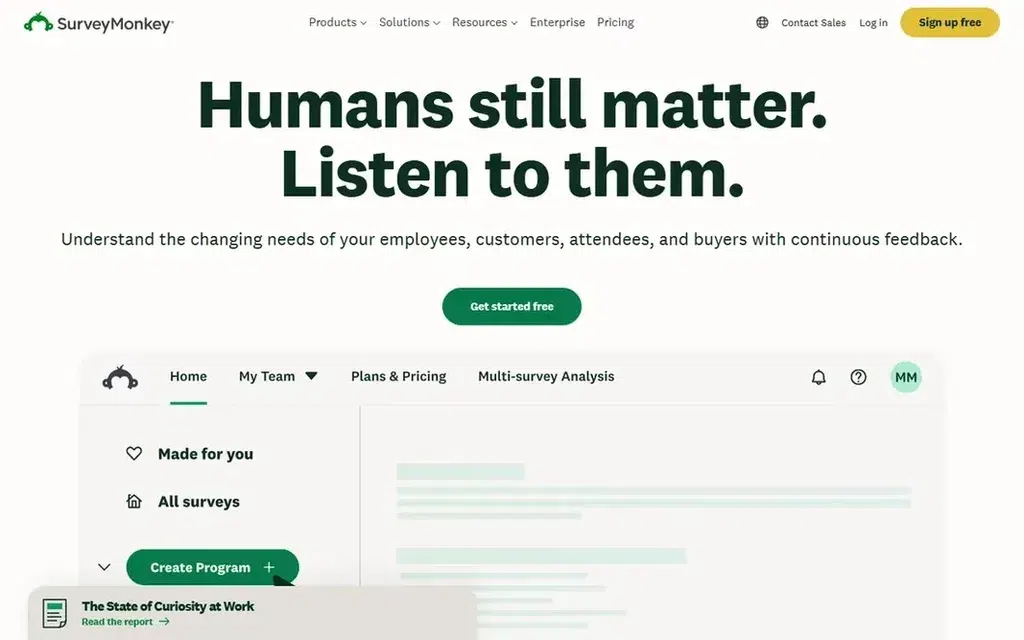
SurveyMonkey serves general member feedback and registrations. SurveyMonkey is a widely used survey system for building forms and questionnaires with AI assistance and templates.
Drawbacks to consider: Branding choices vary by plan.
Also, for gyms, it suits member satisfaction surveys, staff feedback, market research, and event or class registration forms. SurveyMonkey starts at: $25 per user per month. SurveyMonkey includes a free tier.
- AI-assisted survey creation
- Templates for customer and employee feedback
- Advanced analysis may need a higher level
Think of Zoho Survey for customizable questionnaires and market research. Gyms can use it to build customized surveys for member satisfaction, class preferences, and local market research.
Zoho Survey is an online survey maker for market research, feedback questionnaires, and customer satisfaction studies. No starting price is listed for Zoho Survey here; confirm pricing on the vendor site. Trial and free access: Not stated.
What to check first: Feature depth varies across the Zoho ecosystem.
- Suits feedback questionnaires
- Supports market research and satisfaction studies
- May need time to learn customization choices
Jotform is built with fast forms and surveys with templates in mind. The product's emphasis on creating forms in seconds makes it accessible to staff without technical backgrounds.
It can serve as a single place for both operational forms and entry-level survey collection. Its analytics and research depth are lighter than dedicated survey research systems, so complicated analysis may need exporting data elsewhere. Starting cost for Jotform: $34 per month. You can start on Jotform without paying.
Downsides: Complex logic can require more setup.
- Quick form creation
- Survey and form building in one tool
- Advanced analytics are restricted compared to research systems
Our selection method
Pricing pages, product documentation and feature lists were the main sources, and every entry carries at least one honest drawback. Figures are shown as the vendors publish them. Billing terms, seat minimums and add-ons can change the real cost. The order reflects how well each tool fits the most common buying scenario for Survey software for gyms, then price clarity, then free plan access. It is a starting point, not a verdict.
What to confirm before you sign up
- Confirm the entry price on the vendor page. For Typeform, SurveySparrow and Zoho Survey that means a quote rather than a fixed price.
- Look at free plan limits closely: SurveyMonkey and Jotform have one, and the caps decide whether it is usable for real work.
- Use real work to test the free trial from SurveySparrow, rather than a demo project.
- Read the limits listed for Typeform first: conversational format may not suit long internal surveys.
- A short pilot of Zoho Survey with your real workflow tells you more than a feature table.
- Map your must-have features to a specific SurveySparrow plan before you compare prices.
FAQ
How are the tools for Survey software for gyms ordered?
The order follows typical fit for Survey software for gyms, with Typeform first and Jotform last, then price clarity and free access. It is editorial judgement, not a score, so another team could rank the tools differently.
What is the cheapest option for Survey software for gyms in this list?
On published monthly entry prices, SurveyMonkey is the lowest here at $25 per user per month. Entry price is only part of the cost, because seats, add-ons and billing terms can change the total. Prices, free plan details and limits for all 5 tools in this Survey software for gyms roundup sit on the individual cards above.
Can I try these tools before paying?
Often, yes. SurveyMonkey and Jotform have a free plan and SurveySparrow offers a free trial. Use your own data and a real task during the test, and check what the free tier or trial limits before you rely on it.
Which options for Survey software for gyms have a free plan?
SurveyMonkey and Jotform offer a free plan in this list. Free plans usually cap users, projects or features, so check the limits on the vendor page. One other tool offers a trial instead. Each of the 5 options in this Survey software for gyms guide has its own card above with the price, free plan and limits.
Sources
- https://www.typeform.com
- https://surveysparrow.com
- https://www.surveymonkey.com
- https://www.zoho.com/survey
- https://www.jotform.com