Best Online Form Builder for Gyms in 2026: Prices, Free Plans and 6 Picks
Best online form builder for gyms: 6 contenders ranked by fit, with entry costs and free tiers. Price notes and drawbacks come with each one. Compare quickly.
- Editor's choice
 Cognito Forms
Automatic workflows and approvals
Starts at$24 a monthVisit cognitoforms.comFull review - Great alternative
 Typeform
Engaging member surveys and quizzes
Starts atSee websiteVisit typeform.comFull review - Also consider
 Jotform
All-around gym form building
Starts at$34 a monthVisit jotform.comFull review
Direct answer
Our first pick is Cognito Forms, best for automatic workflows and approvals. Listed starting prices: Cognito Forms from $24 a month, Jotform from $34 a month and 123FormBuilder from $18.5 a month. If your case is different, Typeform suits engaging member surveys and quizzes and Jotform suits all-around gym form building. Prices, free plans and limits for all 6 tools follow.
TL;DR:
- Cognito Forms takes the first slot, best suited to automatic workflows and approvals.
- 3 of 6 tools offer a free plan: Cognito Forms, Jotform, 123FormBuilder.
- 123FormBuilder has the lowest monthly starting price in this list: $18.5 per month.
- Gravity Forms suits WordPress-based gym websites.
Last checked November 2026. Prices and plan details were read from the vendors' own pages in November 2026; vendors change plans often, so confirm the current price on the vendor site before you buy.
Quick comparison
| Tool | Best for | Starts at | Free plan? | |
|---|---|---|---|---|
| Cognito Forms | Automatic workflows and approvals | $24 a month | Yes | Visit |
| Typeform | Engaging member surveys and quizzes | See website | Not stated | Visit |
| Jotform | All-around gym form building | $34 a month | Yes | Visit |
 123FormBuilder | Simple no-code form building | $18.5 a month | Yes | Visit |
 Formstack | Workflow automation and e-signatures | $83 a month | Free trial | Visit |
| Gravity Forms | WordPress-based gym websites | $59 a year | No | Visit |
The best online form builder for gyms
This LinkVetted guide covers 6 online form builder for gyms. Each profile lists a starting price, free plan details, strengths and drawbacks, so you can drop poor fits quickly.
Cognito Forms was built for automatic workflows and approvals. Cognito Forms is a form builder with built-in workflow automation, allowing gyms to collect data and automate business processes like approvals, document generation, and file uploads.
Watch-outs: Can be complicated for beginners.
Cognito Forms pricing: $24 per month. Cognito Forms has a free plan.
- Document generation
- Workflow automation
- Limited template library
Typeform was built for engaging member surveys and quizzes. For gyms, this can be well suited to member feedback, fitness assessments, or lead generation, as the engaging format encourages completion.
Drawbacks to consider: Limited template variety.
Gyms needing extensive form types might prefer Jotform or Formstack. Typeform does not show a starting price in this comparison, so check the vendor site for current pricing. Free options: Not stated.
- AI-powered automation
- Conversational interface
- Can be pricier for advanced features

Jotform is a good fit for all-around gym form building. Jotform is a versatile online form builder that lets gyms produce everything from membership applications to health questionnaires.
Strengths: Drag-and-drop editor.
Where it is weaker: Can feel overwhelming.
Its drag-and-drop interface and deep template collection make it simple to begin, even without technical skills. Also, the product provides plenty of features, but the breadth can be daunting for straightforward needs, and advanced choices may need a premium plan. Jotform pricing: $34 per month. You can start on Jotform without paying.
- Payment integrations
- Large template library
- Some features require premium plans
123FormBuilder targets simple no-code form building. It supports application forms, order forms, quizzes, and surveys, and provides secure data collection. In practice, gyms requiring complicated workflows or deep integrations may outgrow it.
As for the details, for straightforward, secure forms, 123FormBuilder is a practical choice, but consider Cognito Forms for more advanced needs. The system is less feature-rich than some competitors, with entry-level reporting and restricted automation. What you pay to start with 123FormBuilder: $18.5 per month. 123FormBuilder includes a free tier.
Drawbacks to consider: Entry-level reporting.
- No coding required
- Variety of form types
- Restricted advanced features
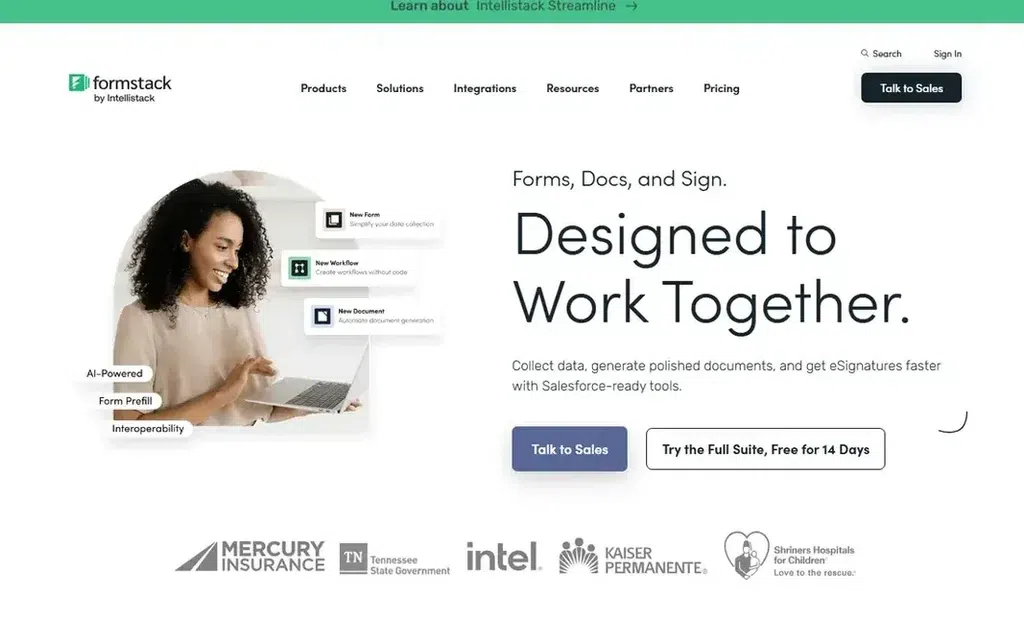
Formstack is designed for workflow automation and e-signatures. Formstack's advanced features come with a steeper ramp-up time and may be overkill for small gyms with entry-level form needs.
Where it is weaker: Higher ramp-up time.
It suits bigger gyms or those with complicated processes that need secure data collection and integration with other business systems. What you pay to start with Formstack: $83 per month. Free access: Free trial.
- Document generation
- E-signature support
- Less focus on straightforward forms
Gravity Forms
Best for: WordPress-based gym websites
Pick Gravity Forms if this describes you: WordPress-based gym websites. Gravity Forms is a WordPress plugin that lets gyms produce custom forms straight on their WordPress sites. It is noted for being secure, steady, and simple to use within the WordPress ecosystem, making it a strong match for gyms that already use WordPress and want to keep form management integrated with their website.
It also involves a ramp-up time for advanced features. For everyday use, for non-WordPress sites, Jotform or Typeform are better alternatives. Starting cost for Gravity Forms: $59 per year. No free plan comes with Gravity Forms.
Where it is weaker: No standalone version.
- Configurable
- Smooth WordPress integration
- Needs WordPress
Selection criteria
Each tool was reviewed on what its vendor publishes: price, plan limits, core features and stated drawbacks. We did not run hands-on tests. Seat minimums, billing terms and add-ons can move the real cost, so the starting prices here are a guide and not a quote. The order reflects how well each tool fits the most common buying scenario for online form builder for gyms, then price clarity, then free plan access. It is a starting point, not a verdict.
Pre-purchase checklist
- Get a written quote from Typeform; the list shows no starting price for them.
- Read the fine print on the free plans from Cognito Forms, Jotform and 123FormBuilder; seat, project and feature caps differ.
- Take the trial from Formstack and push a live task through it before you pay.
- Before choosing Cognito Forms, weigh its main limit: restricted template library.
- Ask Formstack about contract length, onboarding fees and user minimums before you sign.
- Look at which plan of 123FormBuilder unlocks the features you need; entry tiers are often cut down.
FAQ
How are the tools for online form builder for gyms ordered?
The order follows typical fit for online form builder for gyms, with Cognito Forms first and Gravity Forms last, then price clarity and free access. It is editorial judgement, not a score, so another team could rank the tools differently.
Do these tools publish their prices?
Not all of them. Typeform publishes no starting price, so expect a quote request for it. The rest, Cognito Forms included, show a starting price, though seats and billing terms still change the final cost. Prices, free plan details and limits for all 6 tools in this online form builder for gyms roundup sit on the individual cards above.
Is Cognito Forms the right pick for everyone comparing online form builder for gyms?
No single tool suits every team. Cognito Forms comes first because it fits automated workflows and approvals, while Typeform suits engaging member surveys and quizzes and Jotform suits all-around gym form building. Match the tool to your own size, budget and workflow before deciding.
What is the cheapest option for online form builder for gyms in this list?
On published monthly entry prices, 123FormBuilder is the lowest here at $18.5 per month. Entry price is only part of the cost, because seats, add-ons and billing terms can change the total. Each of the 6 options in this online form builder for gyms guide has its own card above with the price, free plan and limits.
Do I need a WordPress plugin for my gym's forms?
Only if your gym website runs on WordPress and you want forms integrated straight. Gravity Forms is a dedicated WordPress plugin.
What is the best online form builder for gyms overall?
Cognito Forms comes first here and is built for automated workflows and approvals. Buyers with other needs may prefer Typeform (for engaging member surveys and quizzes) or Jotform (for all-around gym form building). Compare costs and limits first.
Sources
- https://www.cognitoforms.com
- https://www.typeform.com
- https://www.jotform.com
- https://www.123formbuilder.com
- https://www.formstack.com
- https://www.gravityforms.com